Best Over Ear Wireless Headsets with Mic for Work: What Most Reviews Get Wrong
Here's something the headset industry doesn't want you to realize: the specifications that dominate product pages and review roundups have surprisingly little correlation with how well a headset actually performs on real work calls. Battery life ratings are measured in ideal conditions. Noise cancellation percentages are tested against synthetic noise profiles. Microphone frequency response charts tell you nothing about how your voice sounds to a caller when a dog barks three rooms away.
The result? A market flooded with "best wireless headset" lists that compare numbers on spreadsheets while missing the actual user experience entirely. This guide takes a different approach. Instead of repeating spec sheets, we'll dissect what actually determines call quality, comfort, and productivity in real work environments—and why the over ear wireless headset category specifically demands a different evaluation framework than consumer headphones.
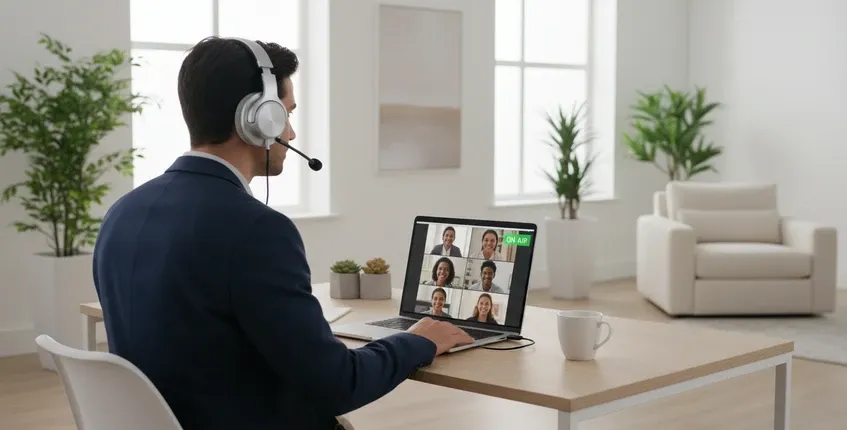
Why Over Ear Wireless Headsets Demand a Different Evaluation Framework
The Physics of All-Day Wear
Most headset reviews test comfort over 30-minute listening sessions. That's fine for music. It's meaningless for work. A knowledge worker averages 6.2 hours per day on calls or in virtual meetings. At that duration, comfort isn't about softness—it's about pressure distribution, heat dissipation, and the subtle ergonomics that determine whether you forget you're wearing a headset or develop a tension headache by 3 PM.
Over ear designs have a fundamental advantage here: they distribute clamping force across the entire circumference of the ear rather than pressing directly on the ear cartilage. This seems obvious, but the implementation details matter enormously. Memory foam cushions that conform to your head shape, breathable protein leather that doesn't trap heat, and an adjustable headband with sufficient padding at the crown—these elements determine whether a headset becomes invisible during an 8-hour day or a constant source of distraction.

The best over ear wireless headsets also offer rotating ear cups that adapt to different head shapes. This isn't a luxury feature—it's what prevents the uneven pressure points that cause fatigue. A headset that fits perfectly on one person's head may create hot spots on another's. Adjustable tension and swiveling joints aren't "nice to have"; they're essential for all-day wearability.
The Microphone Problem Nobody Talks About
Consumer headphone manufacturers optimize for music listening. Business headset manufacturers optimize for voice transmission. These are fundamentally different engineering problems, and the gap between them is where most purchase decisions go wrong.
When you listen to music, you want a wide frequency response, rich bass, and detailed highs. When you speak on a call, you need your voice transmitted clearly and background noise suppressed aggressively. These requirements conflict. A headset designed for music typically has a microphone tuned for general purpose use—not for isolating speech in noisy environments. A headset designed for business calls prioritizes the 100Hz–10kHz vocal range and invests heavily in microphone noise cancellation technology.
This is why the boom mic matters. Positioning the microphone closer to your mouth provides a stronger signal-to-noise ratio, which is the foundational metric that determines how clear you sound to callers. The headset with noise cancelling mic designed for professional meetings uses advanced ENC microphone arrays specifically engineered for business communication rather than music playback. This allows callers to hear your voice more clearly even in noisy environments.
This design principle aligns with ISO 9921, which highlights speech signal-to-noise ratio (SNR) as one of the primary factors affecting speech intelligibility in noisy working environments. Improving SNR through directional microphones and noise suppression allows listeners to understand speech more accurately, even when background noise is present.
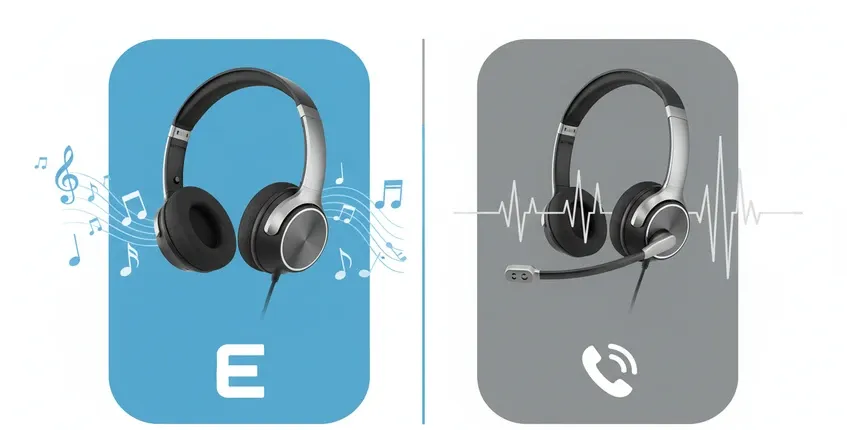
The Trade-Off Matrix: What You're Really Choosing Between
Dimension 1: ANC for You vs. ENC for Your Callers
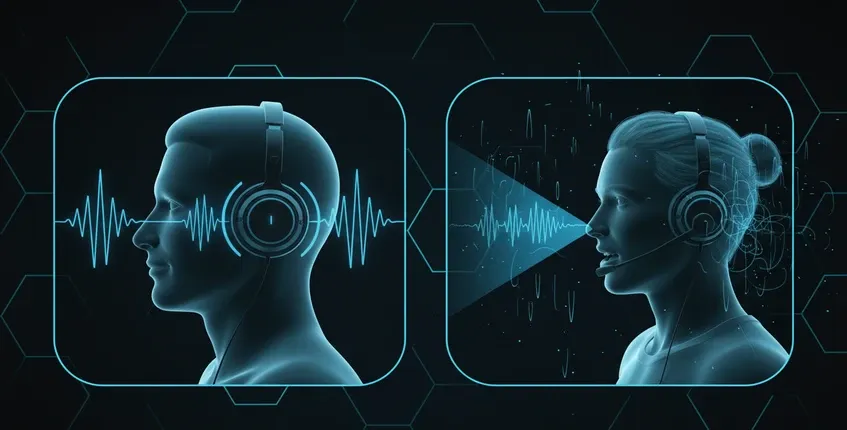
This is the most consequential and least understood trade-off in business headset selection. ANC (Active Noise Cancellation) reduces noise that reaches your ears. ENC (Environmental Noise Cancellation) reduces noise that reaches your microphone and gets transmitted to your callers.
Most premium consumer headphones excel at ANC. They use feedforward and feedback microphones to generate inverse sound waves that cancel out ambient noise. This is wonderful for focus work in noisy environments. But ANC does absolutely nothing for your call quality. Your callers still hear everything happening around you.
Professional business headsets prioritize ENC. They use multiple microphone elements—often four or more—to create a beamforming array that isolates your voice while rejecting background noise. The Nearity EP320, for example, uses a 4-mic array with AI-powered noise suppression to insulate 99.9% of background noise from your microphone signal. Your callers hear only your voice, regardless of whether you're in a bustling open office or a home with kids.
Decision guidance: If you primarily take calls in quiet environments and want premium music listening, prioritize ANC. If you take calls in variable or noisy environments and call clarity is paramount, prioritize ENC. For most hybrid workers, ENC is the non-negotiable feature.
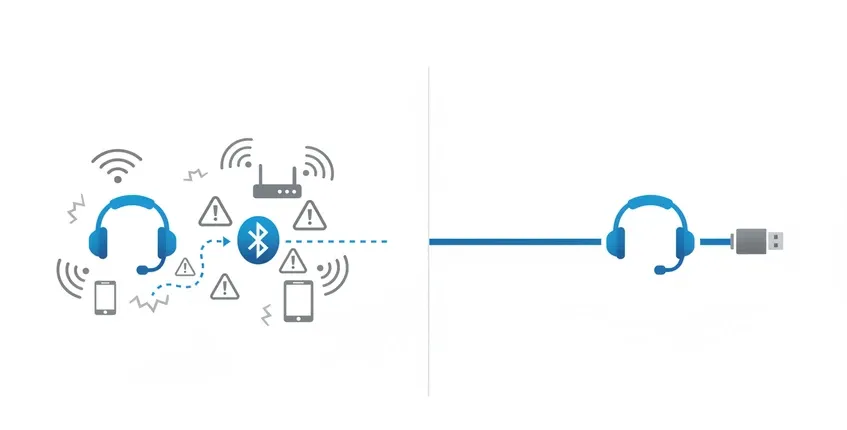
Dimension 2: Bluetooth Convenience vs. Dongle Reliability
Bluetooth 5.4 is impressive technology. It offers 33-foot range, multipoint connection to two devices simultaneously, and low enough latency that lip-sync issues are minimal. But Bluetooth on PCs introduces variables that can compromise call quality: your computer's Bluetooth radio quality, driver compatibility, interference from WiFi networks, and the Bluetooth codec your system supports.
USB dongle connections eliminate these variables. A dedicated wireless USB dongle creates a direct, pre-paired connection that doesn't depend on your computer's Bluetooth stack. This means more stable connections, more consistent audio quality, and typically lower latency. For professionals who cannot afford dropped connections during client calls, a USB dongle provides reliability that Bluetooth alone cannot match.
The trade-off is flexibility. A Bluetooth headset pairs natively with your phone, tablet, and laptop without any accessories. A USB dongle headset requires the dongle for PC connection (though most also support Bluetooth as a secondary option).
Decision guidance: If you primarily use one PC for calls and reliability is critical, a USB dongle headset is the safer choice. If you frequently switch between multiple devices and value wireless convenience, prioritize Bluetooth 5.4 with multipoint. Many modern bluetooth noise cancelling headset with mic models now combine Bluetooth connectivity with a dedicated USB dongle, giving professionals both wireless flexibility and reliable PC performance without compromise.
The $200–400 premium headset segment (Jabra Evolve2 75, Poly Voyager Focus 2, Sony WH-1000XM6) offers exceptional build quality, premium materials, and sophisticated software ecosystems. These are excellent products. But a significant portion of their price tag funds brand ecosystem development, companion apps, and enterprise management features that individual users and small teams rarely utilize.
The practical performance gap between premium headsets and well-engineered mid-range options is narrower than the price difference suggests. A $120–150 business headset with a 4-mic ENC array, Bluetooth 5.4, USB dongle, and comfortable over ear design delivers 90% of the call quality and comfort at 40% of the price. Where premium headsets justify their cost is in marginal gains: slightly better ANC, more premium materials, longer battery life, and enterprise management features.
Decision guidance: For individual professionals and small teams, the practical performance-to-price sweet spot is $100–150. For enterprise deployments where IT management, bulk provisioning, and unified support matter, premium headsets with enterprise software ecosystems deliver value beyond raw audio performance.
The Hidden Cost Dimension: What Spec Sheets Don't Capture
Beyond the obvious trade-offs, several non-intuitive dimensions separate good headsets from great ones in daily use:
- Heat buildup during long calls: Over ear designs trap heat around the ears. Breathable materials and adequate ventilation become critical during back-to-back meetings. A headset that feels comfortable at 9 AM can feel oppressive by 4 PM if heat can't escape.
- Microphone positioning fatigue: Boom mics that are too heavy or poorly balanced create subtle neck fatigue over time. The best designs keep the boom lightweight and position it close to the mouth without requiring the wearer to adjust their posture.

- Mute button accessibility: During a call, you need to mute instantly when interruption strikes. A tactile mute button on the microphone boom—where your hand naturally reaches—is vastly more usable than software controls or touch-sensitive panels you can't locate by feel.
- Charging convenience: Headsets with charging stands stay charged and organized on your desk. Headsets that charge only via cable tend to die unexpectedly because there's no visual reminder to plug them in. The Nearity EP320 includes a charging stand specifically for this reason—it's a workflow feature masquerading as an accessory.
First Principles: What Actually Determines Call Quality
To understand headset performance, you need to understand the signal chain. Your voice travels from your mouth, through the microphone elements, into a DSP (Digital Signal Processor), through Bluetooth or USB transmission, into your computer's audio system, across the internet, and finally to your caller's ears. Every step introduces potential quality loss.
The microphone array is the first and most critical link. More microphone elements enable better beamforming—the technique of using multiple mic signals to create a directional pickup pattern that focuses on your voice and rejects off-axis noise. Four microphones arranged strategically around the ear cup can create a dramatically tighter voice pickup zone than one or two elements.
The DSP is the second critical link. Modern business headsets use dedicated audio processors (like the HiFi5 DSP in the EP320) to run noise suppression algorithms in real time. The quality of these algorithms—trained on thousands of hours of noise samples—determines how effectively background noise gets removed without distorting your voice.

Most reviews focus on the transmission method (Bluetooth vs. wired), but the reality is that modern Bluetooth 5.4 with high-quality codecs transmits audio transparently. The bottleneck in call quality is almost always at the microphone and DSP stage, not the transmission stage. A headset with a mediocre microphone and excellent Bluetooth will sound worse than a headset with a superior microphone and good Bluetooth.
A Decision Framework: Choosing the Right Over Ear Wireless Headset
Based on the trade-offs and first principles above, here's a practical evaluation framework:
Step 1: Identify your primary environment
- Quiet home office → ANC and ENC both nice-to-have
- Noisy home with family/kids → ENC is non-negotiable
- Open office → Both ANC and ENC needed
- Hybrid/multiple locations → ENC critical, flexibility key
Step 2: Determine your connectivity needs
- Single PC user → USB dongle preferred
- Multi-device switcher → Bluetooth multipoint essential
- Want both → Look for headsets with dongle + Bluetooth
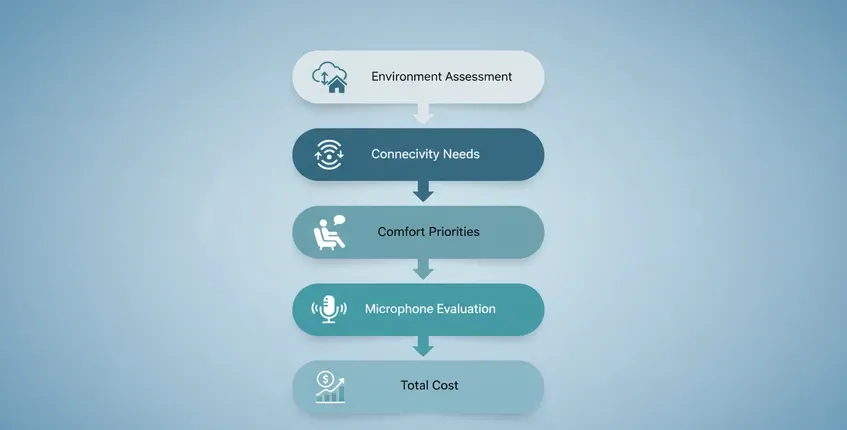
Step 3: Set your comfort priorities
- 4+ hours daily wear → Over ear design, memory foam, adjustable tension
- Glasses wearer → Look for glasses-friendly ear cushions with relief channels
- Hot environments → Prioritize breathable materials over leather
Step 4: Evaluate microphone quality realistically
- Check for 4+ microphone elements
- Look for dedicated ENC/AI noise cancellation
- Prefer boom mics over built-in mics for noisy environments
- Test how the mic performs with background noise, not just in silence
Step 5: Consider total cost of ownership
- Battery longevity (will it hold charge after 2 years?)
- Durability of cushions and headband (replaceable parts?)
- Warranty and support quality
- Charging convenience (stand vs. cable-only)
Where the Nearity EP320 Fits
If you're looking for the best noise cancelling headset for hybrid work, the Nearity EP320 occupies a strong position in this framework. It combines a 4-mic AI-powered ENC array with HiFi5 DSP processing, achieving 99.9% background noise suppression for microphone transmission. The over ear design uses memory foam cushions and an adjustable padded headband for all-day comfort, while the 250° rotatable boom mic accommodates left or right wearing preferences.
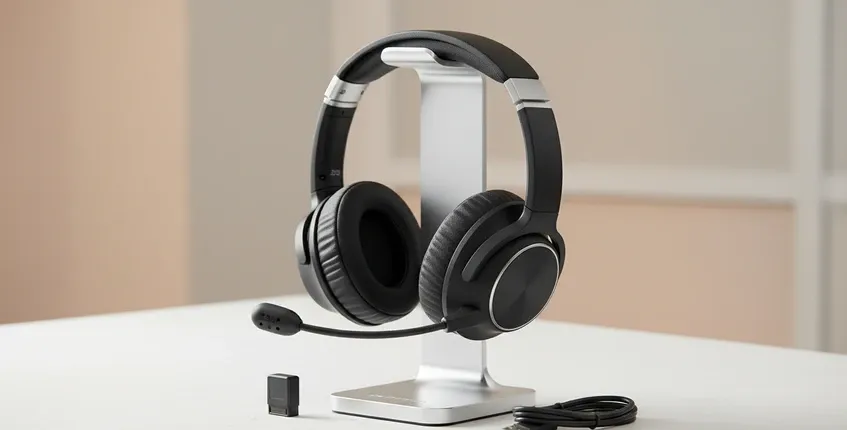
Connectivity options include Bluetooth 5.4 with multipoint pairing, a pre-paired USB-A dongle, and USB-C cable connection—covering the flexibility needs of most hybrid workers. The 45-hour battery life for music (35 hours for calls) exceeds a full work week, and the included charging stand eliminates the "dead headset on Monday morning" problem.
At $127.50 (regularly $149.99), it sits in the practical performance sweet spot identified above—delivering professional-grade ENC call clarity, versatile connectivity, and all-day comfort without the premium brand markup. For individual professionals, call center teams, and hybrid workers who prioritize call quality over audiophile music playback, this positioning makes it a compelling alternative to $250+ premium options.
FAQs
What's the difference between over ear and on ear headsets for work?
Over ear headsets enclose the entire ear, creating a seal that provides better passive noise isolation and more even pressure distribution. On ear headsets sit directly on the ear cartilage, which can become uncomfortable during extended wear and typically provides less noise isolation. For workdays involving 4+ hours of calls, over ear designs are generally the better choice. However, on ear models are more compact for travel, so hybrid workers who frequently commute may need to weigh portability against comfort.
How many microphones should a business headset have for clear calls?
For professional environments with background noise, look for headsets with at least 3–4 microphone elements. Single or dual-mic headsets can work well in quiet environments, but they lack the spatial information needed for effective beamforming noise cancellation. Four-mic arrays, like those in the Nearity EP320, can create directional pickup patterns that isolate your voice while suppressing ambient noise from other directions. This becomes critical when working from home, in open offices, or any environment where you don't have complete acoustic control.
Is Bluetooth 5.4 good enough for professional calls, or do I need a wired connection?
Bluetooth 5.4 is absolutely sufficient for professional calls. The latency is low enough that lip-sync issues are negligible, and the audio quality with modern codecs matches wired connections for voice frequencies. However, connection stability depends on your computer's Bluetooth implementation. For maximum reliability—especially on PCs with older or lower-quality Bluetooth radios—a USB dongle connection provides the stability of a wired connection with the convenience of wireless. Many professionals prefer headsets that offer both options.
Ready to upgrade your call audio? Explore the Nearity EP320 wireless business headset with 4-mic ENC, Bluetooth 5.4, USB dongle, and all-day comfort design.