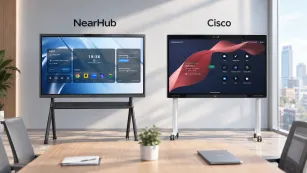
Touchscreen vs Interactive Whiteboard: Key Differences & Best Choice Guide (2026)
Discover the key differences between touchscreen displays and interactive whiteboards.
touch screen whiteboard
touchscreen vs interactive whiteboard
Updated: Aug 19, 2026 · 8 minutes read
Global Business, Brought Near.
No Installer, No Hassle, Just Works.
IIn today's rapidly evolving digital landscape, organizations across education and business sectors are seeking innovative ways to enhance collaboration, engagement, and productivity. The touch screen whiteboard has emerged as a transformative technology that bridges the gap between traditional presentation tools and modern interactive displays.
Whether you're an educator looking to revolutionize your classroom experience or a business leader aiming to upgrade your meeting rooms, understanding what a touch screen whiteboard is—and how it differs from related technologies—is crucial for making an informed investment.
This comprehensive guide will answer the question "what is a touch screen whiteboard," explain how the technology works, explore its key benefits, and provide you with a practical framework for choosing the perfect solution.
What Is a Touch Screen Whiteboard?
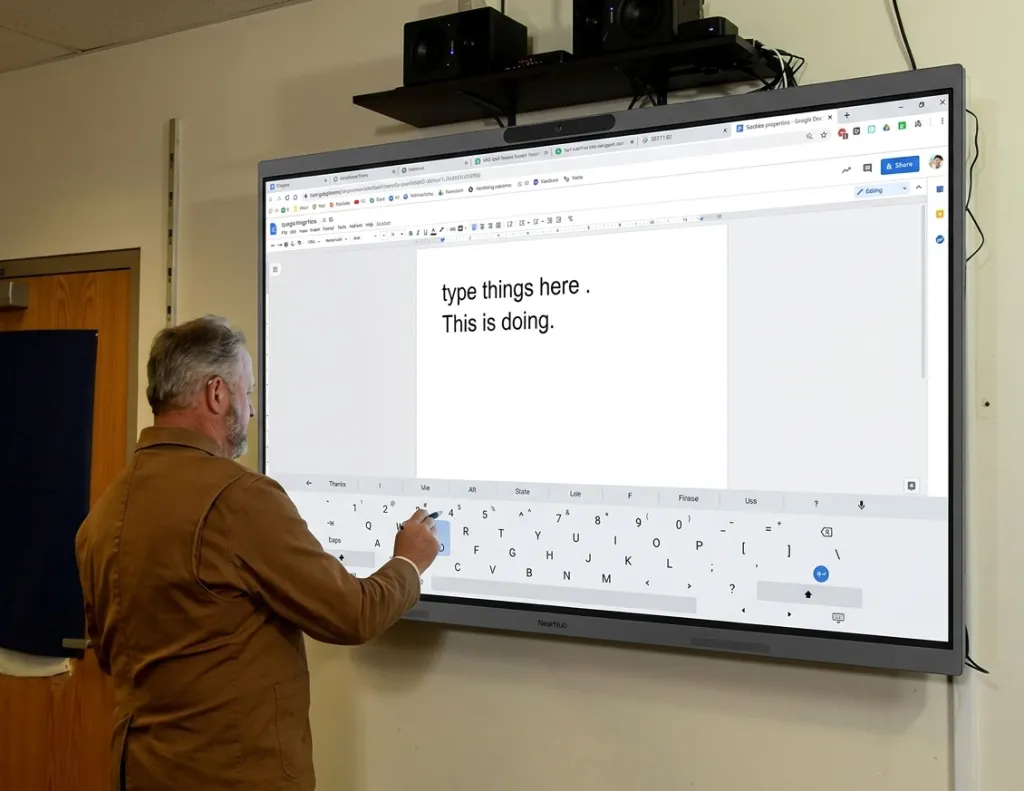
A touch screen whiteboard is an interactive display that combines touchscreen technology with digital whiteboard software, allowing users to write, draw, annotate, and manipulate content directly on the screen using their fingers or a specialized stylus—without needing a separate projector, computer, or physical markers.
Think of it as the evolution of the traditional whiteboard. Instead of dry-erase markers that run out and smudge, a touch-screen whiteboard lets you write naturally on a large, bright display. Your notes, diagrams, and annotations are captured digitally, saved to the cloud, and shared with anyone, anywhere.
Modern touch screen whiteboards typically feature:
High-resolution LED or LCD displays ranging from 55 to 98 inches with 4K UHD resolution
Multi-touch capability supporting 10 to 40 simultaneous touch points, enabling multiple users to collaborate at once
Built-in computing systems running Android, Windows, or proprietary operating systems
Wireless connectivity for screen mirroring from laptops, tablets, and smartphones
Cloud integration for seamless file storage, sharing, and real-time synchronization
Compatibility with popular productivity suites like Microsoft Office, Google Workspace, and educational software
These devices serve as central collaboration hubs, enabling teams and classrooms to interact with digital content in real time—regardless of whether participants are in the same room or connecting remotely.
How Does a Touch Screen Whiteboard Work?
Understanding how a touch screen whiteboard works helps you evaluate different models and appreciate the technology behind the experience.
Touch Detection Technology
Most interactive whiteboards use one of two touch technologies:
Capacitive Touch (like your smartphone): The screen detects electrical changes from your finger. It offers high precision and supports multi-touch gestures like pinch-to-zoom, but typically requires skin contact and may not work with standard gloves.
Infrared Touch: An invisible grid of infrared light beams covers the screen surface. When you touch the screen, you interrupt the beams, and sensors calculate the exact position. This technology works with any object—finger, stylus, or even a gloved hand—and supports true multi-user collaboration.
The Built-In Computer
Unlike a traditional display that simply shows content from an external source, a touch screen whiteboard contains a built-in computer (usually Android-based or Windows-based). This computer runs:
Whiteboarding software with an infinite canvas, digital pens, shapes, and templates
Web browsers for accessing online content without a laptop
Video conferencing apps like Zoom, Microsoft Teams, or Google Meet
File management systems for saving and organizing content locally or in the cloud
Content Flow
When you write or draw on a touch screen whiteboard, the process works like this:
Input: Your finger or stylus touches the screen
Detection: Sensors register the exact location and pressure of the touch
Processing: The built-in computer renders your stroke in real time on the display
Storage: Content is automatically saved to local memory or cloud storage
Sharing: You can export notes as PDFs, send via email, or share through collaboration platforms
Key Features to Look For
When evaluating touch screen whiteboards, these features separate entry-level models from professional-grade solutions:
Feature
Why It Matters
What to Look For
Screen Size
Determines visibility for your audience
55"–65" for small rooms; 75"–86" for classrooms and medium meeting rooms
Resolution
Impacts the clarity of text and images
Minimum 4K UHD (3840×2160) for crisp detail
Touch Points
Enables multi-user collaboration
20+ touch points for team activities
Built-in OS
Determines software compatibility
Android (flexible apps) or Windows (full desktop apps)
Wireless Casting
Eliminates cable clutter
Miracast, AirPlay, Chromecast, or proprietary casting
Video Conferencing
Supports hybrid meetings
Integrated 4K camera, microphone array, and speakers
Cloud Integration
Enables remote collaboration
Google Drive, OneDrive, Dropbox, or proprietary cloud
Palm Rejection
Prevents accidental input while writing
Advanced algorithms that distinguish a palm from a pen
Benefits of Touch-Screen Whiteboards
Organizations adopt touch screen whiteboards because they deliver measurable improvements across engagement, collaboration, and efficiency.
Enhanced Engagement
The tactile nature of touch interaction transforms passive audiences into active participants. Studies show that interactive displays increase information retention by up to 30% compared to traditional lectures or static presentations. Students and meeting attendees physically interact with content, which deepens understanding and keeps attention focused.
Seamless Collaboration
Modern work and learning environments span geographic boundaries. A touch screen whiteboard enables real-time collaboration where multiple users contribute simultaneously—writing, drawing, and annotating on the same canvas. Changes appear instantly, and sessions can be saved for future reference or continued work.
Content Preservation
Unlike traditional whiteboards, where insights are erased at the end of a session, digital whiteboards preserve every stroke, annotation, and diagram. This content becomes searchable, shareable, and reusable, building institutional knowledge over time. No more taking photos of whiteboards before someone wipes them clean.
Workflow Integration
Leading touch screen whiteboard solutions integrate with tools your team already uses. Import PowerPoint presentations directly, annotate over web pages, export sessions as PDFs, or sync content to your project management platform. The technology enhances rather than disrupts established workflows.
Reduced Environmental Impact
By eliminating the need for dry-erase markers, erasers, and paper handouts, touch screen whiteboards reduce consumable waste. Digital content distribution also cuts down on printing costs and paper usage.
Touch Screen Whiteboard for Classroom
Educational institutions represent one of the largest markets for touch screen whiteboard technology. The benefits for teaching and learning are substantial:
Active Learning Environment
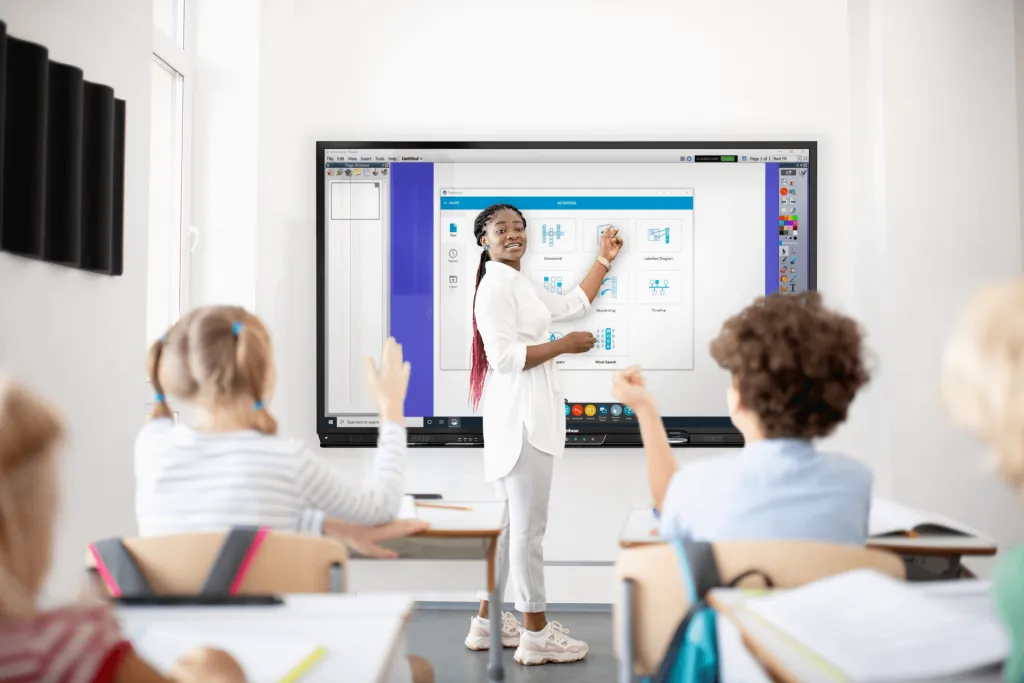
A touch screen whiteboard for classroom use creates opportunities for active learning strategies. Teachers design lessons where students physically interact with content—manipulating digital objects, solving problems collaboratively, and engaging with multimedia resources rather than passively listening.
Differentiated Instruction
Digital whiteboards enable teachers to adapt content for diverse learning needs in real time. Visual learners benefit from rich media integration, kinesthetic learners thrive through touch-based interaction, and auditory learners can access embedded videos and sound clips—all from the same lesson.
Global Resource Access
Internet-connected touch screen whiteboards provide instant access to educational resources worldwide: instructional videos, interactive simulations, virtual field trips, and collaborative projects with classrooms across the globe. A science teacher can pull up a live satellite feed; a history teacher can explore 3D models of ancient ruins.
Real-Time Assessment
Many touch screen whiteboard platforms include built-in assessment capabilities. Teachers create interactive quizzes, gather real-time responses from students, and provide immediate feedback to identify learning gaps—without the delay of paper-based tests.
Lesson Recording and Sharing
Teachers can record entire lessons directly on the touch screen whiteboard, including audio, annotations, and screen content. These recordings can be shared with absent students, uploaded to learning management systems, or reused for flipped classroom models.
Touch Screen Whiteboard for Meetings
Corporate environments have embraced touch screen whiteboard technology as a cornerstone of modern meeting spaces and hybrid work strategies.
Streamlined Meeting Workflows
A touch screen whiteboard for meetings eliminates common frustrations—no more fumbling with HDMI cables, searching for markers, or struggling to read faded handwriting. Participants wirelessly connect their devices and begin collaborating immediately. For teams evaluating different solutions, exploring the best interactive electronic whiteboard options can help identify models that combine seamless connectivity with real-time collaboration.
Hybrid Meeting Excellence
Modern interactive whiteboards feature integrated 4K cameras, microphone arrays with noise cancellation, and optimized speakers for video conferencing. Remote team members see content clearly, hear discussions without echo, and can even annotate the whiteboard from their own devices—creating true parity between in-room and remote participants.
Decision Documentation
Digital whiteboards capture meeting insights automatically. Action items, decisions, and brainstorming output are preserved and distributed to stakeholders immediately after the meeting. Integration with project management tools like Asana, Monday.com, or Jira ensures nothing falls through the cracks.
Professional Impact
State-of-the-art collaboration technology signals organizational competence and innovation to clients, partners, and recruits. Walking into a meeting room with a large, bright interactive display creates a stronger impression than a flip chart or traditional projector setup.
Touch Screen Whiteboard vs Interactive Whiteboard
Now that we've covered what a touch screen whiteboard is and how it's used, let's clarify how it compares to related display technologies. The touch screen whiteboard vs interactive whiteboard comparison is one of the most common points of confusion for buyers.
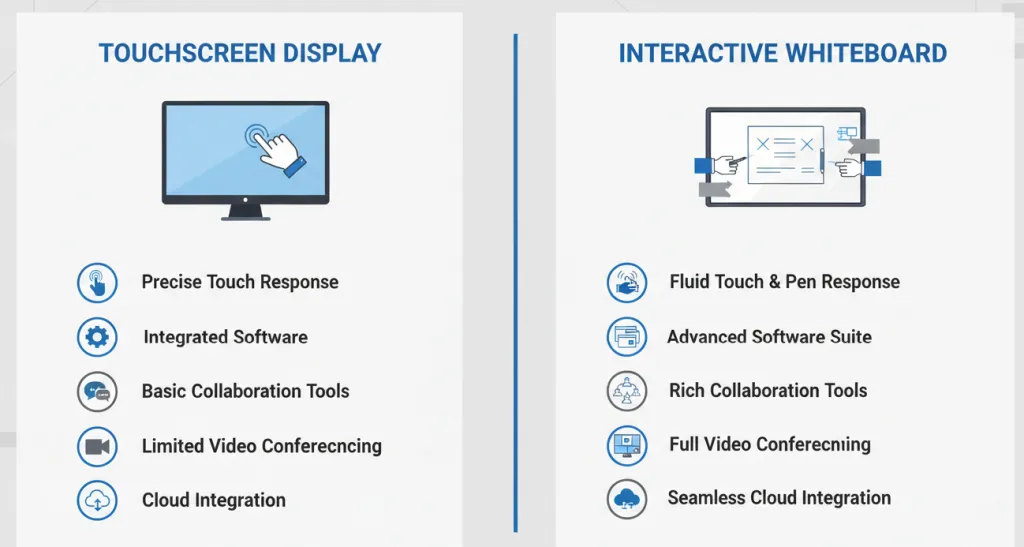
Touchscreen Displays
Touchscreen displays are primarily input-focused devices designed for direct interaction:
Emphasis on touch responsiveness and accuracy
Often require external computers or media players to display content
May have limited built-in software capabilities
Generally represent a more affordable entry point (1,500–1,500–5,000)
Ideal for simple annotation, digital signage, and basic interactivity
Interactive Whiteboards
Interactive whiteboards represent a comprehensive solution that combines display technology with integrated software ecosystems:
Built-in operating systems with dedicated collaboration software
Advanced whiteboarding applications with infinite canvas capabilities
Video conferencing integration for hybrid meetings
Cloud connectivity and real-time synchronization across devices
Comprehensive device management for IT administrators
Higher investment range (3,000–3,000–15,000) but greater functionality
Side-by-Side Comparison
Feature
Touchscreen Display
Interactive Whiteboard
Touch Response
High precision
High precision + palm rejection
Built-in Software
Limited or none
Comprehensive suite
Collaboration Tools
Basic annotation
Advanced whiteboarding + multi-user
Video Conferencing
External equipment required
Often integrated (camera + mic + speakers)
Cloud Integration
Limited
Extensive (auto-save + sync)
Wireless Casting
May require dongle
Built-in (Miracast, AirPlay, Chromecast)
Price Range
1,500–1,500–5,000
3,000–3,000–15,000
Best For
Simple presentations, signage
Collaborative classrooms & meeting rooms
Bottom line: All interactive whiteboards are touch screen whiteboards, but not all touch-screen displays are fully featured interactive whiteboards. If you need software, video conferencing, and cloud collaboration, choose an interactive whiteboard. If you just need a large touch display for basic input, a touchscreen display may suffice.
Product Spotlight: NearHub Board Max
Among the many options in the interactive display market, the NearHub Board Max stands out as a comprehensive solution designed for both educational and corporate environments.
Key Features
Available in 55-inch, 65-inch, and 75-inch 4K UHD displays with anti-glare coating
8-microphone array with AI-powered noise cancellation
NearHub OS with infinite canvas whiteboarding and 100+ app integrations
Wireless screen sharing from any device
Enterprise security with AES-256 encryption
The NearHub Board Max addresses common pain points with an intuitive interface requiring minimal training, robust build quality, and regular software updates. Educational users benefit from classroom management tools and lesson recording, while corporate users gain meeting analytics and seamless Teams/Zoom integration.
How to Choose the Right Touch Screen Whiteboard
Use this five-step framework to guide your decision-making process:
Step 1: Define Your Primary Use Cases
Document how the display will be used most frequently:
Teacher-led instruction → Prioritize lesson recording, educational software, and ease of use
Student collaboration → Prioritize multi-touch points and wireless casting from student devices
Executive presentations → Prioritize premium build quality, 4K clarity, and professional appearance
Hybrid meetings → Prioritize integrated video conferencing, noise cancellation, and remote collaboration features
Step 2: Assess Your Technical Environment
Evaluate existing infrastructure:
Network capabilities: Can your Wi-Fi handle multiple devices casting simultaneously?
Device ecosystems: Do you use Windows, Mac, Chromebook, iOS, or Android? Ensure compatibility.
Look beyond the initial purchase price. Factor in:
Software subscriptions (if any)
Installation and mounting
Training for staff or teachers
Maintenance and warranty coverage
Potential upgrade paths for multi-unit deployments
Step 4: Evaluate Vendor Support
Research each vendor's reputation for:
Customer reviews and testimonials
Support availability (phone, email, live chat)
Software update frequency and roadmap
Professional development resources for educators
Warranty terms and replacement policies
Step 5: Plan for Future Growth
Choose solutions with proven innovation track records and regular feature updates. Consider:
Scalability for rolling out multiple units across a campus or office
Interoperability with emerging technologies (AI assistants, spatial audio)
Manufacturer stability and long-term commitment to the product line
FAQs
What is the difference between a touchscreen display and an interactive whiteboard?
A touchscreen display is primarily input-focused, often requiring external computers. An interactive whiteboard combines display technology with integrated software, built-in operating systems, video conferencing, and cloud connectivity.
Is a smart board the same as an interactive whiteboard?
While terms are often used interchangeably, "Smart Board" was originally a brand name. Today "smart board" refers generically to any interactive display with collaborative features.
What are the main benefits of touch screen whiteboards in classrooms?
They enhance engagement through active learning, support diverse learning styles, provide global resource access, enable real-time assessment, and eliminate consumables while preserving content digitally.
How much does an interactive whiteboard cost?
Touchscreen displays range from $1,500 to $5,000, while comprehensive interactive whiteboards range from $3,000 to $15,000 depending on size and features.
What size touch screen whiteboard do I need?
For classrooms, 65-inch to 75-inch displays work well. For meeting rooms, 75-inch to 86-inch displays are ideal for groups of 8-15 people.
Conclusion: Making Your Decision
The touchscreen vs interactive whiteboard decision depends on your organization's unique needs, budget, and long-term vision. While basic touchscreen displays may suffice for simple applications, comprehensive solutions like the NearHub Board Maxdeliver transformative collaboration experiences.
Whether equipping classrooms for the next generation of learners or designing meeting spaces for hybrid teams, understanding these technology distinctions empowers informed decisions. The benefits of touch screen whiteboard adoption—enhanced engagement, seamless collaboration, and preserved institutional knowledge—position organizations for success.
The right touch screen whiteboard becomes more than a display; it becomes a catalyst for creativity, productivity, and meaningful collaboration.