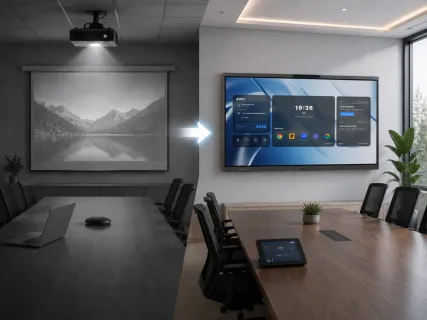
Nobody schedules a meeting expecting to lose the first five minutes to a projector bulb warming up, a focus ring that drifted since last week, or someone hunting for a light switch to dim the glare washing out the screen. It happens anyway, in room after room, meeting after meeting — and it's the accumulation of these small five-minute losses, not a single dramatic failure, that pushes most organizations to finally replace their conference room projectors with flat-panel displays.
Projectors vs Interactive Displays — The Modern Debate
The real difference between a projector and an interactive display isn't image size — it's how much daily maintenance the room silently demands to keep that image usable. A projector requires a controlled environment (dim lighting, a clean lens, a properly aligned image) to perform well; a flat-panel display produces its own light and holds a consistent, in-focus image regardless of room conditions or how many times a meeting starts.
Why this debate keeps resurfacing instead of settling: projectors have genuinely improved — laser light engines have reduced bulb-replacement cycles significantly compared to older lamp-based units. But laser projectors still require a screen, careful mounting, and periodic cleaning; they solve the bulb problem without solving the ambient-light or focus-drift problems. That's why teams who upgrade to laser projectors still often end up switching to flat panels within a couple of years — the remaining friction points were never about the bulb.
Brightness, Visibility & Room Light Issues
A flat-panel display solves the brightness problem by generating its own light directly, rather than depending on projecting a bright enough image onto a reflective screen. This is the single most commonly cited reason teams switch: no more closing blinds, dimming overhead lights, or scheduling around which conference rooms get harsh afternoon sun through the windows.
The chain worth tracing through: a dim projected image isn't just a visibility annoyance — it directly damages meeting effectiveness. Presenters unconsciously start narrating content that people in the room can't clearly see ("as you can see in this chart…" when half the room can't, in fact, see it clearly), which slows down decisions and forces more verbal back-and-forth to compensate for what the screen should have communicated instantly. Remote participants, who only see what the in-room camera captures of a washed-out screen, are affected even more severely than people physically in the room.
Maintenance Costs: Projectors vs Displays
Flat-panel displays largely eliminate the recurring maintenance categories that drive projector total cost of ownership: lamp or laser-engine replacement, filter cleaning, focus and keystone recalibration after the unit shifts slightly over time, and screen replacement when the projection surface degrades or gets damaged. A modern commercial flat panel has none of these consumable, wear-prone components.
Why the sticker price comparison misleads buyers: a projector's lower upfront cost is real, but it's only the entry fee — the total 3-year cost includes replacement parts, the technician time (internal or contracted) spent on recalibration and troubleshooting, and the harder-to-quantify cost of meetings that start late or run less smoothly because the room isn't working reliably. For a room used daily, that ongoing cost typically closes or reverses the initial price gap within the first year or two. For a room used a few times a month — an overflow space, a rarely booked large room — the projector's lower entry cost may still win, because there's simply less usage to amortize the display's higher purchase price against.
Interactive Features Projectors Can't Match
Beyond image quality, an interactive display adds a category of functionality a projector fundamentally cannot: direct touch interaction, multi-user annotation, and — on compute-first models — a full operating system running native software rather than a passive projected image. A projector shows what a connected device sends it; an interactive display can be the device, running meeting software, whiteboarding apps, and file access without anything else plugged in.
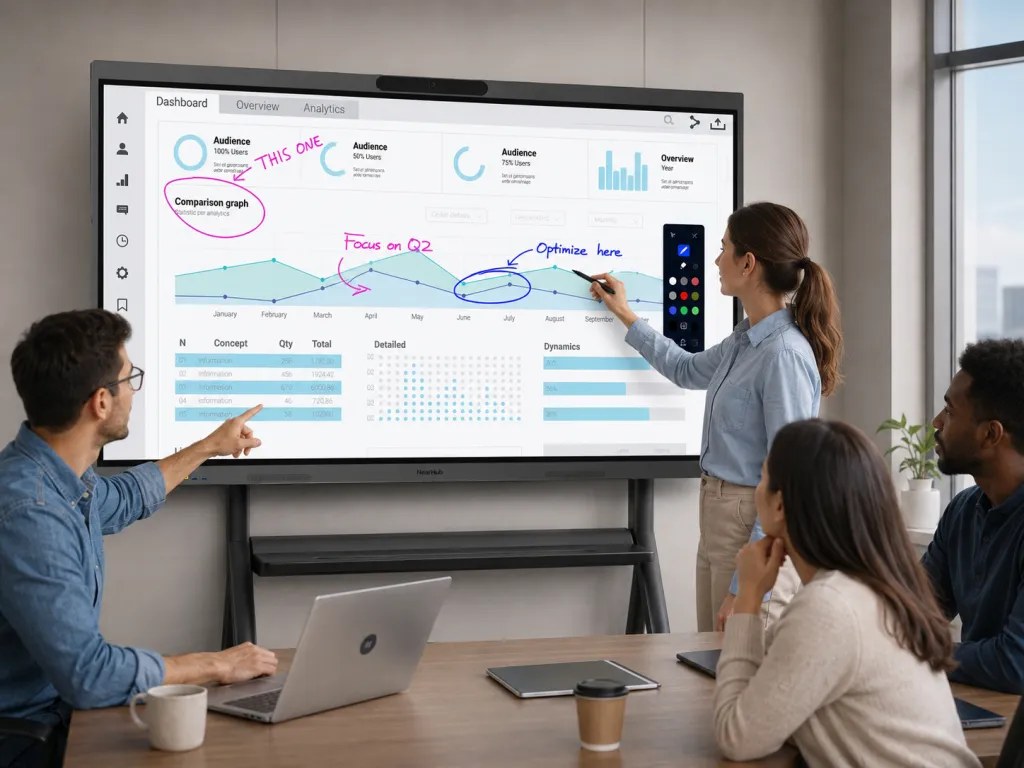
One exception worth naming honestly: for a lecture hall, house of worship, or large event space where the primary need is a very large image (100+ inches) for a mostly passive, one-directional audience, and interaction or daily reliability under heavy use matters less, a projector's lower cost per square inch of image can still be the more rational choice. The interactive display's advantages — touch, native software, ambient-light immunity — matter most in rooms where people actively work with the screen, not rooms where they mostly just watch it.
Transition Guide: Replacing Your Projector
Step 1 — Audit your highest-friction room first, not your newest projector. Start with whichever room generates the most complaints or is used most frequently, not necessarily the oldest hardware. A common mistake here is prioritizing by projector age rather than by usage pain — a 6-year-old projector in a rarely used overflow room causes far less organizational friction than a 2-year-old projector in the daily-standup room that never quite dims properly.
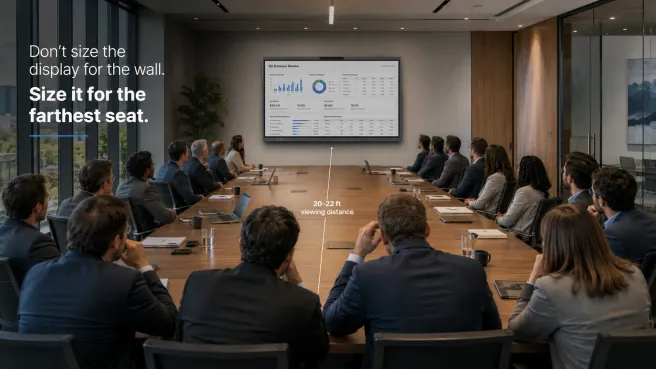
Step 2 — Measure the room before choosing a size, not after. Take the distance from the mounting point to the farthest seat, and the room's typical lighting conditions. A common mistake is reusing the projector's old screen size as the default target — a projected 100-inch image and a 75-inch flat panel can deliver similarly readable text once ambient light and image sharpness are accounted for, so don't assume you need to match diagonal inches one-for-one.
Step 3 — Decide whether the room needs touch interaction or a passive screen. If the room is used for brainstorming, software demos, or collaborative work, prioritize a touch-enabled interactive display. If it's used mainly for one-way presentations to a passive audience, a non-touch large-format display can be a simpler, lower-cost fit. A common mistake is defaulting to touch capability for every room regardless of use case, paying for interactivity that a presentation-only space will never use.
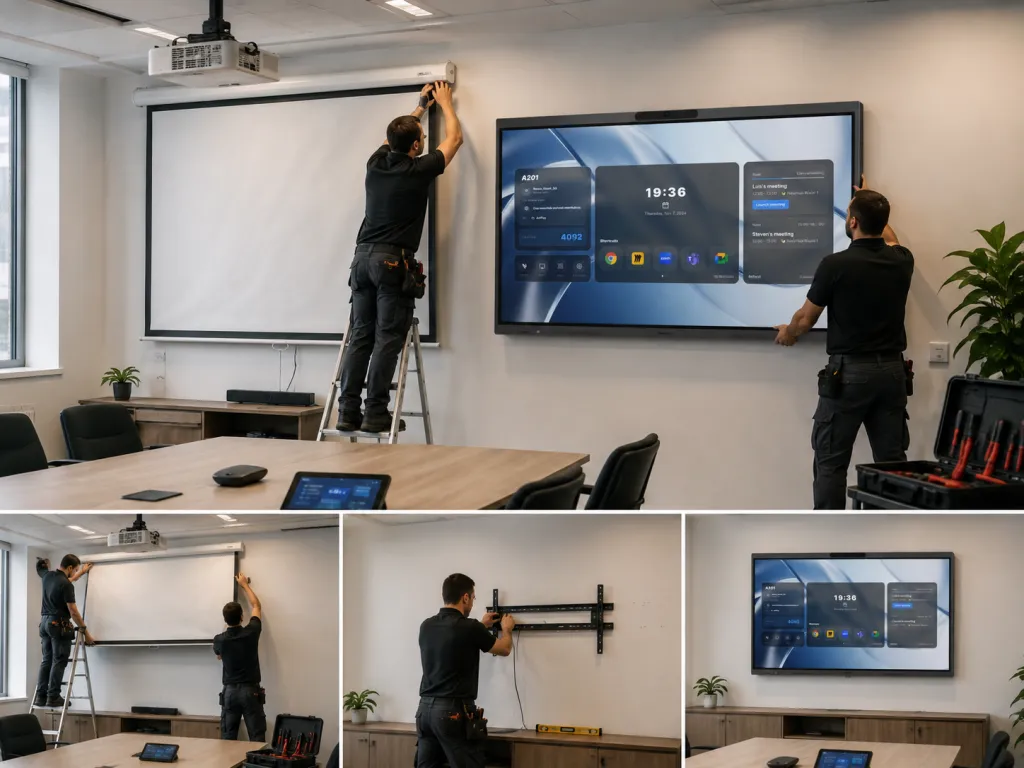
Step 4 — Plan the physical removal alongside the install, not as an afterthought. Ceiling-mounted projectors typically require patching, and cabling that ran to the projector mount often needs to be rerouted or capped rather than reused as-is. A common mistake is booking only the new display's install time and discovering the old mount removal adds a half-day the room wasn't blocked off for — block the room for install day, not just delivery day.
Step 5 — Pilot in one room before committing to a full rollout. Run the new display in your Step 1 room for a few weeks before ordering for every other space. A common mistake is bulk-ordering displays for the whole office immediately, only to discover a sizing or mounting adjustment is needed once real usage patterns emerge — a single pilot room catches that before it multiplies across a full order.
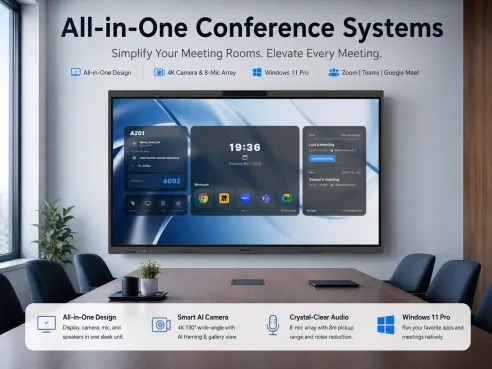
If your projector room also needs built-in camera and audio rather than a passive screen paired with separate conferencing hardware, review how an all-in-one conference system consolidates those components into a single device. For sizing the replacement screen itself, our conference room TV and large-format display sizing guide covers matching screen size to room dimensions in more detail. And if you're still deciding between a writing-focused board and a full compute-capable display, our digital whiteboard vs interactive display comparison walks through that distinction.
For a daily-use room that needs to replace a projector with a single device handling display, camera, microphone, and native meeting software, NearHub Board Max is available in 55, 65, and 75-inch sizes with wall-mount hardware included, starting at $3,499.
Frequently Asked Questions
Is switching from a projector to a flat-panel display actually worth the upfront cost? For rooms used daily, yes in most cases. Projectors carry ongoing costs — lamp replacement, filter cleaning, screen maintenance, and the labor time spent troubleshooting focus and brightness issues — that a flat panel avoids almost entirely. For rooms used only occasionally, such as large auditoriums or event spaces, the projector's lower upfront cost and larger achievable image size can still make it the better choice.
Do we need to darken the room for a flat-panel display the way we did for the projector? No — this is one of the most common reasons teams switch. Flat-panel displays produce their own light rather than reflecting a projected image off a screen, so they remain fully readable in normal room lighting, eliminating the need to dim lights or close blinds before every presentation.
How long does it take to replace a projector setup with a display? For a single standard conference room, physical installation (mounting the display and connecting power/network) typically takes a few hours. The larger time investment is usually removing the old projector mount, patching the ceiling or wall, and re-running or consolidating cabling — plan a half-day per room if the projector has been in place for several years.
Can we keep using our existing whiteboard alongside a new interactive display? Yes, and many teams do during a transition period. A physical whiteboard and a digital display can coexist in the same room without conflict; the display simply takes over the video conferencing, screen sharing, and software tasks the projector previously struggled with, while the physical board remains available for quick sketching.
What should we do with the old projector after switching? A working projector can often be relocated to a lower-priority space where its trade-offs matter less — a large occasional-use room, an event space, or a training room with controlled lighting — rather than discarded, since projectors remain a reasonable fit for large, low-interaction, infrequently used spaces.