A room gets fitted with a brand-new video bar, a separate 4K camera, a ceiling mic array, and a wireless presentation dongle — four devices, four support contracts, four sets of firmware to keep updated. Eighteen months later, IT can no longer say with confidence which combination of driver updates last broke the Tuesday all-hands call. That fragility is exactly what an all-in-one conference system is built to remove: it merges the display, camera, microphone array, and speakers into a single unit with one power connection, one software stack, and one vendor to call when something breaks.
What Is an All-in-One Conference System?
An all-in-one conference system combines the display, camera, microphone, and speakers into a single physical unit, rather than requiring separate devices connected by cables, drivers, and pairing steps. Instead of mounting a TV, bolting on a camera, running a speakerphone across the table, and routing an HDMI switcher underneath, the room gets one device that plugs into power and network and is ready to run.
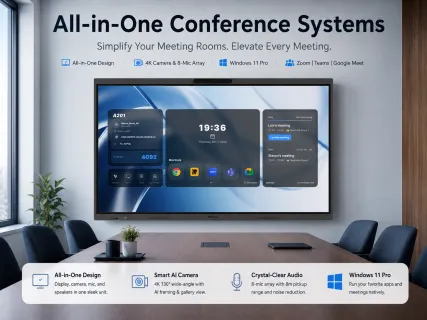
The category exists because of a specific, recurring pain point: multi-device meeting rooms accumulate failure points faster than anyone budgets for. Each separate device brings its own firmware, its own driver compatibility requirements, and its own physical connection that can loosen, disconnect, or simply age out of support. NearHub Board Max is one example of this category done at the higher end — it's a Windows 11 Pro touchscreen with a built-in 4K, 130-degree camera featuring AI Gallery View and auto-framing, an 8-microphone array with an 8-meter pickup range, and integrated speakers, designed to replace the display-plus-camera-plus-speakerphone stack with a single device that natively runs Zoom, Teams, Google Meet, and Webex.
Built-in Camera, Microphone & Speaker Quality
Built-in components on modern all-in-one systems generally match or exceed separate hardware for standard meeting rooms, and the gap that used to justify buying components separately has narrowed considerably. A wide-angle 4K camera with AI-based auto-framing and speaker tracking now performs comparably to many standalone conference cameras for rooms up to roughly 20 feet deep; an 8-microphone array with an 8-meter pickup range and noise reduction covers the acoustic footprint of most conference rooms without a dedicated ceiling mic installation.
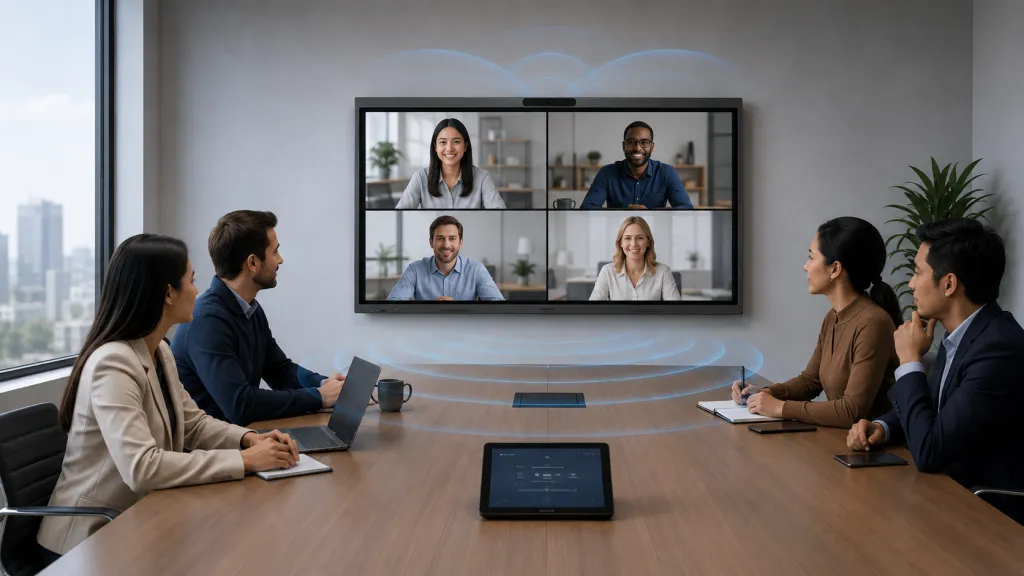
Why this reversed from a few years ago: the limiting factor was never really camera glass quality — it was processing. Auto-framing, speaker tracking, and noise cancellation require meaningful onboard compute, and early all-in-one systems simply didn't have the processor headroom to run those features well alongside a full operating system. Faster embedded processors changed that math, which is why the "built-in is always worse" assumption, still common among AV buyers, now holds far less often than it used to.
Where the assumption still holds: very large or irregularly shaped rooms — long U-shaped boardrooms, rooms with pillars breaking sightlines, or spaces exceeding roughly 500 sq ft — can still benefit from a dedicated PTZ camera with longer optical zoom, or supplemental ceiling microphones to cover seats outside the built-in array's range. A system worth buying at that scale should explicitly support external AV hardware rather than locking the room into its built-in components only.
Platform compatibility determines daily usability more than any single hardware spec, because it decides whether a meeting starts with one tap or with a workaround. The critical distinction is whether the device runs the full desktop version of Zoom, Teams, or Google Meet, or a stripped-down mobile or embedded app.
This matters because "supports Zoom" on a spec sheet doesn't guarantee the same experience as Zoom on a laptop. A cut-down embedded app can silently drop features — breakout room controls, virtual background customization, app integrations, even resolution caps that quietly hold video at 360p instead of full HD. A team only discovers this mid-meeting, which is a worse time to find out than during procurement. Systems built on a full desktop OS (Windows being the most common) run these platforms exactly as installed on a laptop, with no feature ceiling imposed by the hardware.
A scenario that plays out often: an IT manager standardizes five meeting rooms on Android-based all-in-one boards because the upfront price was lower. Three months in, the team realizes their internal CRM dashboard — a browser-based tool the sales team pulls up constantly during client calls — renders incorrectly in the board's mobile browser, forcing someone to bring a laptop into the room anyway. The all-in-one purchase, meant to eliminate an extra device, now coexists with one. This is precisely why platform and OS compatibility deserves more scrutiny during evaluation than it typically gets.
Installation & Space Requirements
An all-in-one system typically installs faster and requires less wall and cable-routing space than a comparable multi-device setup, because it collapses what would be separate mounts, power runs, and cable paths into one. A single wall-mount bracket (commonly VESA-standard) plus one power connection and one network cable replaces the separate mounting hardware, power, and signal cabling that a display, camera, and speakerphone would otherwise each require.
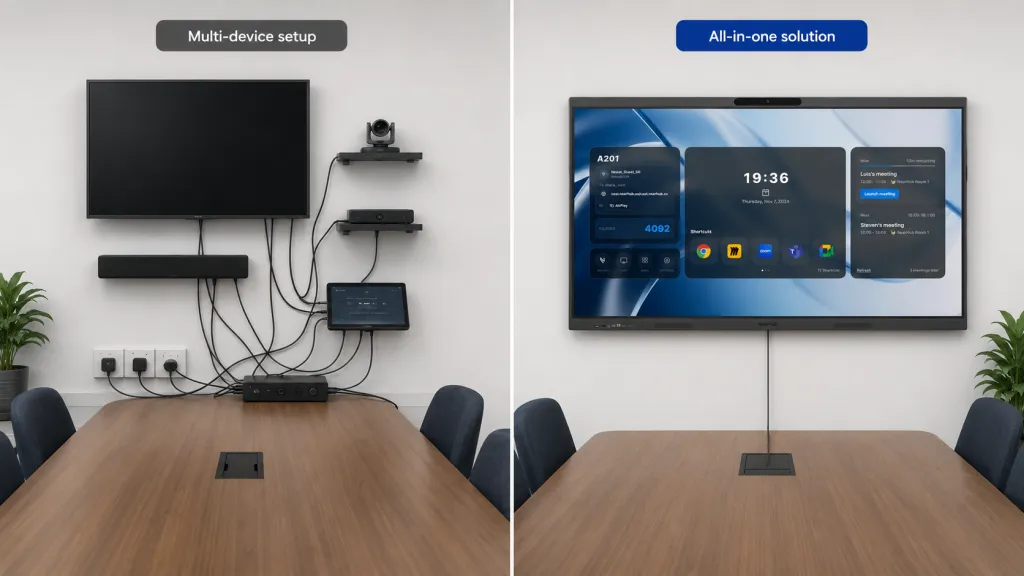
This also simplifies the "who fixes it" problem for organizations without dedicated in-house AV staff. A single vendor relationship and a single warranty cover the whole room, rather than requiring separate support tickets — and separate finger-pointing — across a display manufacturer, a camera manufacturer, and a speakerphone manufacturer when something in the chain stops working.
Best All-in-One Devices for Different Budgets
But this is where the honest trade-off has to be named — the "do NOT default to all-in-one" case. A room with a dedicated AV integrator on staff, or a highly specific acoustic/lighting environment (broadcast studios, courtrooms with recording requirements, large auditoriums), may still be better served by best-in-class separate components chosen and tuned individually, because an integrated unit inherently compromises on upgradeability — when the camera in a separate setup becomes outdated, you replace one component; when the camera is built into the display, upgrading it means replacing the whole unit.
For the large majority of standard conference rooms and huddle spaces — the room that just needs a screen, a camera that sees everyone, a mic that hears everyone, and a one-tap meeting start — that trade-off runs the other way. The convenience and reduced failure surface of a single integrated device outweighs the loss of component-level tuning, especially for organizations managing multiple rooms without a dedicated AV team per site.
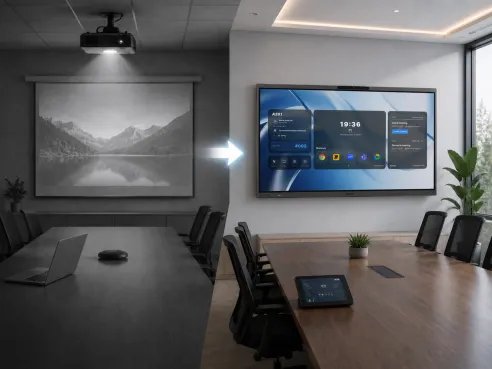
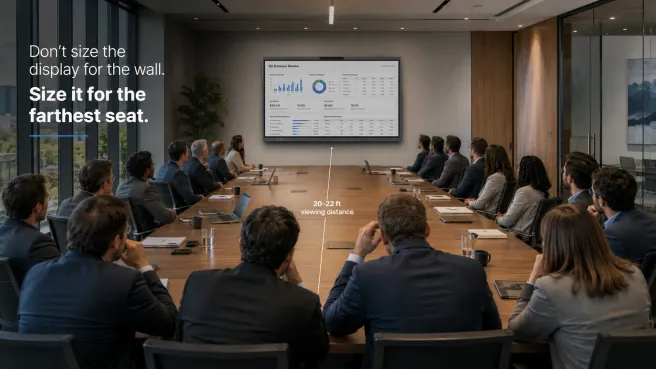
Before choosing a specific size or configuration, it's worth confirming the room actually needs an interactive touchscreen at all versus a simpler passive display — our conference room TV sizing guide covers how to match screen size to room dimensions regardless of which category you land on. If the room is currently running a projector, the case for switching to any flat-panel format — all-in-one or otherwise — is laid out in our projector alternatives guide. And for the broader question of whiteboard-first versus compute-first devices, see our digital whiteboard vs interactive display comparison.
For rooms that fit the all-in-one model, NearHub Board Max combines the display, 4K AI camera, 8-microphone array, and speakers into a single Windows 11 Pro device starting at $3,499, with support for external Pro A/V hardware for rooms that need to extend beyond the built-in components.
Frequently Asked Questions
What exactly counts as an all-in-one conference system? An all-in-one conference system integrates the display, camera, microphone array, and speakers into a single unit that connects directly to power and network, rather than requiring separate devices cabled together. The strongest versions also run a full operating system natively, so meeting software launches on the device itself instead of requiring a connected laptop.
Is the built-in camera on an all-in-one system as good as a separate conference camera? For most standard meeting rooms, yes — built-in cameras on modern all-in-one systems now commonly offer 4K resolution, wide fields of view (120-130 degrees), and AI features like auto-framing and speaker tracking that match or exceed many standalone cameras. The exception is unusually large or oddly shaped rooms, where a dedicated PTZ camera with a longer optical zoom range may still outperform a fixed wide-angle lens.
Can I still connect external microphones or speakers to an all-in-one system if the room is large? On systems designed for professional AV integration, yes. Look specifically for models that list compatibility with third-party AV hardware and expose standard audio in/out ports, so a large or acoustically difficult room can supplement the built-in microphone array rather than being locked into it.
Does an all-in-one system work with our existing Zoom or Teams licenses? Generally yes, since these are software licenses tied to your organization's account rather than to specific hardware. The practical question is whether the device runs the full desktop version of the app or a limited mobile/embedded version — the full desktop version preserves features like breakout rooms, background blur controls, and app integrations that stripped-down versions sometimes omit.
How long does installation take compared to a traditional multi-device setup? Installation is typically faster because there are fewer devices to mount, power, and cable together — often a single wall-mount or stand plus one power connection and a network cable, compared to separately routing power and cabling for a display, camera, speakerphone, and HDMI switcher.
Does one integrated device create a single point of failure for the whole room? It shifts the failure profile rather than eliminating risk. A multi-device room can lose one component (say, the speakerphone) and keep the display and camera working; an all-in-one system that fails takes the whole room offline at once. In exchange, it removes the far more common failure modes of separate systems — mismatched drivers, Bluetooth pairing drops, and HDMI switcher conflicts — which tend to occur more often than a single well-built unit failing outright.