Conference Room TV Buying Guide: Sizes, 4K, and What Actually Matters
How to pick the right conference room TV or large-format display by room size, resolution needs, and long-term support — not marketing specs.
conference room display
large format display
interactive display
Updated: Aug 19, 2026 · 8 minutes read
Global Business, Brought Near.
No Installer, No Hassle, Just Works.
A conference room TV is not a bigger version of a living-room TV — it needs commercial-grade uptime, a viewing-distance-based size, and a warranty built for 8+ hours of daily use. Undersizing the screen for the room, not resolution, is the single most common and costly mistake buyers make.
Key Takeaways
Size the screen to the farthest seat, not the room's square footage: as a rule of thumb, divide the farthest viewing distance (in inches) by 4 to get the minimum diagonal screen size for readable text.
4K resolution matters most when people read fine text (spreadsheets, code, CAD) from across the table — for slide decks and video calls alone, 1080p is often visually indistinguishable at typical distances.
Consumer TVs are rated for roughly 6-8 hours of daily use; a conference room TV running 8-10+ hours daily needs a commercial-grade panel or its lifespan and warranty coverage both shrink.
A video wall only outperforms a single large-format display when the room exceeds roughly 500 sq ft or needs a non-standard aspect ratio — below that, a single 75-86 inch panel is simpler and cheaper to maintain.
Commercial warranty terms (typically 3 years, always-on rated) matter more than peak brightness specs for a screen that runs all day, every workday.
A team walks into their new 20-person boardroom for the first all-hands review and immediately someone in the back row asks, "Can you make the font bigger?" The screen looked plenty large in the showroom. It isn't large enough from 22 feet away. That gap between how a display looks up close and how it performs from the farthest seat is the single most expensive mistake in conference room buying — and it has nothing to do with resolution.
Conference Room TV vs Consumer TV — Key Differences
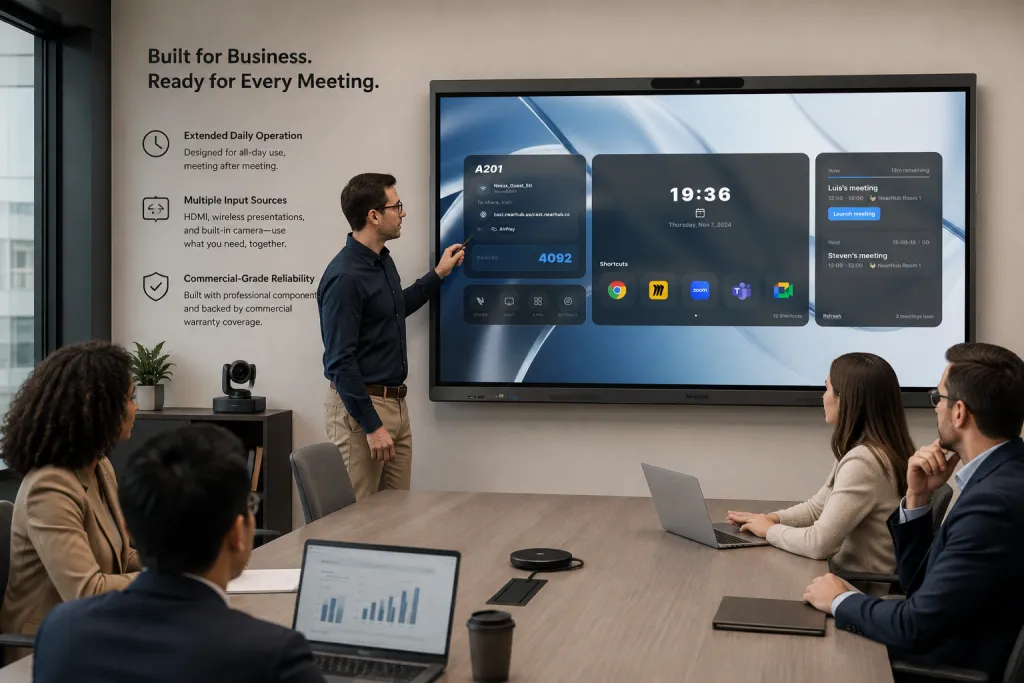
A conference room TV needs to be built for sustained daily operation, not the evening-and-weekend usage pattern a living-room TV is designed around. The core difference isn't picture quality — modern consumer and commercial panels can look nearly identical side by side. It's duty cycle and support terms.
Most consumer TVs are engineered and warrantied around roughly 6-8 hours of daily use. A meeting room running back-to-back sessions from 8am to 6pm, five days a week, regularly exceeds that — which is exactly the scenario most consumer warranties exclude as "commercial use." Commercial-grade panels are built with components rated for extended daily operation and typically carry always-on-rated warranties designed for exactly this workload.
The second difference is input flexibility. Conference rooms need multiple simultaneous input sources — a laptop over HDMI, a wireless presentation system, a built-in conferencing camera — while consumer TVs are usually designed around one active source at a time with a remote-driven menu that wasn't built for a room full of people switching sources mid-meeting.
Optimal Display Sizes by Room Type
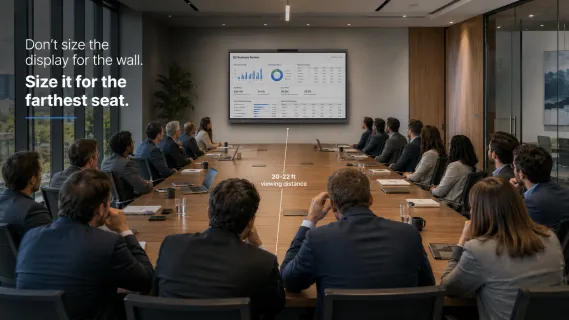
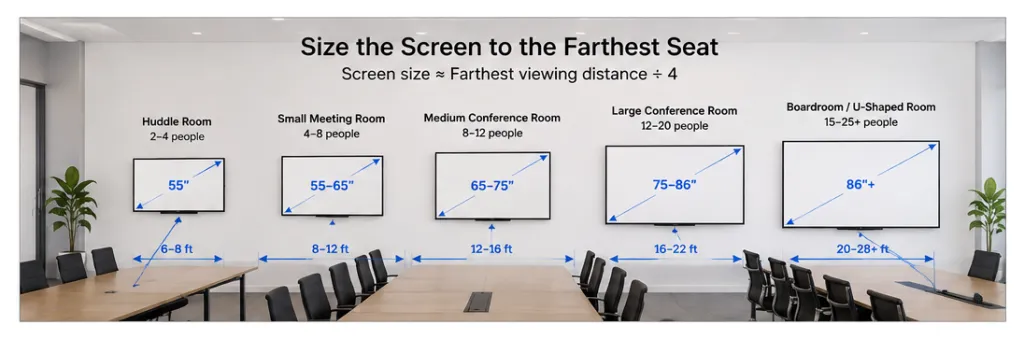
Size the screen to the farthest seat, not the size of the room on paper. A simple rule of thumb: take the farthest viewing distance in inches and divide by roughly 4 to get the minimum comfortable diagonal screen size for standard presentation text.
Room Type
Typical Capacity
Farthest Viewing Distance
Recommended Screen Size
Huddle room
2-4 people
6-8 ft
55"
Small meeting room
4-8 people
8-12 ft
55-65"
Medium conference room
8-12 people
12-16 ft
65-75"
Large conference room
12-20 people
16-22 ft
75-86"
Boardroom / U-shaped room
15-25+ people
20-28+ ft
86"+ or video wall
The mistake that repeats across almost every underperforming room: buyers size the screen to fit the wall aesthetically, rather than sizing it to the seat that's farthest from it. A screen that looks proportionate on a showroom wall can be genuinely too small once it's mounted at the far end of an actual 20-foot room with a rectangular table. If you only measure one thing before ordering, measure the distance from the screen to the last chair — not the wall.
4K Resolution — Is It Necessary for Meeting Rooms?
4K resolution matters most when the room's content includes small text — spreadsheets, source code, CAD drawings, or dense dashboards — viewed from typical meeting distances. For slide decks, video calls, and general presentations, most viewers seated 8 feet or farther from the screen cannot reliably distinguish 4K from 1080p; the eye simply can't resolve the extra pixel density at that distance.
Why this matters more than it first appears: teams often over-invest in resolution and under-invest in screen size, because "4K" is an easier spec to compare on a spec sheet than "readable from 20 feet." But readability is a function of angular size — how large the text appears to the eye — which is driven far more by screen diagonal and content design (font size in the deck itself) than by pixel count. A 65-inch 4K screen showing 10-point font is still unreadable from the back row; a 75-inch 1080p screen showing a well-designed 24-point deck is fine.
Where 4K genuinely earns its cost: engineering, finance, and design teams that regularly review detailed documents on the big screen — not teams whose primary use case is video calls and slide presentations.
Large Format Displays vs Video Walls
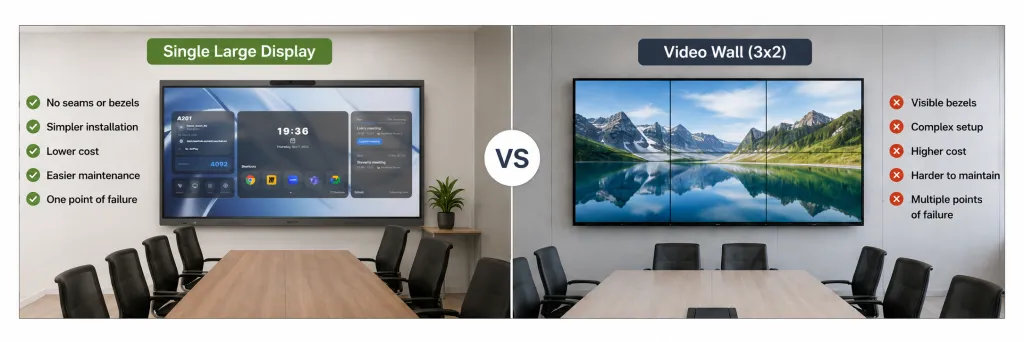
A single large-format display (up to roughly 86 inches) is the simpler, cheaper, and easier-to-maintain choice for the vast majority of meeting rooms. Video walls — multiple tiled panels combined into one image — earn their added complexity only in a specific set of scenarios: rooms larger than roughly 500 sq ft, non-standard or ultra-wide aspect ratios (common in command centers and briefing rooms), or environments that need to display multiple independent sources side by side rather than one unified image.
Below that threshold, a video wall is usually the wrong tool. Every seam between panels is a potential point of failure and a visible bezel line interrupting content; alignment can drift over time and require recalibration; and replacing a single failed panel often means matching color and brightness across an aging installation. A 75-86 inch single panel has one power supply, one warranty, one point of contact for service — for a standard conference room, that simplicity is worth more than the extra square footage a video wall provides.
A scenario that makes this concrete: an operations team spent months planning a 3x2 video wall for their new 400 sq ft boardroom because "bigger felt more impressive." Eighteen months in, one panel's backlight began yellowing faster than its neighbors, creating a visible color mismatch across the wall — and the exact matching panel had been discontinued. A single 86-inch commercial panel in the same room, at a fraction of the installation cost, would have avoided that failure mode entirely and delivered a screen large enough for every seat in the room.
Commercial Warranties & Support Considerations
Commercial warranty terms matter more for a conference room display than peak brightness or contrast ratio specs, because the display's daily duty cycle — not its picture quality — determines when something breaks. Look specifically for warranty language that mentions commercial, business, or always-on use; a warranty that only covers "normal residential use" can exclude exactly the workload a busy meeting room puts on the panel.
Beyond the warranty term itself, ask three practical questions before buying: How is a defective unit replaced — swapped on-site, or shipped out for repair while the room sits unusable? Does the warranty cover the touch layer separately from the panel, if the display is interactive? And is there a return window if the size turns out to be wrong once it's actually mounted in the room? NearHub Board Max, for example, ships with a 12-month warranty and a 30-day risk-free return window specifically so a sizing mistake — the most common error covered in this guide — can be corrected without absorbing the full cost.
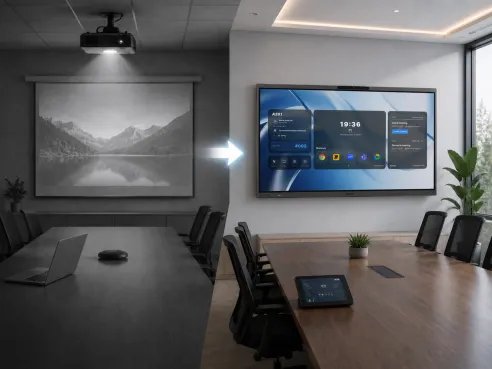
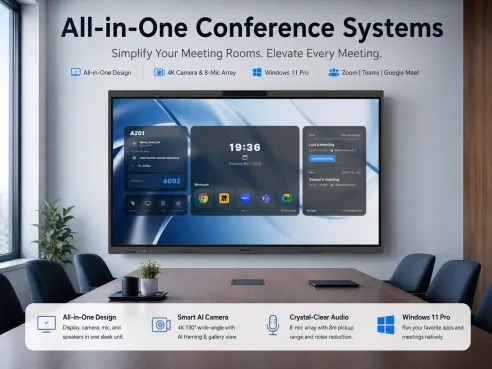
For rooms that need more than a passive screen — built-in camera, microphone, and native meeting software running on the display itself — see how an all-in-one conference system combines the display with cameras and audio in a single unit, and how that compares to buying a display and conferencing hardware separately. If your room is still running a projector, the maintenance math behind switching from a projector to a flat panel is worth reviewing before you size a replacement screen at all. For the broader question of whether your room needs a writing-first whiteboard or a full compute-first display, our digital whiteboard vs interactive display comparison breaks down that decision in more detail.
If your room needs a display that includes native video conferencing rather than a passive screen paired with separate hardware, the NearHub Board Max is available in 55, 65, and 75-inch sizes with a built-in 4K camera and commercial-grade warranty coverage.
Frequently Asked Questions
Can I just use a regular consumer TV in a conference room? You can, but it's a false economy for rooms used daily. Consumer TVs are typically rated for 6-8 hours of use per day; a conference room running back-to-back meetings can exceed that, which shortens panel lifespan and often voids the standard consumer warranty, since most manufacturers classify commercial daily use as outside normal residential terms.
What size screen do I need for a 12-person conference room? For a room seating 12 people (typically 150-300 sq ft with a farthest seat around 16-20 feet from the screen), a 75-inch display is generally the minimum for comfortable readability of standard presentation text, and 86-inch is safer if the room is long and narrow rather than square.
Do I need 4K resolution for a meeting room, or is 1080p enough? It depends on content, not room size alone. 4K becomes noticeably better when people read small text — spreadsheets, code, CAD drawings, or dense dashboards — from typical meeting distances. For slide decks, video calls, and general presentations, viewers at 8+ feet often cannot distinguish 1080p from 4K, so the resolution upgrade matters less than screen size and brightness for those use cases.
When does a video wall make more sense than one large display? Video walls earn their complexity in rooms larger than roughly 500 sq ft, non-standard aspect ratios (very wide command-center layouts), or when the room needs to show multiple independent sources simultaneously. Below that, a single 75-86 inch panel is cheaper to install, has one point of failure instead of many bezels/tiles to align, and is far easier to service.
What warranty should I expect on a commercial conference room display? Look for a warranty explicitly rated for commercial, always-on, or extended daily use — typically covering 2-3 years minimum — rather than a standard consumer TV warranty, which often assumes a few hours of use per day and can exclude business/commercial deployment entirely.