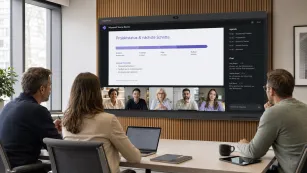
Hybrid Workplace Design: How CEOs Can Command Crisis Management from the Hub with NearHub Smartboard
Discover how hybrid workplace design and the NearHub Board S Max with 4K AI Gallery View solve blurry remote interview problems.
hybrid workplace design
hybrid jobs
hybrid office design
Updated: Aug 19, 2026 · 10 minutes read
Global Business, Brought Near.
No Installer, No Hassle, Just Works.
In the modern landscape of hybrid jobs, the success of talent acquisition is increasingly threatened by a "Crisis of Clarity." This guide addresses the systemic failure of consumer-grade video solutions, which mask the micro-expressions and non-verbal cues essential for high-stakes executive hiring. By advocating for a "Command Center" approach to hybrid workplace design, the article demonstrates how the NearHub Board S Max transforms pixelated interviews into high-fidelity interactions. Featuring a 4K ultra-wide camera and revolutionary AI Gallery View (face close-up stitching), the S Max ensures that remote candidates have the same visual weight as in-office participants. The guide also details the financial ROI of visual clarity, the necessity of Windows 11 Pro for software compatibility, and provides a buyer’s roadmap for organization-wide deployment to strengthen leadership and reduce the multi-million dollar risk of bad hiring decisions.
Key Takeaways
Clarity is a Strategic Asset: Poor video quality hides micro-expressions and eye contact patterns, directly increasing the risk of expensive executive mis-hires (costing up to 15x annual salary).
Achieve Visual Equity: Moving beyond "thumbnails," AI Gallery View uses face-detection technology to stitch remote and local participants into equal-sized 4K frames, eliminating the "remote disadvantage."
Command Center Architecture: Redesign HR interview rooms and executive suites into huddle hubs where the technology disappears, leaving only natural, immersive human interaction.
Leverage Native Desktop Power: Prioritize Windows-based interactive hardware to ensure 100% compatibility with full-featured versions of Teams, Zoom, and Applicant Tracking Systems (ATS).
Prioritize Acoustic Inclusion: High-stakes decisions require broadcast-quality audio; utilize 8-microphone arrays with AI noise reduction to capture every nuance in a candidate's tone.
Eliminate the "Setup Tax": Integrate interactive hubs with room scheduling systems to allow for one-touch meeting starts, reclaiming the "golden minutes" of high-pressure interviews.
Drive Long-term ROI: Investing in superior hybrid office layouts improves hiring accuracy, accelerates crisis response times, and increases engagement for distributed leadership teams.
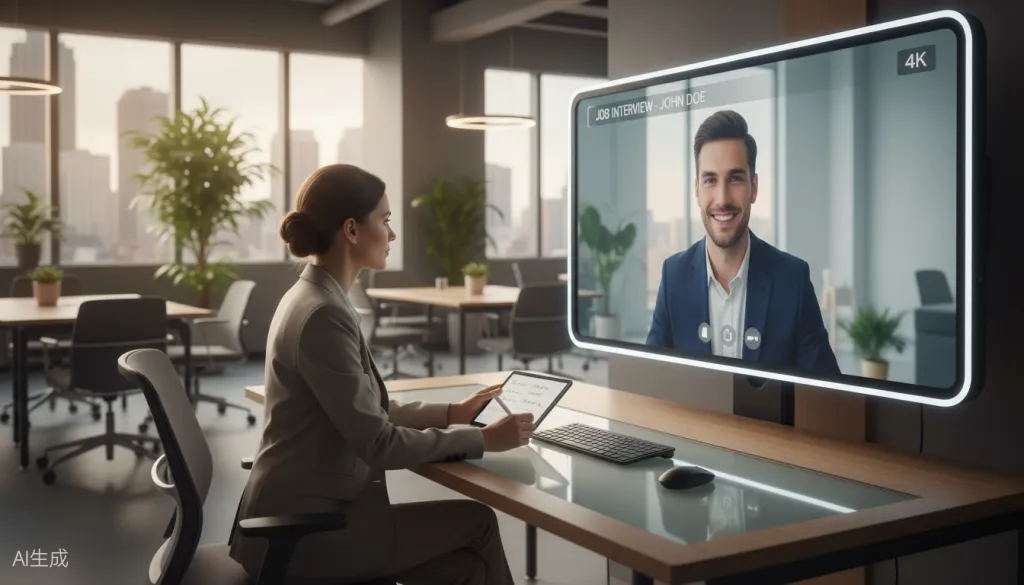
When Sarah Mitchell, Chief People Officer at a rapidly growing tech firm, conducted her first remote executive interview via standard video conferencing, she knew something was fundamentally broken. The candidate's image was pixelated, the lighting was uneven, and despite her 15 years of HR experience, she couldn't read the subtle facial expressions that typically guided her hiring instincts. Was that a nervous twitch or a confident smile? The blurry video made it impossible to tell.
This scenario plays out daily in hybrid workplace design implementations across the country. As organizations embrace hybrid jobs and distributed teams, the technology connecting in-office and remote participants has become the critical infrastructure for effective leadership, recruitment, and crisis management. Yet most companies are still using consumer-grade video solutions that fail to deliver the visual clarity necessary for high-stakes decision-making.
The Crisis of Clarity in Remote Recruitment
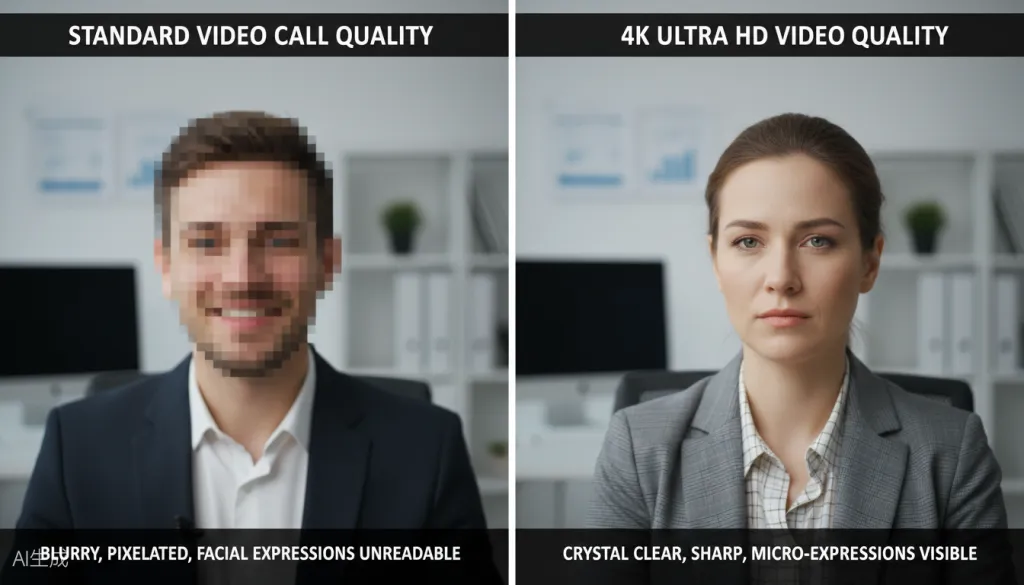
The shift to hybrid office design has transformed how organizations approach talent acquisition. According to recent workplace studies, over 73% of companies now conduct initial interviews remotely, and many maintain fully virtual hiring processes. However, HR professionals consistently report the same challenge: standard video conferencing quality makes it difficult to assess candidates accurately.
The problem extends beyond mere inconvenience. When video quality is poor, critical non-verbal cues become invisible:
Micro-expressions that reveal authenticity or deception are lost in pixelation
Eye contact patterns that indicate confidence or evasiveness become unreadable
Body language signals that suggest cultural fit disappear in blurry frames
Emotional responses to challenging questions are masked by compression artifacts
For CEOs and HR leaders making million-dollar hiring decisions, this lack of visual clarity isn't just frustrating—it's a business risk. A single bad executive hire can cost an organization up to 15 times their annual salary when accounting for recruitment, training, severance, and lost productivity.
Hybrid Workplace Design: The Command Center Approach
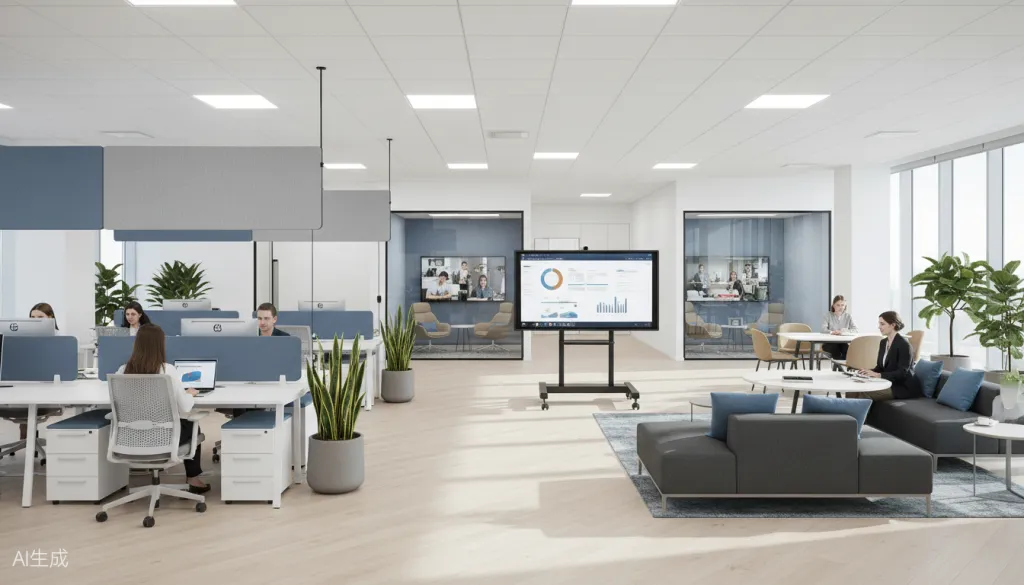
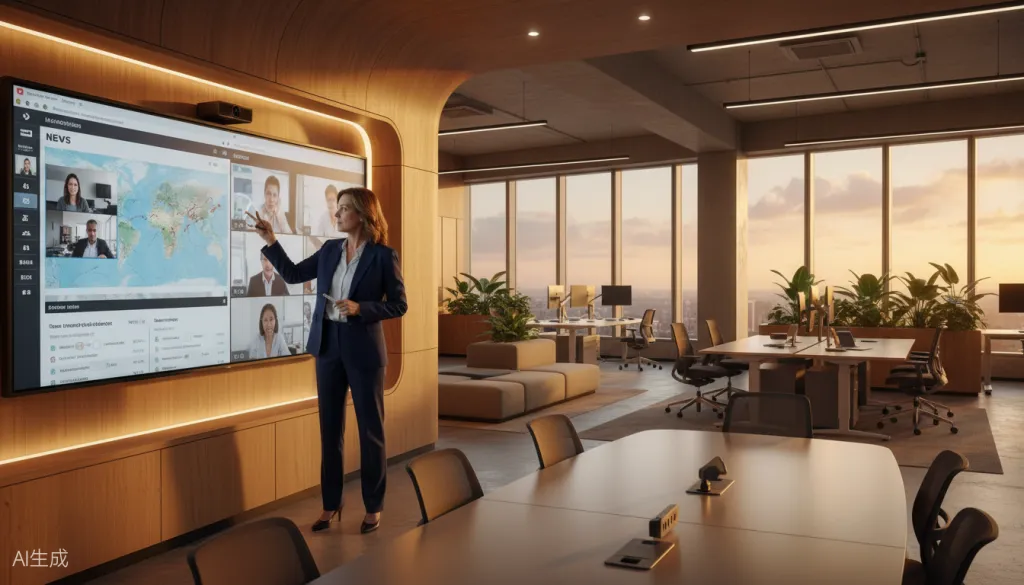
Modern hybrid office layout strategies recognize that effective leadership in distributed environments requires more than just connecting people—it demands creating equitable presence. The most successful organizations are designing their physical spaces around what we call the "Command Center" model: a hub where executives and HR teams can seamlessly interact with remote participants as if they were in the same room.
This approach to hybrid workplace design centers on several key principles:
1. Visual Equity Every participant, whether in the room or joining remotely, deserves equal visual presence. Traditional conference room cameras capture remote participants as tiny figures on a screen, creating a hierarchy that disadvantages distributed team members.
2. Immersive Presence The technology should disappear, leaving only natural human interaction. When leaders can see facial expressions clearly and hear every nuance in tone, they can lead effectively regardless of physical location.
3. Crisis Readiness When urgent situations arise—whether a security incident, PR crisis, or market disruption—leadership teams need immediate, crystal-clear communication channels. The hybrid office design must support instant high-fidelity connection.
The NearHub Board Max: A Solution Engineered for Leadership
Enter the NearHub Board Max, an all-in-one interactive smart board specifically designed to address the visual clarity challenges that plague remote collaboration and recruitment.
4K Ultra HD Camera with 130° Ultra-Wide Field of View
At the heart of the NearHub Board Max is a flagship 4K camera that captures every detail with stunning clarity. The 130° ultra-wide field of view ensures that everyone in the room is visible without awkward positioning or crowding. For HR professionals conducting interviews, this means seeing candidates' facial expressions in lifelike detail—every micro-expression, every subtle reaction, every genuine moment of connection.
AI Gallery View: Face Close-Up Stitching Technology
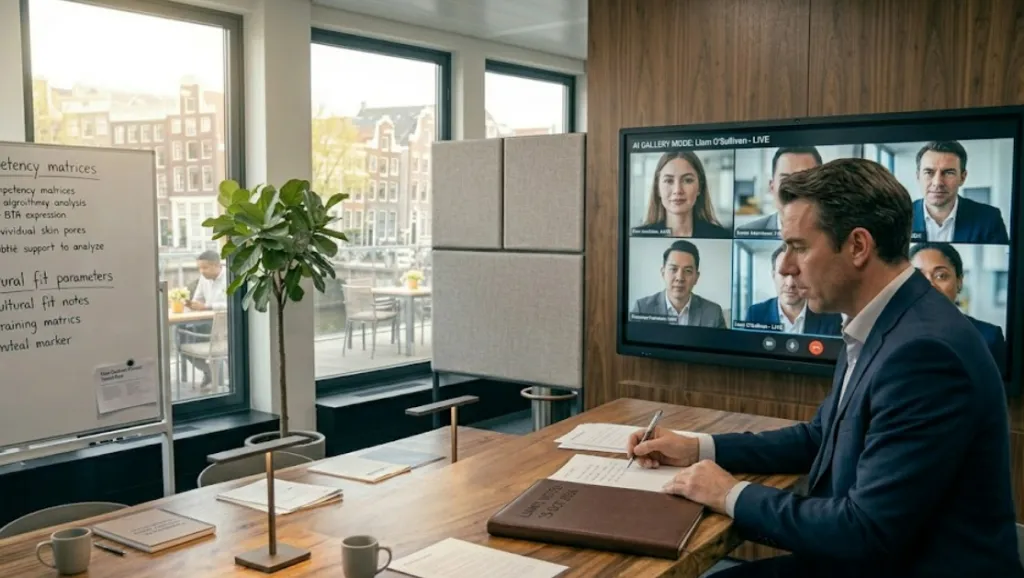
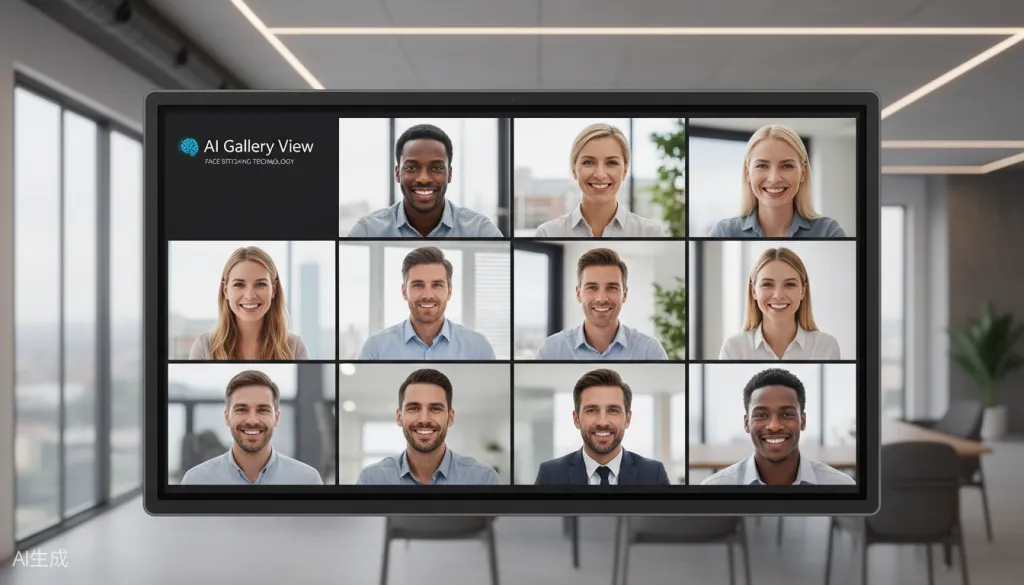
The standout feature for recruitment and leadership scenarios is the AI Gallery View. Unlike traditional video conferencing that shows remote participants as small thumbnails or distant figures, AI Gallery View uses intelligent face detection and stitching technology to present each participant in their own close-up frame.
This technology transforms how HR teams conduct remote interviews:
Equal visual presence for all participants eliminates the "remote disadvantage"
Face-close-up framing makes micro-expressions and subtle reactions clearly visible
Intelligent auto-framing keeps speakers centered and in focus automatically
Speaker tracking smoothly transitions focus as different people contribute
8-Microphone Array with AI Noise Reduction
Visual clarity means little without equally clear audio. The NearHub Board Max features an integrated 8-microphone array with AI-powered noise reduction, automatic gain control, and full-duplex communication. The 8-meter pickup range ensures that even in large conference rooms, every voice is captured with broadcast quality.
For recruitment teams, this means hearing candidates' responses with perfect clarity—no more asking people to repeat themselves or struggling to understand through background noise.
Windows 11 Pro: Unlimited Software Compatibility
Unlike Android-based smart boards that limit app compatibility, the NearHub Board Max runs Windows 11 Pro, providing full access to the entire ecosystem of HR and recruitment software:
Native Zoom, Microsoft Teams, Google Meet, and Webex support
Full-featured video conferencing with 1080p video output
Compatibility with applicant tracking systems and HR platforms
Support for recording, transcription, and AI-powered interview analysis tools
Buyer's Guide: Choosing the Right NearHub Board Max for Your Organization
The NearHub Board Max comes in four sizes to match different hybrid office design needs:
Model
Screen Size
Best For
Starting Price
S55 Max
55-inch
Small huddle rooms, individual executive offices, HR interview rooms
$3,699
S65 Max
65-inch
Medium conference rooms, team collaboration spaces
$4,699
S75 Max
75-inch
Large meeting rooms, training centers
$7,699
For HR and Recruitment Teams
The S55 Max is ideal for dedicated interview rooms and HR offices. Its compact footprint fits standard office spaces while delivering the full 4K AI Gallery View experience. The included wall mount keeps the setup clean, and the optional portable stand ($299) allows flexibility for multi-purpose rooms.
For Executive Leadership
The S65 Max or S75 Max better suit executive offices and leadership meeting rooms where crisis management and strategic decision-making occur. The larger screen real estate enables more immersive collaboration and ensures that remote participants maintain visual presence even when multiple people are in the room.
For Organization-Wide Deployment
Organizations implementing comprehensive hybrid workplace design strategies should consider a mix of sizes based on room types:
Interview rooms: S55 Max for focused one-on-one and panel interviews
Team meeting rooms: S65 Max for departmental collaboration
Executive suites: S75 Max for leadership command centers
Boardrooms: S86 Max for maximum impact and visibility
Implementation Best Practices
To maximize the value of your NearHub Board Max investment in hybrid office design:
1. Position for Optimal Lighting Place the board where natural light complements rather than competes with the display. Avoid positioning directly in front of windows, which can create backlighting issues.
2. Design for Sight Lines In your hybrid office layout, ensure that all in-room participants have clear sight lines to the board. Remote participants should feel like they're facing the group, not watching from the sidelines.
3. Integrate with Room Scheduling Connect the NearHub Board to your room booking system so it automatically launches scheduled meetings, reducing friction and technical delays.
4. Train Your Teams Provide brief training sessions on AI Gallery View features, annotation tools, and wireless screencasting to ensure everyone can participate fully.
The Competitive Advantage of Visual Clarity
Organizations that invest in superior hybrid workplace design gain measurable advantages:
Better Hiring Decisions: When HR teams can read candidates clearly, they make more accurate assessments of cultural fit, confidence, and authenticity.
Stronger Leadership: CEOs and executives can command effectively from anywhere when they can see their teams' reactions and engagement levels in real-time.
Faster Crisis Response: When urgent situations arise, crystal-clear communication channels enable rapid, coordinated response across distributed teams.
Increased Engagement: Remote employees feel more connected and valued when they have equal visual presence in meetings, reducing isolation and improving retention.
Conclusion: Commanding from the Hub
The future of work is hybrid, and the organizations that thrive will be those that design their physical and digital workplaces for seamless, equitable collaboration. The NearHub Board Max represents a significant leap forward in hybrid office design, addressing the fundamental challenge of visual clarity that has plagued remote work since its inception.
For HR professionals, it means finally being able to assess remote candidates with the same confidence as in-person interviews. For CEOs and executives, it means maintaining command and connection with distributed teams regardless of physical location. For organizations, it means building a hybrid workplace design that truly works for everyone.
At a starting price of $3,699—significantly less than competitors like the Surface Hub 3 ($9,499+) while offering superior camera technology and Windows compatibility—the NearHub Board Max delivers enterprise-grade hybrid collaboration technology within reach of most organizations.
The question isn't whether your organization can afford to invest in superior hybrid workplace technology. It's whether you can afford not to.
Ready to transform your hybrid workplace design?Book a free demo of the NearHub Board Max and experience the difference that 4K AI Gallery View makes for your recruitment and leadership teams.