Headphones with Mic vs Desktop Microphone: Which Is More Convenient?
Compare headphones with mic and desktop microphones for work, meetings, and content creation.
Headphones vs Microphone
Remote Work Audio
Wireless Headset
Updated: Aug 20, 2026 · 8 minutes read
Global Business, Brought Near.
No Installer, No Hassle, Just Works.
Choosing between headphones with mic vs desktop microphone depends on more than audio quality alone. While desktop microphones excel in professional recording environments, most remote workers, teachers, and business users need something more practical: clear communication, easy setup, and the freedom to move. This guide compares both options across sound quality, noise cancellation, convenience, flexibility, and daily usability, helping you find the right audio solution for your workflow.
Key Takeaways
Headphones with mic offer the best balance of convenience, mobility, and professional communication.
Desktop microphones deliver superior audio fidelity but require more setup, space, and a fixed position.
For meetings and remote work, noise cancellation, comfort, and wireless stability matter more than studio-level recording quality.
A professional headset with boom mic + AI ENC can provide clear voice capture without complicated equipment.
The Nearity EP320 combines 4-mic noise cancellation, Bluetooth 5.4, and all-day comfort for modern work scenarios.
Headphones with Mic vs Desktop Microphone: Which Is More Convenient?
The way we communicate has fundamentally changed. Video calls, virtual meetings, online classes, and remote collaboration have become the default rather than the exception, and clear audio is the backbone of every interaction. Whether you are leading a client presentation, teaching an online course, recording a podcast, or streaming to an audience, the microphone you choose directly shapes how others perceive you. Two solutions dominate the market: headphones with mic built in, and standalone desktop microphones mounted on stands. Each approach has distinct advantages, and the right choice depends on how, where, and why you work.
This guide breaks down both options across the dimensions that matter most — convenience, audio quality, flexibility, noise cancellation, setup requirements, and daily usability — so you can match the right tool to your workflow and avoid spending on equipment that does not fit your routine.
Headphones with Mic vs Desktop Microphone: Quick Comparison Table
Feature
Headphones with Mic
Desktop Microphone with Stand
Portability
High — wear and go
Low — stays on desk
Setup complexity
Plug and play, minimal cabling
Requires stand, cable management, positioning
Audio quality
Good to excellent (varies by model)
Excellent (larger capsules, better acoustics)
Noise cancellation
Often built-in (ENC, ANC)
Relies on room treatment and polar patterns
Mobility during use
Full mobility — walk, stand, move
Stationary — must stay at fixed position
All-in-one solution
Yes — speakers and mic combined
No — requires separate headphones for monitoring
Best for
Calls, meetings, hybrid work, mobility
Recording, streaming, podcasting, voiceover
Typical price range
$50–$300+
$80–$400+ (plus accessories)
What Are Headphones with a Mic?
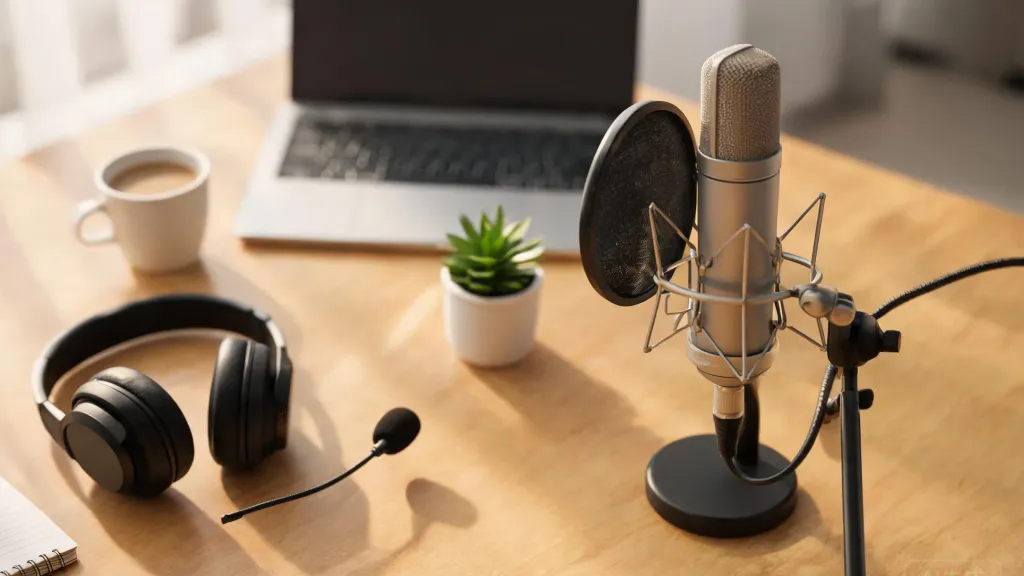
Headphones with a mic — often called a headset with mic — combine audio output and input into a single wearable device. A microphone is integrated either as a boom arm extending toward the mouth or as an inline mic on the cable. The boom mic design is far more common in professional and business contexts because it positions the capsule close to the mouth, ensuring consistent voice pickup regardless of head movement.
Modern headsets have evolved well beyond the basic call-center models of a decade ago. Today's options include wireless connectivity via Bluetooth, active noise cancellation for the listener, environmental noise cancellation (ENC) for the microphone, and multi-device pairing. A well-designed headset can suppress keyboard clatter, fan hum, and nearby conversations so effectively that callers on the other end hear only your voice.
The core advantage is integration. You do not need a separate pair of headphones for monitoring and a separate microphone for capture. Everything lives in one device that you put on and forget about. This makes headphones with mic the default choice for anyone whose day involves moving between calls, walking to the kitchen for coffee, or switching from a desk to a couch without breaking audio continuity.
What Is a Desktop Microphone with Stand?
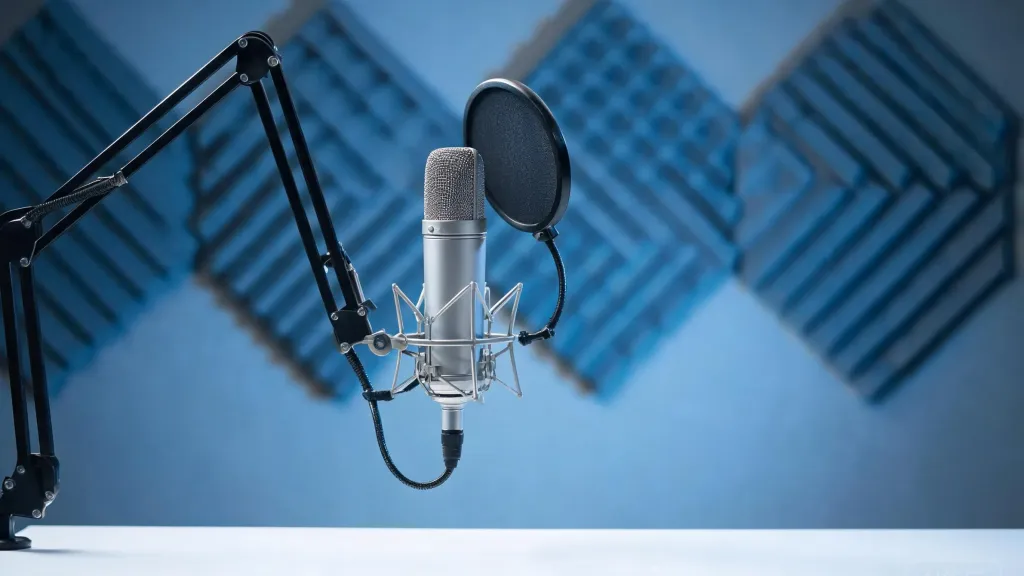
A desktop microphone with stand is a dedicated audio capture device that sits on or above your desk, independent of your headphones. These microphones range from USB plug-and-play models to XLR setups requiring an audio interface. The stand can be a simple desk base, a scissor boom arm clamped to the desk edge, or a full suspension system.
The appeal of a desktop microphone is acoustic performance. Larger diaphragm capsules capture a wider frequency range with greater detail, warmth, and presence. Cardioid and supercardioid polar patterns focus on the speaker's voice while rejecting off-axis noise from the sides and rear. For content creators, podcasters, and voiceover artists, this level of fidelity is the difference between amateur and professional output.
The trade-off is commitment. A desktop microphone with stand requires desk real estate, cable management, and careful positioning — typically 4 to 6 inches from the mouth at a slight angle. You also need separate headphones or studio monitors for playback, which means two devices on your desk instead of one. And because the mic is fixed, you must stay in position while speaking, limiting mobility during long sessions.
Headphones with Mic vs Desktop Microphone: Detailed Comparison
Convenience and Portability
Convenience is where headphones with mic pull ahead decisively. You put them on, and you are ready — no stand to position, no boom arm to adjust, no distance to calibrate. Wireless models free you entirely from cables, letting you pace during calls, step away to grab notes, or switch rooms without dropping the connection. For anyone whose workday involves back-to-back meetings, this frictionless experience is invaluable.
A desktop microphone, by contrast, anchors you to one spot. If you need to stand up, stretch, or walk to a whiteboard, the mic stays behind. The setup also involves more moving parts: the microphone, the stand or boom arm, the cable, and potentially a shock mount and pop filter. Each component adds complexity to your desk and your routine.
Audio Quality
When it comes to raw sound quality, a dedicated desktop microphone with stand generally wins. Larger capsule sizes, better acoustic isolation, and the ability to fine-tune gain and positioning produce richer, more detailed recordings. Condenser microphones capture nuances in vocal tone that integrated boom mics — constrained by size and proximity — simply cannot match.
That said, the gap has narrowed significantly. Premium headsets now use multi-microphone arrays and DSP processing to deliver call quality that rivals entry-level desktop mics for spoken-word applications. For meetings, calls, and even light recording, a high-quality headset is more than sufficient. The desktop microphone's advantage becomes meaningful primarily for music production, professional podcasting, and voiceover work where tonal fidelity is critical.
Flexibility Across Use Cases
A headset with mic is a generalist. It handles calls, meetings, online teaching, customer service, light recording, and casual gaming — all from one device. If your day spans multiple activities, a headset adapts without requiring you to switch equipment.
A desktop microphone is a specialist. It excels at capture but does nothing for playback, meaning you still need headphones. For creators who already own studio headphones and need the best possible vocal capture, this division of labor makes sense. For everyone else, managing two devices adds friction without proportional benefit.
Noise Cancellation
Noise cancellation is a critical differentiator. Headphones with mic increasingly feature AI-powered environmental noise cancellation (ENC) that uses multiple microphones to isolate the speaker's voice and suppress ambient noise. Advanced systems can eliminate up to 99% of background sounds — typing, fans, traffic, and even nearby conversations — in real time. This is especially valuable in open offices, home environments with family activity, or call centers where ambient noise is unavoidable.
Desktop microphones rely on polar patterns (cardioid, supercardioid) to reject off-axis noise, which helps but does not actively filter sounds entering the pickup zone. Without additional acoustic treatment — foam panels, bass traps, or a dedicated vocal booth — a desktop mic will capture room reflections and ambient noise along with your voice.
Setup Requirements
Headsets are nearly zero-configuration. Wireless models pair via Bluetooth or a USB dongle, and you are talking within seconds. Wired models are plug-and-play via USB or 3.5mm jack. There is no stand to mount, no angle to adjust, no pop filter to attach.
Desktop microphones demand more setup. USB models are simpler — plug in, select as input device, adjust gain — but you still need to position the mic, manage the cable, and potentially add accessories. XLR setups require an audio interface, phantom power, and sometimes software configuration. For users who want to start talking immediately, this overhead is a genuine barrier.
Daily Usability
In daily use, the headset experience is seamless. You put it on in the morning, take calls, join meetings, teach classes, and remove it at the end of the day. Controls for mute, volume, and call management are built into the ear cup or inline. Battery life on modern wireless models extends to 35–45 hours, covering a full work week on a single charge.
The desktop microphone experience is more deliberate. You sit down, position yourself relative to the mic, and work within that fixed zone. Muting often requires reaching for a physical button on the mic or a software toggle. If your day involves frequent context switching — meetings, then moving to a different room, then taking a call from your phone — the stationary nature of a desktop mic becomes a real limitation.
Why Nearity EP320 Is a Convenient Alternative
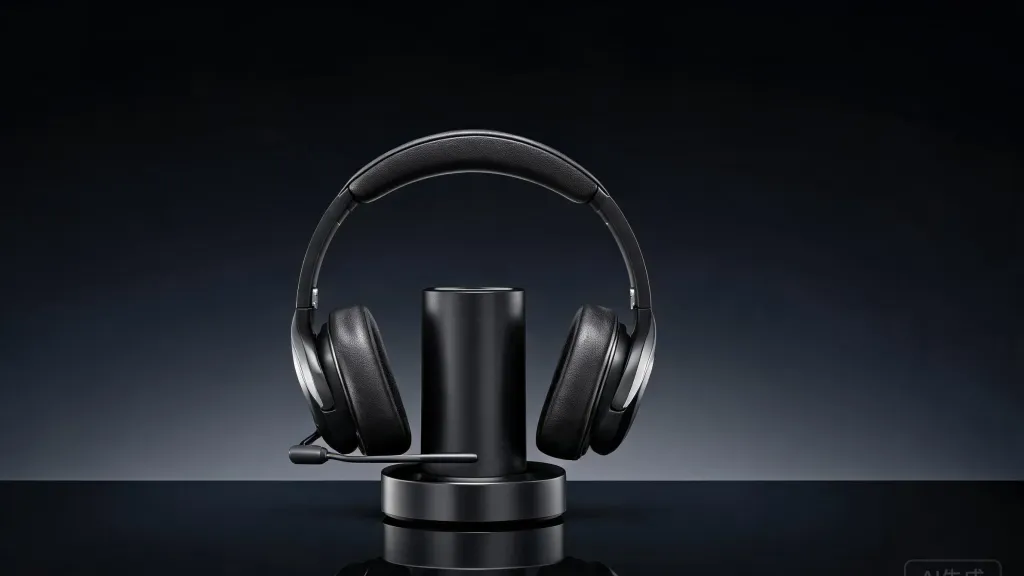
For users who want the audio quality of a dedicated microphone without sacrificing the convenience of a headset, the Nearity EP320 bridges the gap. It is a professional wireless noise cancelling Headset designed for professional communication across work, meetings, and content creation.
The EP320's standout feature is its 4-microphone array paired with a HiFi5 DSP processor and AI-powered ENC technology. This combination suppresses up to 99.9% of background noise, meaning callers hear your voice clearly whether you are in a bustling office, a noisy home, or a call center environment. For professionals who need a noise cancelling headphone for call center or a noise cancelling headphone for work, this level of noise suppression rivals what dedicated desktop microphones achieve only with extensive room treatment.
Connectivity is equally flexible. Bluetooth 5.4 provides a stable wireless connection up to 33 feet, and multi-point pairing lets you connect two devices simultaneously — ideal for switching between a laptop meeting and a phone call without re-pairing. The included USB dongle ensures compatibility with computers that lack built-in Bluetooth, and a USB-C cable offers a wired fallback. This makes it a versatile headset for work across Windows, Mac, Linux, Android, and iOS, with certified support for Teams, Zoom, and Webex.
Battery life eliminates charging anxiety: up to 35 hours of continuous calls and 45 hours of music playback on a single charge. The included charging stand keeps the headset powered and within reach between sessions. Comfort is addressed through pillow-soft ear cushions, a padded leather headband sling, and a 250° rotatable boom mic that supports left or right wearing — an ergonomic detail that matters during all-day use.
FAQs
Is a headset with mic better than a desktop microphone for meetings?
For meetings, a headset with mic is generally the better choice. It offers plug-and-play simplicity, built-in noise cancellation, and the freedom to move during calls. Desktop microphones provide higher fidelity but require fixed positioning and separate monitoring headphones, adding friction to the fast-paced nature of meetings.
Can a desktop microphone with stand replace a headset for daily work calls?
It can, but with caveats. You will need separate headphones for audio output, and you must remain stationary while speaking. If your calls are short and you work from a fixed desk, a desktop microphone with stand can work. For longer or more frequent calls, the lack of mobility becomes tiring.
Do headphones with mic provide enough audio quality for content creation?
For most content creation — YouTube voiceovers, online courses, webinars, and casual podcasting — modern headphones with mic deliver more than adequate quality. For professional music production or broadcast-grade voiceover work where tonal detail is critical, a dedicated desktop microphone remains the better choice.
What should I look for when choosing between a headset and a desktop microphone?
Prioritize your primary use case. If mobility, convenience, and all-in-one simplicity matter most, choose a headset. If maximum audio fidelity is essential and you already own quality monitoring headphones, a desktop microphone is the better investment. Also consider your environment — noisy spaces benefit from a headset's active noise cancellation, while treated rooms can take advantage of a desktop mic's superior capsule.
Is the Nearity EP320 suitable for both work meetings and content creation?
Yes. The EP320 combines a 4-mic ENC array with HiFi5 DSP processing for clear calls, Bluetooth 5.4 for wireless freedom, and broad platform compatibility. Its noise suppression handles noisy environments for meetings, while the audio fidelity is sufficient for voice recording, online teaching, and light content creation — all in a single wearable device.