Google Meet vs Zoom: Which Is Better for Video Conferencing in 2026?
A detailed Google Meet vs Zoom comparison covering pricing, features, AI tools, security, and performance.
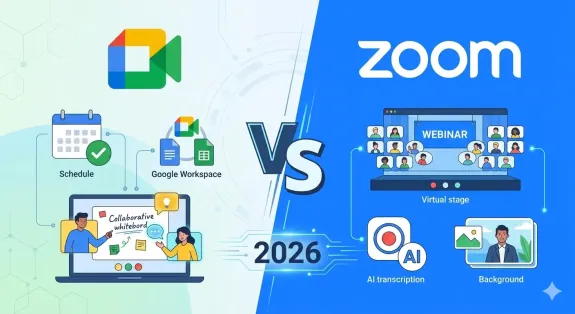
Google Meet vs Zoom
Zoom vs. Google Meet for hybrid meetings
Updated: Aug 19, 2026 · 7 minutes read
Global Business, Brought Near.
No Installer, No Hassle, Just Works.
Choosing the right video conferencing platform matters more than ever. With hybrid work now the standard and AI transforming how meetings run, the decision between Google Meet vs Zoom carries more weight than ever in 2026. Both platforms have evolved far beyond simple video calls, each carving out a distinct identity in the crowded collaboration space.
Google Meet has doubled down on its strength as the seamless communication layer within Google Workspace, bundling Gemini AI and deep integration with Gmail, Calendar, and Drive. Zoom, meanwhile, has expanded from a video-first tool into a full collaboration platform under Zoom Workplace, adding robust AI Companion features, advanced webinar capabilities, and enterprise phone systems.
This google meet vs zoom comparison cuts through the noise. We will examine real pricing, core features, AI capabilities, security, and performance to help you decide which platform fits your organization in 2026. Whether you are researching google meeting vs zoom or google meets vs zoom, this guide covers everything you need to know.
Pricing and Plans: What You Actually Pay in 2026
Understanding the true cost of each platform means looking beyond headline prices. Google Meet is not sold separately; it comes bundled with Google Workspace. Zoom is available as a standalone video conferencing solution or as part of Zoom Workplace.
Google Meet Pricing (via Google Workspace)
Plan
Price (Annual)
Meeting Participants
Recording
Key Features
Free
$0
100
No
60-minute group meetings, screen sharing
Business Starter
$7/user/month
100
No
24-hour meetings, dial-in numbers, 30 GB storage
Business Standard
$14/user/month
150
Yes
Cloud recording, noise cancellation, 2 TB storage, Gemini AI
Business Plus
$22/user/month
500
Yes
Auto-recording, Vault eDiscovery, 5 TB storage
Enterprise
Custom
1,000
Yes
Live streaming (100K viewers), DLP controls, premium support
Zoom Pricing (via Zoom Workplace)
Plan
Price (Annual)
Meeting Participants
Recording
Key Features
Basic (Free)
$0
100
Local only
40-minute group meetings, chat, whiteboard
Workplace Pro
~$14.16/user/month
100
Yes
30-hour meetings, AI Companion, 10 GB cloud recording
Workplace Business
~$18.33/user/month
300
Yes
SSO, managed domains, unlimited whiteboards
Business Plus
~$24.50/user/month
300
Yes
Includes Zoom Phone with unlimited calling
Enterprise
Custom
500-1,000
Yes
Unlimited cloud storage, advanced controls
The critical difference is bundling. At $14 per user per month, Google Meet includes video conferencing plus professional email, cloud storage, and AI tools. Zoom, at a comparable price, delivers deeper video features but requires separate subscriptions for email and productivity.
Feature Comparison: Where Each Platform Wins
Both platforms handle the fundamentals well. HD video, screen sharing, virtual backgrounds, and meeting recordings work reliably on both. The real differences emerge in advanced features, AI integration, and ecosystem connectivity.
Meeting Experience and Controls
Zoom takes the lead on meeting controls. Hosts get granular permissions: lock meetings, suspend participant activities, assign co-hosts, create breakout rooms on the fly, and manage waiting rooms with precision. These controls make zoom vs google meet for business scenarios like large webinars, training sessions, and client presentations smoother and more professional.
Google Meet prioritizes simplicity. Joining takes one click from a Calendar invite or Gmail thread. Fewer settings reduce friction for internal teams but limit customization for complex formats. If your team values speed over control, Meet delivers a cleaner experience.
AI and Smart Features
AI has become the battleground for video conferencing differentiation in 2026.
Google Meet leverages Gemini AI, which comes included with Workspace Business Standard and above. Key capabilities include "Take Notes for Me" (automatic meeting summaries saved to Google Docs), real-time transcription in eight languages, Smart Fill in Sheets, and context-aware writing assistance. Because Gemini spans the entire Workspace suite, it understands meeting context alongside your emails and documents.
Zoom counters with AI Companion, available on all paid plans. It generates meeting summaries, extracts action items, answers questions during meetings, and offers chat composition assistance. Zoom's AI feels more meeting-centric, with stronger templating for summaries and deeper integration with Zoom's whiteboard and chat products.
For teams evaluating google meet vs zoom features, the AI choice depends on your workflow. Gemini excels when meetings connect to document collaboration. AI Companion shines when meetings themselves are the primary work product.
Screen Sharing and Collaboration
Zoom offers more advanced sharing options: share a portion of your screen, a second camera, device audio, or specific applications with isolated sound. The co-annotation tools and multi-user whiteboard are polished and responsive.
Google Meet handles the essentials well: full screen, single window, or browser tab sharing. Integration with Google Docs, Sheets, and Slides allows real-time collaborative editing during meetings, which is powerful for teams already embedded in the Google ecosystem.
Video and Audio Quality
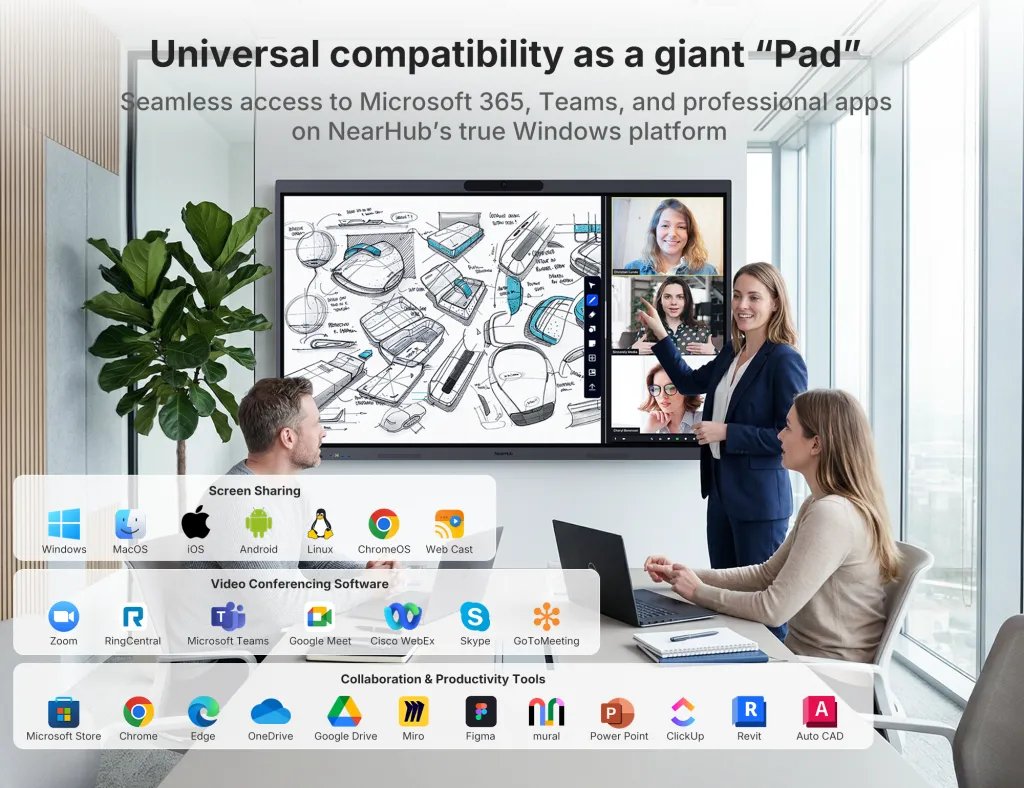
Both platforms deliver HD video and noise cancellation on paid plans. Zoom historically held an edge in low-bandwidth conditions, but Google has closed the gap in 2026. For organizations with reliable internet, the difference is negligible. Both platforms now support 4K video on select plans when bandwidth permits. To fully take advantage of high-resolution conferencing and hybrid collaboration features, many teams pair these platforms with professional interactive displays like the NearHub Board Max.
Security and Compliance
Enterprise security is non-negotiable for most organizations.
Google Meet inherits Google Workspace's security infrastructure: TLS encryption in transit, AES-256 encryption at rest, anti-hijacking measures, and 2-step verification. Advanced protection includes Vault for eDiscovery (Business Plus and above), data loss prevention (Enterprise), and S/MIME email encryption.
Zoom offers AES-256 GCM encryption, optional end-to-end encryption on paid plans, waiting rooms, meeting locks, and SSO integration. Zoom's security controls are more visible and configurable by hosts, giving IT teams finer-grained control over meeting access.
Both platforms meet GDPR standards and hold SOC 2 compliance. For industries requiring HIPAA or FedRAMP, both offer dedicated enterprise plans that satisfy regulatory requirements.
Best Use Cases: Which Platform Fits Your Workflow
The right choice depends heavily on how your team works. Here is a breakdown of which platform wins in common scenarios.
For Remote-First Teams
Google Meet wins if your remote team lives in Google Workspace. The seamless flow from Calendar invite to meeting to post-call summary in Docs creates an integrated workflow that reduces context switching. Gemini AI captures meeting notes automatically, which remote teams rely on heavily for asynchronous follow-up.
Zoom wins if your remote team runs frequent client-facing calls, demos, or training sessions. The superior host controls, breakout rooms, and polling features create more structured and professional external interactions.
For Hybrid Work Environments
Zoom vs google meet for hybrid meetings is one of the most common comparisons in 2026. Hybrid setups require software that bridges in-room and remote participants effectively.
Zoom's breakout rooms, persistent chat spaces, and whiteboard collaboration work smoothly across physical and virtual attendees. The Zoom Rooms hardware ecosystem also provides turnkey conference room solutions.
Google Meet's strength in hybrid environments is its scheduling simplicity. A Calendar invite automatically generates a Meet link, and Google Workspace's document sharing ensures everyone has the same context before joining.
For organizations investing in hybrid meeting room technology, hardware choice matters as much as software. The NearHub Board Max supports both Google Meet and Zoom natively, offering a 4K multi-touch display, wireless screen sharing, and built-in whiteboard functionality that bridges the gap between in-person and remote participants regardless of which platform you choose.
For Small Businesses
Google Meet is the budget-friendly default for small businesses already using Google Workspace. At $14 per user per month, Business Standard covers email, storage, video conferencing, and AI tools in one bill.
Zoom Workplace Pro at a comparable price point gives smaller teams premium video features without requiring a full productivity suite migration. If your business already has email and storage handled elsewhere, Zoom is the more focused investment.
For Enterprise Organizations
Large organizations often standardize on one platform. Zoom typically wins when the IT department values granular admin controls, advanced webinar capabilities, and dedicated support. Google Meet wins when the broader organization is committed to Google Workspace and values the unified admin console across email, documents, and meetings.
At 500 users, Google Workspace Business Standard costs approximately $84,000 annually, while Zoom Workplace Business runs approximately $110,000. The $26,000 difference is significant, though the true comparison must factor in whether you are already paying for email and productivity tools separately.
Performance and Reliability
Both platforms deliver excellent reliability. Zoom maintains a slight edge in adaptive bitrate technology, adjusting video quality more smoothly when bandwidth fluctuates. Google Meet's browser-based approach requires no installation, reducing IT overhead for guest access. Mobile performance is strong on both, though Zoom's app offers more host controls while Meet prioritizes quick joining.
Integration Ecosystem
Google Meet integrates natively with the entire Google Workspace catalog: Calendar, Gmail, Drive, Docs, Sheets, Slides, Chat, and Spaces. Third-party integrations include Salesforce, HubSpot, Asana, and Slack, though the selection is narrower than Zoom's.
Zoom offers broader third-party connectivity. The Zoom App Marketplace includes over 2,500 integrations spanning CRM, project management, marketing automation, and learning management systems. Zoom also provides APIs and SDKs for custom integrations, making it the more flexible choice for organizations with complex tech stacks.
For teams asking which is better google meet or zoom from an integration standpoint, the question is whether you prioritize depth within Google (Meet) or breadth across tools (Zoom).
Ease of Use and User Experience
Google Meet's philosophy is minimalism. The interface shows only essential controls during meetings. Scheduling a meeting requires one click in Google Calendar. Zoom users can get the same one-click convenience when they add Zoom to Google Calendar, enabling seamless scheduling directly from calendar events. Guests without Google accounts can join directly from a browser link with no download required.
Zoom offers more functionality upfront, which creates a slightly steeper learning curve. The desktop app provides the richest experience, though browser joining is supported. Once users are familiar with Zoom's interface, the additional controls become a strength rather than a barrier.
For IT administrators, Google Meet's management happens through the familiar Google Admin console. Zoom provides a dedicated admin portal with detailed analytics on meeting usage, participant engagement, and quality metrics that many IT teams find valuable.
Making Your Decision: A Practical Framework
If you are still deciding between zoom vs google meet 2026, ask these three questions:
Does your team already use Google Workspace? If yes, Google Meet is the logical default. You are already paying for it, and the integration with Calendar, Drive, and Docs creates measurable workflow efficiency.
Are meetings central to how you serve customers? If your business revolves around client presentations, sales demos, webinars, or training, Zoom's superior host controls and meeting polish justify the premium.
What is your total cost of ownership? Calculate whether bundling video with productivity tools (Google) or buying video conferencing as a specialized service (Zoom) costs less when you factor in your existing software subscriptions.
FAQs
Which is better, Google Meet or Zoom, for business use?
Zoom wins for businesses focused on client-facing meetings, large webinars, and advanced host controls. Google Meet is the better choice if your organization already uses Google Workspace, since it bundles seamlessly with Gmail, Calendar, Drive, and Docs at no extra cost. For video-first organizations, Zoom justifies its higher price with deeper meeting features. For Google-centric teams, Meet offers unbeatable integration value.
Is Google Meet cheaper than Zoom in 2026?
Google Meet Business Standard costs $14 per user per month (annual billing) and includes video conferencing plus Gmail, Drive, Docs, and Gemini AI. Zoom Workplace Pro starts at approximately $14.16 per user per month (annual) for video conferencing alone, while Zoom Workplace Business is $18.33 per user per month. If you already need a productivity suite, Google Meet is more cost-effective. If you only need premium video conferencing, Zoom's standalone pricing is competitive.
How do Google Meet and Zoom compare for hybrid meetings?
Both platforms support hybrid meetings well. Zoom offers superior breakout rooms, polling, and whiteboard features that work across in-person and remote participants. Google Meet integrates natively with Google Calendar and Workspace apps, making scheduling and document sharing seamless for hybrid teams. For the best hybrid experience, pair either platform with dedicated hardware like the NearHub Board Max, which supports both platforms with a 4K display, multi-touch input, and wireless screen sharing for conference rooms.
Which platform has better AI features, Google Meet or Zoom?
Google Meet uses Gemini AI, which offers 'Take Notes for Me' meeting summaries, real-time transcription in eight languages, Smart Fill in Sheets, and Help Me Write in Docs. Zoom uses AI Companion, which generates meeting summaries, action items, and offers in-meeting chat assistance with stronger templating features. Gemini AI is included with Google Workspace Business Standard ($14/user/month) and above. Zoom AI Companion is available on all paid plans starting with Workplace Pro. Both are capable, but Gemini offers broader productivity integration, while Zoom AI Companion is more meeting-focused.
Can Google Meet and Zoom work together in the same organization?
Yes, many organizations use both platforms for different purposes. Google Meet is often the default for internal team meetings and quick syncs, while Zoom is used for external client calls, webinars, and training sessions. Both platforms support calendar integration with Google Calendar and Outlook, so scheduling across both tools is manageable. IT teams can deploy both without conflicts, though standardizing on one platform typically reduces licensing costs and simplifies training.
Final Verdict
The google meet vs zoom decision in 2026 is less about which platform is objectively better and more about which platform aligns with how your organization works.
Choose Google Meet if: Your team uses Google Workspace daily, you value simplicity and speed over granular controls, you want video conferencing bundled with email and productivity tools, and your meetings are primarily internal with occasional external guests.
Choose Zoom if: Meetings are revenue-critical for your business, you run frequent webinars or large events, you need advanced host controls and meeting analytics, your tech stack requires broad third-party integrations, or you want a meetings-first platform regardless of your productivity suite.
Both platforms are leaders in the video conferencing space for good reason. Google Meet offers unmatched value for Workspace subscribers. Zoom delivers the deepest, most polished meeting experience available. For most organizations, either choice will serve your team well. The key is making the decision intentionally based on your workflow, budget, and long-term collaboration strategy.