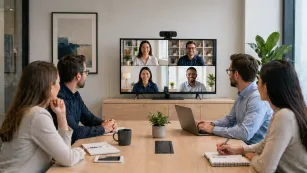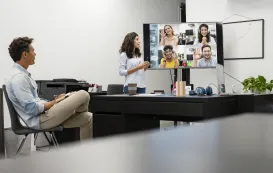













































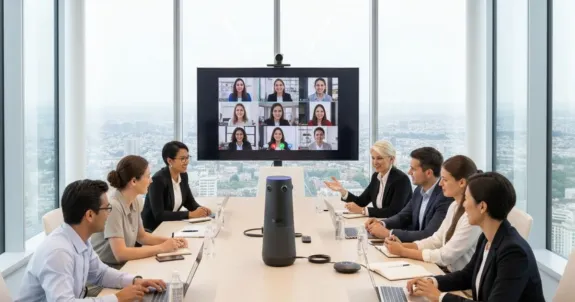
Let’s set the scene. It’s the big quarterly review. Six people are at the conference table, but your top remote salesperson, Mark, is just a silent, black box on the monitor. He can't follow the cross-table chatter and feels completely, utterly left out.
This is the "two-tier" meeting: a "real" meeting for those in the room, and a low-quality, disengaging broadcast for everyone else. We are all tired of the endless chorus of "You're on mute," the laggy video, and the sheer exhaustion of "Zoom fatigue".
Here’s the hard truth: The hybrid model is here to stay, but these broken meetings are costing you. When your team feels disconnected, collaboration dies—research shows up to 30% of employees have considered leaving over this exact feeling of exclusion.
The problem isn't your people. It's your hardware. This is your definitive guide to building a conference room that finally works. We'll walk you through creating parity—a single, unified meeting where everyone is a first-class citizen.
Key Takeaways
- Hybrid meeting equipment drives true inclusion: Investing in the right technology ensures remote and in-room participants experience a single, unified conversation.
- AIO solutions simplify IT deployment: All-in-one video bars eliminate cable clutter and provide IT teams with a reliable plug-and-play ecosystem.
- 360-degree cameras eliminate the bowling alley effect: Center-of-table lenses with AI tracking keep everyone perfectly framed during collaborative discussions.
- Acoustics and audio dictate meeting success: Premium microphone arrays with AI noise cancellation are critical for overcoming poor conference room sound.
Evaluating the Best Video Conferencing Equipment for Conference Rooms
Before we can build the ideal setup, let's break down the pieces. A professional video conferencing experience isn't just one thing; it's a system of core components working in harmony: video, audio input, audio output, display, and the processing brain that connects it all.
The root of 90% of our hybrid meeting problems is what I call the "Good Enough" Trap. It's the belief that you can run a 10-person meeting using a single laptop perched at the end of a long table.

The "Good Enough" Trap: Why Your Laptop Fails
Your laptop is a brilliant personal device, but it was never designed to be a group collaboration tool. When you force it into that role, it creates three distinct problems:
- The "Bowling Alley" View: Your laptop's built-in webcam has a narrow field of view. Placed at the end of a table, remote participants only see the two people at the head, while everyone else is a tiny speck.
- The "Tin Can" Audio: A laptop's tiny microphone is designed for one person sitting 18 inches away. It cannot capture the voices of 10 people scattered around an echoey room.
- The "Echo Chamber" Effect: The laptop's speakers blast sound that is immediately picked up by its own mic, creating horrible feedback and garbled audio.
Deploying Conference Room Video Conferencing Equipment: The AIO Revolution
Your IT admin is tired of being pulled away from critical projects just to troubleshoot a muted mic or an unplugged speaker. The solution to this resource-draining problem is the All-in-One (AIO) revolution.
The Power of All-in-One (AIO) Systems
An AIO system combines the camera, microphones, and speakers into a single, sleek unit. This is the cornerstone of modern hybrid meeting equipment, offering immediate benefits:
- It Kills Cable Clutter: Instead of separate devices with multiple power and data cables, you have one clean, high-performance hub.
- Guaranteed Compatibility: The microphones and speakers are engineered to work together, ensuring perfect echo cancellation and feedback-free audio.
- The Ultimate Easy Setup: It empowers any user to walk into a room, plug in a single USB cable, and start a flawless meeting in seconds.
Deep Dive: Why the Center-of-Table AIO is Essential Hybrid Meeting Equipment
While wall-mounted AIO video bars are great for standard presentations, they often leave remote participants feeling like an audience watching a performance. To achieve true parity, you need to shift the perspective from the wall to the table.
The Next-Gen Evolution: Center-of-Table AIO
This is where advanced devices like the Nearity 360 Alien redefine the category. As a "Center-of-Table AIO," it integrates a True 4K panoramic camera, a 24-element microphone array, and Hi-Fi speakers into a single unit placed right where the conversation happens.

By sitting in the middle of the action, it destroys the "two-tier" meeting. Remote participants get a full 360° view, allowing them to see every face and hear every whisper as if they were physically in the room.
The Magic of AI Speaker Tracking
The true intelligence of a center-of-table AIO lies in its AI. Using sophisticated microphone arrays, the system can hear who is talking and see where they are.
AI-powered Active Speaker Focus automatically frames the speaker in a crisp close-up, alongside a panoramic shot of the room. When the conversation shifts, the camera follows gracefully, mimicking natural human eye contact and making the experience dynamic for remote viewers.
Fixing the "I Can't Hear You" Problem: Acoustics and Microphones
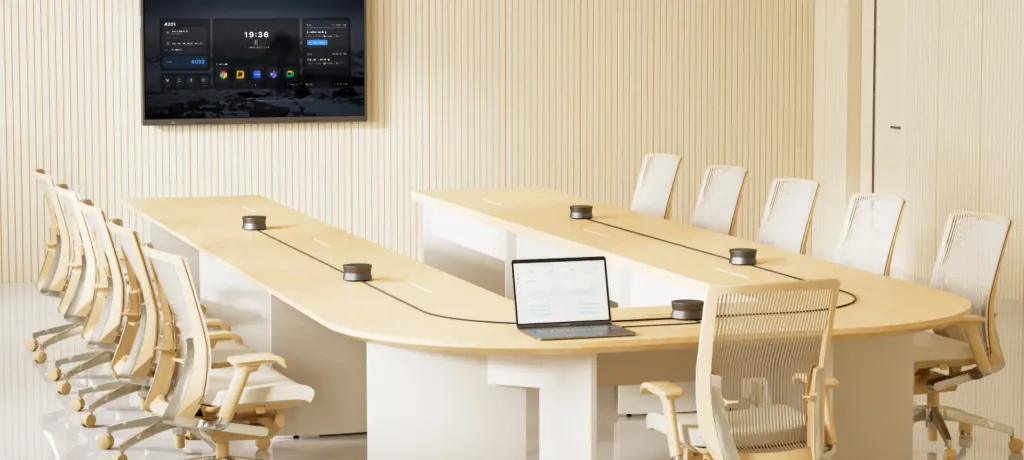
Bad video is annoying, but bad audio kills collaboration. To solve this, you need to address both your room's physical environment and your hardware's technology.
First, Fix Your Room (The "Echo Chamber")
Hard surfaces like glass walls act like acoustic mirrors, bouncing your voice back into the mic and creating reverb. Before buying tech, add soft surfaces like rugs or acoustic panels to "dampen" the space and allow your microphones to function at their peak.
How to Choose the Right Microphone Array
When upgrading your audio, consider integrating a dedicated, professional conference speakerphone into your setup. Look for hybrid meeting equipment with expansive pickup ranges (some capture audio clearly up to 8 meters) and advanced noise cancellation. Modern AI algorithms built into these specialized speakerphones can distinguish a human voice from background noise, actively filtering out keyboard tapping and HVAC hums to transmit only crystal-clear speech.
Demystifying Wireless Connectivity for Conference Rooms
The dream of a cable-free table often turns into a nightmare of laggy video and dropped calls. The key to professional-grade wireless is avoiding crowded consumer frequencies.
Why the 2-in-1 USB-A/C Adaptive Receiver Wins
When deploying audio or collaborative tools, stay away from standard Bluetooth, which is prone to interference in office environments. Instead, opt for systems that use a dedicated, proprietary wireless connection via a dongle.
The gold standard for the modern office is the 2-in-1 USB-A/C adaptive receiver. This specialized receiver creates a private, ultra-low-latency connection that doesn't rely on your building's Wi-Fi. Most importantly, its dual-interface design ensures it works with both legacy and modern laptops without the need for extra adapters, making it the most reliable "plug-and-play" wireless solution available.
Beyond the Tech: Running a Genuinely Inclusive Hybrid Meeting
Technology is only half the solution; the other half is human. To lead a truly inclusive meeting:
- Assign a Virtual Facilitator: Have someone in the room monitor the chat and look for virtual "raised hands."
- Call on Remote Participants First: Ensure remote voices aren't drowned out by in-room chatter by giving them priority during Q&A.
- Adopt a "Remote-First" Mindset: If you use a physical whiteboard, ensure it's also captured digitally so remote users aren't left staring at a blurry glare.
Conclusion: Stop Hating Your Meetings. Start Connecting.
In a room outfitted with the right hybrid meeting equipment, "ghost participants" like Mark become active, engaged contributors. By upgrading to an integrated AIO ecosystem like the Nearity 360 Alien, you replace frustration with flow.
It’s time to stop settling for "good enough" and start investing in hardware designed for the new era of work. Give your team the clarity they deserve and your IT department the peace of mind they need.
Frequently Asked Questions (FAQ)
1. What is the most important piece of hybrid meeting equipment?
Audio is the foundation of any successful meeting; high-quality microphone arrays with AI noise cancellation are the most critical investment for clear communication.
2. What are the benefits of a Center-of-Table AIO like the Nearity 360 Alien?
It provides an immersive 360° view and captures audio from the center of the room, eliminating the "distance" remote participants feel with traditional wall-mounted cameras.
3. What is a 2-in-1 USB-A/C adaptive receiver and why does it matter?
It is a dual-interface wireless dongle that provides a stable, low-latency connection for headsets or speakerphones, ensuring compatibility with all laptop types without needing extra adapters.
4. How does AI speaker tracking improve meeting equity?
By automatically zooming in on the active speaker, AI ensures remote participants can see facial expressions and non-verbal cues, making the conversation feel more natural and inclusive.