A "good enough" headset may seem like a smart purchase—until hours of discomfort, poor call quality, and constant workflow interruptions start affecting your productivity. This guide explores the hidden costs that most buyers overlook and explains how to choose a wireless headset based on real professional needs, from all-day comfort and AI-powered noise cancellation to reliable multi-device connectivity.
Wireless Headsets with Mic for Work: The Hidden Cost of 'Good Enough' Audio
It's 2:47 PM on a Tuesday. Sarah, a project manager at a mid-sized SaaS company, is on her fourth back-to-back call. Her $80 wireless headset—purchased because the reviews were "fine" and the price was right—started the day adequately. But seven hours in, the ear cushions feel like sandpaper against her temples. The headband has created a pressure point at her crown that she's been consciously ignoring for the past forty minutes. When her client asks a detailed question about the project timeline, she realizes she's been focusing more on the discomfort in her head than on the conversation.
She answers adequately. Not brilliantly—her cognitive bandwidth is split between the technical discussion and physical discomfort. After the call, she takes the headset off and rubs her temples. The relief is immediate. She makes a mental note to "look into better options when I have time" and reaches for the same headset thirty minutes later because it's what's on her desk.

This scenario plays out millions of times daily in home offices and corporate headquarters worldwide. The hidden cost of "good enough" audio isn't the purchase price—it's the accumulated toll of discomfort, distraction, and suboptimal performance that compounds over hundreds of hours of use.This article examines what separates wireless headsets that merely function from those that genuinely enhance professional productivity, helping professionals choose a professional wireless noise cancelling headset based on real workplace needs rather than marketing specifications.
The Trade-Off Matrix: Connectivity, Comfort, and Call Quality
The Hybrid Worker Switching Between Devices
Meet David. He's a customer success manager who splits time between his home office PC, his MacBook in coffee shops, and his iPhone for emergency client calls. On a typical day, he transitions between these devices six to eight times. A headset that connects to only one device at a time creates friction at every transition—disconnect from PC, pair with phone, remember to reconnect to PC later. Each transition takes thirty seconds and a moment of cognitive attention that pulls him out of workflow.

Bluetooth multipoint solves this. A headset with multipoint pairing maintains simultaneous connections to two devices—typically his PC and phone. When a call comes in on his phone while he's working on his PC, he answers without switching connections. When his PC rings with a Teams call, the headset intelligently prioritizes the active call source. This isn't a luxury feature for David; it's thirty minutes of reclaimed focus time per week, which compounds to twenty-six hours per year.
Decision implication: If you regularly use more than one device for calls, Bluetooth 5.4 multipoint is non-negotiable. Single-device connectivity creates hidden workflow friction that accumulates into measurable productivity loss.
The Call-Heavy Professional in a Noisy Environment
Priya works from a co-working space with an open floor plan. Her role involves four to six hours of client calls daily. The ambient noise level hovers around 65 decibels—conversations, keyboard clicks, phone rings, espresso machines. Without effective microphone noise cancellation, every call begins with "Sorry, it's a bit noisy here" and continues with her clients hearing fragments of surrounding conversations.
The psychological impact is subtle but real. Priya feels less authoritative when her audio environment undermines her professionalism. She's noticed that calls where background noise intrudes tend to run longer because she repeats herself more often. Her clients seem slightly less engaged, possibly because the cognitive load of filtering background noise reduces their attention to her content.
A headset with noise cancelling mic featuring a 4-mic ENC system changes this dynamic entirely. Her callers hear only her voice. The background chaos disappears from the audio signal. Her callers hear only her voice. The background chaos disappears from the audio signal. She no longer apologizes for her environment because her environment no longer enters the call. The professional improvement is quantifiable: clearer calls, shorter calls, and the confidence that her audio presence matches her expertise.
Decision implication: If your work environment isn't consistently quiet (and most aren't), microphone noise cancellation isn't a nice-to-have feature—it's the difference between sounding professional and sounding distracted. Noise cancelling work headsets with dedicated ENC processing should be your baseline requirement.
The All-Day Wearer Prioritizing Comfort
Marcus is a technical support lead who wears his headset for eight to ten hours daily. He's learned the hard way that specs don't predict comfort. His first headset had excellent reviews for audio quality but created a pressure point behind his left ear after three hours. His second was lightweight but made his ears sweat after prolonged wear. His third had comfortable cushions but insufficient adjustment range for his larger head size.
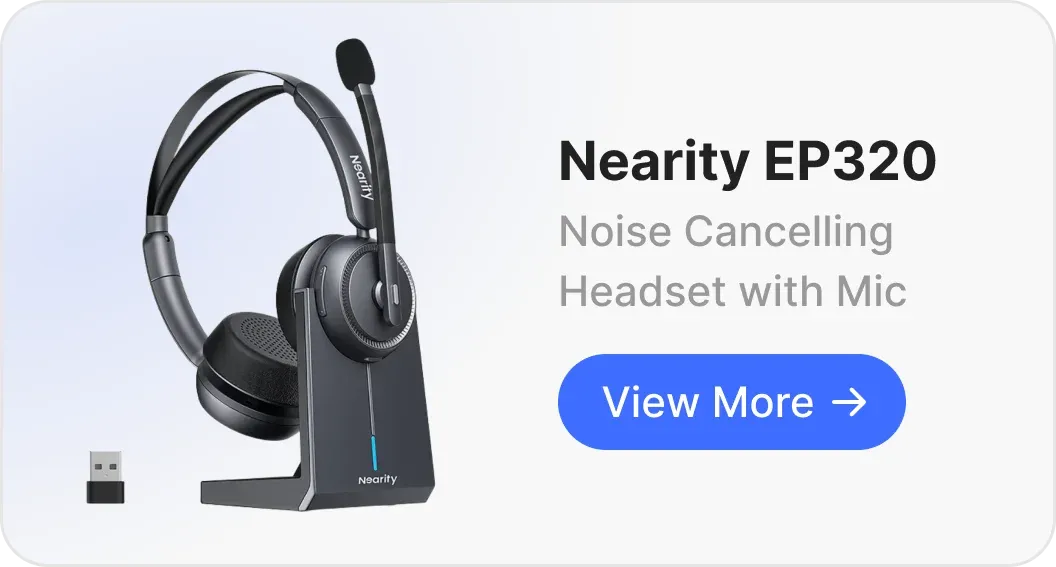
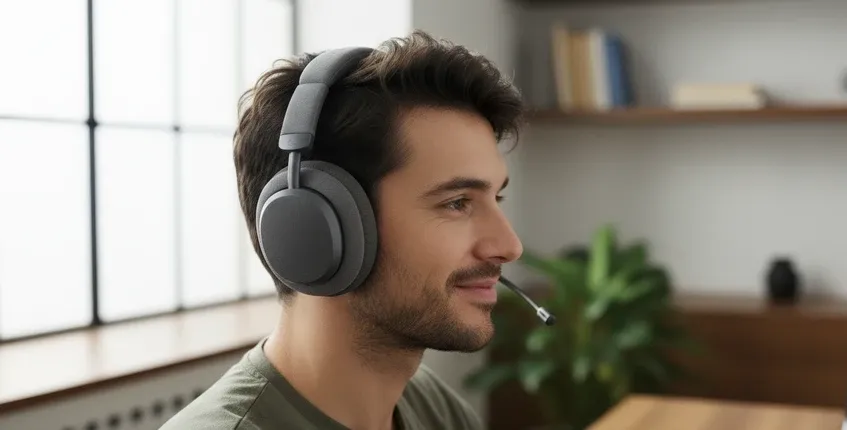
The right wireless headset for Marcus needs several comfort factors that rarely appear on spec sheets: memory foam cushions that conform to his head shape without collapsing, breathable materials that don't trap heat, a headband with adequate padding and sufficient adjustment range, and clamping force that's secure but not oppressive. The 250° rotatable boom mic on the Nearity EP320 matters to him because it lets him position the mic precisely without compromising headband fit.
Decision implication: For all-day wear, prioritize comfort features over incremental audio quality improvements. A headset you remove due to discomfort provides zero value regardless of its specs. Look for adjustable designs, memory foam, and breathability rather than relying solely on weight specifications.
The Decision Framework: Evaluating Wireless Headsets for Professional Use
Step 1: Map your connectivity requirements
- Single device (PC only) → USB dongle or Bluetooth both acceptable
- Two devices (PC + phone) → Bluetooth 5.4 multipoint required
- Three+ devices → Bluetooth multipoint + manual switching, or multiple dongles
- Travel frequently → Lightweight, compact folding design preferred
Step 2: Assess your acoustic environment honestly
- Private office, consistent quiet → Basic mic sufficient
- Home office with occasional interruptions → ENC recommended
- Open office, co-working, or shared space → 4-mic ENC strongly recommended
- Variable environments → Adaptive ENC with AI noise suppression
Step 3: Calculate your actual daily wear time
- 1–2 hours daily → Most comfortable options adequate
- 3–5 hours daily → Prioritize memory foam cushions and adjustable headband
- 6+ hours daily → All comfort features essential: ventilation, balanced weight, rotatable mic, premium materials

Step 4: Determine your call quality expectations
- Internal team calls only → Moderate mic quality acceptable
- Client-facing calls regularly → High-quality ENC mic essential
- Executive presentations, sales calls → Premium call clarity with noise isolation critical
Step 5: Factor in total cost of ownership
- Battery degradation after 1–2 years
- Cushion replacement availability
- Warranty length and support quality
- Charging convenience (stand vs. cable)
Where the Nearity EP320 Fits the Professional Workflow
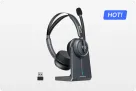
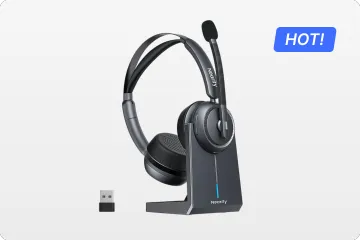
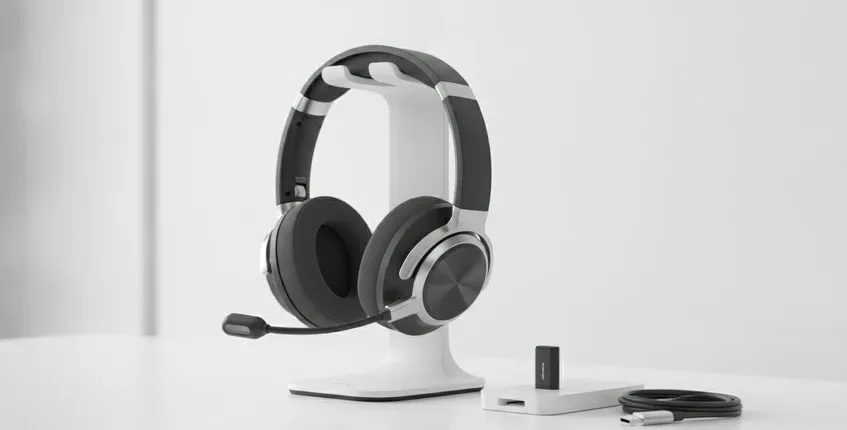
If you're looking for the best noise cancelling headset for professional communication, the Nearity EP320 is engineered for the scenarios above. The Bluetooth 5.4 multipoint connection handles David's device-switching workflow. The 4-mic AI ENC with HiFi5 DSP addresses Priya's noisy environment challenges.The over ear design with memory foam cushions and adjustable headband accommodates Marcus's all-day wear requirements.
At 35 hours of talk time per charge, it covers more than a full work week for most professionals. The included charging stand eliminates the "forgot to charge" problem by creating a visual docking habit. The mute button on the microphone boom provides instant access during interruptions without fumbling for controls.
For professionals who view their headset as a productivity tool rather than a peripheral accessory, the $127.50 price point positions it in the practical performance tier—delivering the core features that matter for professional communication without the premium markup of brand ecosystems that individual users rarely leverage.
FAQs
How do I know if my wireless headset has a good microphone?
Record a voice memo while typing on your keyboard or with background conversation happening. Play it back and assess: can you clearly understand your voice? Do you hear distracting background noise? A good business headset mic will make your voice sound clear and present while suppressing ambient noise significantly. Also test at different speaking volumes—some mics perform well at normal volume but distort when you speak softly or loudly. The best wireless headsets with mic for work maintain consistent quality across your natural speaking range.
Should I get a single-ear or dual-ear headset for work?
Single-ear (monaural) headsets let you hear your surroundings, which is useful if you need to interact with colleagues or monitor your environment. They're lighter and typically less expensive. Dual-ear (binaural) headsets provide better noise isolation, more immersive audio, and typically better microphone performance because the design can accommodate more mic elements. For call center agents who need situational awareness, single-ear makes sense. For professionals who need focus during long calls, dual-ear is generally preferable. The Nearity EP320 offers a dual-ear design that provides the isolation and microphone array capacity that professional calls demand.
Why do some wireless headsets sound worse on PC than on phone?
This typically happens because your PC's Bluetooth implementation is lower quality than your phone's. PCs often use generic Bluetooth chipsets with basic audio codecs, while phones have optimized Bluetooth stacks with better codec support (AAC, aptX). A headset connected via USB dongle bypasses your PC's Bluetooth entirely, typically delivering more consistent quality. If your headset sounds great on your phone but mediocre on your PC, the issue is likely your PC's Bluetooth, not the headset. A dedicated USB dongle or USB-C cable connection usually resolves this.
Ready to eliminate the hidden costs of subpar audio? Explore the Nearity EP320 wireless business headset with 4-mic ENC, Bluetooth 5.4 multipoint, and all-day comfort design.