














































In the high-stakes world of corporate decision-making, the first 60 seconds of a meeting often dictate its trajectory. Yet, for many organizations, those critical moments are squandered on technical friction: tangled USB cables, "center-of-the-table" cameras that fail to capture every participant, and audio quality that prioritizes background noise over human voices. In 2026, choosing the right conference room presentation systems is no longer a peripheral IT decision—it is a strategic choice between fostering seamless collaboration or creating digital barriers.
The hybrid work era has reached full maturity, and the "good enough" setups of the early 2020s are no longer sufficient for professional organizations. Today, we are seeing a massive shift in how businesses evaluate their digital real estate. This article solves the dilemma for the modern IT manager: should you stick with the familiar, peripheral-based approach of owl video conferencing, or is it time to upgrade to an all-in-one NearHub interactive whiteboard? We will break down the evolution of the market, the technical limitations of standalone devices, and why integrated systems are winning the ROI battle.
Key Takeaways
- Integration Over Fragmentation: In 2026, the best conference room presentation systems prioritize "All-in-One" integration. Replacing multiple peripherals with a single hub like the NearHub S Proreduces fail points and technical friction.
- Active Collaboration vs. Passive Observation: Unlike owl video conferencing which focuses solely on "seeing" the room, interactive whiteboards enable true "Meeting Equity" by allowing remote and in-person teams to co-create on a shared digital canvas.
- Superior Deep-Room Performance: While 360° cameras struggle in larger spaces, integrated systems with 15-meter (50ft) beamforming mic arrays and 4K AI sensors ensure high-fidelity communication in mid-to-large boardrooms.
- The Hidden ROI of Simplicity: Standalone setups often carry higher Total Cost of Ownership (TCO) due to complex cabling and external PC requirements. Integrated smart boards offer faster deployment (under 30 mins) and lower maintenance costs.
- Zero-Gap Visual Precision: For technical and creative teams, the transition to "Zero-Gap" bonding technology in smart boards provides the pen-on-paper writing experience necessary for effective hybrid brainstorming.
The Evolution of Conference Room Presentation Systems: What Defines Success in 2026?
A decade ago, a "presentation system" meant a projector and a VGA cable. Five years ago, it meant a webcam and a flat-screen TV. In 2026, conference room presentation systems are defined by one word: Integration. We have moved past the era of "Franken-systems"—setups cobbled together from different manufacturers that require three remotes to operate.
The Shift from Passive Viewing to Active Collaboration
According to a recent report by Gartner, by 2026, 80% of all enterprise meetings will include at least one remote participant. This shift has forced a re-evaluation of what a "successful" meeting looks like. It’s no longer enough for remote workers to simply "see" the room. They need to participate in the brainstorming process as if they were physically present. Success in 2026 is measured by "Meeting Equity"—the ability for every participant to contribute equally, regardless of their location.
AI as the New Standard
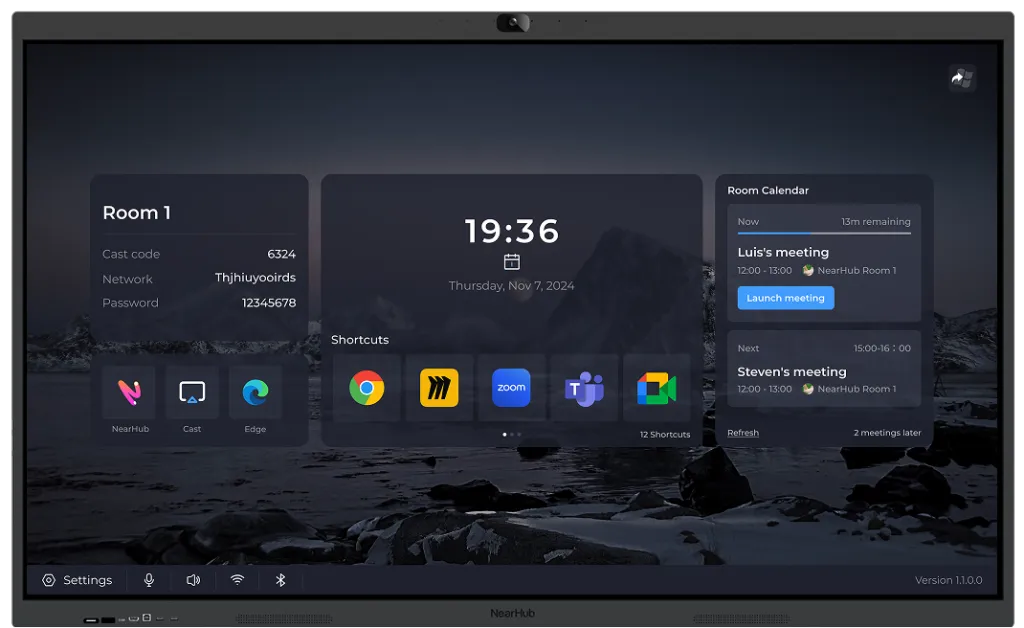
Modern conference room presentation systems are now expected to be "intelligent." This includes AI-driven speaker tracking, acoustic fencing that blocks out background noise, and automated lighting correction. While older systems relied on manual controls, the 2026 standard is "One-Touch Join," where the room’s hardware recognizes the meeting invite and configures itself before the first participant even sits down.
Why Businesses are Investing in All-in-One Solutions
Businesses are increasingly moving away from peripheral-heavy setups because of the "soft costs" of maintenance. A study by Frost & Sullivan highlights that the demand for professional-grade, all-in-one meeting room solutions is growing by over 15% annually as companies prioritize ease of use and reliability. Every additional cable and separate device is a potential point of failure. When an executive team has to wait ten minutes for a camera to sync with a display, that lost time translates to thousands of dollars in lost productivity. This is why the integrated smart writing board has become the gold standard for high-performing offices.
Owl Video Conferencing vs. NearHub: Two Philosophies for One Hybrid Goal
To choose the right system, you must understand the underlying philosophy of the hardware. The market is currently split between the "Center of the Table" approach and the "Front of the Room" approach.
The "Center of the Table" Philosophy (Owl)
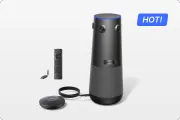
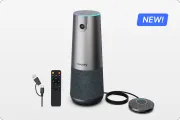
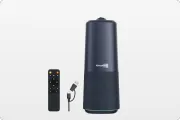
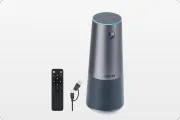
Owl video conferencing became a household name because of its unique 360-degree camera. The philosophy here is that by placing the camera in the center of the group, you create a "roundtable" feel. It’s an approachable, portable solution that attempts to make remote participants feel like they are sitting at the table. While this works well for casual, small-group conversations, it often falls short in professional presentations where the focus needs to be on a shared screen or a speaker at the head of the room.
The "Front of the Room" Philosophy (NearHub)
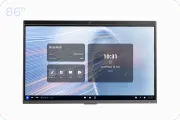
NearHub represents the "Integrated Hub" philosophy. By placing the AI camera, massive microphone arrays, and a 4K interactive display at the "Front of the Room," you create a natural focal point. This mimics a traditional boardroom layout while adding a layer of digital interactivity. The NearHub S Pro Smart Whiteboard isn't just a camera; it is the "Brain" of the room. It handles the video, the audio, and the interactive canvas simultaneously, ensuring that everyone’s gaze is directed toward the same collaborative center.
Comparing the "User Experience" (UX)
The UX of an Owl setup is often fragmented. You still need a separate TV, a separate computer to run the meeting, and often separate microphones if the table is longer than six feet. In contrast, the NearHub experience is unified. You walk up to the board, tap the screen, and the meeting begins. There is no "context switching" between devices, which significantly lowers the cognitive load on the presenter.
Streamlining Your Conference Room Setup for Video Conferencing
When evaluating the conference room setup for video conferencing, simplicity is the ultimate sophistication. IT departments are increasingly under pressure to do "more with less," and cable management is a major part of that equation.
The Cable Chaos of Peripheral Setups
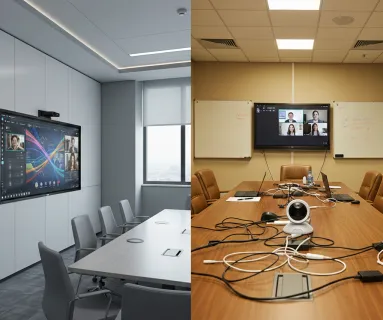
Setting up owl video conferencing typically requires several connections. You need power for the Owl, a USB connection to a laptop or a dedicated Room PC, and an HDMI connection from that PC to a wall-mounted TV. If you want to share content, you might need another dongle. This "octopus" of wires not only looks unprofessional but often leads to "connection anxiety"—the fear that something won't work right before a call.
The One-Cable Revolution with NearHub
A conference room setup for video conferencing using a NearHub system is radically different. Because the NearHub S Pro has a built-in computer (OPS), it only requires a single power cable. If you want to use your own laptop (BYOD), you can connect via a single USB-C cable that provides 4K video, audio, and 65W charging all at once. This minimalist approach allows for cleaner room designs and much faster troubleshooting.
Installation and Maintenance: TCO Analysis
- Owl Setup: Requires mounting a TV, configuring a separate PC/Mac, and placing the Owl device. Total installation time: 2–4 hours.
- NearHub Setup: Mount the board on a mobile stand or wall. Plug in power. Total installation time: 15–30 minutes.
When you factor in the "Total Cost of Ownership" (TCO), the time saved in installation and the reduction in "it's not working" tickets makes the integrated approach much more attractive for scaling businesses.
Why Integrated Video Conferencing Solutions Outperform Standalone Peripherals
The performance gap between integrated video conferencing solutions and standalone peripherals has widened significantly in 2026. This is due to how hardware components "talk" to each other when they share the same motherboard.
Synchronized AI Processing
In a standalone setup, the camera and the microphones are often made by different companies, or at least operate as separate USB devices. They don't share real-time processing power. In the NearHub S Pro Smart Whiteboard, the 4K AI camera and the 24-microphone array are hard-wired to the same processor. This allows for "Deep Link" speaker tracking—the microphones tell the camera exactly where a sound is coming from in milliseconds, resulting in much smoother and more accurate auto-framing than an Owl can provide.
Audio Engineering: Pickup vs. Quality
While Owl provides 360-degree audio, its pickup range is limited. If a participant is more than 10 feet away, their voice begins to sound "cavernous." Integrated video conferencing solutions like NearHub utilize beamforming technology with a 15-meter (50-foot) pickup range. This ensures that even the person sitting in the back of a deep room is heard as clearly as the person in the front.
Visual Fidelity and "Eye Contact"
One of the psychological hurdles of hybrid work is the lack of eye contact. With a center-of-the-table camera, you are always looking at the participants "from the side" if they are looking at the TV on the wall. With NearHub, the camera is mounted directly at the top of the display. When you look at the person you’re talking to on the screen, you are also looking toward the camera. This creates a much more natural, human connection during a video call.
Visual Collaboration: The Missing Piece in Most Video Conferencing Solutions
The biggest weakness of owl video conferencing—and most standalone camera systems—is that they are "Observation Only." They allow you to see and hear, but they don't allow you to create.
The Problem with "Passive" Meetings
In a standard meeting using traditional video conferencing solutions, if someone wants to sketch an idea, they have to walk over to a physical whiteboard. The camera then has to try and focus on the person's back, and the remote participants usually see a blurry, glare-filled image of some scribbles. This is where "Meeting Equity" dies. Remote participants feel like spectators, not collaborators.
Active Collaboration with a Smart Writing Board
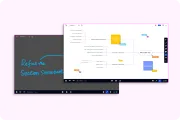
This is where the smart writing board changes the game. When you use NearHub, the whiteboard is digital. When you draw a line in the room, it appears in high-definition on the remote participant's screen instantly. There is no glare, no blocked view, and no lag. This allows for "Co-Creation," where a person in London can add a note to a diagram being drawn in New York.
Digital Persistence and Workflow
If you want to know how to use a smart board effectively, the key is "Persistence." After a meeting with an Owl setup, you take a photo of the whiteboard and email it—a clunky, 2010s workflow. With a NearHub system, the whiteboard session is saved as a digital file or cloud link. You can reopen it in the next meeting and continue right where you left off. This digital continuity is essential for agile product teams and creative agencies.
Scalability and Performance: Which System Handles Larger Spaces Better?
A common question for businesses is: "Will this system grow with us?" A conference room presentation system that works in a huddle room might fail miserably in an executive boardroom.
The Owl’s "Small Room" Ceiling
The Owl is a "Near-Field" device. It is designed for small tables where everyone is close together. In a larger room (anything over 15x15 feet), the 360-degree lens starts to lose detail, and the microphones struggle to isolate voices from the ambient echo of a large space. To solve this, you often have to buy "Expansion Mics" or even a second Owl, which doubles the price and the complexity of the setup.
The NearHub "Deep Room" Advantage
Integrated conference room presentation systems are designed for "Mid-to-Large" scalability. The NearHub S Pro features a 75-inch or 86-inch 4K screen that is visible from the back of a large hall. Its 24-microphone array is specifically tuned to filter out the reverberation of larger rooms.
- Huddle Room: Overkill? Maybe. But it provides a premium experience that wows clients.
- Medium Room: Perfect. It is the definitive all-in-one hub.
- Large Room: Excellent. It acts as the primary visual anchor and audio processor.
Comparison Table: 2026 Capability Matrix
| Feature | Owl Video Conferencing | NearHub S Pro Smart Whiteboard |
|---|---|---|
| Primary Goal | 360° Observation | Immersive Collaboration |
| Camera Quality | 1080p / 360° | 4K AI / 120° Wide Angle |
| Audio Range | 10-18 feet | 50 feet (15m) |
| Interaction | None (Passive) | 20-Point Multi-Touch |
| Setup Type | Peripheral (Requires PC) | All-in-One (Built-in OPS) |
| Whiteboarding | Physical (External) | Digital (Integrated) |
| BYOD Support | Multi-Cable / Dongles | Single-Cable USB-C |
The Final Verdict: Choosing the Best Conference Room Presentation System for Your ROI
When calculating the Return on Investment (ROI) for conference room presentation systems, you have to look past the sticker price. You must consider the "Value of Time" and the "Cost of Friction."
The Hidden Costs of Standalone Peripherals
If you research how much is a smart board, the price might look higher than an Owl camera at first glance. However, a "cheap" camera setup often requires:
- A commercial-grade 75" TV ($1,200)
- A dedicated Room PC or Mac Mini ($800)
- Mounting hardware and professional cabling ($500)
- The camera itself ($1,000)
Total: $3,500+ and you still don't have interactive touch or a digital whiteboard.
The Efficiency of the Integrated Model
The NearHub S Pro Smart Whiteboard provides the screen, the computer, the camera, and the audio system in a single SKU. This reduces shipping costs, simplifies taxes/accounting, and—most importantly—reduces the time it takes for your team to actually work. In the fast-paced business environment of 2026, the "best" system is the one that disappears and lets the ideas take center stage.
Conclusion: Which is Right for You?
- Choose Owl if you have a very limited budget, only need "Observation" for very small huddle rooms, and don't mind a fragmented setup with multiple cables.
- Choose NearHub if you are building a professional hybrid culture, require "Meeting Equity," and want a system that supports real-time co-creation and streamlined IT management.

Frequently Asked Questions (FAQ)
What is the absolute best video conferencing equipment for a small startup?
For startups, flexibility and ease of use are the top priorities. Startups should prioritize "All-in-One" solutions like the NearHub S55 or S Pro. These provide everything you need in one package—display, camera, and microphones—meaning you don't need to hire an external A/V consultant for installation.
Do I really need a 4K camera if Zoom only supports 1080p?
Yes, you definitely do. While the stream might be compressed to 1080p, a 4K sensor allows for "Digital Cropping" and intelligent zoom. This means the AI can zoom in on a specific person's face without the image becoming pixelated, which is a key feature of modern speaker-tracking.
Is it better to have a dedicated PC in the room or rely on employee laptops?
A dedicated "Room PC" (like those built into the NearHub S Pro) is always more reliable. It prevents the "cable hunt" and ensures the meeting starts instantly with a single touch. However, ensure your system also supports BYOD (Bring Your Own Device) for guest presenters.
How do integrated conference room presentation systems handle security?
Security is a top priority in 2026. Systems like NearHub include encrypted storage, secure boot, and the ability to wipe all session data (whiteboards and logins) automatically after a meeting ends to protect corporate IP.
Do I need a professional to install these video conferencing solutions?
For standalone peripheral setups, you often need an A/V tech to run wires through walls. For an all-in-one board like NearHub, two people can hang it on a wall or put it on a mobile stand in under 30 minutes with basic tools.
Strategic Conclusion: Preparing Your Organization for 2026
The choice between owl video conferencing and an integrated conference room presentation system comes down to the future of your brand. If you want your remote participants to feel like "guests," a camera is enough. But if you want them to feel like "partners," you need a shared digital workspace.
Summarizing our findings, the integrated model offers superior audio fidelity, better visual engagement, and—most importantly—the ability to co-create in real-time. By investing in a high-quality conference room presentation system like the NearHub S Pro, you aren't just buying hardware; you are buying a competitive advantage in the hybrid world.




 sales@nearhub.us
