What Makes Wireless Headphones with Microphone for Work Essential for Online Teaching
Discover why standard headsets fall short for online teaching and how ENC technology transforms your virtual classroom experience.
wireless headphones with microphone for work
best wireless headphone for online teaching
best headset for teams meetings
Updated: Aug 19, 2026 · 8 minutes read
Global Business, Brought Near.
No Installer, No Hassle, Just Works.
If you're teaching online—whether ESL classes, coaching sessions, or virtual courses—you already know that audio quality can make or break the learning experience. Your students need to hear every word clearly, without the distraction of barking dogs, keyboard clicks, or street noise bleeding through your microphone.
Yet many educators still rely on basic earbuds or consumer-grade headsets. This guide explains why a Professional Wireless Noise Cancelling Headset is now a classroom essential and how the right gear elevates your virtual presence.
Why Standard Headsets Fall Short for Online Teaching
Most consumer headsets were designed for music or short calls—not for the high-decibel demands of virtual education. Here’s where they fail:
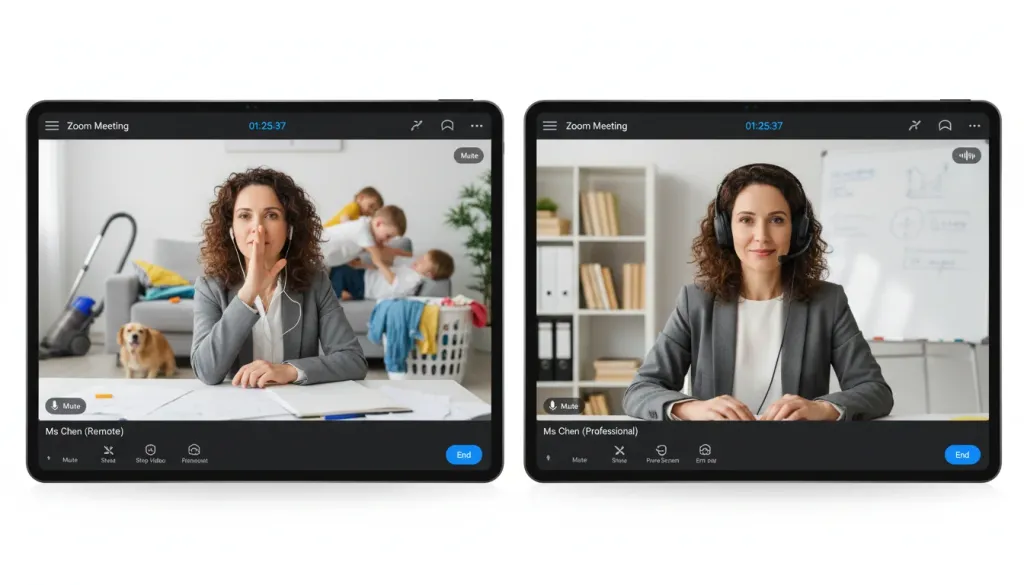
❌ Inadequate Noise Suppression: Standard mics capture your neighbor's lawn mower as clearly as your voice. For ESL tutors, background noise ruins pronunciation clarity.
❌ Connection Dropouts: Standard Bluetooth can suffer from audio lag, causing your voice to desync from your video—a nightmare for real-time language instruction.
❌ Poor Ergonomics: Teaching for 4–8 hours daily in consumer buds leads to "ear fatigue" and painful head pressure.
Five Essential Features to Look for in a Teaching Headset
Versatile Connectivity: Look for a headset that offers three-way connection (USB Dongle, Bluetooth 5.4, and USB-A/Type-C cable). The dongle is essential for avoiding PC audio lag.
Multi-Point Connection: This allows you to pair with your computer for a Zoom meeting and your phone for an incoming call simultaneously, switching effortlessly.
All-Day Comfort: Prioritize a padded leather sling headband and 180° rotatable ear muffs. This prevents the "clamping" feeling during 8-hour shifts.
Intuitive Manual Controls: A dedicated mute button and Multi-Function Button (MFB) allow you to manage calls instantly without reaching for your device.
Flexible Boom Mic: A 250° rotatable mic is a plus, allowing you to wear the headset on either the left or right side according to your preference.
The Game-Changer: AI-Powered ENC
Once you know the features you need, it's time to look at the technology that makes them work. If there's one feature that makes a noise cancelling headphone for work "essential" for work, it's ENC (Environmental Noise Cancellation).
The Nearhub EP320 takes this to a disruptive level with a HiFi5 DSP processor and a compressed neural network. Unlike standard noise reduction, it achieves 99.9% background noise suppression. Even in a bustling household, your caller will hear only your voice.
Comparison: Consumer Gear vs. Nearhub EP320 Professional
Feature
Standard Consumer Buds
Nearhub EP320 (Professional)
Mic Technology
Omnidirectional (Picks up noise)
AI-Powered 4-Mic ENC (99.9% Reduction)
Processor
Basic Audio Chip
HiFi5 DSP (Neural Network Processing)
Connection Type
Standard Bluetooth (Lag/Dropouts)
Bluetooth 5.4 + 2.4GHz USB Dongle
Talk Time
4–6 Hours
35 Hours (45 Hours Music Playback)
Comfort Design
Casual (Ear fatigue after 1 hr)
Ergonomic Padded Leather Sling (All-Day)
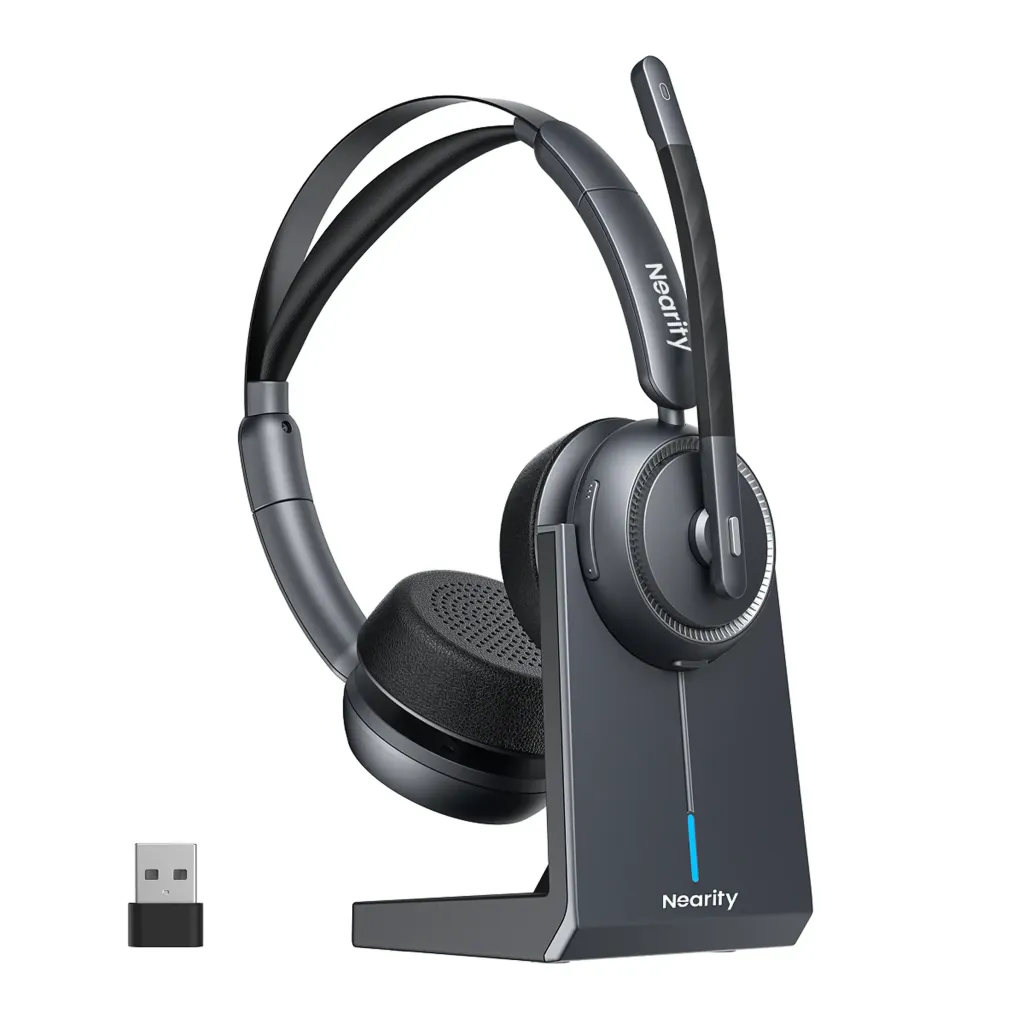
Spotlight: Nearhub EP320 — The Educator’s Power Tool
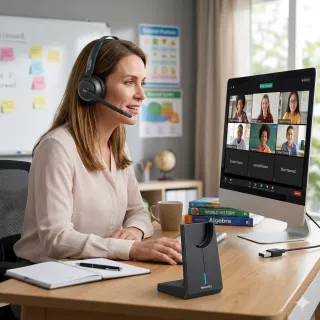
The Nearhub EP320 is a reliable companion for work, online courses, and home offices. It is optimized for Teams, Zoom, and Webex, ensuring you look and sound professional from the first second.
99.9% Background Suppression: Powered by AI neural networks to delete distractions.
Massive 45-Hour Life: Enjoy 35 hours of non-stop talk time. Includes a convenient charging stand for effortless reloads between classes.
Ergonomic Perfection: Pillow-soft cushions and a stretchable headband designed for users who wear headsets for 8+ hours.
Universal Compatibility: Works seamlessly across Windows, Mac, Linux, Android, and iOS.
Conclusion: Invest in Your Teaching Presence
Your audio quality is a direct reflection of your professionalism. When students don't have to strain to hear you, learning outcomes improve and your credibility soars.
The Nearhub EP320 delivers the AI-powered noise cancellation, 35-hour talk time, and ergonomic comfort that make it an essential tool for the modern online educator.
1.What is the benefit of the HiFi5 DSP in the EP320?
The HiFi5 DSP is a high-performance processor that runs a neural network trained on millions of noise samples. This allows the headset to distinguish between your voice and background noise (like fans or typing) with 99.9% accuracy.
2.Can I use the EP320 with a computer that doesn't have Bluetooth?
Yes. The Nearhub EP320 comes with a plug-and-play USB dongle specifically for computers without built-in Bluetooth, ensuring a stable, high-quality connection.
3.How does Multi-Point Connection help teachers?
It allows you to stay connected to your laptop for a teaching session while also being paired with your smartphone. If an urgent call comes in, you can manage it without the hassle of re-pairing devices.
4.Is the headset comfortable for people with glasses?
Yes. The 180° rotatable ear muffs and padded leather sling headband are designed to accommodate various head shapes and reduce pressure, making it comfortable for glasses-wearers during long shifts.
5.Does it work with Microsoft Teams and Zoom?
Absolutely. The EP320 is fully compatible with leading platforms including Zoom, Teams, Webex, and more, offering easy integration for online educators.