Why Interactive Teaching is Important
Interactive teaching transforms learning from a passive experience into an engaging and dynamic process. This approach is especially important in remote teaching, where maintaining student engagement can be more challenging. When teaching is interactive, it captures students' attention, stimulates their curiosity, and helps them retain information more effectively. This method of interactive learning encourages students to
think critically and participate actively, which leads to a deeper understanding of the material.
For both remote and offline teaching, active engagement allows teachers to better grasp each student’s learning style and interests. This understanding enables personalized instruction that caters to the unique needs of each student, ultimately enhancing the overall effectiveness of teaching. Interactive teaching also fosters a more collaborative and responsive learning environment, where feedback and adjustments can be made in real-time.
How to Interact with Students in Offline Teaching
In a traditional classroom, using educational videos or online resources can be cumbersome. Teachers often have to juggle between web pages and PowerPoint presentations, which can disrupt the flow of the lesson. This is where modern classroom technology, such as
interactive whiteboards, can be incredibly beneficial.
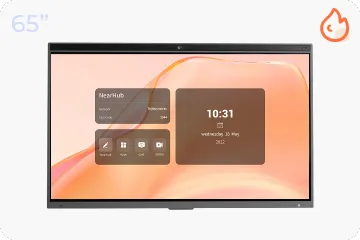
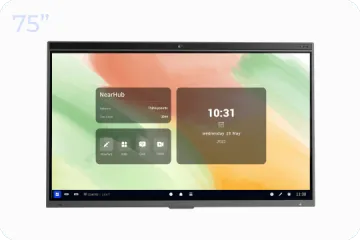
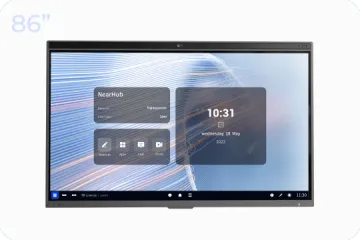
For instance, some smartboards, like NearHub’s, come with advanced split-screen capabilities. This feature allows you to display course materials alongside web pages or teaching software on the same screen. You can annotate these materials using a battery-free pen, which makes integrating additional information into your lesson seamless and efficient.
Imagine you’re explaining the characteristics of a specific animal and need to show images from a website for better illustration. The split-screen feature of a smartboard allows you to display these images next to your course content, making it easy to provide visual context without interrupting your lesson flow.
Additionally, most smartboards on the market are networked and compatible with a variety of teaching software. They also offer a screenshot function that automatically copies and saves annotated web pages. You can then paste these annotated images directly onto the smartboard, keeping all relevant information organized and easily accessible.
Many smartboards on the market support up to dozens of touch points, allowing multiple users to interact with the board simultaneously. This is particularly useful for group activities or student presentations, as it enables collaborative work and fosters interactive learning.
Instead of waiting until the end of a course to share notes, students can directly access and export their notes using the smartboard’s features. Smartboard allows for easy export of PDFs via email or QR codes, so students can quickly access their notes and stay organized.
Enhancing Online & Offline Hybrid Teaching with a Smartboard
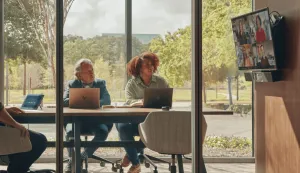
Not all students can attend classes in person due to personal preferences or difficulties in real life such as distance, limited space, or health issues. A hybrid teaching model that combines online and offline elements can address these challenges effectively.
The interactive smartboard excels in supporting remote teaching by enabling multi-terminal collaboration. It allows students to join lessons remotely using codes, links, or QR codes. Whether they are using computers, tablets, or smartphones, students can collaborate on the same digital canvas in real time. This feature ensures that remote students can follow along with the lesson and contribute their own annotations from their devices.
The interactive whiteboard also integrates with popular online conferencing software, making it easy for teachers to share the digital canvas while teaching remotely. This capability ensures that all students, regardless of their location, can participate in the lesson effectively and stay engaged,and achieve interactive learning.
Conclusion
To sum up, interactive teaching offers significant benefits over traditional methods. It enhances student engagement, improves retention, and supports diverse teaching strategies. Interactive whiteboards, with their advanced features like split-screen functionality, multi-device collaboration, and easy annotation and sharing, make it easier for students to engage with the material and participate actively in their learning.Whether offline teaching or remote teaching,by incorporating these
classroom technology, educators can create a more dynamic and inclusive learning environment, ultimately leading to better educational outcomes.
NearHub is an all-in-one solution for meeting rooms and classrooms. NearHub possesses an
interactive digital Board with
cutting-edge whiteboard software. By combining your favorite programs with mess-free writing canvas and video conferencing, you can improve your interaction and productivity in the online meeting room or classroom. Besides, NearHub also provides
MagicPad S13 to improve digital learning and creativity.