What Is a Smartboard and Why It’s Revolutionizing Modern Life
This in-depth blog explains what is a smartboard and why it’s transforming the way we teach and collaborate.
what is a smartboard
Updated: Aug 19, 2026 · 8 minutes read
Global Business, Brought Near.
No Installer, No Hassle, Just Works.
Looking to understand what is a smartboard and how it differs from traditional whiteboards? This article breaks down the essentials, including smart board facts, key features, pricing insights, and the real-world benefits of adopting what is a smart board interactive whiteboard technology. Whether you’re a teacher or team leader, discover how smartboards boost engagement, simplify collaboration, and support hybrid work and learning environments.
Introduction: Why Are People Searching "What Is a Smartboard?"
If you’ve ever found yourself in a classroom or meeting room where traditional tools like chalkboards, whiteboards, or outdated projectors just didn’t cut it, you’re not alone. These old-school methods are increasingly falling short in today’s fast-paced, tech-driven world. Enter the smartboard — a revolutionary upgrade that merges the simplicity of a whiteboard with the power of digital technology.
More and more people are typing questions like “what is a smartboard?” or “what is a smart board interactive whiteboard?” into Google, reflecting the growing curiosity about this next-gen communication tool. Whether you're an educator aiming to boost student engagement, a business professional looking to improve collaboration, or simply someone who loves smart technology, this guide is for you.
We’ll explore the ins and outs of smartboards, from core functionalities and surprising benefits to practical buying tips and cost comparisons. Let’s dive into a world where teaching and teamwork are more interactive, efficient, and engaging than ever before.
What Is a Smartboard or What Is a Smart Board Interactive Whiteboard?
A smartboard, also called a smart digital whiteboard or interactive whiteboard, is an electronic whiteboard that enables users to write, draw, and interact with content using a touchscreen display. Unlike traditional whiteboards that require markers and erasers, smartboards use touch-sensitive technology to let users control digital media in real time — all while saving and sharing work instantly.
Think of it as a giant tablet for your wall. It can display images, videos, presentations, and websites, all of which can be annotated and manipulated directly on the screen. These devices are especially useful in classrooms and conference rooms where collaboration and visual communication are key.
Smart Board Facts: How It Has Evolved
The smartboard concept began in the early 1990s. Originally used with projectors and basic sensors, today’s models have advanced touchscreen technology, high-resolution displays, and operating systems like Android or Windows built right in. The latest smartboards are essentially full-fledged computers — interactive, internet-connected, and highly intuitive.
Key Features of Modern Smartboards
Feature
Description
Screen Resolution
HD, Full HD, or 4K depending on model
Touch Input
Supports fingers and stylus for navigation
Connectivity
USB, HDMI, Wi-Fi, Bluetooth
Operating System
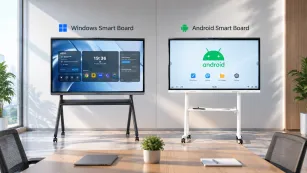
Android or Windows embedded systems
Collaboration Tools
Real-time multi-user input, remote access
Software Integration
Compatible with Google Workspace, Microsoft 365, Zoom
Whether you’re brainstorming ideas, giving a math lesson, or delivering a sales pitch, smartboards bring dynamic visuals and real-time collaboration to life.
Smart Board Facts You Should Know
Let’s start with some smart board facts to help you understand why they’re making such a big impact:
Smartboards were first introduced in 1991 by the Canadian company SMART Technologies.
Over 30 million classrooms globally have adopted interactive whiteboard technology.
Studies show that students retain up to 38% more information when taught using smartboards.
Up to 10 users can interact with high-end smartboards at the same time.
Content created can be saved directly to cloud storage and accessed later.
Smartboards can work as a central hub for hybrid learning or remote meetings.
These facts only scratch the surface — the real magic happens when smartboards are put to practical use.
Smart Board Facts: How Does It Work?
Let’s break down the technology behind smartboards to better understand how they deliver such powerful capabilities:
Hardware Components:
Touch-sensitive display: Detects user input (touch, stylus, gesture)
Embedded operating system: Often Android or Windows, for app support
Connectivity ports: HDMI, USB, Ethernet, audio, and more
Built-in speakers and microphones (optional)
Software Integration:
Smartboards come with proprietary or third-party software suites that offer whiteboarding tools, cloud storage integration, and support for educational platforms like Google Classroom, Moodle, or Canvas. Most can also run apps like:
Microsoft Office
Zoom and Google Meet
Web browsers
File viewers (PDF, DOCX, PPTX)
Connectivity:
Smartboards support wireless and wired connections to:
Laptops and desktops
Mobile devices
External storage devices
Network drives and printers
Some even support AI-powered features like handwriting recognition, voice commands, and auto-save.
Smart Board Facts: Is It Worth It?
The question on many minds is: How much does a smartboard cost, and is it worth the investment?
Smartboard Pricing Overview
Tier
Screen Size
Price Range
Best For
Entry-Level
42–55 inches
$500–$1,500
Small classrooms, home offices
Mid-Tier
65–75 inches
$1,800–$3,000
Schools, mid-size conference rooms
Premium
85+ inches
$3,500–$8,000+
Large institutions, enterprise use
Price also varies based on brand, operating system, display resolution, and input technology. For a full breakdown, see our smartboard cost guide.
Is the Cost Justified?
When you factor in reduced printing costs, faster collaboration, increased student engagement, and less IT support, smartboards often pay for themselves in a few years. Think of it as a long-term investment in productivity and innovation.
Smart Board Facts: Reasons about Why It's Taking Over
Here are seven undeniable reasons why smartboards are being rapidly adopted:
1. Immersive Interactive Learning
Gamify learning with quizzes, multimedia, and interactive exercises that boost student participation.
2. Seamless Remote Collaboration
Allow remote participants to co-edit content, make annotations, and present in real time.
3. Dynamic Digital Note-Taking
Never lose notes again — everything written on the smartboard can be saved, searched, and reused.
4. Environmental Benefits
Go green by eliminating paper handouts, markers, and cleaning chemicals.
5. Cross-Platform Compatibility
Smartboards sync with Windows, Mac, iOS, and Android devices for maximum flexibility.
6. Time-Saving Automation
Instant file export, lesson reuse, and smart scheduling streamline workflows.
7. All-in-One Functionality
With built-in projectors, speakers, browsers, and apps, smartboards replace multiple devices.
Pick a screen size that suits your room and audience size. 55–75 inches is ideal for most classrooms or conference rooms.
2. Touch and Stylus Support
Capacitive or infrared touch? Pressure-sensitive stylus? Choose based on your accuracy needs.
3. Operating System and App Ecosystem
Do you need built-in Android or Windows? Make sure it supports the tools your team or students already use.
4. Connectivity and Expandability
Look for USB-C, HDMI, Wi-Fi, and Bluetooth. Bonus points for NFC and biometric login.
5. Build Quality and Support
Check for anti-glare glass, sturdy frames, and responsive customer service. A solid warranty is also essential.
Smart Board Facts: Installation and Setup Tips
Here are some quick tips for setting up your new smartboard:
Wall-mount securely: Ensure the board is mounted at the correct height for your audience.
Check network access: A stable Wi-Fi or Ethernet connection is crucial.
Pair with ergonomic tools: Add a keyboard shelf for under desk for seamless typing and navigation.
Configure user permissions: Set access controls for files, cloud storage, and screen sharing.
Regular maintenance: Clean the screen gently and keep software updated.
Smart Board Facts: Common Smartboard Mistakes to Avoid
Even the best tech can fall short if not used properly. Here are common pitfalls:
Skipping calibration: Leads to touch inaccuracies.
Overloading the system with apps: Can cause slowdowns or crashes.
Ignoring training: Underutilized features result in wasted potential.
Forgetting security settings: Always protect access to sensitive files and remote control features.
FAQs About Smartboards
Q1: What is a smartboard?
A smartboard is an interactive touchscreen whiteboard that allows you to write, draw, share, and present digital content.
Q2: Can smartboards be used for video conferencing?
Yes, most smartboards support major platforms like Zoom, Teams, and Google Meet with built-in mics and cameras.
Q3: Do smartboards require a computer?
Many smartboards today are standalone devices, but some may still require a connected PC for full functionality.
Q4: Are smartboards only for schools?
No, they are also widely used in corporate settings, design studios, medical facilities, and training centers.
Q5: Can smartboards display 3D models or simulations?
Advanced models can handle 3D content, making them ideal for STEM education and professional training.
Conclusion: Should You Get a Smartboard?
So, what is a smartboard really? It's not just a screen — it’s a bridge between analog thinking and digital expression. It connects people, ideas, and information in ways that traditional tools simply can’t.
Smartboards offer more than just a flashy upgrade. They improve communication, support visual learning, and encourage collaboration at every level. Whether you're a teacher trying to reach students more effectively, a business leader enhancing team workflows, or a tech enthusiast upgrading your workspace — a smartboard can revolutionize the way you work and interact.
While the initial smartboard cost might seem high, the long-term return on investment is substantial. Plus, you can get started today with a free whiteboard tool if you're not quite ready for a full purchase.
Ready to upgrade? Explore our smart digital whiteboard and take the next step toward smarter collaboration.