Hybrid Jobs and the Digital Command Center: Why CEOs Love Minimalist Office Technology
Discover how minimalist interactive displays transform hybrid jobs and modern office design.
hybrid jobs
hybrid office design
hybrid office layout
Updated: Aug 19, 2026 · 10 minutes read
Global Business, Brought Near.
No Installer, No Hassle, Just Works.
In the professional landscape of 2026, the executive conference room serves as a silent narrator of a company’s leadership standards. This guide addresses the "hidden tax" of traditional meeting setups—characterized by cable nests and technical friction—which results in nearly 500 hours of lost productivity annually and increased cortisol levels for high-stakes decision-makers. By advocating for an all-in-one minimalist approach, the article illustrates how the NearHub S Max transforms a "ghost town" office into a high-performance command center. The guide explores the strategic necessity of an intuitive Launcher UI to eliminate the learning curve, the financial ROI of consolidating hardware, and the importance of "Presence Equity" for hybrid teams. Ultimately, it provides a roadmap for CEOs to invest in infrastructure that projects confidence, secures partnerships, and synchronizes a distributed workforce.
Key Takeaways
Technology is a Leadership Signal: Disorganized cable management and technical delays subconsciously signal organizational disarray to investors and strategic partners.
The Cost of Friction: Technical setup issues waste an average of two hours of collective productivity daily for standard teams, totaling nearly 500 hours per year.
Consolidation is Efficiency: Transitioning to all-in-one terminals like the S Max eliminates the need for separate cameras, mics, and PCs, reducing failure points and installation complexity.
The Power of the Launcher UI: An intuitive software interface allows executives to launch video calls, whiteboarding, and casting with zero training, preserving cognitive resources for strategy.
Presence Equity for Hybrid Jobs: Advanced hardware features—such as 24-mic arrays and 4K auto-framing—ensure remote participants have the same visual and vocal weight as those in the room.
Significant IT Savings: Organizations typically see a 40-60% reduction in meeting room support tickets after switching from fragmented setups to integrated systems.
Real Estate & Talent ROI: Minimalist, high-tech environments act as a "magnet" for top-tier talent and allow firms to rightsize their physical footprint without sacrificing quality.
The Digital Command Center: Why CEOs Love the Minimalist S Max Flagship Terminal
The modern executive office tells a story before a single word is spoken. When a potential investor walks into your conference room, they notice everything—the quality of light, the confidence of your team, and yes, the chaos (or calm) of your technology setup. In an era where hybrid jobs have become the standard and hybrid workplace design directly impacts company culture, the tools you choose send powerful signals about how you lead.
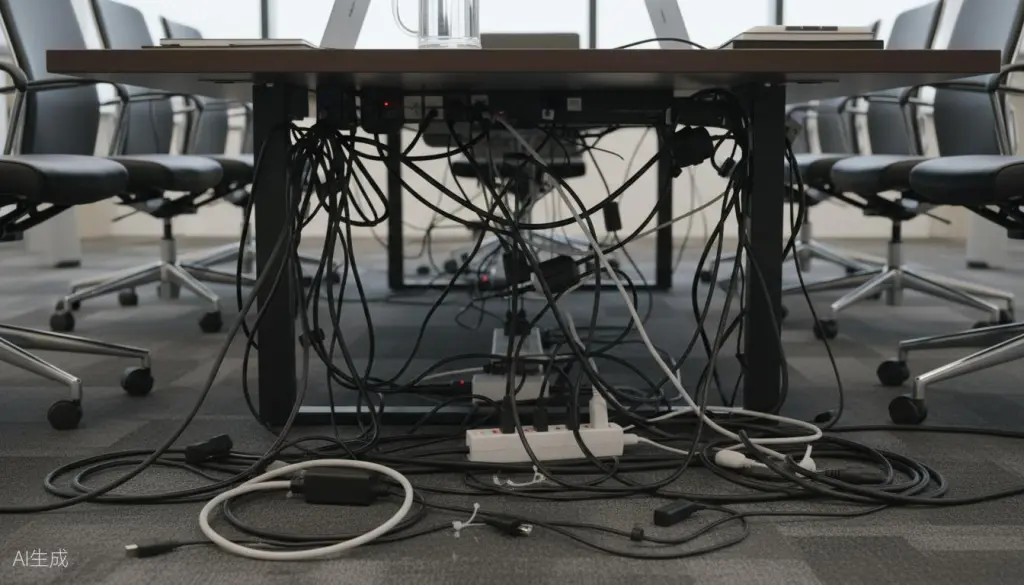
Yet too many C-suite leaders still tolerate what amounts to technological baggage: nests of HDMI cables snaking across tables, remote controls scattered like puzzle pieces, and that familiar pre-meeting ritual of frantically searching for the right adapter while your guests politely pretend not to notice. This isn't just an inconvenience—it's a direct hit to your executive presence and your company's professional image.
The Hidden Cost of Cable Chaos in Executive Spaces
Let's be direct about what cable clutter really costs you. When you're pitching to a venture capital firm or negotiating with a strategic partner, every detail matters. A hybrid office layout that features visible cable management failures suggests deeper organizational issues. Your visitors may not consciously think, "This CEO can't manage cables," but they absorb the message of disorganization on a subconscious level.
The problem extends beyond aesthetics. Research from the International Facility Management Association shows that employees in cluttered environments experience elevated stress levels and reduced cognitive performance. For executives managing hybrid jobs teams across multiple locations, this cognitive load compounds. You're not just dealing with your own meeting room—you're troubleshooting connectivity issues for remote participants, managing screen sharing permissions, and trying to maintain the flow of strategic conversation while battling technical friction.
Traditional meeting room setups typically require:
Multiple HDMI and DisplayPort cables
Separate audio systems with their own power and connection requirements
External cameras that need USB connections and positioning
Power strips and surge protectors creating visual pollution
Adapters and dongles for various device types
Each of these elements represents a potential failure point. Each creates visual noise that contradicts the clean, decisive image effective leaders project. And each demands attention that should be focused on your business, not your bandwidth.
The psychological impact of visual clutter shouldn't be underestimated. Studies in environmental psychology demonstrate that disorganized spaces increase cortisol levels and reduce decision-making capacity. For executives who make high-stakes choices daily, preserving cognitive resources isn't a luxury—it's a necessity. A thoughtfully designed hybrid office layout that eliminates visual distractions creates an environment where strategic thinking flourishes.
Beyond the psychological factors, there's a practical time cost that accumulates silently. If your team spends just five minutes per meeting dealing with technical setup, and you hold four meetings daily with an average of six attendees, that's two hours of collective productivity lost every single day. Across a year, that adds up to nearly 500 hours of wasted executive and team capacity—time that could have been invested in product development, customer relationships, or market expansion.
The Executive Case for All-in-One Minimalism
The solution isn't simply buying better cables or hiring a more organized IT team. The solution is rethinking your entire approach to hybrid office design—starting with the centerpiece of your meeting space.
All-in-one interactive displays represent a fundamental shift in how technology serves leadership. By consolidating screen, camera, microphone array, speakers, and computing power into a single elegant unit, these devices eliminate the cable management problem at its source. The result is a hybrid workplace design that supports rather than distracts from your executive presence.
Consider what happens when you walk into a meeting with a properly configured all-in-one system:
No adapter hunting: Your laptop connects wirelessly in seconds
No audio troubleshooting: Integrated microphones and speakers are already optimized
No camera positioning: The built-in camera captures the room perfectly
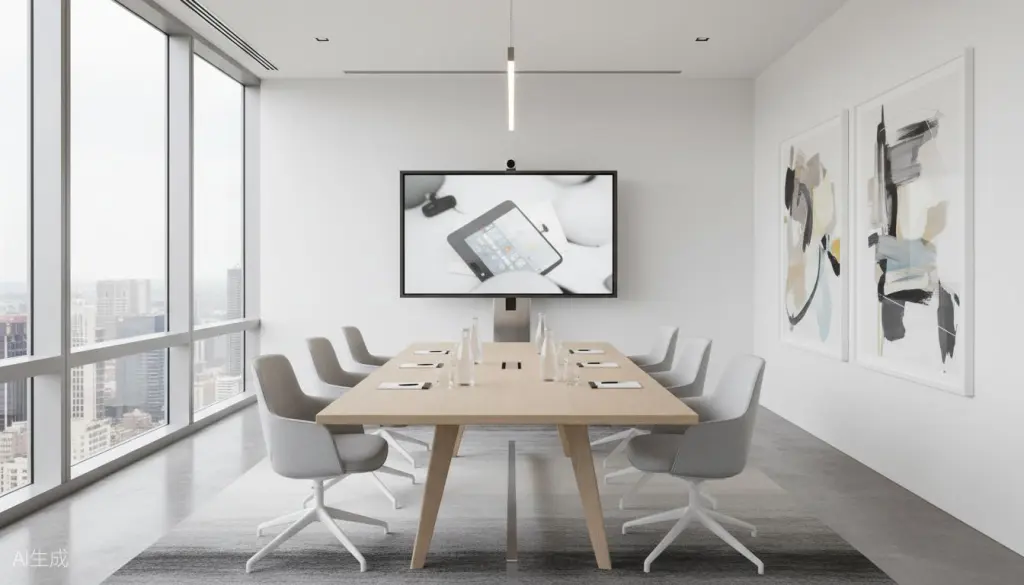
No cable tripping hazards: The floor around your conference table remains pristine
No post-meeting cleanup: Simply walk away when the discussion concludes
This isn't just convenience—it's a competitive advantage. When your competitors are still fumbling with dongles, you're already presenting your third slide. While they're asking "Can you hear me?" for the third time, your remote team members are fully engaged in strategic discussion.
The aesthetic benefits extend beyond your immediate meeting participants. In today's business environment, it's increasingly common to have investors, board members, or media visiting your offices. These visitors form impressions that influence investment decisions, partnership opportunities, and public perception. A conference room that embodies minimalist hybrid workplace design principles signals that your company values efficiency, invests wisely in tools that serve people rather than complicate their work, and pays attention to details that others overlook.
Furthermore, the all-in-one approach simplifies IT management across your organization. When every conference room uses the same integrated system, your technology team can standardize support procedures, reduce the variety of spare parts and adapters they need to maintain, and focus on strategic initiatives rather than reactive troubleshooting. This operational efficiency compounds as your organization grows and your hybrid jobs workforce expands across multiple locations.
Why the Launcher UI Changes Everything
Hardware minimalism solves the physical clutter problem. But the software experience determines whether your technology actually enhances or hinders your leadership effectiveness.
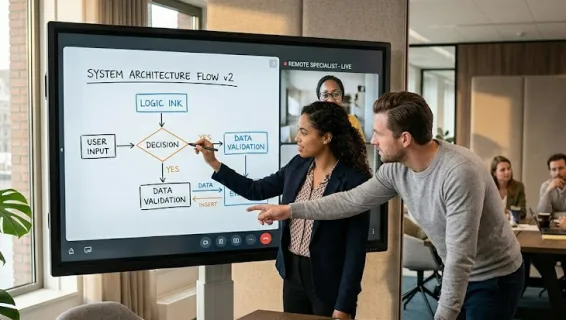
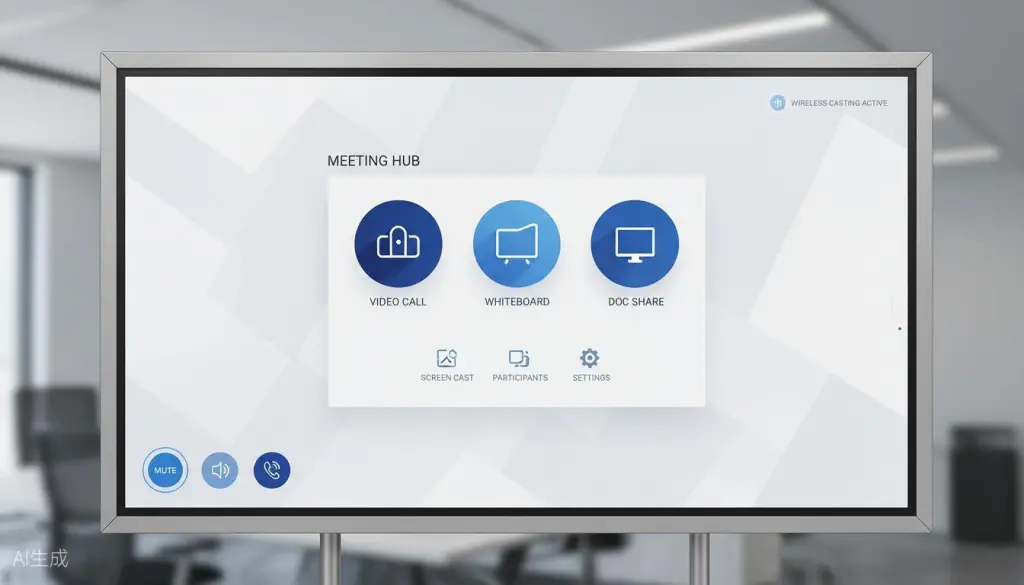
An intuitive Launcher UI transforms how executives interact with meeting technology. Instead of navigating complex menus or remembering which app handles which function, you see exactly what you need: one-touch access to video conferencing, instant whiteboarding, wireless casting, and document sharing. The interface fades into the background, allowing your ideas to take center stage.
The best Launcher interfaces share common characteristics that serve executive needs:
Zero learning curve: If you can use a smartphone, you can start a meeting. Icons are clear and consistent. Functions are where intuition suggests they should be.
Contextual awareness: The system recognizes what you're trying to do and surfaces relevant options. Starting a video call? Your most-used conferencing apps appear first. Need to share a document? Recent files are immediately accessible.
Distraction-free design: No pop-ups, no update notifications during presentations, no unnecessary animations competing for attention. The interface respects the seriousness of executive communication.
Universal compatibility: Whether your team uses Zoom, Microsoft Teams, Google Meet, or Webex, the Launcher integrates seamlessly. You're not locked into a single ecosystem.
For leaders managing hybrid jobs environments, this software elegance translates directly to meeting efficiency. When technology becomes invisible, strategy becomes visible.
The impact of a well-designed Launcher UI extends to team dynamics as well. When anyone can start a meeting without calling IT, the power dynamics shift positively. Junior team members can confidently present their work. External partners can share their screens without awkward assistance. The technology democratizes participation while maintaining the professional standards that executive environments demand.
Consider also the onboarding implications. When new executives join your organization, they can be productive in meetings from day one. There's no proprietary system to learn, no complex manual to study, no embarrassing moments of struggling with unfamiliar technology in front of their new colleagues. The intuitive interface becomes a subtle but meaningful part of your employer value proposition—evidence that your company invests in tools that respect people's time and intelligence.
The ROI of Minimalist Meeting Technology
When evaluating technology investments, executives naturally focus on return on investment. The case for all-in-one interactive displays becomes compelling when you examine the full financial picture.
Direct cost savings begin with elimination of multiple device purchases. Instead of buying a display, separate camera, external speakers, microphone array, and computing device, you invest in a single integrated solution. Installation costs drop significantly—one power outlet, one network connection, one mounting point instead of complex multi-device setups.
Productivity gains accumulate through reduced meeting startup time and fewer technical interruptions. If an all-in-one system saves just three minutes per meeting across a team holding twenty meetings weekly, that's an hour of recovered productivity every week. For a team with an average loaded cost of $150 per hour, that's $7,800 in annual value—often exceeding the annual cost of the technology itself.
IT support reduction delivers additional savings. Fewer devices means fewer failure points. Standardized deployments mean faster troubleshooting. Remote management capabilities mean problems can often be resolved without on-site visits. Organizations typically see a 40-60% reduction in meeting room support tickets after transitioning to integrated systems.
Extended equipment lifespan results from professional-grade construction and unified warranty coverage. Consumer-grade devices cobbled together may seem cheaper initially, but they fail faster and create compatibility issues that accelerate replacement cycles. Enterprise-focused all-in-one systems are engineered for the demands of continuous commercial use.
The NearHub Board Max: Built for Executive Standards
Among the options available for transforming your meeting spaces, the NearHub Board Max stands out as a solution designed specifically for the demands of modern executive leadership.
The S Max embodies the principle that exceptional hybrid office design should be felt, not seen. Its ultra-slim profile and premium finish complement executive interiors rather than competing with them. The integrated 4K camera, 24-microphone array, and high-fidelity speakers eliminate every external device that typically creates cable chaos.
What distinguishes the S Max for C-suite applications is its thoughtful balance of power and simplicity. The 55-inch and 65-inch options fit standard conference room dimensions without overwhelming the space. The Android-based operating system provides enterprise-grade security while maintaining the intuitive interface that busy executives demand.
Key specifications that matter for executive environments:
Feature
Specification
Executive Benefit
Display
4K UHD with anti-glare coating
Clear visibility from any seat, even with natural light
Touch
20-point multi-touch with precision stylus
Natural annotation and collaborative whiteboarding
Audio
Integrated 24-mic array with AI noise cancellation
Crystal-clear communication for hybrid jobs teams
Camera
4K wide-angle with auto-framing
Professional video presence without external equipment
Connectivity
Dual-band WiFi, Bluetooth, multiple ports
Flexible connection options with wireless priority
Software
NearHub OS with Launcher UI
Intuitive operation requiring zero training
What sets the S Max apart in the competitive landscape of interactive displays is its thoughtful attention to the details that matter in executive environments. The anti-glare coating ensures that presentations remain visible even in sunlit corner offices. The 20-point multi-touch capability supports true collaborative sessions where multiple participants can annotate simultaneously. The AI-powered noise cancellation in the microphone array filters out background sounds—air conditioning, keyboard typing, hallway conversations—so remote participants hear only the voices that matter.
The wireless casting capability deserves special mention. Using standard protocols like AirPlay, Miracast, and Chromecast, the S Max accepts connections from virtually any laptop, tablet, or smartphone without requiring proprietary apps or dongles. This universal compatibility eliminates the "adapter anxiety" that plagues so many meeting rooms and ensures that guests can share their screens effortlessly.
Security considerations are paramount for executive environments, and the S Max addresses these with enterprise-grade features. The Android-based operating system receives regular security updates. Network connections support modern encryption standards. Administrative controls allow IT teams to manage devices remotely, enforce policies, and maintain audit trails of usage.
Evaluating Your Current Meeting Room Setup
Before investing in new technology, smart executives conduct an honest assessment of their current state. Consider these questions:
How many minutes does your average meeting lose to technical setup? Include the time spent finding adapters, troubleshooting audio, and getting remote participants connected. Multiply that by your average meeting frequency and the hourly cost of attendees. The number may surprise you.
What impression does your conference room create? Walk into the space as if you're a first-time visitor. What do you notice first? The view? The furniture quality? Or the cable management disaster under the table?
How often do technical issues disrupt your meeting flow? Every time someone says "Can you see my screen?" or "You're breaking up," the momentum of strategic discussion suffers.
Does your current setup scale across locations? If you have multiple offices or plan to expand, can you replicate the same experience consistently? Or does each room have its own quirks and failure modes?
What's the true total cost of ownership? Factor in not just purchase price, but installation, ongoing IT support, adapter replacements, and the productivity cost of technical friction.
Making the Transition: A CEO's Implementation Guide
Transforming your meeting spaces doesn't require a massive IT project. Here's how forward-thinking executives approach the transition:
Phase 1: Pilot in your primary conference room Start with the space where you host your most important meetings. This gives you direct experience with the technology before broader deployment.
Phase 2: Document the experience improvements Track setup time, technical issue frequency, and user feedback. Quantify the improvements to build the case for wider rollout.
Phase 3: Standardize across locations Once you've validated the solution, deploy consistently across all offices. Standardization reduces support complexity and ensures every meeting room meets executive standards.
Phase 4: Integrate with your hybrid jobs workflow Connect the technology to your broader hybrid workplace design strategy. Train executive assistants and key team members on advanced features that enhance collaboration.
The Bottom Line for Executive Decision-Makers
The technology in your conference room is either supporting your leadership or undermining it. There's no neutral option. When cables create visual chaos and complex interfaces disrupt meeting flow, you're paying a hidden tax on every strategic conversation.
All-in-one interactive displays with intuitive Launcher interfaces eliminate this tax. They project the confidence, organization, and forward-thinking values that define effective leadership in the hybrid jobs era. They transform your conference room from a source of friction into a genuine competitive advantage.
The NearHub Board Max represents the current state of the art in executive meeting technology—minimalist in appearance, maximalist in capability, and designed for leaders who understand that details determine outcomes.
Your next important meeting is already scheduled. The question is whether your technology will enhance your presence or distract from it. The answer lies in choosing tools that match the standards you set for every other aspect of your business.
As you evaluate options for upgrading your meeting spaces, remember that hybrid office design isn't about following trends—it's about creating environments where your people can do their best work. The right technology investment pays dividends in improved meeting efficiency, enhanced professional image, reduced IT burden, and ultimately, better business outcomes.
The shift toward hybrid jobs isn't temporary. It's a fundamental restructuring of how work happens. Leaders who recognize this and invest accordingly position their organizations for sustained success. Those who tolerate technological friction risk falling behind competitors who have already made the transition to seamless, minimalist meeting experiences.
The NearHub Board Max offers a proven path to transforming your conference rooms from sources of frustration into assets that amplify your leadership. With its combination of elegant design, intuitive operation, and enterprise-grade capability, it represents the standard that modern executives should expect from their meeting technology.
Frequently Asked Questions
How does cable clutter affect executive image in hybrid workplaces?
Cable clutter creates visual chaos that undermines executive credibility and professionalism. When clients or investors visit, tangled wires signal disorganization and technical debt. A clean, cable-free hybrid office layout projects confidence, attention to detail, and modern leadership values that align with successful hybrid jobs strategies.
What makes an intuitive Launcher UI important for executive meetings?
An intuitive Launcher UI eliminates the friction of starting meetings, allowing executives to focus on strategic discussions rather than troubleshooting technology. With one-touch access to video conferencing, whiteboarding, and wireless casting, leaders can maintain meeting momentum and project confidence. This seamless experience is essential for productive hybrid workplace design.
Why are all-in-one displays better than traditional meeting room setups?
All-in-one displays consolidate multiple devices—screen, camera, microphone, speakers, and computing—into a single elegant unit. This eliminates cable management headaches, reduces installation complexity, and creates a cleaner hybrid office design. For organizations embracing hybrid jobs, these streamlined solutions reduce IT support tickets and improve user adoption rates.
What should CEOs look for in hybrid workplace technology investments?
CEOs should prioritize technology that balances minimal aesthetics with maximum functionality. Key criteria include: wireless connectivity to eliminate cables, intuitive interfaces that require no training, enterprise-grade security, seamless integration with existing tools, and scalable deployment across multiple office locations. The ideal solution enhances executive presence while supporting distributed hybrid jobs teams.