Collaborative Workspace Explained: Types, Design Strategies & Tools to Improve Team Collaboration
Learn what a collaborative workspace is, explore physical, hybrid, and online workspace types, and discover actionable strategies and tools to improve team collaboration in 2026.
collaborative workspace
team collaboration tools
Updated: Aug 19, 2026 · 8 minutes read
Global Business, Brought Near.
No Installer, No Hassle, Just Works.
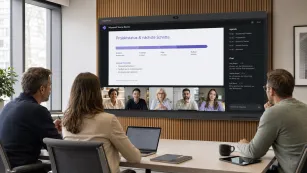
The way teams work together has fundamentally changed. In 2026, the most effective organizations treat the collaborative workspace not as a physical office, but as an integrated system of spaces, tools, and cultural practices designed to keep people connected and productive—wherever they are.
This guide explores what a collaborative workspace really means today, the different forms it can take, and the practical strategies leaders use to build environments where teamwork thrives.
What Is a Collaborative Workspace?
A collaborative workspace is an environment—physical, digital, or hybrid—where teams communicate, share ideas, and co-create outcomes together. Unlike traditional offices with siloed cubicles, the modern collaborative workspace embeds interaction into daily workflows.
Key characteristics include:
Real-time communication: Instant connection through messaging, video, or in-person conversation.
Shared digital environments: Documents and project boards in cloud platforms where multiple people contribute simultaneously.
Cross-location collaboration: Remote participants have the same visibility and voice as those in the room.
Organizations now prioritize flexibility and technology integration that serves both in-person and distributed participants equally.
Four Types of Collaborative Workspaces
Not every team needs the same setup. The most effective organizations match the workspace type to the work being done. Here are the four categories that dominate modern workplace strategy.
Workspace Type
Best For
Key Features
Common Pitfall
Open-Plan Collaboration Zones
Spontaneous brainstorming, stand-ups, social connection
Flexible furniture, writeable surfaces, no reservations needed
Noise and interruption; no support for remote participants
Hybrid Meeting Rooms
Blended meetings where some attendees are remote
360-degree cameras, directional mics, large shared display, one-touch join
Using rooms that are too large for the actual attendee count
Stronger alignment: Remote and in-office members share the same context and goals.
How to Improve Collaboration in the Workplace
Knowing how to improve collaboration in the workplace requires moving beyond simply buying software. Sustainable collaboration is built through deliberate choices about communication norms, tool selection, and inclusive meeting design.
1. Standardize Communication Channels
Tool overload fragments attention and context. Define clear rules about when to use what: chat for urgent requests, project management tools for updates, video calls for complex discussions, and shared wikis for reference documentation.
2. Encourage Async Collaboration
Not every question needs an immediate answer. Teams that develop strong documentation habits—clear project briefs, recorded video updates, and decision logs—reduce dependency on real-time availability and help colleagues across time zones stay informed.
3. Use the Right Collaboration Tools
Match tools to actual team needs rather than industry trends. A marketing team may prioritize visual asset management, while an engineering team needs issue tracking and code review workflows. The best stack is the one your team will use consistently.
4. Create Inclusive Hybrid Meetings
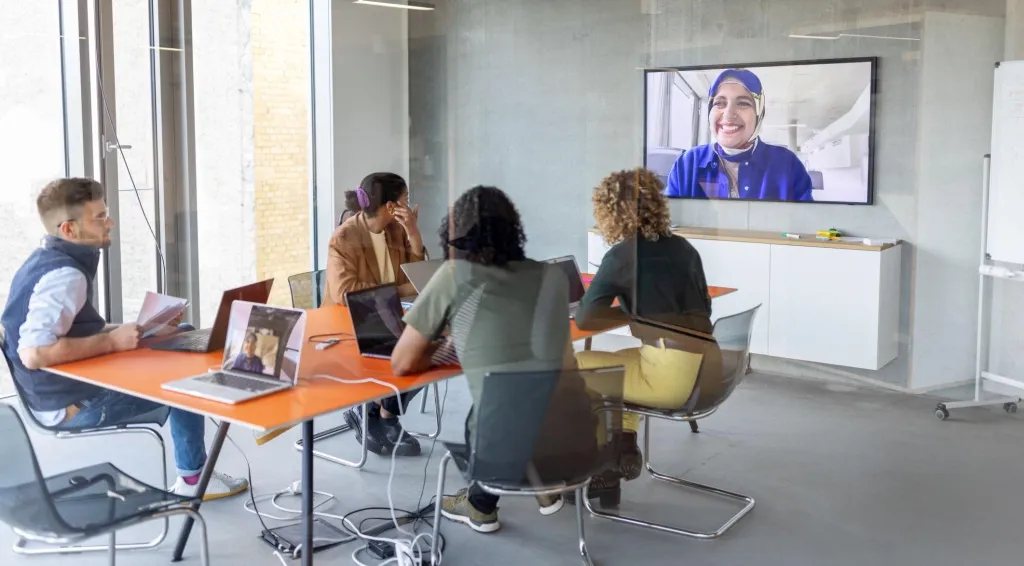
Hybrid meetings fail when remote participants cannot see, hear, or contribute equally. Design your setup so every attendee—whether dialing in from home or sitting in the conference room—has the same opportunity to speak, share screens, and read visual materials.
5. Build a Collaboration-First Culture
Technology alone cannot fix a culture that hoards information. Leaders must model transparency by sharing work in progress and creating feedback loops where constructive input is welcomed.
Collaborative Workspace Design Best Practices
Effective collaborative workspace design balances structure with adaptability. The goal is to reduce friction while preserving the flexibility teams need for different types of work.
Design for Flexibility
Modular furniture and multi-purpose spaces allow one room to serve multiple functions. Wireless presentation systems let any surface become a collaboration point.
Optimize for Hybrid Meetings
Camera positioning and audio clarity determine whether hybrid meetings feel natural. Place cameras at eye level so remote participants can read facial expressions. Use directional microphones that capture speech without keyboard noise.
Reduce Collaboration Friction
The best workspaces make content sharing effortless—one-click wireless casting and seamless switching between presenters.
Balance Focus & Collaboration Zones
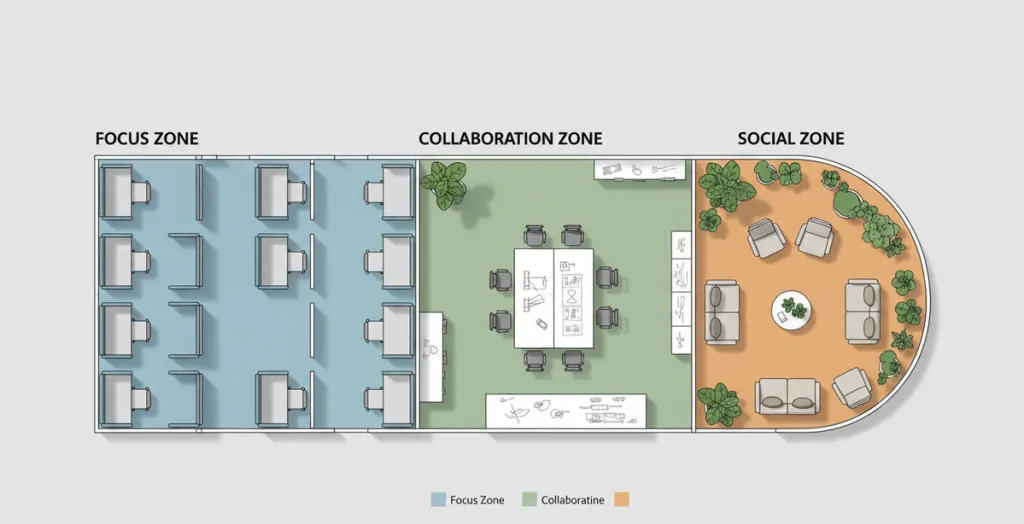
Effective design creates distinct zones: quiet areas for deep work, open hubs for discussion, and enclosed rooms for sensitive conversations.
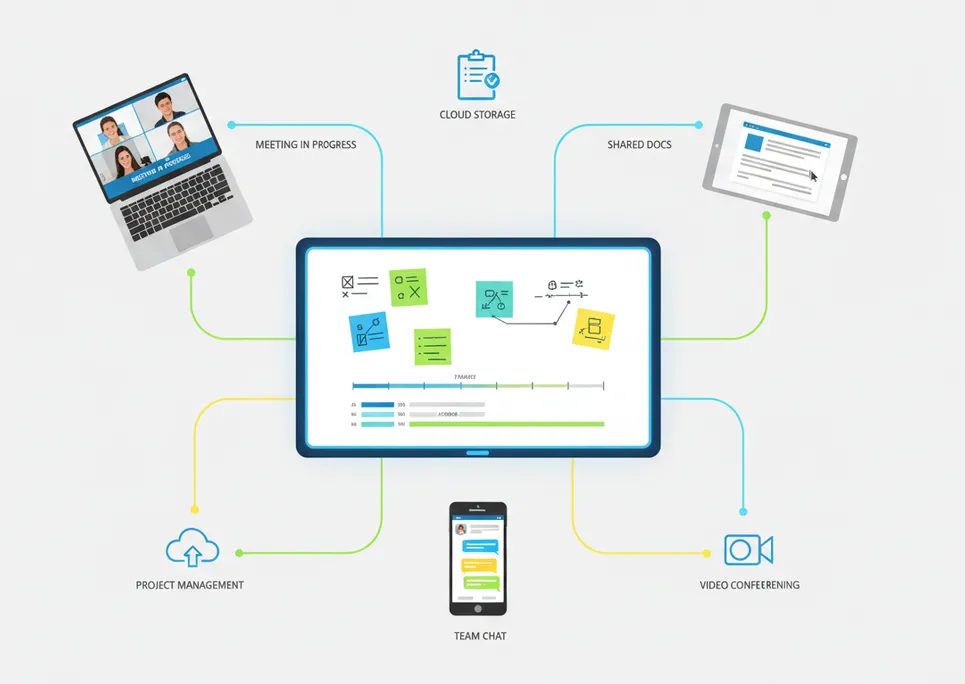
Tools & Technologies That Enable Collaboration
Modern collaboration depends on a connected ecosystem of software and hardware working together. To better understand how these tools fit into real workflows, this ed-tech tools for collaboration guide breaks down the most effective platforms for improving teamwork in modern learning and work environments.
Collaboration Software
Project management tools like Asana, Monday.com, and Jira give teams shared visibility into tasks, deadlines, and ownership. Document collaboration platforms like Google Workspace, Notion, and Confluence create single sources of truth that evolve with team input.
Communication Platforms
Slack, Microsoft Teams, and Discord provide persistent chat channels that replace scattered email threads. Zoom, Google Meet, and WebEx power video meetings. The most effective organizations integrate these platforms so that a conversation in chat can become a meeting with one click.
Interactive Collaboration Tools
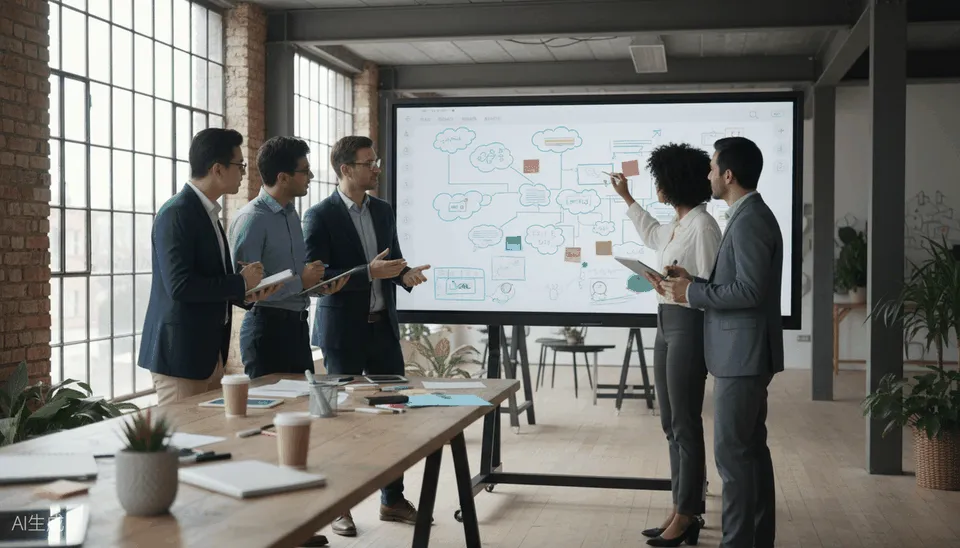
Digital whiteboards like Miro, Mural, and FigJam replicate the spontaneous energy of physical sticky notes and sketching. These tools shine during brainstorming and design sprints—especially when distributed team members contribute simultaneously.
Smart Interactive Displays for Hybrid Workspaces
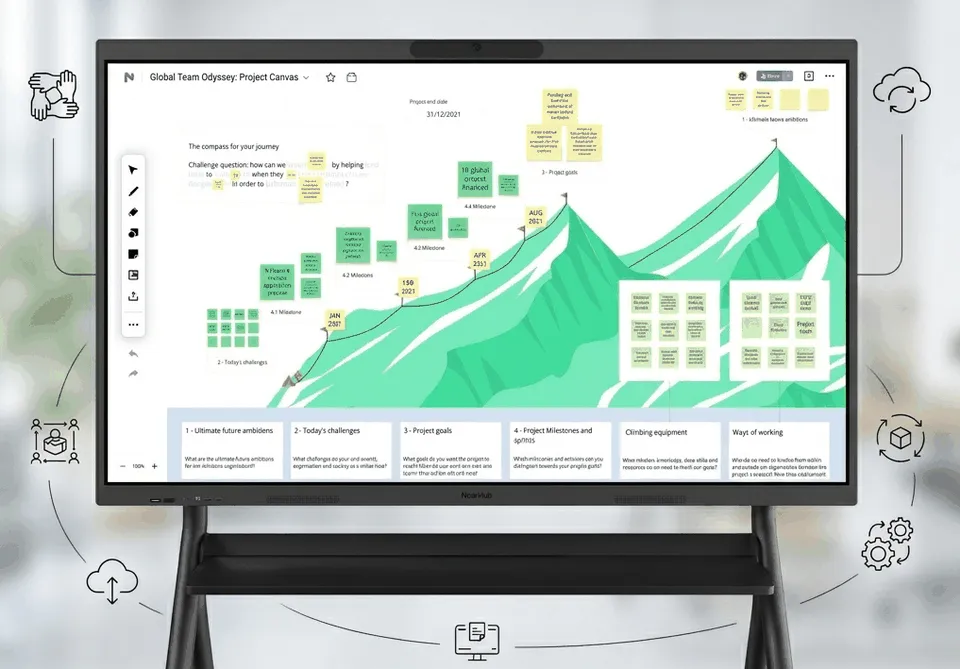
For teams that need the immediacy of in-person whiteboarding without excluding remote participants, smart interactive displays bridge the gap. These large-format touchscreens allow presenters to annotate directly on shared content, pull in remote video feeds, and save session outputs to the cloud for post-meeting follow-up.
Teams using interactive displays for meetings and workshops often find that the technology reduces preparation time and increases participation. For example, a product team running a design critique can load wireframes directly onto the display, invite remote stakeholders to annotate in real time, and export the annotated session as a shared asset within minutes.
Organizations evaluating hardware upgrades may find that all-in-one interactive smartboard solutions simplify installation and reduce device sprawl. Options like the NearHub smartboard combine 4K display, touch annotation, wireless casting, and built-in video conferencing in a single unit—an approach that works well for meeting rooms where teams want to start collaborating quickly without navigating complex AV setups. And NearHub’s open ecosystem allows you to use the apps that your team already knows and loves, with seamless integrations available through its app integration ecosystem.
How to Build an Effective Collaborative Workspace (Step-by-Step)
Building a collaborative workspace is not a one-time project. It is an iterative process of assessment, selection, and refinement.
Step 1: Assess team collaboration needs Survey your team about what slows them down—finding information, scheduling across time zones, or feeling included as remote participants. The answers reveal whether your biggest gaps are cultural, technological, or physical.
Step 2: Define workspace type Most US-based teams in 2026 operate in hybrid mode, but the balance between in-person and remote work varies by industry and role. Define what ratio works for your team.
Step 3: Select tools and technologies Choose a core stack of three to five integrated tools rather than adopting every available platform. Prioritize tools that integrate with each other and match daily workflows.
Step 4: Design workflow and communication rules Document when to use each channel, how to structure inclusive meetings, and where information should live. Written guidelines reduce ambiguity and onboard new team members faster.
Step 5: Continuously optimize Review collaboration effectiveness quarterly. Survey team satisfaction, measure meeting efficiency, and retire tools that are not delivering value.
Future Trends in Collaborative Workspaces (2026 and Beyond)
Several trends are shaping how collaborative workspaces will evolve:
AI-powered collaboration: Intelligent meeting summaries and real-time language translation make hybrid meetings more accessible.
Smart meeting rooms: Sensor-equipped spaces automatically adjust lighting, cameras, and audio based on who is present.
Async-first organizations: More companies default to asynchronous communication for non-urgent work, reserving real-time meetings for complex decisions.
Integrated hardware and software ecosystems: Displays, cameras, and microphones are becoming smarter, more connected, and easier to manage at scale.
FAQs
What is a collaborative workspace?
A collaborative workspace is an environment—physical, digital, or hybrid—where teams communicate, share ideas, and co-create in real time or asynchronously. It combines meeting areas, shared digital environments, and integrated tools that enable cross-location teamwork.
What are examples of collaborative workspaces?
Physical examples include brainstorming rooms and open-plan neighborhoods. Hybrid examples include video-enabled conference rooms. Online examples include project management platforms, shared document editors, and digital whiteboards.
How do you improve collaboration in the workplace?
Core strategies include standardizing communication channels to prevent tool overload, building an async documentation culture, matching tools to actual team needs, designing inclusive hybrid meetings, and cultivating a culture of transparency and feedback.
What tools are used in a collaborative workspace?
Software includes project management platforms, chat and video apps, document editors, and digital whiteboards. Hardware includes smart interactive displays, cameras, microphones, and wireless presentation systems. The most effective setups combine both into an integrated ecosystem.
What is a collaborative online workspace?
A collaborative online workspace is a digital environment where remote teams communicate, manage projects, and co-edit documents without a shared physical location. Unlike traditional offices, online workspaces rely on cloud-based tools and async workflows to keep teams aligned across time zones.
Why is collaborative workspace design important?
Design directly impacts productivity and engagement. Poorly designed spaces create friction—unreliable technology, distracting layouts—while thoughtful design removes barriers and helps teams enter productive flow states.
What are the challenges of collaborative workspaces?
Common challenges include tool overload, hybrid imbalance where remote participants feel excluded, and communication gaps where information fails to reach the right people. Addressing these requires intentional design, clear norms, and integrated technology.
Conclusion
The most productive teams in 2026 design their physical spaces, choose their digital tools, and shape cultural norms with a clear understanding of how people actually work together. Whether your organization operates in-person, hybrid, or fully remote, the principles in this guide provide a framework for building a collaborative workspace that serves your team rather than constraining it.
Start by assessing your current gaps, define the workspace type that matches your team's rhythm, and select tools that integrate into daily workflows. The best collaboration environments evolve continuously—just like the teams they support.
If you are evaluating interactive displays or smartboard solutions for your hybrid meeting rooms, explore how integrated hardware options like the NearHub smartboard can simplify your setup and improve team engagement from the first meeting.