If you have no idea how to sign in and sign out of the NearHub Canvas, here are concrete steps.
Sign in or out on whiteboard
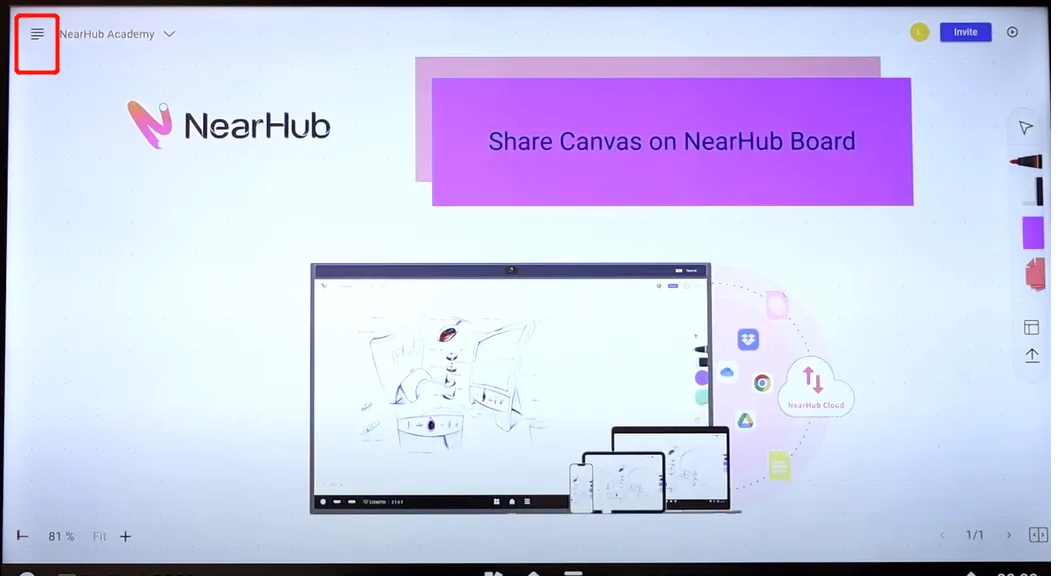
Open the Nearhub application on the board, click a four-line button on the upper-left corner of the page. And now you can see all your whiteboards on the same page. Click the profile photo and then you can tap “sign in” to login your NearHub account. After signing in, click the same profile photo and choose “sign out” to log out.
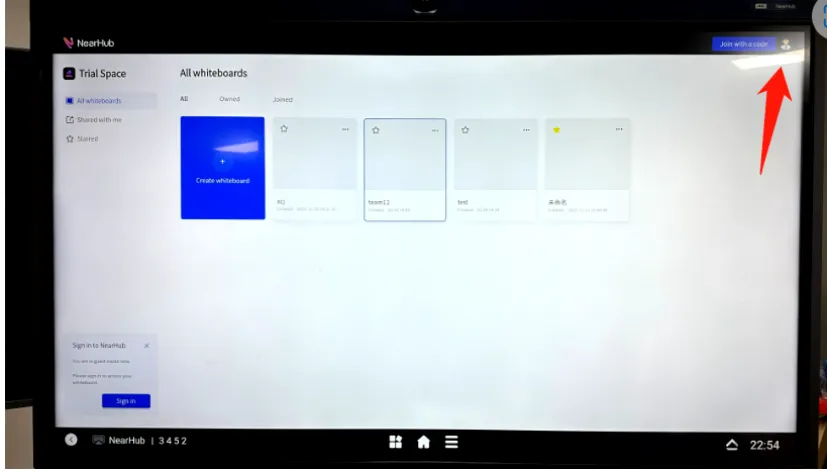
Sign in or out on the Web
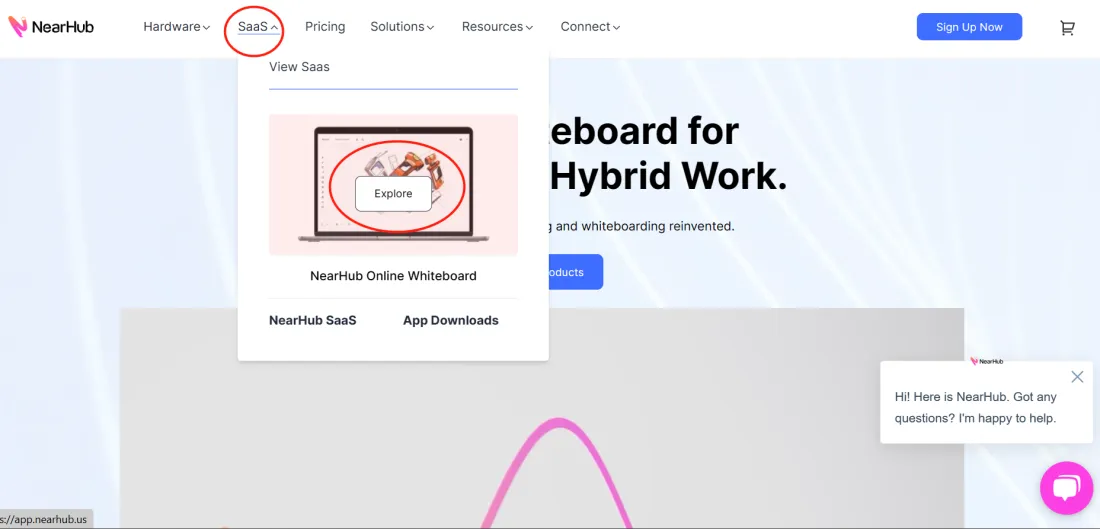
NearHub also has its own website, where you can access the whiteboard on your computer. To jump to the login page, you can click “SaaS” and “Explore” in the following picture, or you can also visit https://app.nearhub.us/login directly and sign up for a new account by tapping on “register” if you don't have one.
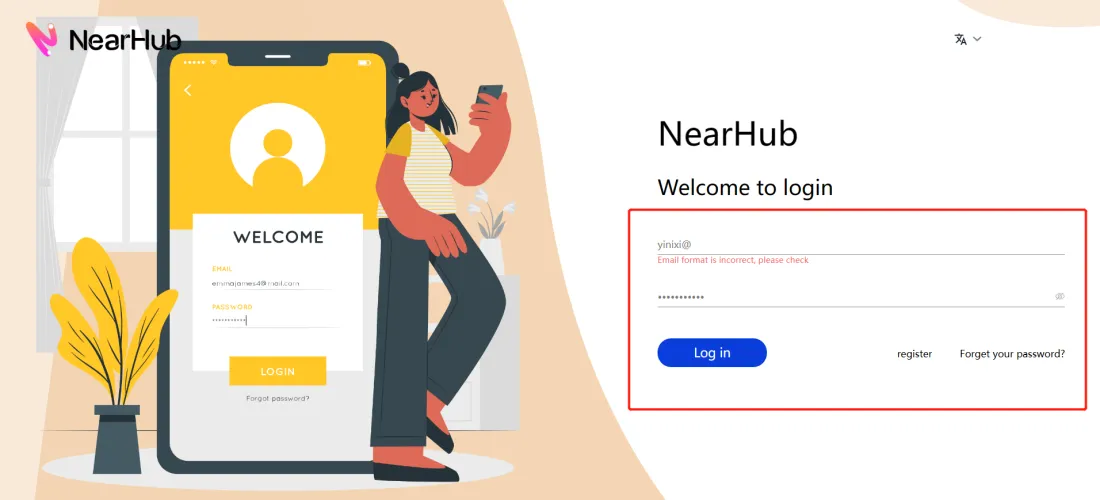
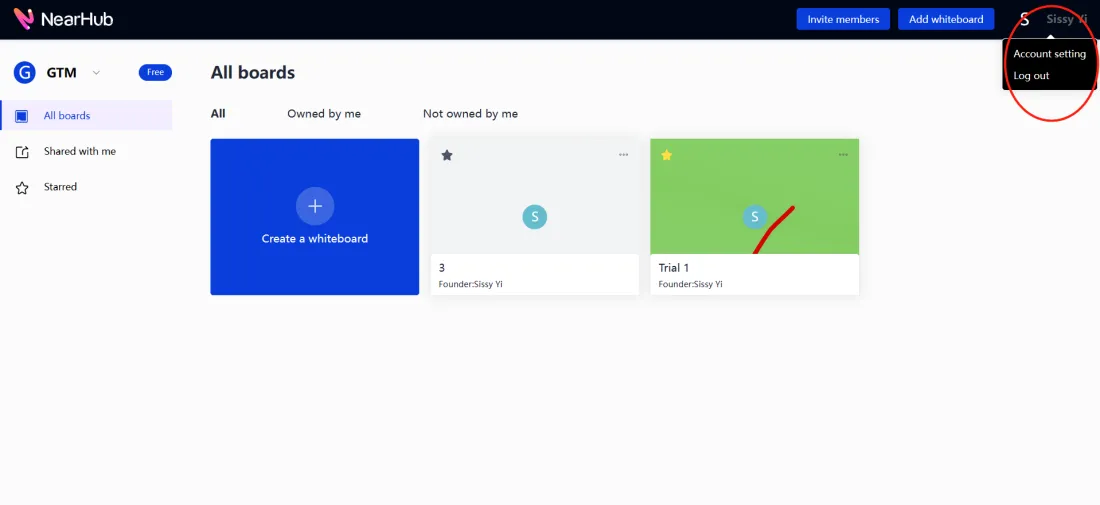
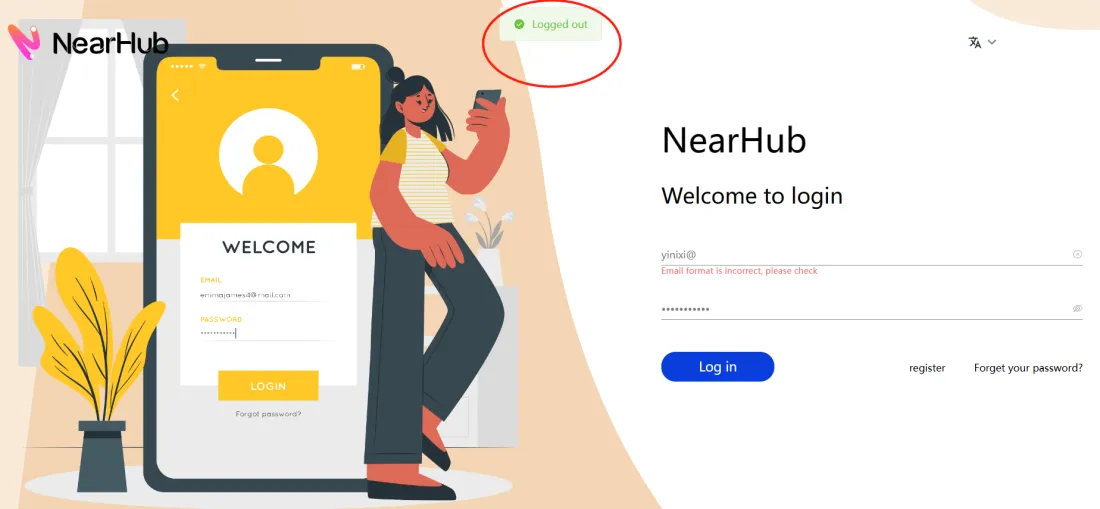
Now you can see our landing page, enter your email and password, you will sign in. And you can see all the whiteboards you've created on the page. To sign out, you need to click the profile photo in the top right corner, and choose “log out”. Then it will jump you back to the landing page with a pop-up showing “ √ Logged out”.
If you meet any problems in the process or have any further questions, please submit a support ticket here. Our support team will respond as soon as possible.