How Much Does a Smart Board Cost in 2025? A Breakdown for Businesses, Classrooms & More
Discover the real cost of smart boards in 2025 for your business or classroom.
smart board cost
interactive whiteboard price
Updated: Aug 19, 2026 · 8 minutes read
Global Business, Brought Near.
No Installer, No Hassle, Just Works.
Smart boards—also known as interactive whiteboards—are quickly replacing traditional whiteboards and projectors across classrooms, offices, and conference rooms. But one question remains at the center of every decision: How much does a smart white board actually cost?
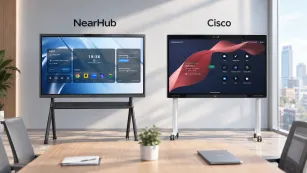
Whether you’re running a small business, managing a school district, or upgrading enterprise tech, the price of smart white boards can vary widely depending on your needs. In this guide, we break down the main factors that influence smart board prices and offer a real-world comparison between top products, including NearHub, Samsung Galaxy, Surface Hub, and others.
Factors Affecting the Actual Smart Board Costs
Screen Size (Office size)
One of the biggest cost drivers is screen size. Smart white boards typically range from 55 inches to 100 inches, and larger displays come with significantly higher prices.
Small office spaces (2-15 people / 5 – 25m²): A55 or 65-inch smart board is the most suitable for offices with 2-15 people.
Medium-sized office spaces (15-25 people / 25 – 50m²): A 75-inch screen size is ideal for medium-sized office spaces.
Large office spaces: (25-40 people / 50 – 80m²): Look for an 86-inch smart white board for large office spaces or even a 98-inch for super large office spaces.
Resolution
Most smart white boards today offer 4K resolution, which is now considered the industry standard. However, lower-end models may still use 1080p displays to reduce costs.
4K (Ultra HD): Sharper image quality, better for detailed diagrams and professional presentations (~10–20% more expensive)
1080p (Full HD): Acceptable for basic instruction or whiteboarding in budget-conscious setups
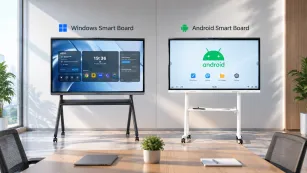
Operating system (Android vs Chrome vs Windows)
The operating system (OS) significantly impacts usability, software compatibility, and smart board cost. Before purchasing a smart interactive whiteboard, it's important to ensure it works seamlessly with your current devices and operating systems. The good news is that most modern smart interactive whiteboards are designed to support a wide range of devices—including laptops, desktops, and mobile phones—and are compatible with major operating systems like Android, Windows, and macOS.
Android-Based Boards: Generally more affordable, but limited app support, poor web compatibility, and less intuitive UI
Chrome OS Boards: Rare in smart interactive whiteboards, but secure and easy to manage—though limited in enterprise flexibility
Windows-Based Boards: Higher cost, but offer full compatibility with Microsoft Office, Teams, Zoom, and other enterprise-grade software. NearHub and Surface Hub fall into this category
Think About How You’ll Actually Use It
What you plan to use the smart board for makes a big difference. A smart interactive whiteboard used just for displaying ads in a shop doesn’t need the same features as one for teaching a class or running team meetings.
Here’s a quick breakdown based on common use cases:
For teaching: You’ll want built-in annotation tools (like smart board pens), support for multiple users at the same time, and the ability to connect easily with students’ devices.
For remote collaboration: Look for a smart white board with a camera, microphone, and strong wireless sharing features, so everyone stays connected, no matter where they are.
For business presentations: Make sure it works smoothly with Zoom or Teams, supports cloud storage, and lets you manage multiple boards across different locations.
Smart Board for Small Business Costs
If you’re running a small business or startup, you probably don’t have a full-time IT team on hand—and that’s totally fine. What you need is smart interactive whiteboards for business that’s easy to set up and even easier to use.
Look for a model that:
Works straight out of the box, with no complicated setup
It is simple enough for anyone on the team to learn quickly
Supports video calls, screen sharing, and basic collaboration tools without a hitch
Recommended Options: NearHub Board S65 vs. Samsung Flip 2.0
Feature
NearHub Board S65
Samsung Flip 2.0
Price
$3,399
$3,250 / $3,999
Screen Size
65”
55” / 65”
Resolution & Touch
4K Infrared Touch, 40 touchpoints
Stylus Touch (resolution not specified)
⚙️ Operating System
NearHub OS (Android-based)
Android-based
Memory & Storage
8GB RAM + 128GB Storage
Not specified
Camera & Mics
Built-in AI Camera + 24 Mic Array
❌ No built-in camera or mics
Connectivity
Wireless screencast (up to 9 devices), HDMI, USB
USB, HDMI, NFC, Screen sharing, Remote PC, Bluetooth
✅ High-end conferencing tools ✅ AI camera + 24-mic array ✅ Rich whiteboard & multi-device sharing
✅ Lower cost ✅ Easy meeting recap ✅ NFC & Bluetooth support
⚠️ What to Consider
❗ Not Windows-based ❗ Higher price
❗ No camera/mics ❗ Less robust remote IT controls
Which One Makes Sense for Your Small Business?
When it comes to small business budgets, every dollar counts—so the right smart interactive whiteboard should give you the features you need without unnecessary complexity or overspending.
If your team relies heavily on virtual meetings, brainstorming sessions, or hybrid work setups, the NearHub S65 justifies its higher price with advanced features like a 65" 4K touchscreen, 40-point multi-touch (great for team brainstorming), and built-in AI camera/mic for Zoom/Teams. It delivers frictionless hybrid collaboration. The NearHub OS ensures plug-and-play simplicity—no IT staff needed. It's an investment in smoother collaboration.
If your needs are more straightforward—like teaching, simple presentations, or in-person team planning- the Samsung Flip offers great value at a lower cost. You still get screen sharing, stylus writing, and solid connectivity, all in a user-friendly package.
Smart Board for Enterprise Costs
Setup Through Resellers
For enterprise buyers, going through an authorized reseller can simplify deployment at scale. These professional packages are designed to get your smart white boards enterprise-ready from day one, and often include:
Pre-installed meeting room software — so your teams can launch into meetings without delay
SSO (Single Sign-On) integration — to streamline secure access across your organization
Ongoing system management — including software updates and security patches
Remote fleet control dashboards — making it easy for IT teams to manage devices across locations
Whether you’re rolling out smart interactive whiteboards to 5 meeting rooms or 50 offices, reseller setup services help reduce downtime, improve security, and take the pressure off your internal IT team.
Recommended Options: Microsoft Surface Hub 3 vs. Neat Board 50 vs. NearHub S Pro
✅ Full Windows desktop ✅ High performance + rich I/O
⚠️ What to Consider
❗ Very expensive ❗ Not macOS-friendly
❗ Small screen size ❗ Not for deep customization
❗ Optional accessories sold separately
What This Means for Enterprise Buyers
If your company is already all-in on Microsoft 365 and Teams, the Surface Hub 3 offers deep integration and enterprise-level security, but at a very premium price.
The Neat Board 50 stands out for its mobility and smart AV features, making it ideal for hot-desking, huddle rooms, or Zoom-heavy teams that value plug-and-play simplicity.
On the other hand, the NearHub S Pro strikes a strong balance between performance and price, making it a powerful choice for IT-managed hybrid workspaces. As a full Windows 11 device, it allows users to run any desktop application without restrictions—ideal for teams that rely on Microsoft 365, Zoom, or custom enterprise software. Its high-performance Intel i5 processor and 16GB RAM ensure smooth multitasking, even during demanding operations like simultaneous screen sharing, video playback, and document collaboration.
👉 Bottom line: Don’t just go for the biggest brand—go for the smart interactive whiteboard that best fits your team’s tech stack, workflows, and meeting styles.
Smart Board for Classroom Costs
What Held Back Older Smart White Boards in Classrooms
Earlier generations of smart interactive whiteboards weren’t exactly built with teachers in mind. Many classrooms struggled with:
Complicated setup — Most smart whiteboards needed IT teams to install and configure, making it hard for teachers to just plug in and teach.
Slow, outdated systems — Many ran on old versions of Android, which meant limited app access and sluggish performance.
No real browser support — Using Google Docs, YouTube, or interactive web apps was often clunky—or impossible.
The good news? Newer models are much more teacher-friendly, with faster systems, better app support, and easier setup, so educators can focus more on teaching, not troubleshooting.
Recommended Options: NearHub S Series VS. BenQ Board Pro RP04
Feature
NearHub Board S Series
BenQ Board Pro RP04
Price
From $2,699 (55”–86”)
~$4,400 (75”)
Display Size Options
55”, 65”, 75”, 86” 4K touchscreen
65”, 75”, 86”
Operating System
NearHubOS (Android-based)
Android (Google ecosystem focus)
✍️ Touch & Writing Tools
20-point multi-touch Advanced stylus with palm rejection
Floating tool for annotation over any app
️ Eye Protection Features
Not specified
Eyesafe Certified 2.0 Air ionizer + dust protection
Connectivity
Wi-Fi 6, Bluetooth 5.2, USB, HDMI
Wi-Fi, Bluetooth, USB, NFC
️ Multitasking
Dual-screen support + split-view
Not available
Language & Compatibility
Supports Google Workspace + Microsoft Office Zoom/Teams support
Limited macOS & Linux compatibility Multilingual translation tools
AV & Audio Features
Built-in mic array + 4K camera
Basic AV (no detailed specs)
️ Cloud & IT Management
Basic device support
BenQ DMS for remote management
️ Warranty & Support
Info not specified
3-year warranty Limited tech support
Best For
Classrooms needing interactive, multitasking-ready tools on a budget
Classrooms prioritizing eye safety and air quality, especially in health-conscious environments
What Teachers Should Know
If you’re looking for a flexible, budget-conscious smart white board that doesn’t compromise on functionality, the NearHub Board S Series delivers strong value for classrooms. With screen sizes from 55" to 86”, it fits everything from small-group instruction to large lecture halls. The Android-based NearHubOS is intuitive and works seamlessly with tools like Google Workspace and Microsoft Office, making lesson planning and classroom collaboration smoother.
It supports 20-point multi-touch and comes with an advanced stylus featuring palm rejection—ideal for students working together or teachers annotating on the fly. Features like dual-screen support and split-view mode are perfect for multitasking in real time—think: showing slides while taking live notes, or displaying two apps side by side.
On the other hand, the BenQ Board Pro RP04 shines in student wellness features with blue light filtering, air quality tools, and built-in multilingual translation—ideal for schools focused on health, inclusivity, and language diversity.
👉 Bottom line:
Go with NearHub if your focus is on hybrid learning, affordability, and versatility.
Go with BenQ if your priority is health-conscious features and annotation simplicity in a traditional teaching setup.
Final Thoughts: Smart Board Costs in 2025
Smart interactive whiteboards in 2025 aren’t a one-size-fits-all investment—they’re tools that should fit how you teach, meet, or collaborate. Whether you're leading a classroom, running a small team, or managing enterprise-level operations, the key is to match your choice with real needs, not just specs.
Here’s a breakdown of top picks based on actual use cases:
For Small Businesses
NearHub S65 ($3,399) is a standout for growing teams that need an easy, all-in-one setup. With a 65” 4K touchscreen, built-in AI camera + mic array, and NearHub OS, it handles video calls, screen sharing, and whiteboarding—no IT team required. Perfect for modern offices that want simplicity without sacrificing collaboration.
For Enterprise & Boardrooms
NearHub S Pro ($3,999) brings full Windows 11 power into your meeting room. It’s a go-to for teams using Microsoft 365, Zoom, SSO, and remote management tools. With an Intel i5 processor, 16GB RAM, and rich connectivity (USB-C, HDMI, LAN, etc.), it delivers serious enterprise functionality at a fraction of the price of options like the Surface Hub 3.
For Classrooms & Hybrid Learning
NearHub S55 ($2,699) is designed with educators in mind. It combines interactive whiteboarding, stylus annotation, and BYOM casting in a way that’s intuitive for teachers and engaging for students. Whether you're using Chromebooks, iPads, or standard laptops, it fits naturally into hybrid classrooms focused on clear communication and real-time learning.
✅ Bottom Line
The “best” smart white board isn’t the most expensive one—it’s the one that meets your daily workflow, supports the platforms you already use, and feels like a natural extension of your space. Whether you’re planning for a conference room, a coworking hub, or a 7th-grade math class, today’s smart interactive whiteboards can flex to fit you, not the other way around.