What Is Google EDLA Certification and Why It Matters for Interactive Whiteboards
Learn what Google EDLA certification means for interactive whiteboards, how it differs from non-certified AOSP devices, and why it matters for school security, app access, and IT management.
Google EDLA
smart board
interactive whiteboard
Updated: Aug 19, 2026 · 5 minutes read
Global Business, Brought Near.
No Installer, No Hassle, Just Works.
If you are a K-12 IT administrator or EdTech procurement specialist evaluating an interactive whiteboard purchase, you have likely encountered the term Google EDLA certification. It appears in product descriptions, RFP checklists, and vendor pitches. But what does it actually mean, and why should it influence your buying decision? This guide breaks down everything you need to know about Google EDLA, why Google launched it in 2022, and how EDLA vs AOSP compares when selecting an Android smart board for schools.
Key Takeaways
What EDLA is – Google’s 2022 enterprise certification for large interactive displays, granting native access to Google Play, Workspace apps, and Admin console, while enforcing strict security and manageability standards.
EDLA vs AOSP – Non‑certified AOSP devices lack official Google services, forcing third‑party app stores and manual IT management. EDLA brings the full Google ecosystem, seamless teacher login, and remote administration.
Security & management benefits – EDLA mandates regular security patches, centralized app deployment, policy enforcement, and automatic updates – cutting IT workload significantly across multiple sites.
Procurement advice – For schools and organisations already using Google Workspace, EDLA should be a baseline requirement, not an optional extra – it ensures true integration with your existing infrastructure and reduces long‑term risk.
The Problem: Why Large Android Screens Needed a New Standard
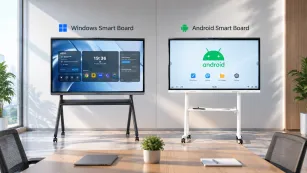
Before 2022, most large-format Android displays, including smart boards used in classrooms and meeting rooms, ran on AOSP, the Android Open Source Project. AOSP provides the core Android operating system free of charge, but it does not include Google Mobile Services (GMS). That meant no Google Play Store, no Google Drive, no Google Meet, and no Google Admin console for IT management.
For schools already invested in Google Workspace for Education, this created a significant friction point. Teachers could not easily access their Google accounts or apps on the classroom display. IT teams had no centralized way to push updates, enforce policies, or manage devices at scale. Worse, many AOSP devices sourced apps from third-party stores with weaker vetting processes, raising legitimate security and compliance concerns for districts handling sensitive student data.
Google recognized that the education and enterprise markets needed a standardized, secure way to bring full Google services to large-screen devices. The result was the Enterprise Device Licensing Agreement, or EDLA.
What Is Google EDLA Certification?
Google EDLA certification is a licensing and compliance framework introduced by Google in 2022 specifically for enterprise and education display devices larger than standard tablets or phones. It allows manufacturers of interactive whiteboards and similar large-format displays to pre-install Google Mobile Services and meet strict requirements around security, manageability, and user experience.
To earn EDLA certification, device manufacturers must pass Google's compatibility tests, commit to regular security updates, and integrate with Google Admin console for remote management. The certification essentially extends Google's consumer mobile ecosystem into the large-screen classroom and conference room environments where collaboration and IT oversight matter most.
EDLA vs AOSP: What Certification Actually Changes
Understanding the EDLA vs AOSP distinction is critical when comparing interactive whiteboard options. The differences go far beyond branding.
Feature
EDLA-Certified Devices
AOSP (Non-Certified) Devices
Google Play Store
Full access to vetted apps
Third-party app stores only
Google Workspace
Native integration
Limited or unsupported
Google Admin console
Centralized IT management
Manual device management
Security updates
Regular, Google-mandated patches
Inconsistent, vendor-dependent
Single Sign-On (SSO)
Google account seamless login
Manual credential entry
Data compliance
Meets Google enterprise standards
Variable, often unclear
An EDLA-certified smart board arrives ready for a Google-centric environment. Teachers sign in once with their school-issued Google account and immediately access Drive, Docs, Slides, Meet, and thousands of education apps from the Play Store. IT administrators can enforce policies, deploy apps remotely, and monitor device health from the same Google Admin console they already use for Chromebooks and student accounts.
By contrast, AOSP devices require workarounds. Sideloading apps, managing multiple login credentials, and patching security vulnerabilities fall entirely on internal IT staff, consuming time and introducing risk.
Key Benefits of EDLA Security and Management
EDLA security standards represent one of the most compelling reasons districts prioritize certified hardware. Under the EDLA framework, manufacturers must deliver regular security patches and maintain compliance with Google's enterprise security protocols. This directly addresses the data protection concerns that keep school IT leaders up at night.
In addition to security, GMS certification through EDLA unlocks practical management benefits:
Set up new boards remotely – New interactive displays can be configured from the office before they even arrive in the classroom. Just plug them in and they're ready to go.
Control which apps are available – IT teams can easily allow or block specific apps, so only approved educational tools show up on the boards. No more distracting games or unauthorized software.
Give teachers the right access – Teachers can use all the board's teaching features freely, but settings that affect the network or system security are restricted to administrators. Everyone gets what they need, and nothing gets broken.
Updates happen automatically – Critical security patches and system updates roll out to every board without anyone having to run around and update them one by one. Less hassle, more time saved.
For districts managing dozens or hundreds of displays across multiple buildings, these capabilities transform a high-touch support burden into a streamlined, scalable operation.
Making the Right Choice for Your School or Organization
When evaluating an Android smart board for schools, Google EDLA certification should be treated as a baseline requirement, not a nice-to-have. The certification signals that the device is built for modern, Google-powered learning environments and that the manufacturer has made the investments necessary to meet Google's enterprise standards.
Look for vendors who clearly display their EDLA status and can articulate what that certification means for your specific use case. Ask about update frequency, Play Store access, Google Admin console integration, and how the device fits into your existing Google Workspace for Education infrastructure.
The NearHub Board Max stands out as an interactive whiteboard purpose-built for schools and enterprises seeking the full advantages of Google EDLA certification. It combines native Google Workspace integration, rigorous EDLA security compliance, and centralized IT manageability, giving districts confidence that their display investment aligns with both their educational goals and their technical requirements. Learn more about NearHub Board Max and request a demo today.
Frequently Asked Questions
1. What does Google EDLA certification mean?
Google EDLA certification is a program that allows large-screen interactive devices to run Google Mobile Services and Google Workspace apps natively, while meeting strict security and IT management standards set by Google.
2. How can I verify if a smart board is EDLA certified?
Check the manufacturer's specifications or official Google partner listings. Certified vendors typically highlight EDLA status prominently in product documentation and marketing materials.
3. Is EDLA certification necessary for corporate training rooms?
Yes. Any organization using Google Workspace benefits from the security, app access, and device management that EDLA-certified boards provide, making them equally valuable in corporate training and meeting environments.
4. Does EDLA certification cost extra?
The licensing cost is typically built into the device price by the manufacturer. There is no separate subscription required from the end user for basic EDLA functionality, though Google Workspace licenses remain a separate requirement.
Conclusion
Google EDLA certification fundamentally changed the interactive whiteboard market by establishing a clear standard for security, app ecosystem access, and IT manageability. For K-12 districts and corporate training departments evaluating their next display purchase, understanding EDLA vs AOSP and prioritizing certified hardware reduces risk, simplifies deployment, and ensures seamless integration with the Google tools already powering your organization. When certification matters, choosing an EDLA-certified board is not just a technical decision, it is a strategic one.