End Meeting Fatigue: Mastering Best Practices for Hybrid Meetings via Intuitive Hardware
Combat the widespread issue of 'meeting fatigue' and enhance productivity in hybrid work environments with this ultimate guide.
hybrid meetings
meeting fatigue
smart whiteboards
Updated: Aug 19, 2026 · 10 minutes read
Global Business, Brought Near.
No Installer, No Hassle, Just Works.
In the professional landscape of 2026, meeting fatigue and "digital drain" have become systemic crises, often caused by a fundamental mismatch between remote flexibility and office execution. This comprehensive guide addresses the "Missing Link" by redefining hybrid meetings as high-fidelity data exchanges rather than mere attendance mandates. It identifies five critical friction points—including the "Setup Tax" and documentation black holes—and provides a strategic roadmap for leaders to transform offices into "Collaboration Theaters." Central to this strategy is the implementation of advanced interactive hardware like the NearHub S Max. By utilizing AI-driven features such as Speaker Tracking and AI Gallery View, organizations can achieve true "Presence Equity," ensuring remote workers have the same visual weight as those in the room. Furthermore, the guide details how native Windows integration and cognitive zoning optimize productivity and maximize real estate ROI in a decentralized world.
Key Takeaways
Shift to Intentional Presence: Move away from "eyes-on-screens" management toward "impact-on-milestones" leadership, where the office is treated as a specialized tool for high-bandwidth collaboration.
Achieve True Presence Equity: Use AI Gallery View to place every participant in an equal-sized digital tile, eliminating the "spectator effect" and ensuring remote voices have equal influence.
Eliminate the "Setup Tax": Implement one-touch meeting entry and native Windows-based hardware to launch sessions in under 60 seconds, removing the technical friction that leads to "commute regret."
Establish a Communication Charter: Adopt a "Remote-First" rule where every meeting is conducted on a digital canvas if even one person is remote, preventing documentation silos.
Leverage Native Desktop Power: Prioritize hardware that runs full desktop versions of Teams and Zoom (Windows-based) rather than limited mobile versions to ensure 100% feature parity.
Implement Digital-First Documentation: Replace analog surfaces with 4K digital canvases that allow for instant PDF/image export, ensuring a single source of truth for distributed teams.
Optimize via Cognitive Zoning: Redesign office layouts into "Focus Zones" and "Innovation Hubs" to provide specialized environments that home offices cannot replicate.
Focus on Innovation Velocity: Measure success by the speed of problem
We have all experienced it: the dreaded "meeting marathon." It is 3:00 PM on a Tuesday, and you are entering your fifth back-to-back video call of the day. Your eyes are burning from staring at a 13-inch screen, your neck is stiff from hovering over a cramped keyboard, and your mental bandwidth has hit rock bottom. This "digital drain" isn't just a personal annoyance; it is a systemic crisis. By 2026, the primary driver of employee burnout is no longer the workload itself, but the friction inherent in poorly executed hybrid meetings and events. When your technology acts as a hurdle rather than a bridge, your organizational culture begins to fracture.
Welcome to this comprehensive Ultimate Guide for modern collaboration. This isn't just a collection of surface-level tips; it is a deep-dive analysis into the "Missing Link" between remote flexibility and office execution. In this guide, we explore how to transform a "ghost town" office into a high-octane innovation theater. Within the first 100 words of this guide, it is critical to recognize that mastering hybrid meetings and events requires a radical shift in both management philosophy and hardware infrastructure. Whether you are a Chief Technology Officer or a team lead, this roadmap provides the strategic framework required to synchronize your workforce and eliminate meeting fatigue for good.
Understanding the Hybrid Meeting Meaning: Shifting from Attendance to Intentionality
Before we can optimize our workflows, we must first establish a clear hybrid meeting meaning for the 2026 market. A decade ago, a meeting was simply a room with a table. Today, a meeting is a high-fidelity data exchange that happens across physical and digital dimensions. This shift requires a move away from "eyes-on-screens" management toward "impact-on-milestones" leadership.
The Evolution of the Modern Definition
In the current landscape, hybrid meetings and events are defined by three central dimensions that dictate how teams interact across distances:
Presence Equity: Ensuring that every participant, regardless of their GPS coordinates, has an equal visual and vocal voice.
Activity-Based Presence: Choosing the work location based on the cognitive load of a task (e.g., deep focus at home, high-velocity brainstorming in the office).
Technological Symmetry: Providing tools in the office that are significantly superior to an employee’s home setup, justifying the commute.
According to a recent report by Gartner, organizations that successfully transition to an "Activity-Based Presence" model see a 25% increase in innovation velocity. This proves that the success of hybrid meetings and events depends on the quality of the interaction, not the location of the laptop.
The Science of Meeting Fatigue: Why Standard Setups Fail Distributed Teams
Why do standard video calls feel so draining? Research from Stanford University suggests that "Zoom Fatigue" is caused by excessive amounts of close-up eye contact, the cognitive load of seeing yourself constantly, and the reduction of physical mobility. When humans are forced to look at small, 2D representations of their colleagues for hours, the brain has to work 30% harder to decode non-verbal cues.
The Crisis of Cognitive Friction
When your entire professional existence is confined to a 13-inch laptop screen, your brain works twice as hard to maintain context. This cognitive friction leads to a 40% drop in productivity during context switching. Remote workers often suffer from the "Spectator Effect"—joining meetings but feeling like observers rather than participants. Furthermore, documentation decay occurs when ideas shared in quick huddles are lost because they weren't anchored to a persistent digital-physical canvas.
Standard hybrid meetings and events often fail because they rely on "dumb" hardware. A static webcam looking at a wide, distant shot of a conference room makes remote participants feel isolated. To solve this, we must look toward hybrid working solutions that prioritize human biology and interactive fluidity, such as the NearHub Board Max.
Top 5 Common Problems in Hybrid Meetings and Events
Building a resilient strategy requires an audit of the friction points that prevent a team from reaching peak performance. Here are the most common challenges in the post-AI workplace and how they contribute to organizational decay.
1. Presence Disparity and the Digital Wall
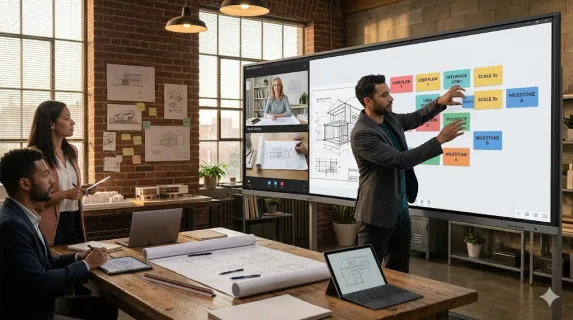
Remote workers often feel like second-class citizens. They cannot see the nuances of a sketch or hear the quiet "side-talk" that often contains critical project context. This lack of visual detail leads to fatigue and disengagement, eventually causing talent to look for roles with better hybrid working solutions.
2. The Documentation Black Hole
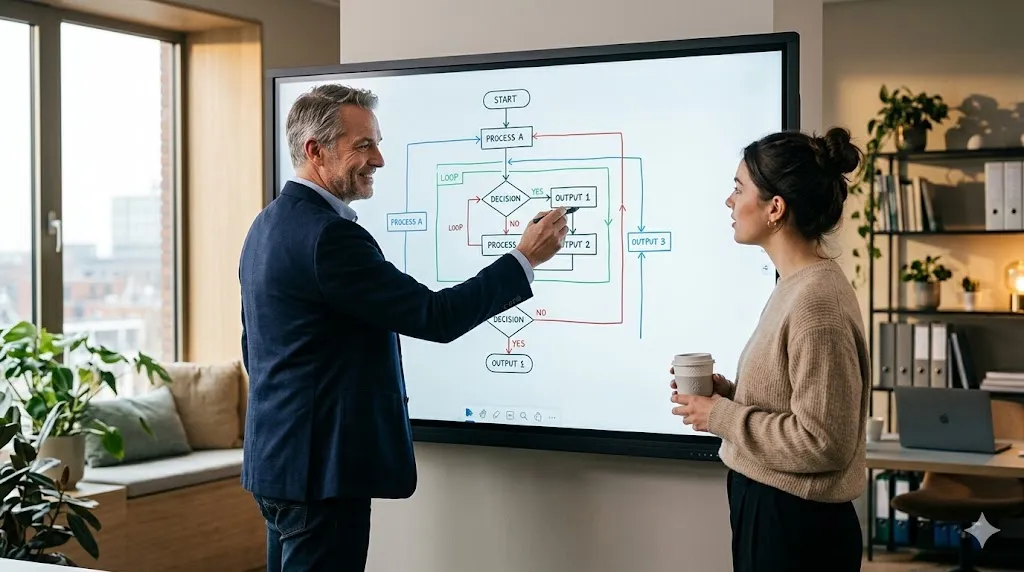
Brainstorms on physical whiteboards often end with someone taking a blurry photo that gets lost in a chat thread. This creates a disconnect where remote staff lack a single source of truth. By utilizing nearhub ecosystem, you ensure that every note is instantly digitized on a 4K digital canvas and ready for one-click export.
3. The Setup Tax
Spending 15 minutes fumbling with cables at the start of every session is a massive productivity killer. This technical friction makes employees resent the physical office and view hybrid meetings and events as a burden rather than a productive event.
4. Proximity Bias
Managers inadvertently favor the employees they see physically in the room, leading to "Hidden Distance." A robust strategy for hybrid meetings and events must include training to consciously include remote voices first to ensure diverse perspectives are captured.
5. Acoustic and Visual Isolation
High-stakes decisions require non-verbal cues. If the remote team cannot see facial expressions clearly, they miss 50% of the meeting context. Using a professional smart white board with AI cameras and speaker tracking solves this problem instantly.
Mastering Best Practices for Hybrid Meetings: A Strategic Roadmap
Choosing the right tools is only half the battle. You must also master the best practices for hybrid meetings to drive long-term ROI. This requires a shift from managing attendance to managing energy and output.
Creating a Communication Charter
Every successful team needs a written agreement on how they communicate during hybrid meetings and events.
The Remote-First Rule: If even one person is remote, the entire meeting happens on the digital canvas.
Response Windows: Define clear expectations for response times to prevent collaborative lag.
Digital-First Records: Mandate that brainstorms happen on a smart white board so they can be exported instantly as a PDF.
Eliminating Technical Debt
Nothing kills innovation faster than "Technical Debt"—the minutes fumbled at the start of every meeting trying to find a cable. By utilizing nearhub systems, you can implement a one-touch join protocol.
Step 1: Sync your room calendar with your interactive hub.
Step 2: Walk into the room and tap the "Join" button on the board.
Step 3: Your remote colleagues appear on the screen, and your 4K interactive canvas is ready for input in under 60 seconds.
Mastering Your Hardware
Provide training on how to use a smart board so that no leader feels intimidated by the technology. The tech should disappear, leaving only the ideas behind. When a manager knows how to use a smart board effectively, they can facilitate a strategy session that feels natural for both local and remote staff.
The Hardware Bridge: Why Your Office Needs Advanced Hybrid Working Solutions
When we talk about the "Missing Link," we are specifically referring to the hardware that bridges the physical-digital divide. The NearHub Board Max is designed to eliminate the friction that holds distributed teams back.
Why Professionals Choose the NearHub Board Max
A professional smart white board is far more than just a screen mounted on a wall. It is a portal into a shared reality for hybrid meetings and events.
Zero-Latency Interaction: The digital ink must follow the stylus with no millisecond delay to maintain a "flow state."
Native Windows 11 Pro Integration: As a Windows-based device, NearHub Board Max supports full desktop versions of Teams, Zoom, and Excel, ensuring no feature loss compared to mobile apps.
Speaker Tracking and AI Gallery View: Utilizing advanced AI, the camera identifies the active speaker and zooms in automatically, ensuring remote members never miss a facial expression.
AI-Driven Visibility for Peak Performance
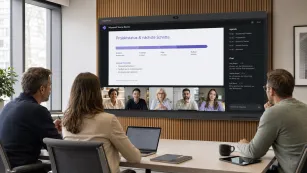
Professional hardware utilizes AI to level the playing field. AI Gallery View takes individuals in a conference room and places them in separate, equal-sized digital tiles. This makes the office team look just like remote participants on screen. This is a core pillar of high-performance hybrid meetings and events.
Designing the High-Performance Collaboration Theater
A successful office treats the physical space as a "Magnet," not a "Mandate." This requires a shift in office design toward activity-focused zoning supported by high-performance hybrid working solutions.
Zoning for Cognitive Load
The modern office should be partitioned into specific zones to support different types of hybrid meetings and events:
The Focus Zone: Soundproof pods or quiet libraries for the deep work typically done at home.
The Innovation Hub: Wide-open spaces centered around a nearhub interactive hub for visual mapping and collective sketching.
The Social Anchor: Areas designed specifically for unplanned interactions that drive serendipitous innovation.
Rightsizing Real Estate Through Technology
By adopting a high-performance model, companies can often reduce their total square footage. The capital saved on rent should be reinvested into premium technology like the NearHub Board Max. A smaller, but technologically superior office offers significantly more value than a large warehouse filled with empty desks.
Presence Equity: How to Lead Global Hybrid Meetings and Events
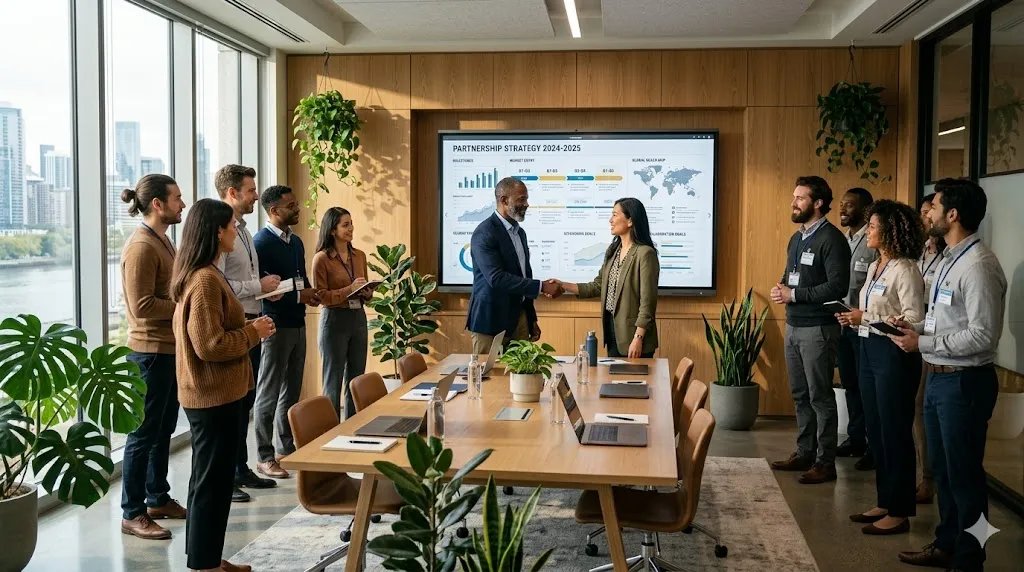
The question of how to lead effectively always comes back to equity. If your remote workers feel like second-class citizens, your culture will eventually fracture.
The Visual Voice
In a high-performance meeting, the remote worker's presence is amplified through visual scale:
Life-Sized Video: Position your nearhub board at eye level so remote participants appear life-sized.
Interactive Weight: When a remote worker draws on the digital board from their laptop, their mark appears in the office instantly. This creates a sense of "spatial presence."
Reducing Proximity Bias
Utilize smart white board technology to make the digital board the "center" of the meeting. This ensures that contribution weight is balanced regardless of physical location. This is one of the most important best practices for hybrid meetings.
Collaboration Integration: The IT Foundation of Hybrid Meetings and Events
Professional hybrid working solutions must integrate flawlessly into the enterprise digital environment.
Standardized IT Compatibility
The best tools are those that your IT department already knows how to manage.
Native Windows Environment: Since NearHub Board Max runs on Windows 11 Pro, it seamlessly integrates with existing Active Directory and security protocols.
Device Access Protection: Professional smart white board units feature password protection and PIN locks to ensure only authorized users access local files.
Third-Party Software Compatibility: Users can directly use desktop versions of OneDrive or Google Drive on the whiteboard to access and save files, maintaining data workflow consistency.
ROI of High-Performance Hybrid Working Solutions
As a leader, you aren't just looking for tools; you are looking for Innovation Velocity. Implementing a robust strategy for hybrid meetings and events pays for itself in increased productivity.
Reducing the Cost of Turnover
In the global talent market, flexibility is a core competency. Providing a high-tech, frictionless office is the best way to ensure long-term loyalty and cultural cohesion.
Mitigating the Setup Tax
By providing a frictionless entry via the NearHub Board Max, you reclaim hundreds of "lost" hours per month across your entire organization, allowing the team to focus on solving problems rather than fixing cables.
FAQ Section
What is the most important part of hybrid meetings and events?
The most critical factor is "Presence Equity." Every team member must feel equally heard and visible. This is achieved through communication protocols and professional-grade hardware like the NearHub Board Max.
How do I use a smart board to bridge the remote gap?
A smart white board allows remote workers to see annotations in real-time and even draw on the board from their own laptops. This creates a "single source of truth" for the meeting.
Why is the Setup Tax so high in traditional offices?
Legacy offices rely on mismatched dongles and static projectors. Modern hybrid working solutions eliminate this by using standalone interactive hubs that launch meetings with a single tap via room calendar sync.
How does AI Gallery View help my remote workers?
AI Gallery View places each person in the room into their own digital tile, allowing remote workers to see colleagues' faces clearly and fostering better emotional connection.
Is NearHub compatible with my existing software?
Absolutely. Because it runs on Windows 11 Pro, it supports full desktop versions of applications including Microsoft Teams, Zoom, Slack, and Google Workspace.
Conclusion & CTA
The transition into a hybrid-first world is the most significant shift in corporate culture in over a century. To succeed with hybrid meetings and events in 2026, you need a radical commitment to high-performance hybrid working solutions.
By focusing on intentional collaboration, removing technological barriers with tools like the NearHub Board Max, and moving toward an outcome-based management style, you build a strategy that excels. Make the office a destination that employees visit because it allows them to do their absolute best work.