Best Earbuds for Work from Home in 2026: Expert Recommendations for Zoom & Teams
This article highlights the best earbuds for work from home in 2026, guiding professionals to achieve superior call clarity, comfort, and productivity on Zoom and Teams.
Work from Home
Open-Ear Headsets
Comfortable Earbuds
Updated: Aug 19, 2026 · 6 minutes read
Global Business, Brought Near.
No Installer, No Hassle, Just Works.
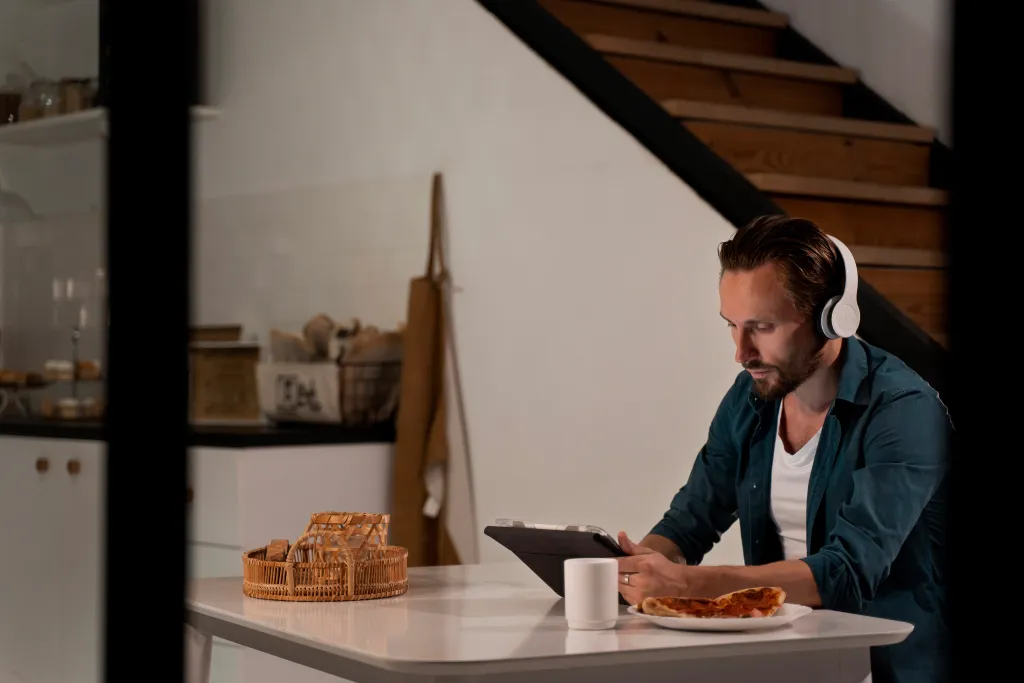
We’ve all been there: you’re in the middle of a high-stakes Zoom presentation, and suddenly your neighbor starts mowing the lawn, or your toddler decides it’s the perfect time for a drum solo. You scramble for the mute button, but the damage is done—the flow is broken, and your professional polish has a dent in it. Finding the best earbuds for work from home isn't just about hearing your music; it's about reclaiming your focus and ensuring your voice carries the authority it deserves. In this comprehensive article, we dive deep into the audio technology of 2026. We’ve tested dozens of models to find the perfect balance of comfort, microphone clarity, and reliability. Whether you are navigating back-to-back Microsoft Teams meetings or trying to find a moment of peace in a noisy household, the right gear is your most valuable remote-work asset.
Key Takeaways
Choosing professional earbuds like the Nearity MemPod Fit 2 ensures clear voice communication and better focus during remote work.
AI-driven Environmental Noise Cancellation helps your voice stand out even in noisy home offices.
Lightweight open-ear designs provide all-day comfort and situational awareness without ear fatigue.
Multi-device connectivity and USB-C dongles enable seamless switching between laptop and mobile for uninterrupted meetings.
Proper microphone placement software settings and regular firmware updates maximize audio performance and call quality.
Why Choosing the Right Earbuds Matters for Working from Home
The shift to hybrid and remote work is no longer a trend—it's the standard. By 2026, the digital workspace has evolved to demand higher audio fidelity than ever before. Using standard consumer buds for professional calls is like showing up to a boardroom meeting in pajamas; you might get the job done, but you aren't projecting your best self.
The Impact on Professionalism and Productivity
When you use the best earbuds for work from home, you are investing in two critical areas: how you hear and how you are heard.
Reduced Cognitive Load: Poor audio quality forces your brain to work harder to decipher speech, leading to "meeting fatigue."
Enhanced Executive Presence: Clear, broadcast-quality audio makes you sound more confident and prepared.
Boundary Setting: High-quality ear buds for work act as a physical and psychological signal to those around you that you are in "focus mode."
The Science of "Listening Fatigue"
According to psychoacoustic research conducted by EPOS at the Centre for Applied Audiology Research (CAAR), poor audio quality causes the brain to undergo significant strain. Their study found that listeners enduring noisy backgrounds or digital artifacts experience 35% more effort listening, which directly leads to cognitive overload and brain fatigue. This makes having a professional earbuds for calls and music a health and wellness priority, not just a tech luxury.
Top Features to Look for in Work-from-Home Earbuds
To achieve a high-ranking setup for earbuds for work from home, you need to understand the technical benchmarks of 2026. According to industry leaders like Zoom and Microsoft, the standard for "business-certified" audio has moved toward AI-driven isolation.
A. Microphone Clarity & AI Noise Reduction (ENC)
The most important feature for any home office is Environmental Noise Cancellation (ENC). Unlike Active Noise Cancellation (ANC), which helps you focus, ENC ensures the person on the other end hears only your voice. Look for:
Beamforming MEMS Microphones: These use multiple mics to create a "cone" of sound around your mouth.
AI-Powered DSP: Digital Signal Processors (like the HiFi4 DSP) that can identify and scrub out non-human frequencies with up to 95% accuracy.
B. All-Day Comfort and "Open-Ear" Design
By 2026, many professionals are moving away from traditional in-ear silicone tips. In-ear pressure and heat buildup during long shifts can cause significant discomfort.
Weight Matters: Aim for earbuds under 10 grams per side.
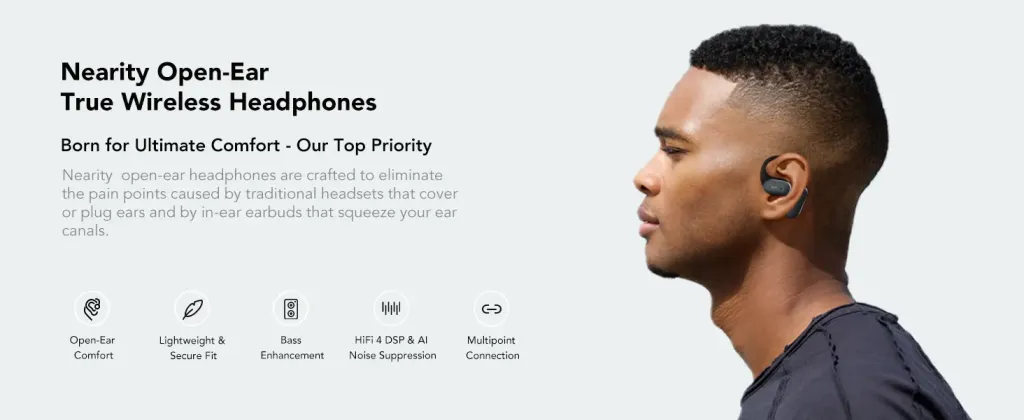
Open-Ear Technology: This allows you to stay aware of your surroundings (like a doorbell or a child) while still hearing your meeting clearly.
C. Connectivity and Multi-Point Pairing
There is nothing more frustrating than having to unpair your earbuds from your phone to take a call on your laptop. The best earbuds for work from home in 2026 feature:
Bluetooth 5.3/5.4: Higher stability and lower power consumption.
Multi-Point Connection: The ability to stay connected to two devices simultaneously.
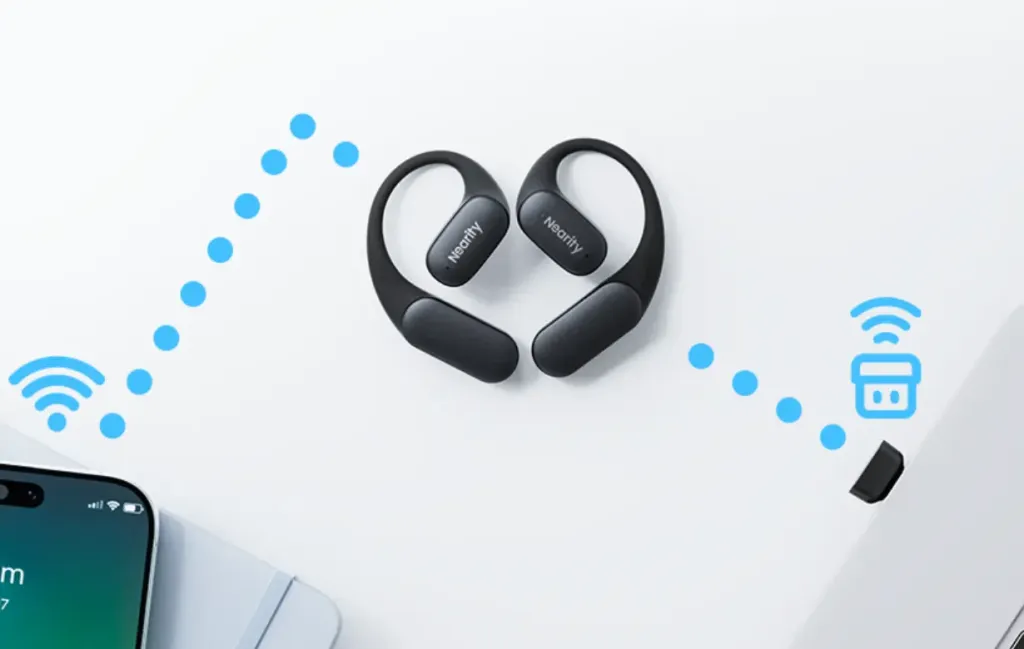
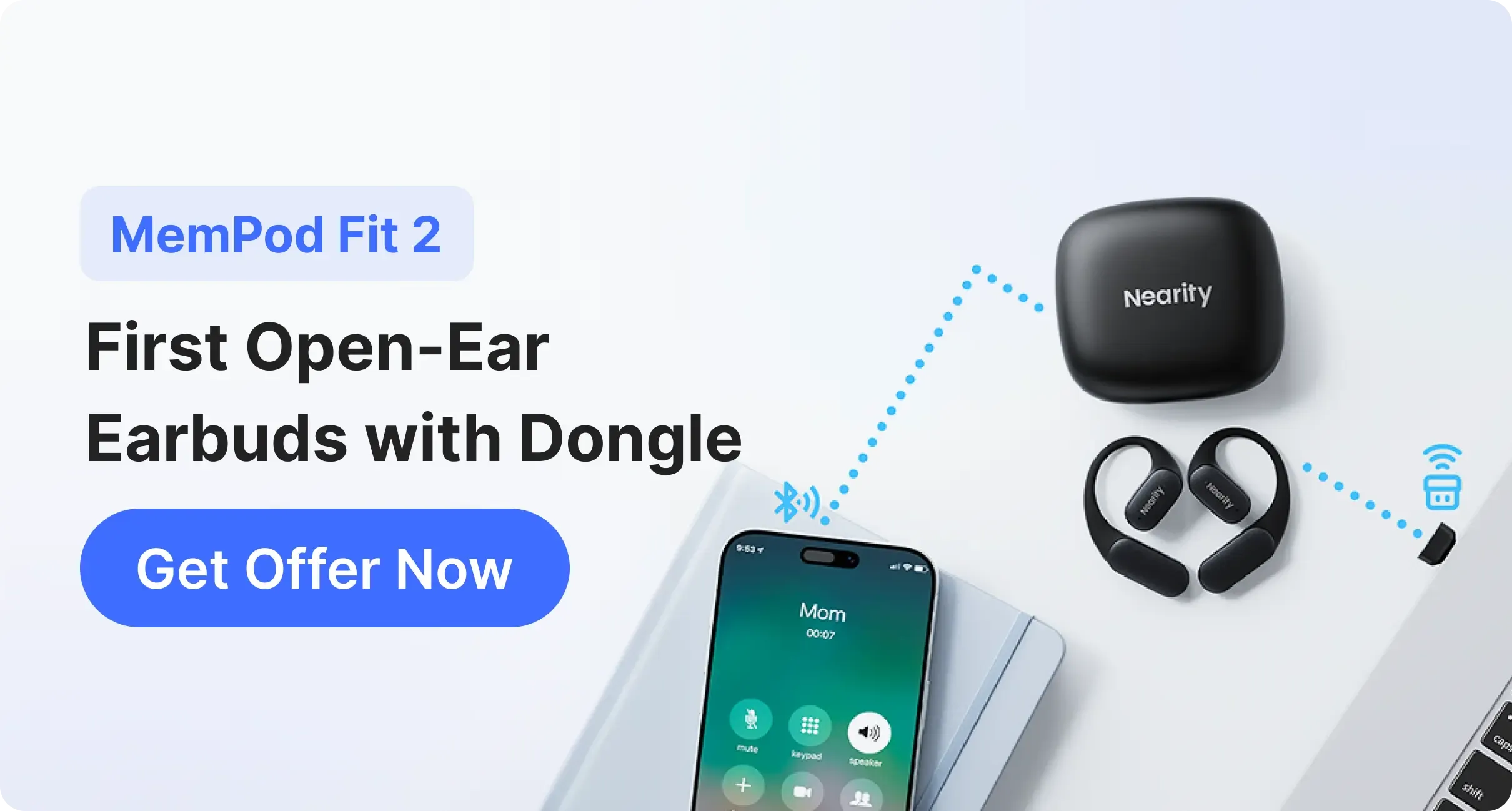
Dedicated Dongles: For the most stable connection on PC/Mac, a USB-C dongle is still the gold standard for avoiding Bluetooth lag.
Feature
Consumer Earbuds
Professional WFH Earbuds
Primary Goal
Bass-heavy music
Mid-range voice clarity
Mic Tech
Single/Dual Basic
4+ Beamforming with AI
Comfort
2-3 Hour "Bursts"
8-10 Hour "Workday"
Connectivity
Single Device
Multi-point / Dongle Support
Expert Recommendations: Best Earbuds for Zoom, Teams, and Video Calls
When it comes to the absolute top-tier recommendation for 2026, the Nearity MemPod Fit 2 stands out as the premier choice for professionals who value both comfort and communication.
The Nearity MemPod Fit 2: A Deep Dive into Professional Performance
In our testing, the Nearity MemPod Fit 2 redefined what we expect from a best ear buds for work setup. Unlike consumer-grade headphones, these are engineered specifically for communication-heavy environments.
Technical Specifications & Features:
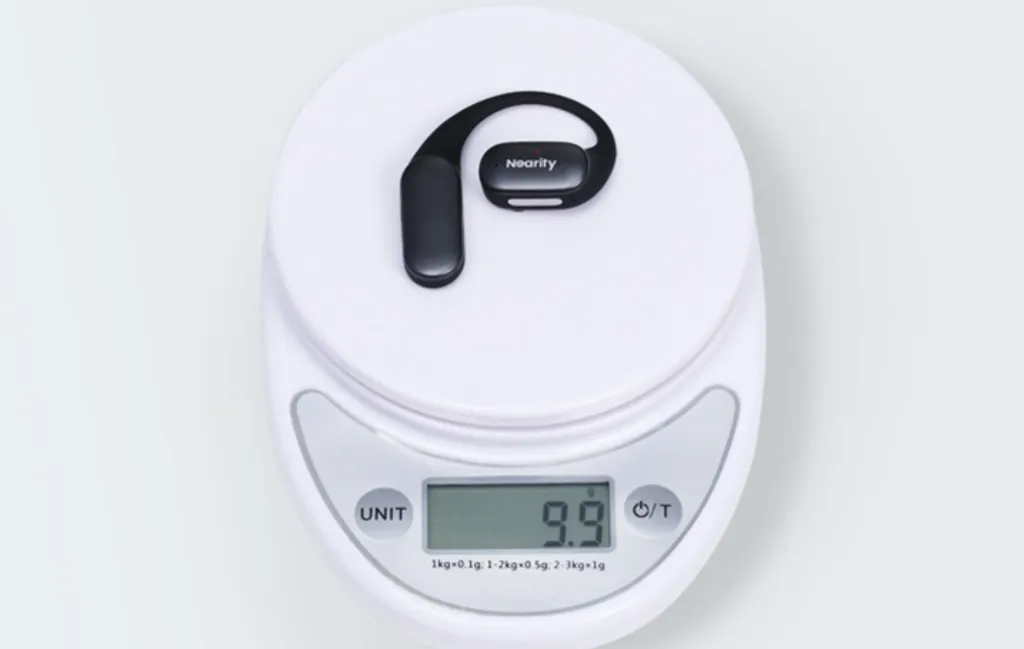
Ultra-Lightweight Ergonomics: Each earbud weighs only 9.9g. The design utilizes a flexible ear-hook crafted from skin-friendly silicone. This ensures that even during back-to-back 60-minute meetings, there is zero pressure on the ear canal or the outer cartilage.
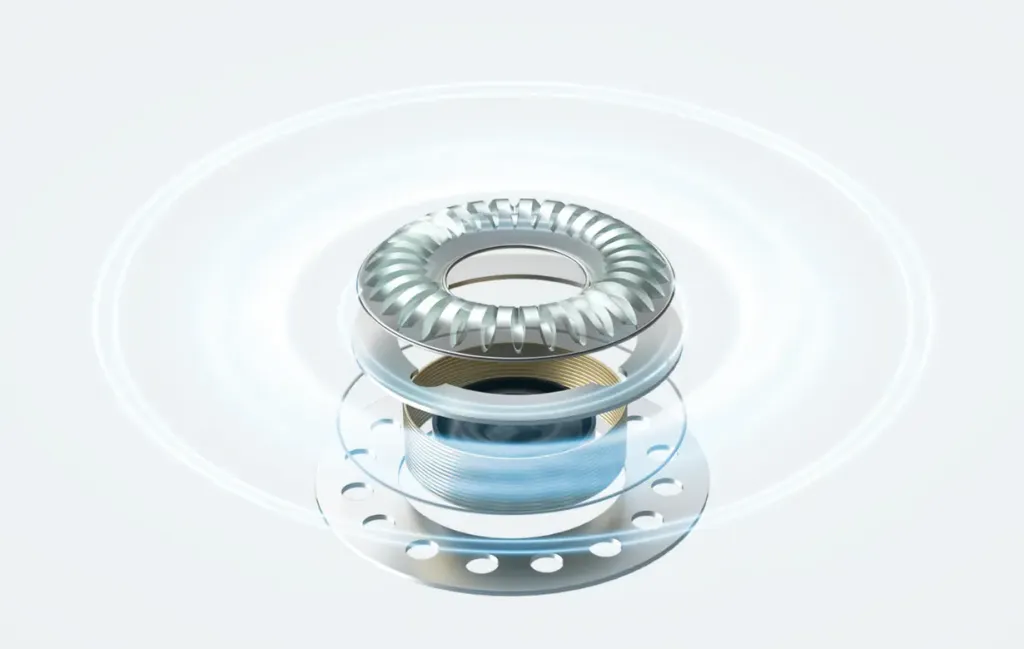
Advanced AI Audio Processing: At the heart of the MemPod Fit 2 is the HiFi4 DSP (Digital Signal Processor). This chip runs sophisticated AI algorithms that analyze incoming audio in real-time. It separates human speech from environmental chaos—whether that's a mechanical keyboard clicking or a fan humming in the background.
Beamforming Mic Array: The device features dual MEMS microphones on each side. These mics work in tandem to create a beamforming "pickup zone" focused on your mouth, ensuring your voice remains the primary audio source even in a non-treated home office.
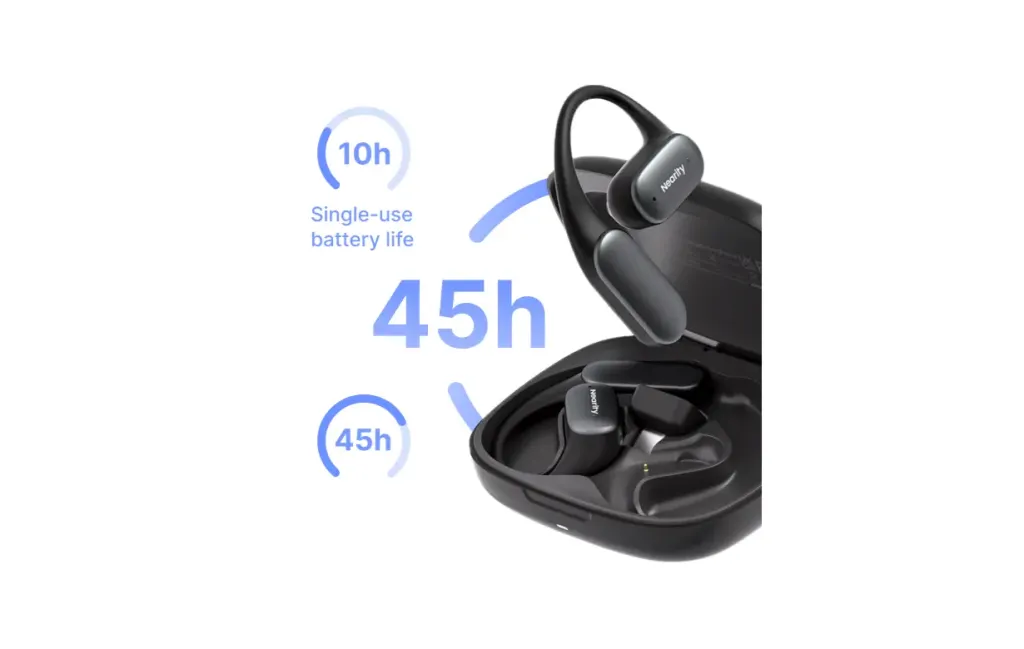
Industry-Leading Battery Life: Reliability is key for remote work. The MemPod Fit 2 offers:
8~10 Hours of continuous talk/play time on a single charge.
36~45 Hours total playtime with the included charging case.
Quick Charging: A full recharge of the case and buds takes only 2 hours.
The Dongle Advantage: While Bluetooth 5.4 provides excellent stability for mobile devices, the MemPod Fit 2 often ships with a dedicated USB-C dongle. This is a game-changer for PC/Mac users, providing a plug-and-play, low-latency connection that bypasses common Windows Bluetooth driver issues.
Comparison: Why Air Conduction Beats Traditional Designs
The MemPod Fit 2 uses Air Conduction technology rather than Bone Conduction or In-Ear designs. This is a critical distinction for WFH professionals:
Versus In-Ear (AirPods Pro/Sony XM5): Traditional buds create an "occlusion effect" where your own voice sounds muffled or boomy inside your head. The MemPod Fit 2’s open-ear design lets you hear your own voice naturally, preventing the "meeting shout" common with noise-isolating buds.
Versus Bone Conduction (Shokz): Bone conduction can often feel like a "vibration" against your cheekbone at high volumes, which can be distracting during calls. Air conduction delivers a richer, more traditional audio profile (especially in the mid-range for voices) without the tickling sensation.
By keeping the ear canal open, the MemPod Fit 2 also promotes better ear health by reducing moisture buildup and pressure, making them the most sustainable choice for 8-hour workdays.
Tips for Maximizing Your Work-from-Home Audio Setup
Owning the best earbuds for work from home is only half the battle. To ensure you look and sound like a pro, follow these expert-vetted tips:
Optimize Your Environment
Soft Surfaces: Hard floors and bare walls cause echoes. A simple area rug or a few bookshelves can dramatically improve how your microphones pick up your voice.
Lighting and Mic Path: Ensure your earbuds are positioned correctly. The beamforming mics should be angled toward the mouth—avoid covering them with long hair or high collars.
Software Configuration
Check Your Input: Always go into Zoom or Teams settings to ensure the software is using your "Headset" or "Dongle" as the input, not your laptop's built-in microphone.
Firmware Updates: 2026 hardware is smart. Regularly check the manufacturer's app for firmware updates that often improve AI noise-canceling algorithms.
Hygiene and Maintenance
Weekly Cleaning: Since open-ear buds don't go inside the ear, they stay cleaner, but a quick wipe with an alcohol-free cloth keeps the sensors responsive.
Conclusion
Choosing the best earbuds for work from home in 2026 is a decision that impacts your professional brand every single day. By prioritizing features like AI-driven ENC, long-term comfort, and multi-point connectivity, you ensure that technology facilitates your work rather than hindering it.
After extensive review, the MemPod Fit 2 remains our top recommendation for the modern remote professional. Its blend of lightweight design and superior vocal isolation makes it the gold standard for anyone spending their day on Zoom or Teams. Invest in your audio today, and hear the difference in your productivity tomorrow.
FAQs
1. Are open-ear earbuds better than noise-canceling ones for home offices?
Open-ear earbuds offer superior comfort and situational awareness for home offices, while traditional noise-canceling earbuds block out distractions more aggressively. The MemPod Fit 2 combines the benefits of both by providing an open-ear design with effective noise cancellation for clear calls in most environments.
2. Can I use gaming earbuds for professional Zoom calls?
Gaming buds often prioritize low latency for sound effects rather than the "warm" vocal frequencies needed for professional meetings. Professional-grade earbuds are tuned specifically for human speech.
3. Does Bluetooth lag affect video calls?
With Bluetooth 5.4, lag is minimal. However, for high-stakes presentations, using a dedicated USB-C dongle (like the one provided with some Nearity models) ensures zero-latency and a more stable connection.
4. How many microphones do I actually need for a clear call?
Quantity isn't everything; it's the processing that counts. A dual-mic system with a powerful AI DSP (like the HiFi4 DSP) is often more effective at noise cancellation than a 6-mic system with poor software.