Best Office Gadgets in 2026: Smart Tools for Productivity and Communication
Discover the best office gadgets of 2026 that solve real workplace problems — from productivity boosters to communication tools like the Nearity EP320 headset.
Office Gadgets
Workplace Productivity
Remote Work Tools
Updated: Aug 20, 2026 · 8 minutes read
Global Business, Brought Near.
No Installer, No Hassle, Just Works.
The modern workspace is no longer limited to a traditional office. Whether you work remotely, manage a hybrid schedule, or spend your day in virtual meetings, the right office gadgets can eliminate daily friction and improve productivity. From ergonomic desk upgrades to advanced communication tools, this guide explores the best office gadgets in 2026 and highlights how smart devices like the Nearity EP320 noise cancelling headset help professionals work more efficiently, comfortably, and confidently.
Key Takeaways
The best office gadgets in 2026 solve real workplace problems instead of adding unnecessary complexity.
Productivity tools like monitor arms, ergonomic mice, and standing desk converters improve comfort and efficiency.
Noise-cancelling headsets are essential for clear communication in modern offices and remote work environments.
The Nearity EP320 combines 4-mic AI noise cancellation, Bluetooth 5.4, and 35-hour talk time for professional calls.
Prioritize ergonomics, compatibility, and daily usability when choosing office gadgets.
Best Office Gadgets in 2026: Smart Tools to Improve Productivity, Communication, and Workspace Efficiency
The way we work has fundamentally changed. Whether you commute to a corporate office three days a week, run a business from a spare bedroom, or teach online classes from a kitchen table, the line between professional workspace and wherever your laptop happens to be has blurred. What hasn't changed is the need for tools that make work easier — and that's where office gadgets come in.
The right office gadgets do more than sit on your desk looking impressive. They solve real problems: the colleague who can't hear you over the air conditioner, the neck pain from staring at a laptop screen for eight hours, the tangle of cables that turns your desk into an obstacle course. In 2026, the best office gadgets are the ones that quietly remove friction from your day without demanding a learning curve.
This guide covers the best office gadgets available right now, organized by the problems they solve. You'll find productivity tools, communication devices, and a detailed look at the Nearity EP320 — a headset that has earned its place as one of the best noise cancelling headset options for professional use.
Quick Overview: Best Office Gadgets in 2026
If you're short on time, here's a summary of the office desk gadgets worth your attention this year, organized by the problem each one solves.
Category
Gadget
Why It Matters
Productivity
Standing desk converter
Alternates between sitting and standing without replacing your desk
Productivity
Adjustable monitor arm
Positions screens at eye level to reduce neck strain
Productivity
Mechanical keyboard
Improves typing speed and reduces finger fatigue
Communication
Nearity EP320 headset
4-mic AI noise cancellation for crystal-clear calls
Communication
AI-tracking webcam
Auto-frames and follows movement during presentations
Workspace
Cable management tray
Eliminates cord clutter under the desk
Workspace
Wireless charging pad
Powers phone and earbuds without extra cables
Comfort
Ergonomic vertical mouse
Reduces wrist strain during long work sessions
Best Productivity Office Gadgets
Productivity gadgets share a common goal: they remove small inefficiencies that compound over a workday. The best gadgets for the office in this category are the ones you stop noticing because they simply work.
Standing Desk Converters
If you've researched the health case for standing more during the day, you already know the basics. The problem is that a full electric standing desk starts around $500 and requires you to clear your entire workspace. A standing desk converter sits on top of your existing desk and raises your monitor and keyboard with a gas-spring mechanism. Look for models that support at least 20 pounds and include a separate keyboard tray — without it, your wrists will sit too high when standing.
Adjustable Monitor Arms
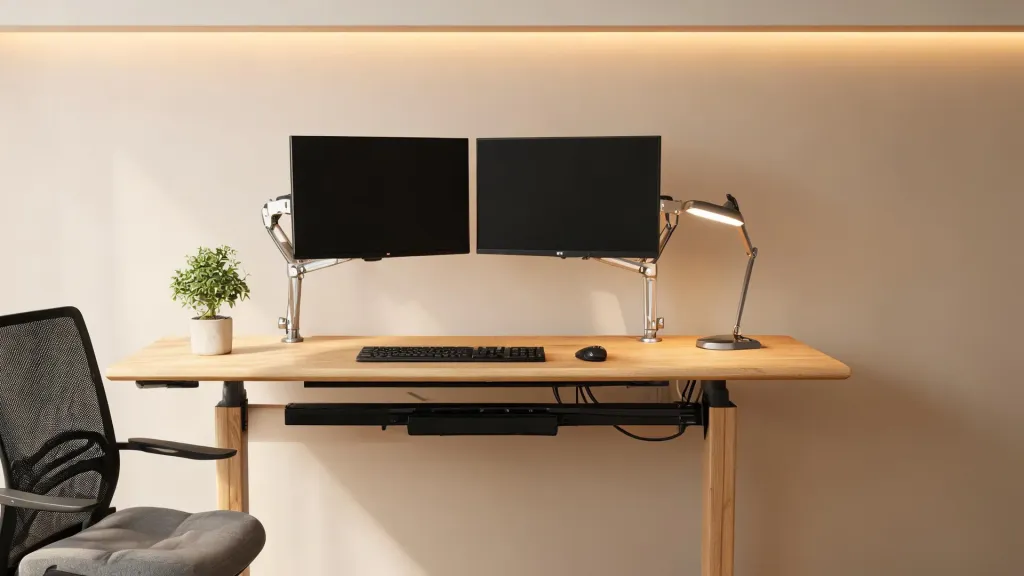
Most monitors ship with stands that offer limited height adjustment. An adjustable monitor arm clamps to the back of your desk and lets you position your screen at exactly the right height — the top of the monitor should sit at or slightly below eye level. Gas-spring arms also let you swivel the screen to share with a colleague or pivot it for a different task. Budget arms in the $40 to $60 range work well for single monitors under 27 inches; dual-monitor arms start around $80.
Mechanical Keyboards and Ergonomic Mice
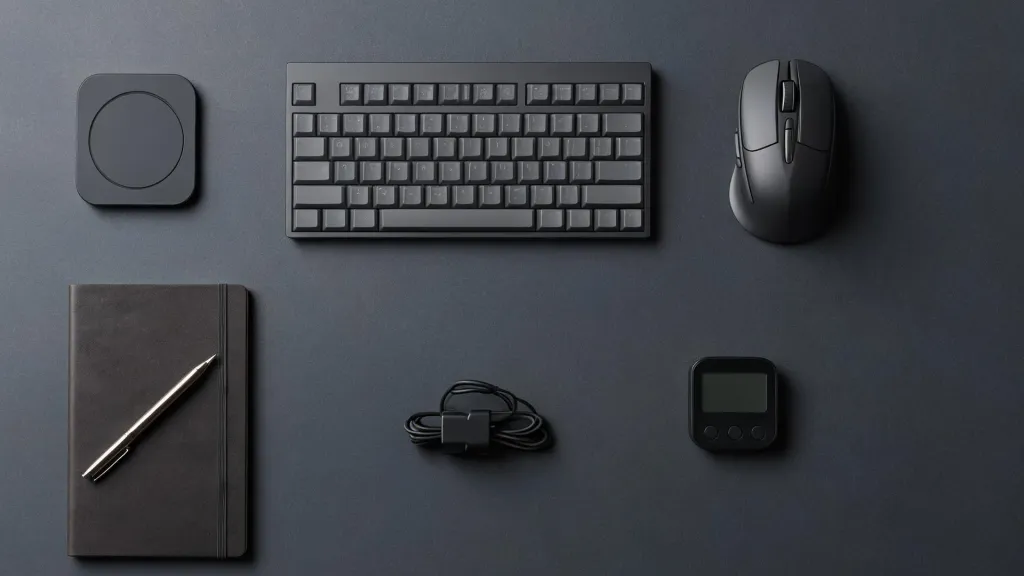
A mechanical keyboard doesn't just sound satisfying — the tactile feedback reduces bottoming-out force, which means less strain on your fingers over thousands of keystrokes. Pair it with an ergonomic vertical mouse that keeps your forearm in a neutral handshake position, and you've addressed two of the most common repetitive strain sources in office work.
Wireless Charging Pads and Cable Management
Cable clutter is a visual distraction that pulls attention even when you're not consciously looking at it. A wireless charging pad handles your phone and earbuds without adding another cable to your desk. Combine it with an under-desk cable management tray and adhesive cable clips, and your workspace stays clean enough to focus.
Best Communication Gadgets for Office and Remote Work
Communication gadgets address the most expensive problem in modern work: being misunderstood. A dropped sentence, a background noise that drowns your voice, or a webcam that makes you look like a silhouette — each of these chips away at your professional credibility during calls.
AI-Tracking Webcams
Standard laptop webcams have improved over the years, but they still struggle with lighting and framing. A dedicated AI-tracking webcam uses a larger sensor and software to auto-frame your face, follow your movement, and adjust exposure in real time. If you present to clients or lead team meetings regularly, the difference is immediately noticeable.
Noise-Cancelling Headsets
This is where the most meaningful improvement has happened. A headset with noise cancelling mic used to mean bulky aviation-style equipment. Today's models use AI-powered environmental noise cancellation with multiple microphones and DSP processing to strip out background noise before it reaches the other end of the call.
For office workers, a noise cancelling headphone with mic for office use means you can take a call from an open-plan desk without everyone around you becoming part of the conversation. For remote workers, a noise cancelling headphone for work means the dog barking or the neighbor's lawnmower stays on your side of the call.
USB Microphones and Ring Lights
If your work involves podcasting, recording training videos, or frequent presenting, a USB condenser microphone captures your voice with far more warmth and clarity than any headset mic. A simple ring light or key light placed at a 45-degree angle eliminates the webcam shadow that makes you look tired on camera.
Nearity EP320: The Best Office Communication Gadget for Meetings and Calls
Among the communication gadgets covered above, the Nearity EP320 stands out as the most versatile option for professionals who spend a significant portion of their day on calls. Priced at $127.50 (discounted from $149.99), it competes with headsets costing twice as much while delivering features that directly address the pain points of office and remote communication.
4-Microphone AI Noise Cancellation
The EP320 uses a four-microphone array combined with a HiFi5 DSP processor and a compressed neural network trained on extensive noise data. The result is 99.9% background noise suppression — typing, fans, traffic, and nearby conversations are filtered out before your audio leaves the headset. This makes it one of the strongest options if you're looking for a bluetooth noise cancelling headset with mic that performs reliably across environments.
Bluetooth 5.4 and Multipoint Connectivity
Bluetooth 5.4 provides a stable connection up to 33 feet (10 meters), and the multipoint feature lets you pair two devices simultaneously. This means you can be on a Teams meeting on your laptop and seamlessly switch to an incoming phone call without disconnecting and re-pairing. The included USB dongle handles computers without built-in Bluetooth, and a USB-C cable provides a wired backup for situations where wireless isn't an option.
Battery Life and Charging
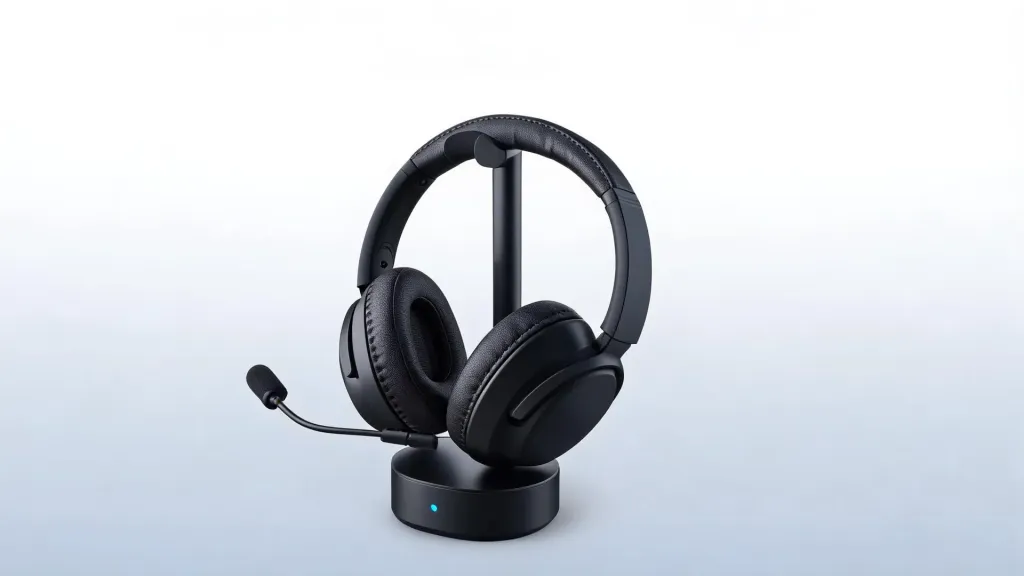
The EP320 delivers 35 hours of continuous talk time and 45 hours of music playback on a single charge. The included charging stand means you simply place the headset on the base when you're done — no fumbling with cables. For professionals who forget to charge devices, two to three days of use between charges is realistic.
Comfort for All-Day Wear
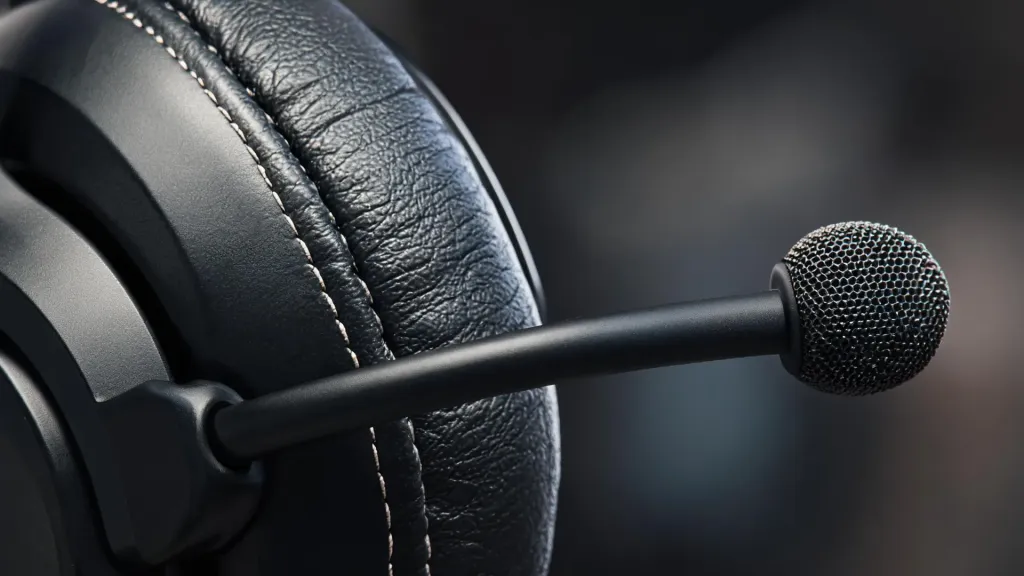
Pillow-soft memory foam ear cushions wrapped in protein leather, a stretchable headband with a padded leather sling, and 180-degree rotatable ear cups accommodate different head shapes and sizes. The 250-degree rotatable boom mic supports wearing on either the left or right side. At this weight and with these materials, the EP320 functions as a comfortable headset for work across back-to-back calls without the pressure points that cheaper headsets create after an hour.
Platform Compatibility
The EP320 works with Zoom, Microsoft Teams, Webex, and Google Meet out of the box. It's compatible with Windows, Mac, Linux, Android, and iOS — no software installation required. Plug in the dongle or pair via Bluetooth, and you're ready to talk. This plug-and-play simplicity is why IT departments report zero support tickets after deploying the EP320 to their teams.
What's in the Box
The package includes the Nearity EP320 headset, a pair of replaceable ear cushions, a charging stand, a USB cable, a wireless USB dongle, a user manual, and a quick start guide. The inclusion of spare ear cushions and a charging stand at this price point adds tangible value that competitors often leave as paid accessories.
If you're looking for a professional wireless noise cancelling Headset that covers meetings, calls, music, and everyday use without compromise, the EP320 is the strongest value in its category. With a 4.8-star rating across 102 reviews and a 12-month warranty, it has earned the trust of over 240,000 business professionals.
How to Choose the Right Office Gadgets
Choosing office gadgets shouldn't start with a product catalog. It should start with an honest assessment of what's slowing you down. Here's a practical framework for making decisions that stick.
Identify Your Daily Friction Points
Spend one workday noting every small annoyance: the neck ache at 3 PM, the call where the client asked you to repeat yourself, the cable that snagged your mouse. These are your gadget priorities. A wireless headphone with noise cancelling mic solves the second problem; a monitor arm solves the first. Buy solutions to problems you actually have, not problems a marketing page invented.
Set a Realistic Budget
A well-equipped desk doesn't require a $2,000 shopping spree. Allocate your budget by usage frequency: the items you touch every day deserve the most investment. A quality noise-cancelling headset at $100 to $150, an ergonomic keyboard and mouse at $80 to $120, and a monitor arm at $50 to $100 will transform your workday for under $400. Decorative or novelty gadgets should make up no more than 10% of your total spend.
Check Compatibility Before Buying
Nothing wastes money like a gadget that doesn't work with your setup. Before purchasing, verify operating system compatibility, available ports, Bluetooth version, and software requirements. The best office gadgets are the ones that work the moment you plug them in — if a product requires proprietary software or a specific OS version, factor that into your decision.
Prioritize Ergonomics Over Aesthetics
A sleek gadget that forces your wrist into an unnatural angle or a headset that presses on your temples after 30 minutes is a poor investment regardless of how it looks. Read reviews that specifically mention long-term comfort, and prioritize adjustable designs over fixed ones. Your body spends eight hours a day with these objects — choose accordingly.
Think About Portability
If you split your time between an office, home, and coworking spaces, portability matters. A headset that travels well, a keyboard that fits in a laptop sleeve, and a cable organizer that packs down small will see far more use than bulky desk-bound alternatives. The EP320, for instance, works equally well at a desk, in a cafe, or on a train — its flexibility across environments is a feature, not an afterthought.
FAQs
What are the most useful office gadgets for remote workers?
The most useful office gadgets for remote workers include a noise-cancelling headset like the Nearity EP320 for clear calls, a standing desk converter for ergonomics, a wireless charging pad to reduce cable clutter, and an adjustable monitor arm to achieve proper screen height. These tools address the three biggest remote work pain points: audio quality, physical comfort, and desk organization.
How much should I spend on office desk gadgets?
A practical budget ranges from $200 to $500 for a well-equipped setup. Prioritize spending on items you use every day — a quality headset ($100 to $150), an ergonomic keyboard and mouse ($80 to $120), and a monitor arm ($50 to $100). Novelty gadgets should make up no more than 10% of your budget.
Do noise cancelling headsets really improve work calls?
Yes. Headsets with AI-powered environmental noise cancellation using a 4-microphone array and DSP processing can suppress up to 99% of background noise. This means colleagues and clients hear your voice clearly even in noisy environments like open offices, cafes, or homes with children, reducing misunderstandings and listener fatigue during long meetings.
Can one headset work with both my computer and phone?
Headsets with Bluetooth multipoint connection can pair with two devices simultaneously. The Nearity EP320, for example, connects to both your computer and phone at the same time, automatically switching between a Teams meeting on your laptop and an incoming call on your phone without manual re-pairing.