Best Wireless Earbuds for iOS: Top Non-Apple Alternatives That Work Perfectly with iPhone
A complete 2026 buyer’s guide to the best non-Apple wireless earbuds for iPhone, comparing sound quality, noise cancellation, sports performance, and work-to-workout convenience on iOS.
2026 Earbuds Guide
Wireless Earbuds For iPhone
iOS Earbuds
Updated: Aug 19, 2026 · 8 minutes read
Global Business, Brought Near.
No Installer, No Hassle, Just Works.
Are you tired of the ubiquitous white stems poking out of everyone’s ears? While the new AirPods Pro 3 are undeniably impressive, they aren’t the only way to get a premium, "it-just-works" experience on your iPhone. In 2026, the gap between Apple and the competition has narrowed significantly.
If you’re looking for better sound, stronger noise cancellation, or a more secure fit without locking yourself into Apple-only hardware, this guide to the best earbuds for iOS is for you. Check out our best earbuds for Android for alternatives that deliver excellent performance on non-iOS devices.
Key Takeaways
iPhones rely on AAC/SBC codecs, making iOS optimization more important than Hi-Res codec support
Beats Powerbeats Pro 2 offers the closest Apple-ecosystem experience outside AirPods
Bose QuietComfort Ultra delivers the strongest ANC on iOS
Sony WF-1000XM5/XM6 is ideal for audiophiles and call clarity
Soundcore Sport X20 is the best budget-friendly choice for workouts
Mempod Fit 2 stands out for office use, open-ear comfort, and fast device switching between Apple devices
What Makes Earbuds Truly “Best for iOS”?
Before we dive into the list, it's important to understand what actually makes the best earbuds for iOS. A great iPhone-compatible pair needs to get a few fundamentals right.
AAC Codec Support: iPhones and iPads support only the AAC and SBC Bluetooth codecs for wireless audio transmission, meaning that even if your earbuds also support codecs like LDAC or aptX, they will fall back to AAC/SBC on iOS devices. This behavior is explained in Bluetooth codec compatibility testing from audio reviewers SoundGuys.
Reliable iOS App: Since you won't have system-level settings, a fast, bug-free iOS app is mandatory for EQ and firmware updates.
Multipoint Connectivity: Since you can't use Apple’s "Automatic Switching," look for buds that can connect to your iPhone and Mac/iPad simultaneously via Multipoint.
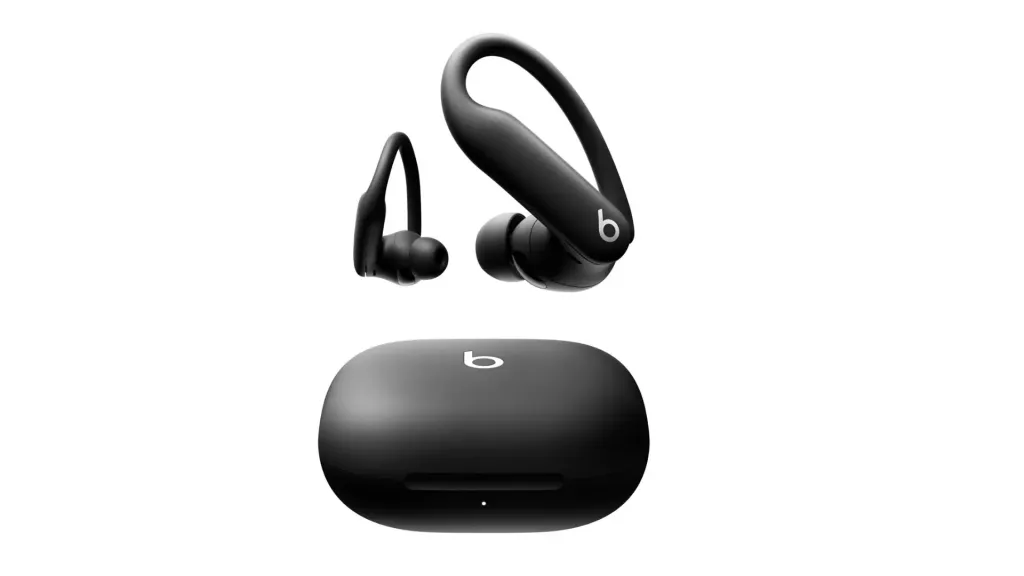
If seamless integration with Apple devices is your top priority, Beats Powerbeats Pro 2 is the clear first choice. Although not part of the AirPods line, it is deeply connected to the Apple ecosystem, making it ideal for iPhone, iPad, and Mac users.
Why they win:
Apple Ecosystem Integration: Quick pairing, one‑tap connection, and support for Hey Siri.
Long Battery Life: Up to 45 hours, perfect for work, commuting, and workouts.
Stable Fit: Ear-hook design ensures they stay put during active use.
This makes Beats the go-to choice for users who want effortless Apple compatibility first, before considering other features like ANC, soundstage, or budget.
For those seeking peace and quiet, these are widely regarded as the best wireless earbuds for Apple users who prioritize advanced noise cancellation and immersive sound.
Why they win: Bose has not only matched but often surpassed Apple in raw noise cancellation performance. The QuietComfort Ultra Earbuds feature industry-leading Active Noise Cancelling (ANC) technology, which effectively blocks out office chatter, commuting noise, or crowded environments. Their "Immersive Audio" mode adds a spatial sound experience that works seamlessly with any audio source, from Apple Music to podcasts or video calls.
iOS Synergy: The Bose Music App on iOS is highly polished and user-friendly, making it easy to customize CustomTune sound profiles that adapt to your unique ear shape for a truly personalized listening experience. These earbuds also support the AAC codec, ensuring high-fidelity audio on your iPhone, iPad, or Mac.
Extra Perks: With a comfortable in-ear design, long battery life, and touch controls optimized for iOS, these earbuds are consistently rated among the best earbuds for iOS for users who want premium sound, reliable connectivity, and effortless integration with the Apple ecosystem.
Widely regarded as the best wireless earbuds for iOS for listeners who prioritize a rich, textured soundstage and premium audio quality.
Why they win: With a more traditional "in-ear" fit and soft foam tips, the Sony WF-1000XM5 provides superior passive noise isolation compared to AirPods. Its AI-assisted voice pickup ensures crystal-clear calls even in noisy environments, making it a top choice for iPhone users who want both high-fidelity music and excellent call performance.
iOS Tip: While these earbuds also support LDAC for high-res audio on compatible devices, iPhone users benefit most from Sony’s DSEE Extreme technology, which intelligently upscales compressed AAC files to near-Hi-Res quality, delivering a rich and immersive listening experience. This combination of features makes them consistently rated among the best wireless earbuds for apple on the market.
If you want earbuds that stay put during intense workouts and still work seamlessly with your iPhone, the Soundcore Sport X20 is an excellent choice. These are designed specifically for sports enthusiasts and active lifestyles.
Why they win:
Secure Fit & Stability: Adjustable ear-hooks keep the earbuds in place even during running, cycling, or gym sessions.
Advanced Noise Control: Built-in ANC reduces background noise, while SweatGuard technology ensures they remain safe from sweat and moisture.
Motivating Sound: BassUp technology enhances low-end frequencies for an energetic and immersive workout experience.
Durable & Sweatproof: IP68-rated waterproofing protects against sweat and rain, perfect for any outdoor activity.
The Budget Performer: Nearity Mempod Fit 2
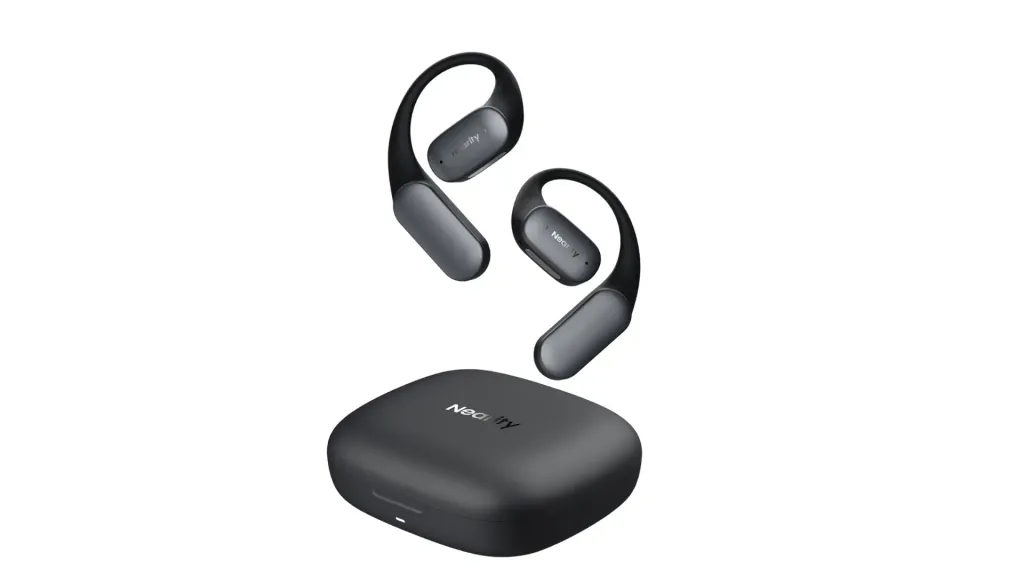
If you want to experience affordable open-ear earbuds and easily switch between work and workouts, the Mempod Fit 2 is the perfect choice. Designed for all-day comfort and convenience, they let you stay productive at your desk while also enjoying an open, breathable design during exercise. Many people call it the best earbuds for work callsso you can check out Mikey’s review for more details.
Why they win:
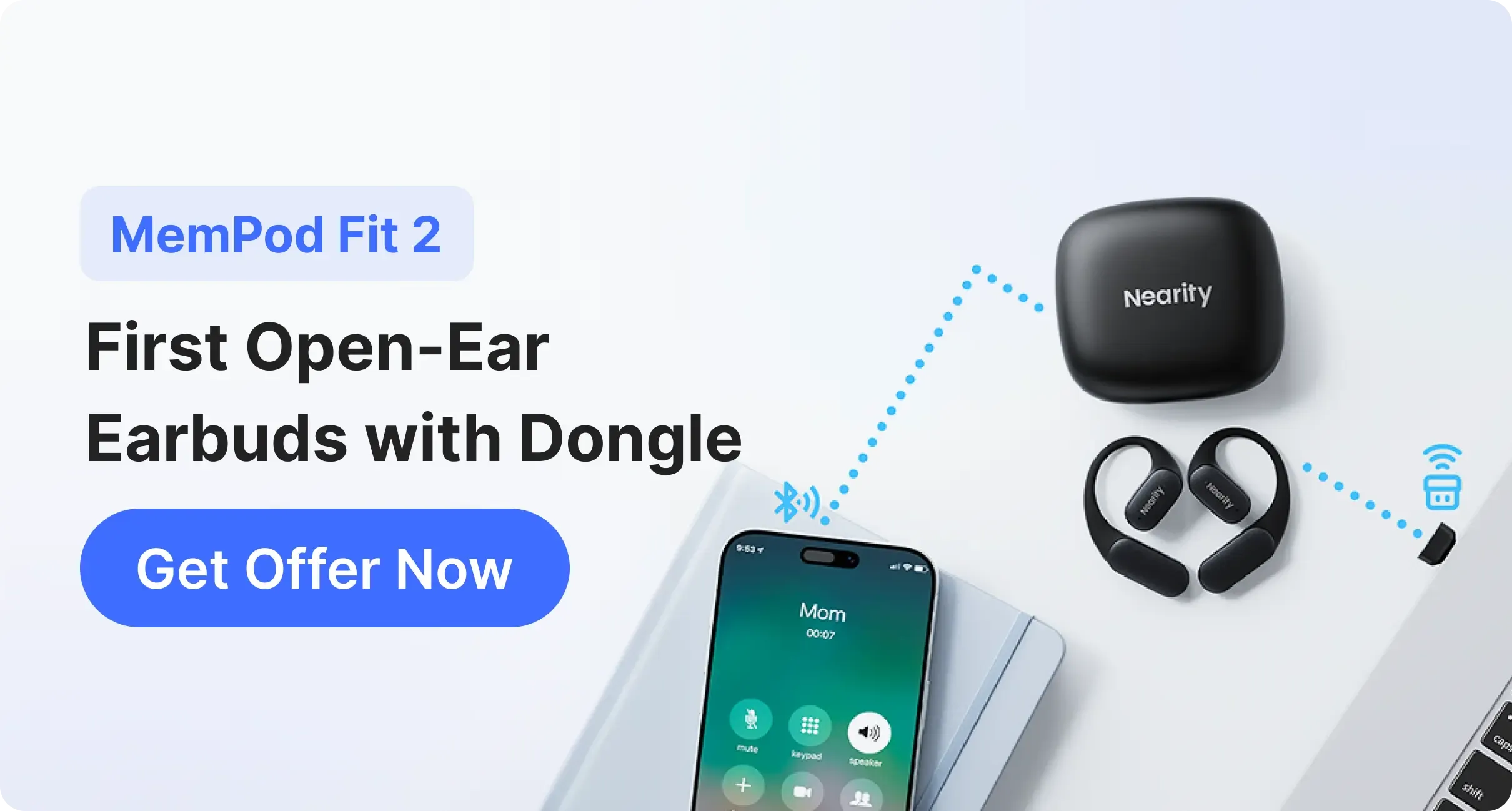
Seamless Device Switching: Dedicated dongle enables near-instant transitions between iPhone, iPad, and Mac — perfect for moving between work and workout sessions.
Environmental Noise Cancellation (ENC): Eliminates background noise so colleagues or clients hear you clearly during calls.
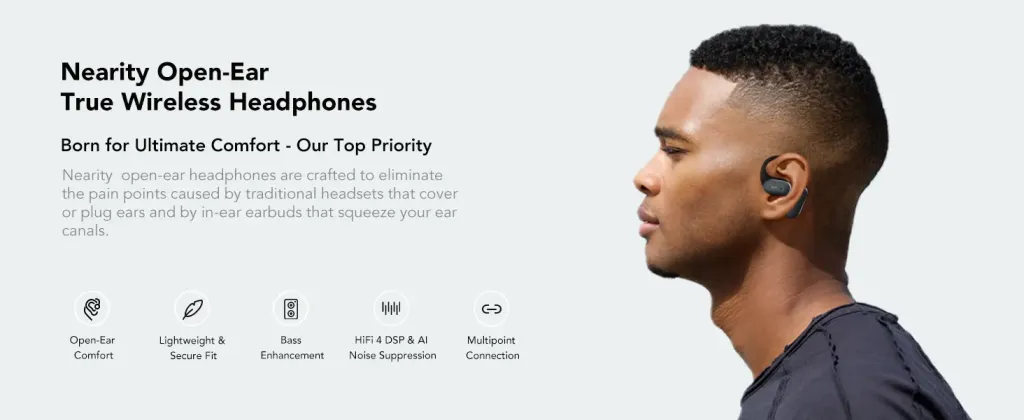
Open-Ear Comfort: Lightweight and breathable design allows extended wear without ear fatigue, ideal for office or remote work.
Budget-Friendly: Offers essential iOS features without breaking the bank, making them an accessible option for daily use.
Non-Apple vs AirPods — Is There Any Real Difference on iOS?
It’s a common question: what do you give up by choosing third-party earbuds over AirPods, even when considering some of the best wireless earbuds for iOS?
Siri: Most third-party earbuds require a tap-and-hold action to activate Siri, instead of hands-free “Hey Siri.”
Find My: Only AirPods and Beats appear in the native Find My network with detailed precision tracking. Independent reviewers like RTINGS note that Apple’s wireless ecosystem uniquely integrates features like Find My tracking and Ultra Wideband Precision Finding into AirPods, capabilities that third-party buds generally lack on iOS.
“Magic” Pairing: Initial pairing requires Bluetooth settings, but once connected, these earbuds auto-reconnect quickly, nearly matching AirPods’ convenience.
Tips & Tricks: Getting the Most from Non-Apple Earbuds on iOS
Even the best earbuds for iOS from third-party brands can shine on your iPhone with a few simple tips. Here’s how to make your non-Apple earbuds feel closer to AirPods-level convenience:
Optimal Bluetooth Settings:
Turn off unused Bluetooth devices to reduce interference.
Keep your earbuds’ firmware updated to ensure smooth pairing and stable connection.
Use the Manufacturer App for Sound Customization:
Many brands like Bose, Sony, Soundcore offer iOS apps that let you adjust EQ, activate ANC modes, or fine-tune spatial audio.
Regularly check the app for updates, new presets, or personalized sound calibration features.
Firmware Updates & Notifications:
Always install firmware updates when prompted. These updates can improve battery performance, call clarity, noise cancellation, and connectivity with iOS devices.
Multipoint & Device Switching Tips:
Some open ear earbuds (e.g., Mempod Fit 2 or Soundcore Liberty 5) support multipoint connectivity, allowing seamless switching between iPhone, iPad, and Mac. Check out our guide on wireless earbuds with USB dongle for earbuds that make device switching effortless.
Use the dedicated dongle or quick-switch feature when available for instant transitions between work calls and workouts.
Call & Noise Tips:
Enable ENC (Environmental Noise Cancellation) if your earbuds support it for clearer calls.
For open-ear designs like Mempod Fit 2, slightly adjusting fit can improve call clarity without sacrificing comfort.
Pro Tip: Even if your earbuds aren’t AirPods, following these steps can make your iOS experience faster, more reliable, and more enjoyable, bridging the gap between AirPods convenience and third-party features, and getting the most out of the best wireless earbuds for apple.
Final Verdict — Which Wireless Earbuds Are Best for iOS?
Choosing the right earbuds depends on your priorities: whether you want seamless Apple ecosystem integration, premium noise cancellation, audiophile-level sound, active workout performance, or work-to-workout convenience on a budget. Here's a clear comparison of the best non-Apple wireless earbuds for iPhone in 2026:
Earbuds
Approx. Price
Pros
Cons
Best For
Beats Powerbeats Pro 2
~$199.99
Seamless Apple integration (Hey Siri, fast pairing), very secure sport-friendly fit, long battery life (~45 hrs), ANC & Transparency modes
Slightly bulky vs true wireless buds, premium price
Apple ecosystem users & sports
Bose QuietComfort Ultra Earbuds (2nd Gen)
~$299
Top-tier ANC, immersive audio, highly customizable via iOS app
Very secure fit for workouts, SweatGuard protection, energetic sound
Slightly bulkier than compact earbuds; ANC not flagship level
Budget sports / gym users
Mempod Fit 2
~$90
Open-ear comfort for all-day wear, ENC for clearer calls, dongle for fast Apple device switching, affordable
Reduced bass impact due to open-ear design; limited ANC; less immersive sound
Work ↔ workout convenience
Why choose each:
For Apple ecosystem & sports: Beats Powerbeats Pro 2
For total silence and noise isolation: Bose QC Ultra 2nd Gen
For rich music detail and audiophile experience: Sony WF‑1000XM5
For active workouts on a budget: Soundcore Sport X20
For work-to-workout convenience and all-day comfort: Mempod Fit 2
Breaking out of the Apple “white stem” look doesn’t mean sacrificing quality. With the right non-Apple earbuds, your iPhone can deliver premium audio, reliable calls, and seamless device switching — whether you’re at the office, at the gym, or on the go.
Ready to upgrade your ear buds for work? Get the Mempod Fit 2 now and enjoy seamless switching between all your Apple devices at an unbeatable price!
FAQs
How can I improve call clarity on non-Apple earbuds?
Enable ENC (Environmental Noise Cancellation) if supported, adjust the fit for open-ear designs, and use the manufacturer’s iOS app for call optimization.
Can I switch between iPhone, iPad, and Mac easily?
Some earbuds, like the Mempod Fit 2 or Soundcore Sport X20, support multipoint or dongle-based switching, allowing near-instant transitions between devices.
Can non-Apple earbuds work as smoothly as AirPods on iPhone?
Yes, many premium earbuds like Beats Powerbeats Pro 2, Bose QC Ultra 2, and Sony WF-1000XM5/XM6 offer seamless pairing, multipoint connectivity, and AAC support, giving you a near AirPods experience. However, some third-party earbuds require a tap-and-hold to activate Siri instead of “Hey Siri.”
Will I lose “Find My” tracking if I use third-party earbuds?
Only AirPods and Beats show up in the native Find My network. Other third-party earbuds do not offer precision location tracking.