8 Best PS5 Headsets (2026 Tested): Top Picks for Every Budget
This guide reviews the best PS5 headsets in 2026, highlighting top choices for audio quality, comfort, mic performance, and compatibility.
best ps5 headset
best headphones for ps5
Updated: Aug 19, 2026 · 8 minutes read
Global Business, Brought Near.
No Installer, No Hassle, Just Works.
Selecting the right PS5 headset directly impacts your gaming performance and comfort. Standard TV speakers cannot process the PlayStation 5's proprietary Tempest 3D AudioTech, and a poor microphone will ruin multiplayer communication.
We tested the top gaming headsets on the market, evaluating them across distinct use cases: competitive FPS gaming, budget constraints, physical comfort (for glasses wearers or larger heads), and the growing demand for dual-use headsets that transition seamlessly from gaming to remote work.
Here is our definitive ranking of the 8 best PS5 headsets in 2026.
How We Test and Evaluate PS5 Headsets
To provide accurate and actionable recommendations, our evaluation methodology focuses on four core metrics (E-E-A-T standard):
Audio Precision (Tempest 3D Compatibility): Testing directional audio accuracy in highly spatial games like Returnal and Call of Duty: Warzone.
Microphone Clarity (ENC vs. ANC): Measuring how well the mic isolates the user's voice from background noise like mechanical keyboards or AC units.
Ergonomics & Weight: Long-session comfort, specifically noting clamping force and exact product weight for users with glasses or larger heads.
Connectivity & Battery: Assessing 2.4GHz dongle stability and battery lifecycle under continuous use.
*Price Disclaimer-The prices mentioned in this article are for reference only and may vary due to market changes, promotional events, or unforeseen circumstances. Please verify the latest prices before making any purchase.
Detailed reviews: our top picks
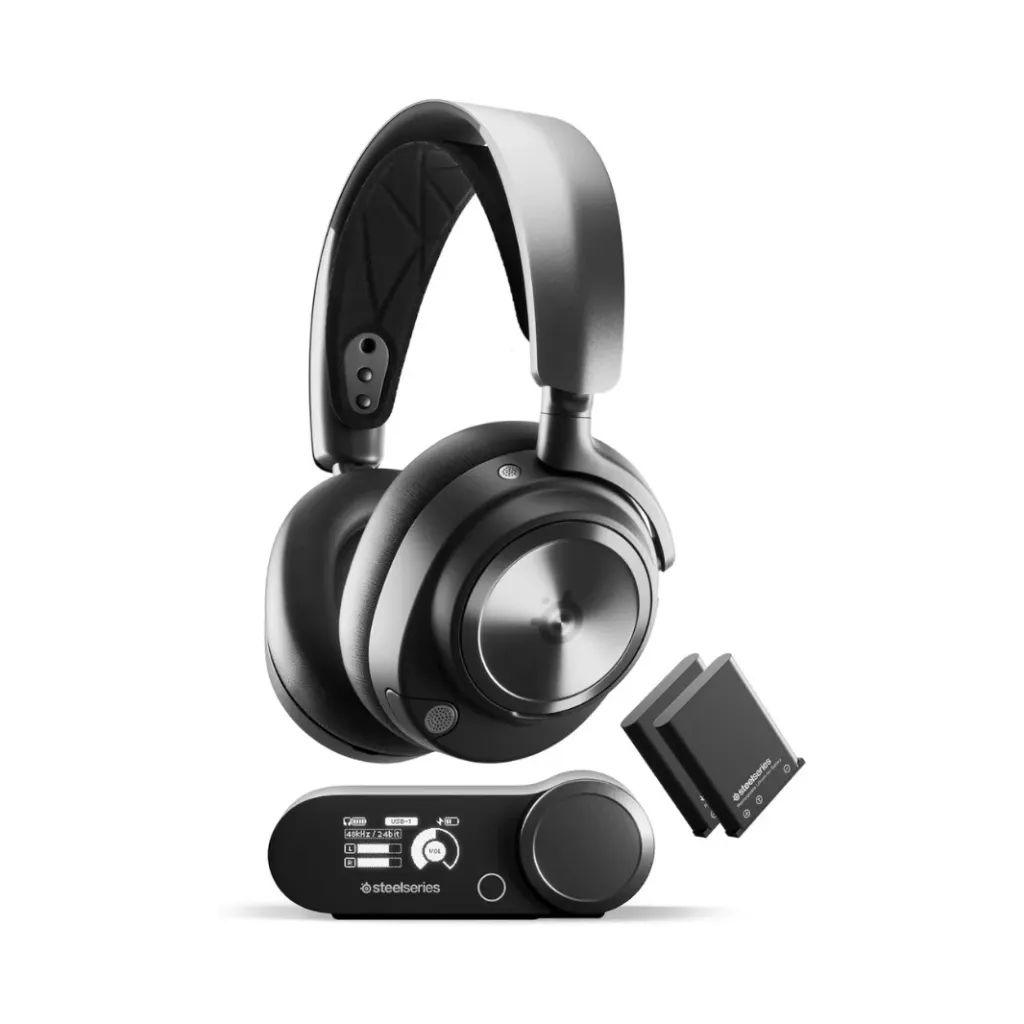
SteelSeries Arctis Nova Pro (Best Overall Premium)
At $279.99, the Nova Pro Wireless remains a top-tier investment. Its standout feature is the included base station (charging stand) that houses two hot-swappable batteries, offering 44 hours of total playtime (22 hours per battery). You literally never have to plug the headset in. It also features Bluetooth 5.0 and ANC, allowing you to mix PS5 game audio with phone calls simultaneously.
Cons: At 355g, it is on the heavier side for extended sessions.
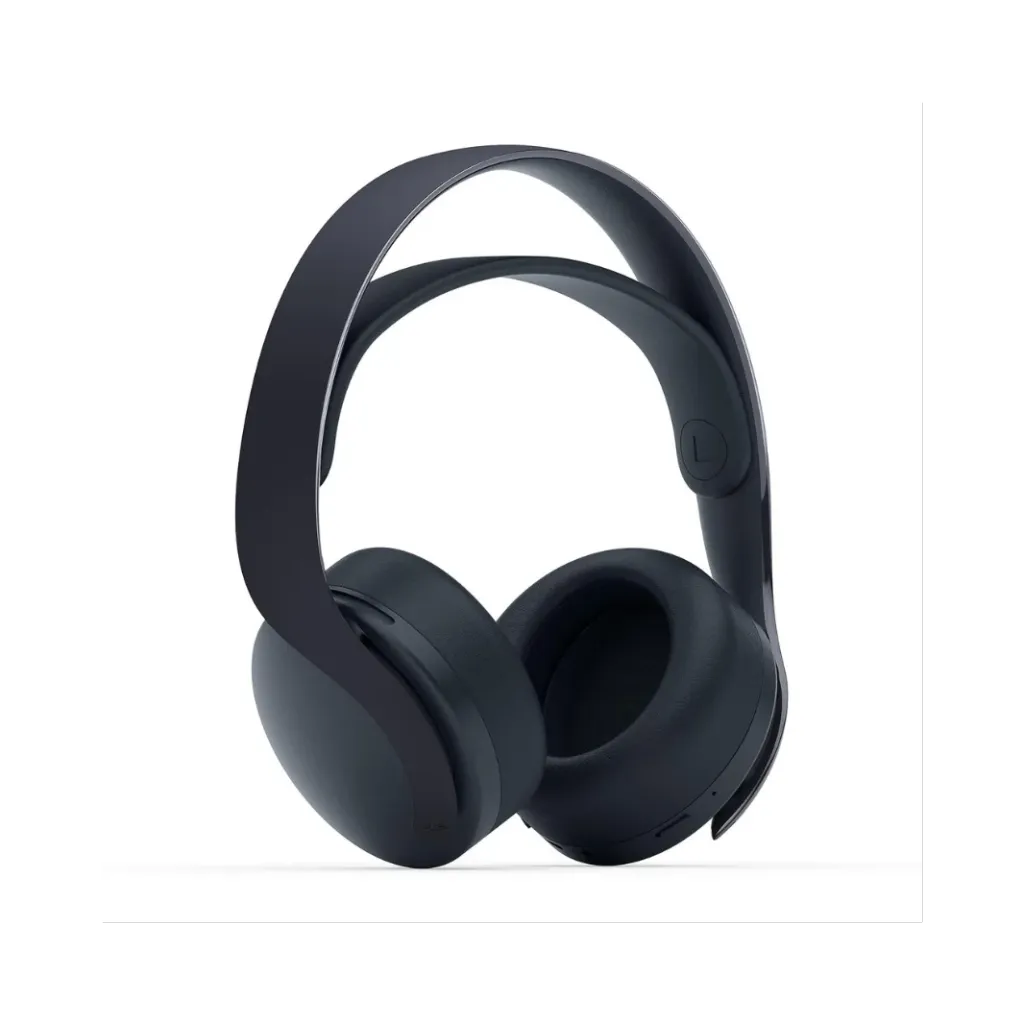
Sony PlayStation PULSE 3D (Best Budget Native)
Priced at $147.99, Sony’s proprietary headset was built specifically to showcase the PS5’s Tempest 3D Audio. It is a solid native option that comes with both a dongle and a charging stand. However, utilizing older Bluetooth 4.0 tech and offering only 12 hours of battery life means it lags behind third-party competitors in modern convenience.
Pros: Perfect UI integration with PS5; affordable; relatively light at 295g.
Cons: Short 12-hour battery life; outdated Bluetooth 4.0.
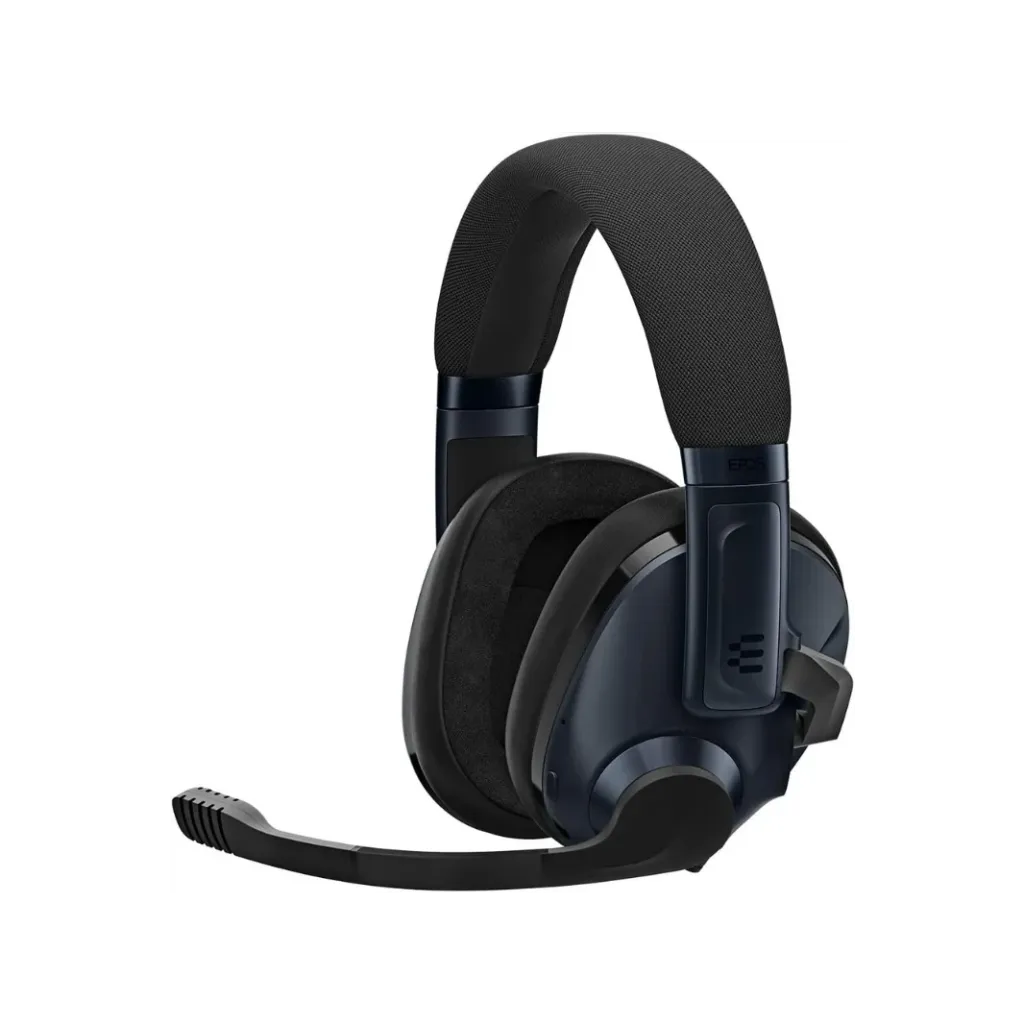
EPOS Gaming H3Pro Hybrid Gaming Headset (Best for Active Noise Cancellation)
The EPOS H3Pro ($230.22) punches above its weight class in acoustic clarity. It features an excellent ANC-enabled microphone and includes a 2.4GHz dongle for latency-free gaming. While the 19-hour battery life is average, its Bluetooth 5.0 capability allows for seamless dual-connection hybrid use.
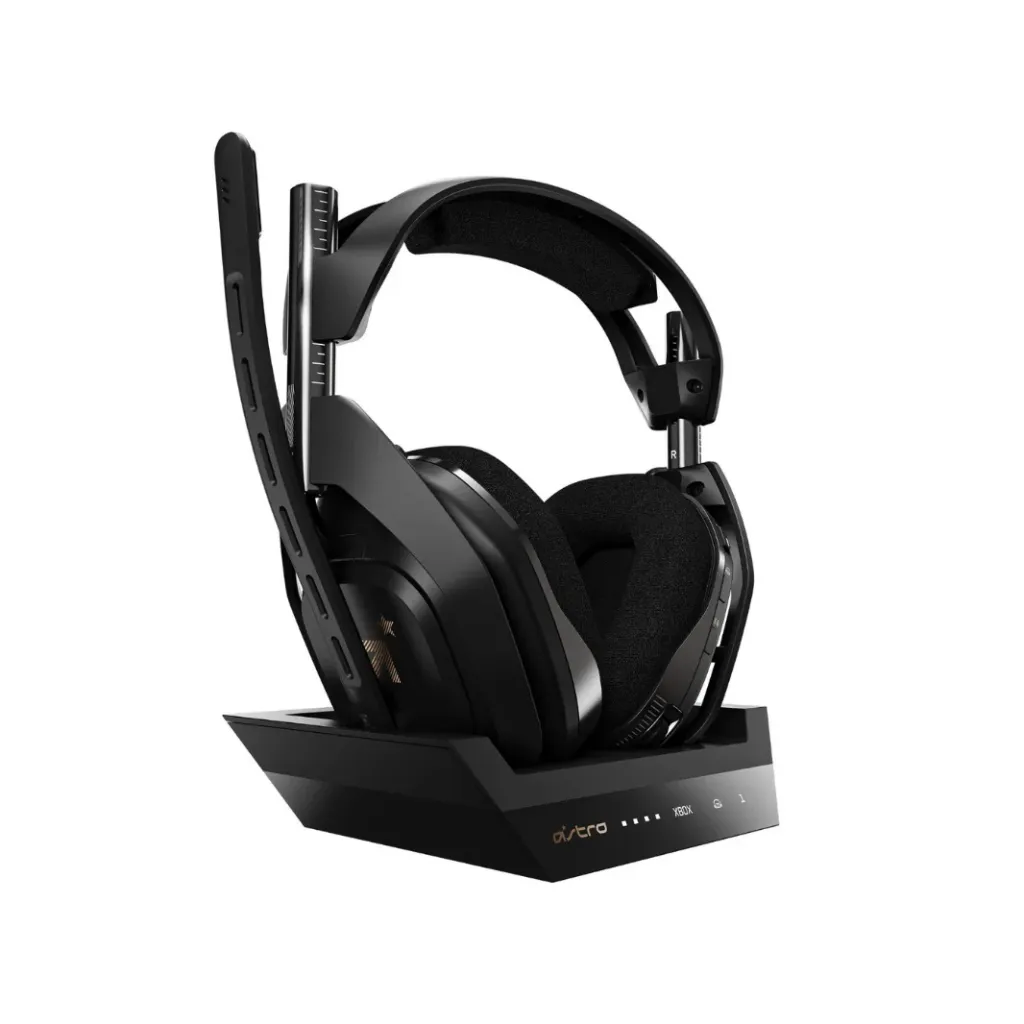
A legendary name in console gaming, the Astro A50 ($249.99) delivers explosive Dolby Audio. The included base station doubles as a highly convenient charging stand. However, you must consider the ergonomics: at a massive 675g, it is by far the heaviest headset on our list, which may cause neck fatigue during marathon gaming.
Cons: Extremely heavy (675g); short 15-hour battery; older Bluetooth 4.0.
HyperX Cloud Alpha Wireless (Best Battery Life)
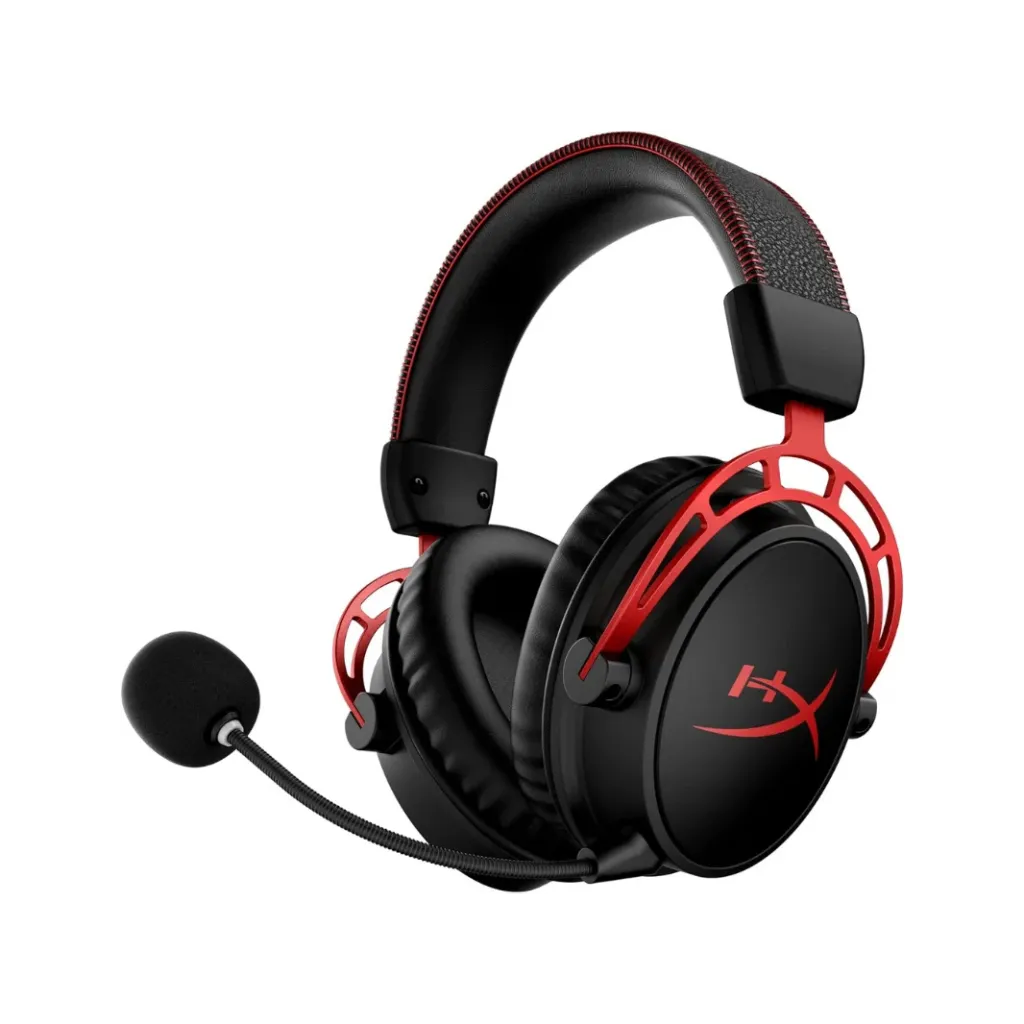
If you hate charging your gear, this $119.99 headset is the ultimate solution. The Cloud Alpha Wireless boasts an astonishing 300-hour battery life. It connects flawlessly to the PS5 via the included dongle and weighs a comfortable 335g.
Cons: No Bluetooth connectivity at all; no charging stand.
Logitech G PRO X 2 LIGHTSPEED (Best for Competitive E-sports)
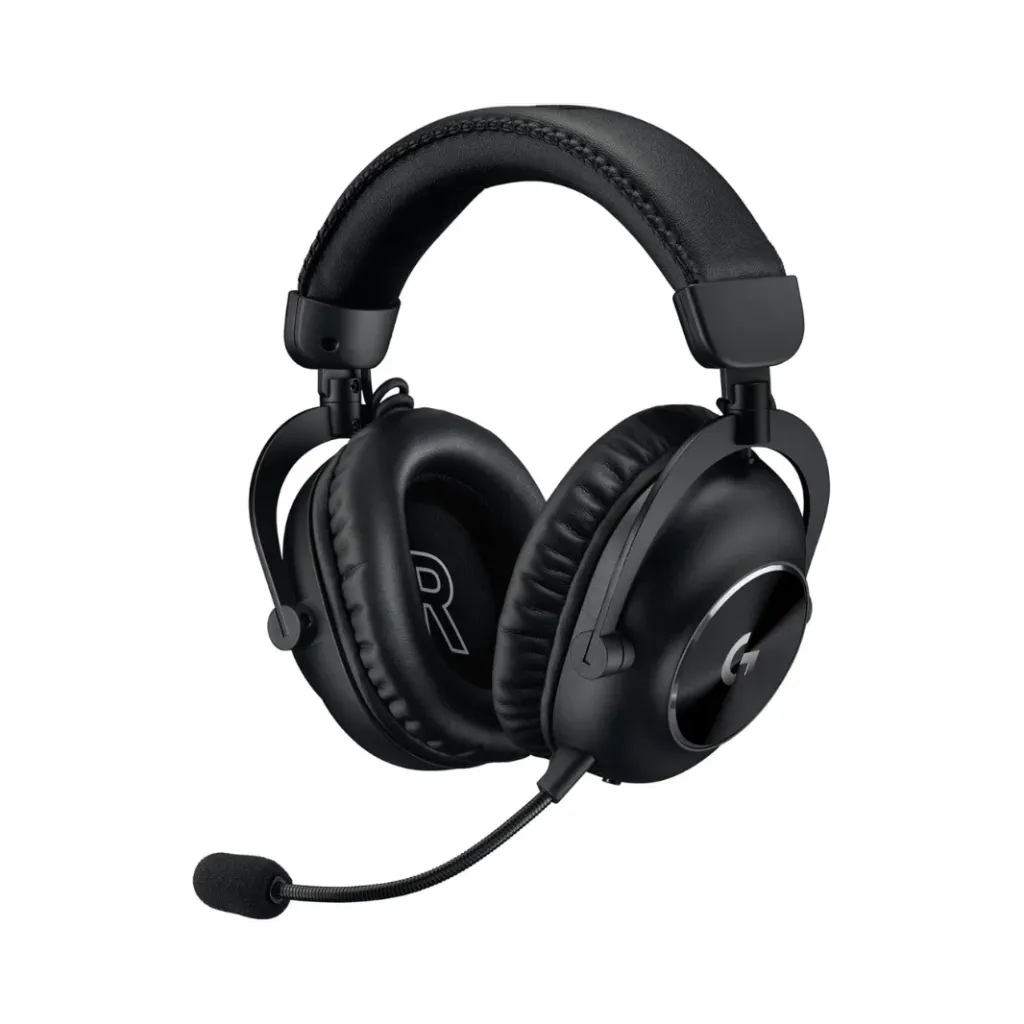
Built for the competitive scene, this $229.00 headset utilizes cutting-edge 50mm drivers for incredible audio separation. It strikes a great balance with 50 hours of battery life, a 345g weight, and modern Bluetooth 5.0 integration alongside its low-latency dongle.
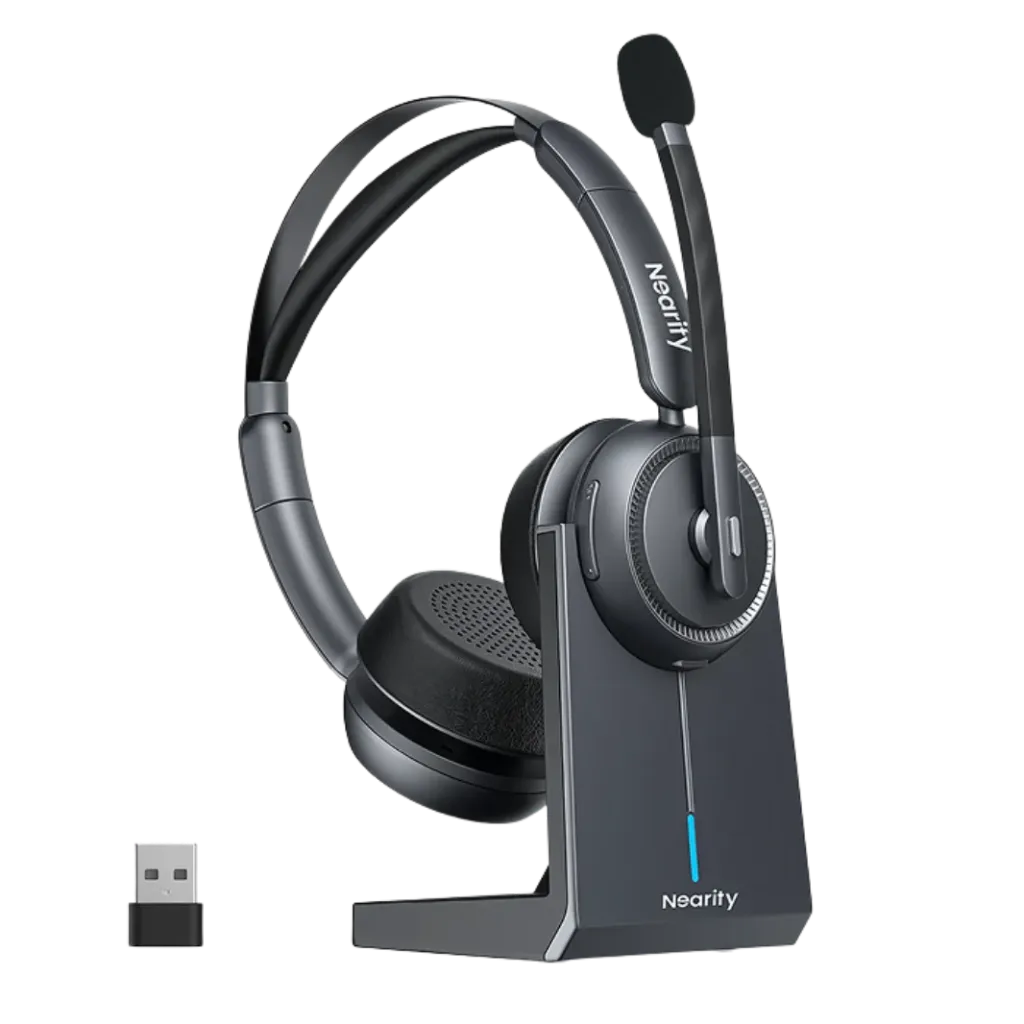
Not everyone wants a bulky, 300g+ gaming headset. If you need a premium device that transitions flawlessly from professional Zoom meetings to evening PS5 sessions, the Nearity EP320 is the ultimate hybrid. Weighing just 184g, it features cutting-edge Bluetooth 5.4 alongside its wireless dongle. Under the hood, it is equipped with a powerful HiFi 5 DSP chip and a precision 4-microphone array, ensuring AI-powered ENC (Environmental Noise Cancellation) blocks all room noise. It also eliminates battery anxiety, providing up to 45 hours of music playback and 35 hours of continuous talk time, and drops easily into its included charging stand.
Pros: Advanced 4-mic array for voice clarity; modern BT 5.4; lightweight (184g); charging stand included.
Cons: Not tailored for aggressive eSports RGB aesthetics.
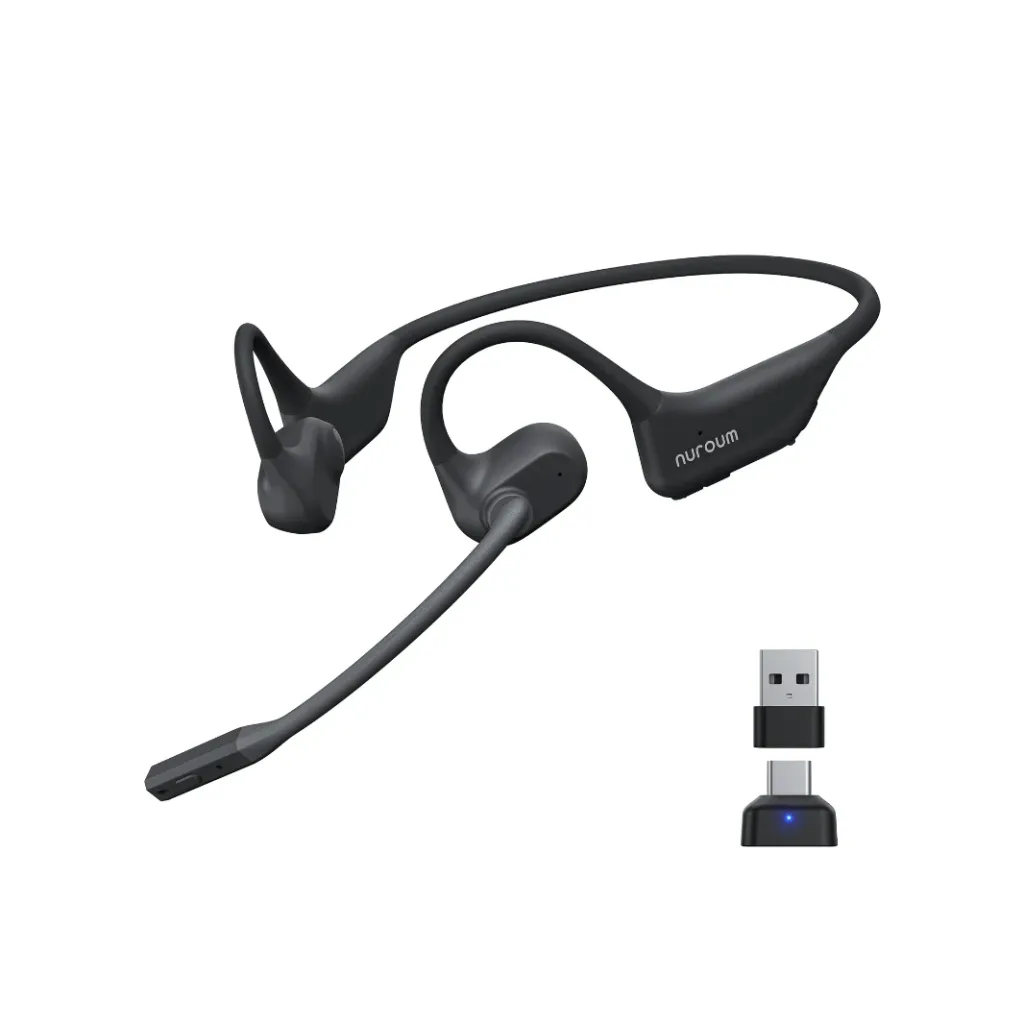
Nuroum OpenEar Pro 2 (Best Ultra-Light Alternative)
For gamers who experience severe ear fatigue or parents who must maintain situational awareness, traditional over-ear cups aren't viable. The Nuroum OpenEar Pro 2 rests outside the ear canal and weighs an astonishingly light 31g. Equipped with modern Bluetooth 5.4, an included dongle, a charging stand, and AI ENC technology, it represents the most comfortable cross-platform alternative for remote work and casual gaming, offering a solid 13 hours of continuous use.
Pros: Absolute zero ear fatigue at 31g; maintains environmental awareness; includes both dongle and stand.
Cons: Lacks the passive noise isolation needed for highly immersive AAA single-player games.
How to choose the right ps5 headset
Maximizing spatial audio integration
The spatial advantage: Pinpoint audio accuracy is critical for competitive FPS gaming.
Breathable materials: Choose mesh or velour ear cushions over solid leatherette to better dissipate heat during intense gameplay.
Glasses-friendly design: Look for ear pads with enough structural give to maintain a tight acoustic seal without pressing your frames into your temples.
Ensuring clear communication
Voice isolation: A high-quality directional microphone is non-negotiable for multiplayer environments.
Active noise reduction: Look for built-in DSP technology that actively filters out background distractions like mechanical keyboards or room fans.
Quick controls: Features like a tactile flip-to-mute mic or a physical mute button on the earcup are essential for instant privacy.
Choosing the right connection
Wired (Zero latency): Connecting via a 3.5mm jack directly to your controller offers a plug-and-play, completely battery-free experience.
Wireless (Total freedom): Skip standard Bluetooth to avoid audio lag. Opt for a 2.4GHz USB dongle for lossless, low-latency audio transmission.
Battery life: For wireless models, look for a minimum of 30+ hours of continuous playtime to minimize frustrating charging interruptions.
FAQs
Does the PS5 support Bluetooth audio natively? Technically, no. While the PS5 has Bluetooth, it is reserved for controllers and peripherals to prevent latency issues. To use a wireless headset, you must use a model that includes a dedicated 2.4GHz USB dongle (like the Nearity EP320 or SteelSeries Arctis Nova Pro). Alternatively, you can use a third-party Bluetooth adapter, but this may introduce audio lag.
Wired vs. Wireless: Which is better for PS5 gaming? Wireless headsets offer freedom of movement and are the standard for 2026 gaming setups. However, wired headsets plugged directly into the DualSense controller's 3.5mm jack offer zero latency and never require charging. If you are a competitive FPS player, high-end wireless (2.4GHz) or wired are both excellent choices.
Why does the PS5 microphone sound muffled sometimes? This is often due to the PS5 defaulting to the microphone on the DualSense controller instead of your headset. Go to Settings > Sound > Microphone and ensure your headset is selected as the Input Device. For the best clarity, choose a headset with a dedicated ENC boom mic.
How do I enable 3D Audio on a third-party headset? You don't need a Sony-branded headset to enjoy 3D audio. Go to Settings > Sound > 3D Audio for Headphones and toggle the "Enable 3D Audio" switch. You can also adjust the "3D Audio Profile" to match your ear level for a more personalized spatial experience.
Can I use my PC headset on my PS5? Most PC headsets that connect via USB-A, USB-C, or 3.5mm jack will work with the PS5. However, specific features like "Chat Mix" dials (which balance game and voice audio) often do not work on consoles unless the headset is specifically labeled as "PlayStation Compatible."
Is ANC (Active Noise Cancellation) worth it for gaming? ANC is excellent if you play in a noisy environment (like a shared dorm or living room). It uses internal mics to cancel out ambient noise for you. However, if your goal is clear communication with your squad, prioritize ENC (Environmental Noise Cancellation) for the microphone, as this ensures they don't hear your background noise.
What is the best PS5 headset for players with large heads or glasses? Look for headsets with a low "clamping force" and adjustable suspension headbands. The HyperX Cloud III and Nearity EP320 (due to its ultra-light 165g weight) are frequently cited as the most comfortable options for long sessions without causing ear or temple pressure.