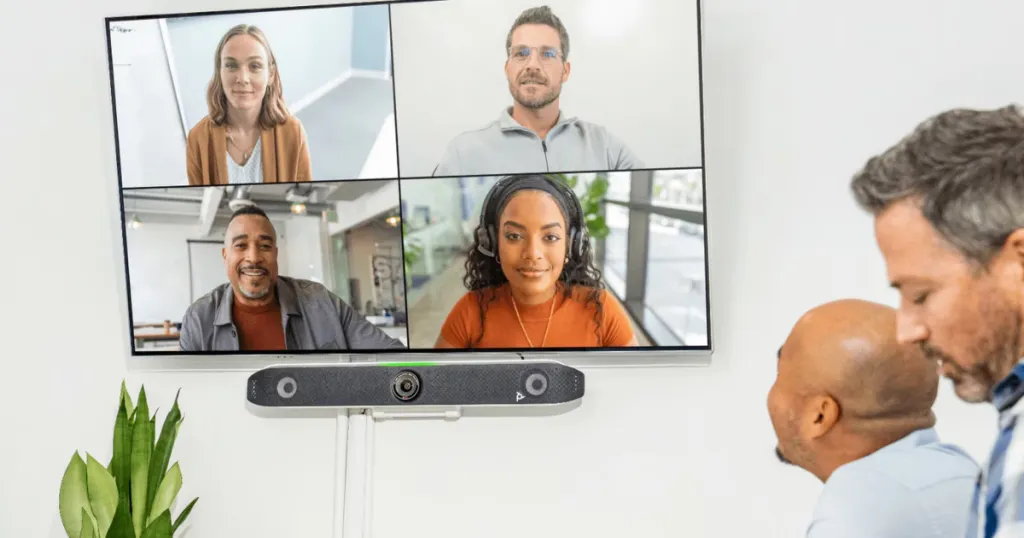
Best Conference Room Video Cameras in 2026: A Comprehensive Buyer’s Guide
This article breaks down the top 5 conference room video camera systems in 2026, offering actionable setup tips and highlighting the best tech to ensure seamless hybrid team collaboration.
conference room video camera
meeting room solutions
hybrid team collaboration
Updated: Aug 19, 2026 · 12 minutes read
Global Business, Brought Near.
No Installer, No Hassle, Just Works.
As hybrid work becomes the permanent standard in 2026, upgrading your communication hardware is crucial. This guide explores the essential features of a modern conference room video camera, including 4K resolution, AI tracking, and beamforming audio. We review the top five models on the market, such as the Nearity 360 Alien, and provide actionable setup tips to help organizations maximize meeting equity and overall team productivity.
Key Takeaways
4K and AI are non-negotiable: A true 4K sensor and AI auto-tracking are essential for clear cropping and keeping active speakers in frame.
Match the camera to the room: 360-degree center-of-table cameras (like Nearity 360 Alien) are best for small/medium spaces, while PTZ cameras suit large boardrooms.
Audio is just as important: Look for integrated beamforming microphone arrays with AI noise suppression to eliminate echo and background noise.
Optimize your physical space: Maximize your hardware's ROI by ensuring even lighting, proper acoustic treatment, and eye-level camera placement.
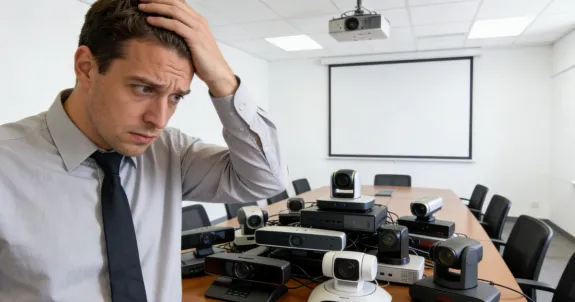
We have all been there: sitting in a crucial remote meeting where in-office colleagues look like blurry silhouettes and the audio echoes endlessly. If your business relies on basic laptop webcams for group discussions, you are actively losing productivity and team engagement. Investing in a high-quality conference room video camera is no longer a luxury; it is absolute table stakes for survival in the modern corporate landscape.
Welcome to our comprehensive listicle guide, where we break down the top 5 devices, features, and setup tips for 2026. Whether upgrading a small huddle space or outfitting a massive boardroom, this guide will walk you through exactly what you need to build the perfect setup and ensure seamless hybrid team collaboration. Let's dive in.
What is a Conference Room Video Camera, and Why Do You Need One in 2026?
A modern conference room video camera is a purpose-built, high-definition optical device engineered with advanced hardware and intelligent AI software. Unlike standard built-in webcams, these systems are designed specifically for group collaboration, bridging the gap between physical and digital workspaces. As a result, they have become a foundational component of any successful hybrid work strategy.
Today, hybrid meetings are no longer the exception—they are the norm. In fact, research from Microsoft Work Trend Index shows that a significant portion of business meetings now include remote participants, making it critical to standardize the communication experience across locations.
Here’s why upgrading your conference room camera is essential in 2026:
Meeting Equity: Ensures remote workers can see and hear just as clearly as those sitting at the physical table.
Professional Image: High-quality 4K video communicates competence to clients and stakeholders.
Reduced Friction: Plug-and-play systems eliminate tedious troubleshooting that wastes meeting time.
Enhanced Focus: AI-driven tracking keeps the active speaker perfectly in the frame, reducing visual distractions.
Key Features to Look For in a Modern Conference Room Video Camera
Not all cameras are created equal. To make an informed decision for your workspace, you must understand the core technologies driving today's smart cameras. Here are the critical features to prioritize.
1. High-Resolution Video (4K Minimum)
In 2026, standard 1080p is no longer sufficient for enterprise environments. You should exclusively look for devices with true 4K sensors. Starting with a 4K image allows the camera's internal software to digitally zoom and crop without creating a pixelated mess on the other end.
2. Advanced AI Auto-Framing and Tracking
The days of manually panning and tilting a camera are over. The best modern systems utilize AI to automatically detect human faces, intelligently frame the room, and seamlessly transition focus as different people speak during a fast-paced discussion.
3. Comprehensive Field of View (FOV)
For small huddle rooms, you need a wide FOV (120 degrees or more) to capture people sitting close to the screen. For innovative, center-of-table setups, a panoramic 360-degree FOV is the ultimate choice for immersive collaboration.
4. Integrated Beamforming Audio
Video clarity is only half the battle. Look for cameras featuring integrated beamforming microphone arrays. These smart microphones actively suppress background noise, eliminate room echo, and focus their acoustic pickup directly on the current speaker.
5. Seamless Platform Compatibility
Your hardware must play nicely with your software stack. Whether you use Zoom, Microsoft Teams, or Google Meet, ensure the hardware is platform-agnostic. Plug-and-play USB connectivity is also vital for Bring Your Own Device (BYOD) environments.
Top 5 Conference Room Video Cameras in 2026
We have rigorously evaluated the market based on video fidelity, AI capabilities, audio performance, and overall value. Here are the top 5 conference room video cameras to consider for your upgrade.
1. Nearity 360 Alien (Top Pick)
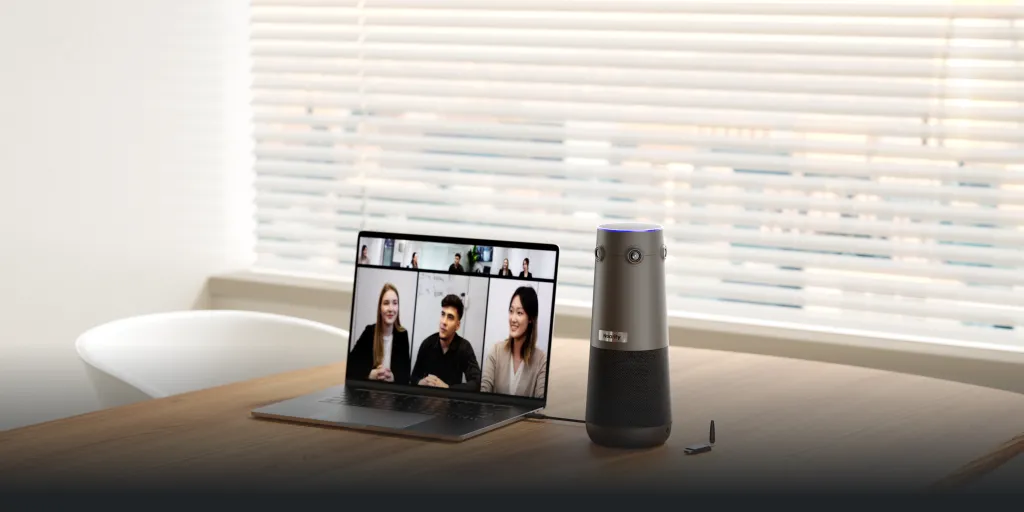
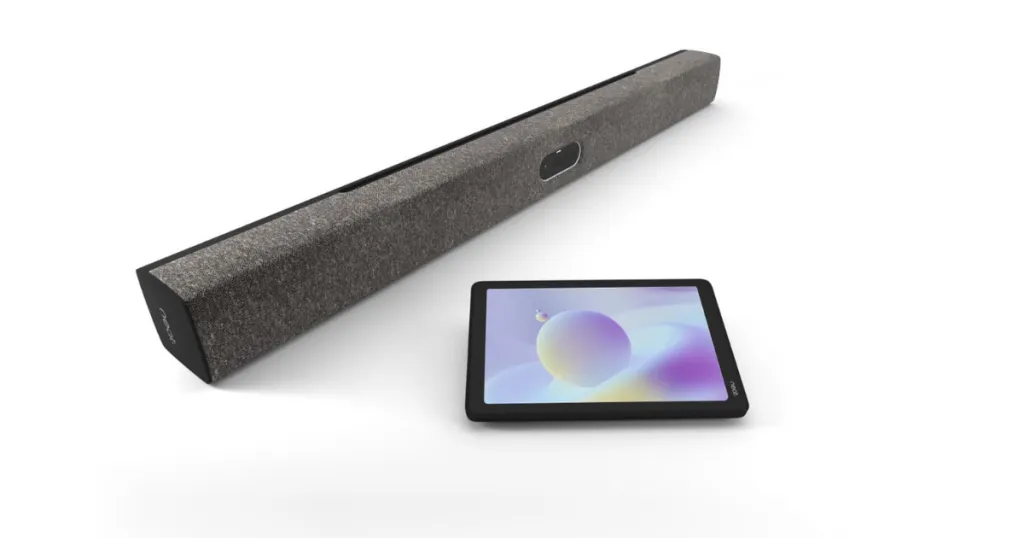
When it comes to revolutionizing hybrid meetings, the Nearity 360 Alien stands in a league of its own. Instead of mounting at the front of the room, it sits squarely in the center of your conference table, giving remote workers a true, face-to-face perspective of everyone in the room.
If you are searching for the best video conference camera, your search ends here. It features stunning True 4K resolution across a seamless 360-degree panoramic lens and an incredible 8-microphone array that utilizes deep-learning AI noise suppression to deliver crystal-clear audio.
Key Specifications & Benefits:
Video Quality: True 4K UHD resolution for unmatched optical clarity.
Field of View: 360-degree panoramic view tailored for center-of-table placement.
Audio Power: 6 omnidirectional mic array with deep-learning noise reduction.
AI Smarts: Intelligent tracking dynamically focuses on active speakers for a more engaging experience
2. Logitech Rally Bar
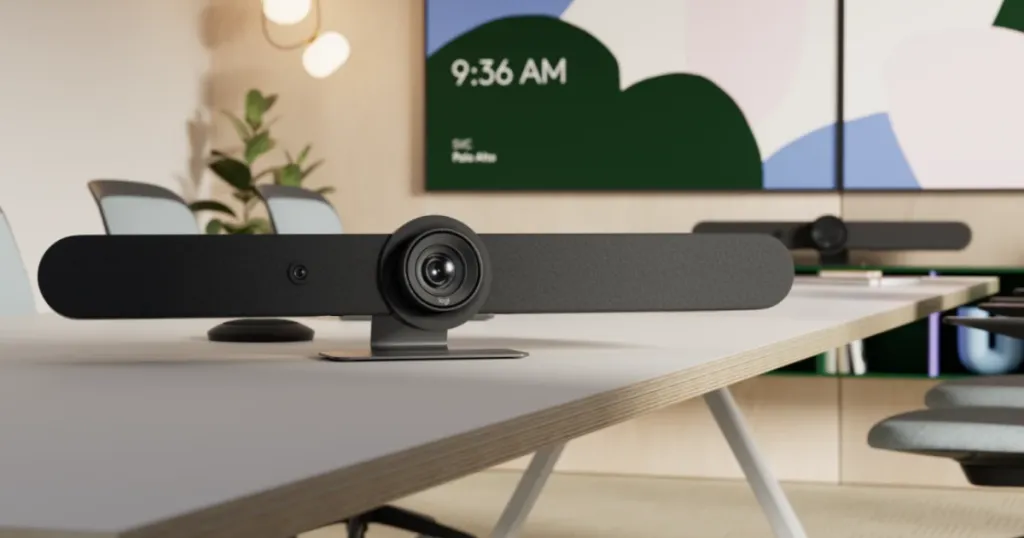
The Logitech Rally Bar is a premier, front-of-room video bar designed for medium to large conference rooms requiring massive optical reach. It utilizes an ingenious dual-camera system: one provides a continuous wide-angle view, while a motorized PTZ lens focuses tightly on the active speaker.
Key Specifications & Benefits:
Optical Zoom: Incredible lossless optical zoom ideal for massive boardrooms.
Dual-Lens AI: RightSight technology for cinematic, automatic camera framing.
Appliance Mode: Runs Zoom Rooms or Teams Rooms natively without a dedicated PC.
3. Owl Labs Meeting Owl 4+
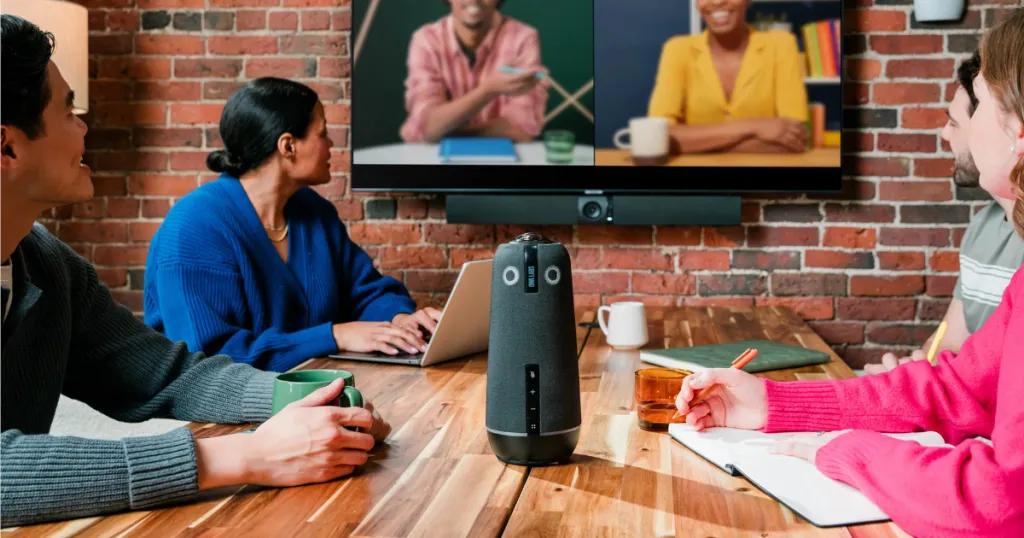
The Meeting Owl 4+ is a highly recognizable 360-degree camera that sits in the center of the table. The newest iteration brings vastly upgraded 4K sensors and improved software functionality. The Owl Intelligence System automatically focuses on whoever is speaking, creating a smart split-screen view for remote viewers.
Key Specifications & Benefits:
Design: Iconic, highly portable center-of-table form factor.
Video: Upgraded 4K camera featuring significantly improved low-light performance.
Connectivity: Simple USB plug-and-play architecture for quick BYOD setups.
4. Poly Studio X52
Poly is a legacy giant in telecommunications, and the Studio X52 is their definitive answer for medium spaces. This all-in-one video bar excels in audio processing and native software integration. Its standout feature is Poly DirectorAI, which utilizes acoustic fencing and advanced framing rules to ensure a smooth, professional feed.
Key Specifications & Benefits:
Acoustic Fence: Blocks out sounds originating outside a defined virtual perimeter.
Camera: A massive 20-megapixel 4K ultra-wide sensor for crisp digital zooming.
AI Framing: Customizable DirectorAI rules for Group, Speaker, or People framing modes.
5. Neat Bar Pro
The Neat Bar Pro is a high-end device known for its stunning Scandinavian design and deep integration with Zoom and Teams. It impressively packs three large camera sensors into a sleek chassis, allowing it to digitally zoom with remarkable clarity. It also features Neat Symmetry, an AI tool that presents participants equally on screen regardless of distance.
Key Specifications & Benefits:
Sensor Array: Three distinct cameras working in tandem for incredible depth of field.
Neat Symmetry: AI software that breaks the room into equally-sized video tiles.
Environmental Sensors: Monitors room air quality, temperature, and humidity.
Comparison Table: Top 5 Cameras at a Glance
Camera Model
Best Room Size
Placement
Key Differentiator
Price Category
Nearity 360 Alien
Small to Large
Center of Table
True 4K 360° AI tracking for meeting equity
Premium Value
Logitech Rally Bar
Medium to Large
Front of Room
Lossless optical PTZ zoom and massive sound
Enterprise High
Meeting Owl 4+
Small to Medium
Center of Table
Portable, recognizable 360° design
Mid-Tier
Poly Studio X52
Medium
Front of Room
Unmatched Acoustic Fence noise blocking
Enterprise Mid
Neat Bar Pro
Medium to Large
Front of Room
Neat Symmetry individualized video tiling
Premium High
How a Conference Room Video Camera Impacts Hybrid Team Collaboration
The modern workplace relies entirely on seamless hybrid team collaboration. When you install an AI-powered conference room video camera, you immediately eliminate the cognitive load associated with bad technology. Employees no longer have to squint at their monitors or constantly ask people to repeat themselves, directly reducing "Zoom fatigue."
Furthermore, hybrid collaboration thrives on non-verbal cues. A high-definition camera allows remote participants to accurately read micro-expressions and body language. These deeply human interactions hold a healthy company culture together and are entirely lost when relying on cheap webcams.
Matching Your Room Size to the Right Meeting Room Solutions
A massive mistake IT buyers make is purchasing the wrong camera for their physical space. For small to medium spaces where participants sit around a central table, center-of-table cameras like the NearHub 360 Alien are undisputed kings. Conversely, longer rooms with stadium seating require front-of-room solutions with powerful optical zoom.
If you are auditing your office layout, exploring holistic meeting room solutions is your next logical step. Understanding the interplay between acoustics, lighting, and camera placement is critical to maximizing your AV investment.
The ROI of Upgrading Your Hybrid Collaboration Hardware
It is crucial to view a premium conference room video camera not as a sunk cost, but as an active driver of ROI. If highly paid executives waste ten minutes of every meeting dealing with tech issues, the financial loss is staggering. By upgrading to enterprise-grade solutions offered by highly innovative brands like NearHub, you eliminate this friction. Meetings start on time, decisions are made faster, and travel costs plummet because remote meetings finally feel productive enough to replace in-person flights.
Setup and Optimization Tips for Your Video System
Buying the right hardware is only step one; implementation dictates the final quality of your hybrid work experience. Follow these setup tips:
Master the Lighting: Avoid sitting people with their backs to windows. Ensure your room has even, diffused frontal lighting.
Tame the Acoustics: Hard surfaces create unbearable echo. Invest in acoustic panels, soft rugs, and fabric furniture to absorb sound waves.
Eye-Level Placement: Mount front-of-room bars as close to eye level as possible to avoid unflattering security-camera angles.
Hardwire Your Connection: Always run a hardwired Ethernet connection to your primary meeting devices to guarantee a stable video feed.
Understanding Video Conferencing Jargon: A Mini Glossary
PTZ (Pan-Tilt-Zoom): A camera's mechanical or digital ability to move left/right, up/down, and magnify the image.
FOV (Field of View): Measured in degrees, this dictates how wide of an angle the lens can capture.
Acoustic Echo Cancellation (AEC): Software that prevents microphones from picking up speaker output, stopping audio feedback loops.
FAQs
1. What is the difference between a standard webcam and a conference room video camera?
A standard laptop webcam is designed for a single user sitting 18 inches away. A conference room video camera is engineered for dynamic groups, featuring ultra-wide lenses, AI tracking, and noise-canceling mic arrays capable of picking up voices from 15 feet away.
2. Do I really need a 4K camera if my meeting software only supports 1080p?
Yes. A 4K sensor gives the internal AI massive pixel data to work with. When the AI zooms in on a speaker, it crops the image. Starting with 4K ensures the cropped result remains crisp, whereas zooming in on a 1080p image results in a blurry mess.
3. How do 360-degree cameras like the Nearity 360 Alien improve hybrid work?
Center-of-table cameras change the visual perspective. Instead of looking down a long table, remote workers get a direct, immersive, face-to-face view of everyone seated, drastically improving meeting equity and body language visibility.
4. What is the best way to reduce background noise in an office meeting?
Hardware-wise, upgrade to a camera with built-in AI noise suppression and beamforming microphones. Physically, treat your room acoustically with wall panels, carpeting, and curtains to prevent sound waves from bouncing.
5. Can I use these high-end cameras with any video conferencing platform?
Most modern cameras are platform-agnostic USB plug-and-play devices compatible with Zoom, Teams, and Google Meet. Some are specifically "certified" for Teams Rooms or Zoom Rooms to run the software natively without a laptop.
Final Thoughts on Elevating Hybrid Work in 2026
Companies actively thriving in the hybrid era deeply recognize the importance of high-fidelity team communication. A premium conference room video camera serves as the beating heart of your modern meeting spaces, dictating whether remote employees feel like engaged contributors or forgotten spectators. Stop letting bad technology sabotage your collaborative efforts and equip your spaces for success.