Best CMS Platforms in 2025: Top Picks for Businesses, Bloggers & Enterprises
In 2025, choosing the right CMS platform is key to building fast, scalable, and content-rich websites.
best cms platforms
top cms platforms
enterprise cms platforms
Updated: Aug 19, 2026 · 8 minutes read
Global Business, Brought Near.
No Installer, No Hassle, Just Works.
Choosing the right Content Management System (CMS) is crucial in 2025, whether you're launching a personal blog, managing a business website, or running a high-traffic enterprise portal. With countless CMS platforms available—ranging from open-source to enterprise-level solutions—it can be challenging to know where to start.
In this guide, we’ll explore the best CMS platforms, compare their features, and help you find the right fit for your website or digital strategy.
🧠 What Is a CMS Platform?
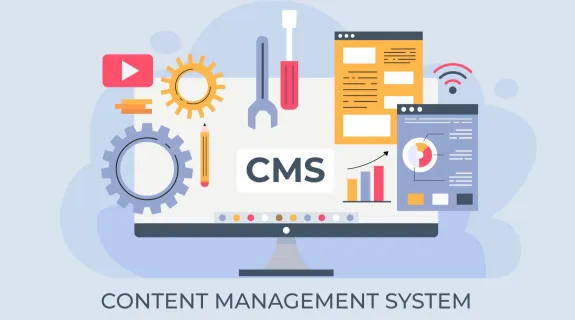
A CMS (Content Management System) is software that helps users create, manage, and publish digital content—typically for websites—without needing deep programming skills. A CMS often includes:
A visual content editor (WYSIWYG)
Templates and themes
Media and file management
Plugins/extensions
SEO and publishing tools
User permissions and roles
There are CMS platforms designed for personal blogs, eCommerce stores, and enterprise-level websites.
Acquia (Drupal-based) – Enterprise-ready, with cloud hosting and support
These platforms are ideal for large corporations, government websites, and media organizations requiring granular access control, multi-language support, and multi-site management.
🔍 Headless CMS vs Traditional CMS: What’s the Difference?
Traditional CMS (like WordPress, Joomla): Manages both backend and frontend from a single system.
Headless CMS (like Contentful, Strapi): Manages only the backend content. Frontend is built separately via APIs.
Headless CMS platforms are becoming popular for enterprise applications that require flexibility, scalability, and multi-channel publishing.
✅ How to Choose the Best CMS Platform
Consider the following:
Ease of use (drag-and-drop vs. code-heavy)
Customization and design flexibility
SEO and marketing features
Scalability and performance
Security & updates
Pricing and total cost of ownership
📦 Free CMS Platforms Worth Exploring
Several top CMS platforms are free and open-source:
WordPress.org – Most popular CMS globally
Drupal – Secure and flexible
Ghost – Great for blogs and newsletters
Joomla – Good for multilingual websites
These platforms provide powerful functionality at zero cost, but you’ll need to handle your own hosting and maintenance.
🏁 Conclusion
The best CMS platform depends on your goals. Whether you're a blogger looking for simplicity, a business seeking growth, or an enterprise needing full-scale digital experience management, there's a solution out there.
For bloggers and small businesses: WordPress, Webflow, Wix
For developers: Drupal, Ghost, Strapi (headless)
For enterprises: Sitecore, Adobe AEM, Contentful, Kentico
Choose wisely—and build a content experience that’s fast, scalable, and future-proof.