In the hustle and bustle of modern work life, time is a precious commodity. Effectively managing it can be the difference between success and mediocrity. With numerous tasks vying for our attention, finding the right tools and techniques to manage our time efficiently is essential. Thankfully, there is a myriad of time management tools available to help us streamline our workflow, boost productivity, and achieve our goals. In this blog post, we'll explore some top tips and tools to enhance your time management skills.
Why time management matters in the workplace
Time management offers numerous benefits for both the workplace and individuals. However, despite its advantages, it's concerning to observe that 82% of individuals do not utilize a formal time management system. It's crucial to regularly remind ourselves of the advantages of effective time management to stay focused on achieving our goals. These are the overarching benefits that accompany adept time management.
-
Increased productivity
Embracing effective time management practices acts as a catalyst, enabling you to harness the full potential of your work hours. Through meticulous planning and execution, you can achieve an unprecedented level of productivity, accomplishing tasks swiftly and efficiently, thereby maximizing output while minimizing the investment of time.
-
Reduced stress
A well-organized schedule and mastery over deadlines serve as potent antidotes against the throes of stress and anxiety. With a structured approach to time management, you pave the way for smoother workflow transitions, reducing the likelihood of feeling overwhelmed by looming deadlines or a burgeoning workload. This sense of control fosters a serene work environment, allowing you to navigate challenges with clarity and composure.
-
Improved focus
Prioritization lies at the heart of effective time management, empowering you to discern the essential from the trivial. By strategically allocating time to tasks based on their significance and urgency, you cultivate an environment conducive to sustained concentration. Freed from the clutches of distractions, you can immerse yourself fully in the task at hand, channeling your energy and attention towards achieving optimal results.
-
Enhanced professional reputation
Adept time management skills serve as a beacon of reliability and competence in the eyes of employers and peers alike. Demonstrating mastery over time instills confidence in your ability to deliver consistently and meet commitments punctually. Such professionalism not only enhances your individual reputation but also fosters trust and respect within your professional sphere, positioning you as a valuable asset within the workplace ecosystem.
-
Utilize To-Do lists
To-do lists are classic yet effective tools for managing your tasks. They serve as a visual aid to prioritize tasks, track progress, and ensure that important responsibilities are not overlooked or forgotten. Whether you prefer pen and paper or digital platforms, having a centralized list of tasks helps you stay organized and focused throughout the day.
Some great options:
-
Microsoft To Do: Microsoft To Do seamlessly integrates with the Microsoft ecosystem, offering features like task lists, reminders, and file attachments across various devices. It's user-friendly and syncs with Outlook Tasks for added convenience.
-
Trello: Trello is a visual project management tool that uses boards, lists, and cards to help users organize tasks and collaborate with teams. Its customizable layout and easy-to-use interface make it popular for both personal and professional use.
-
Asana: Asana is a comprehensive task management platform designed for teams to coordinate and track work efficiently. With features like task lists, timelines, and integrations with other tools like Slack, it's favored by teams seeking to streamline their workflow and improve productivity.
-
Pomodoro technique:
Break your work into intervals, typically 25 minutes of focused work followed by a short break. This method not only improves concentration but also prevents burnout.
Some great options:
-
Forest: Forest gamifies the Pomodoro technique by growing a virtual tree during each session. Users are discouraged from using their phone during the session to keep the tree alive and growing.
-
Be Focused: Be Focused provides a simple and customizable Pomodoro timer with options to adjust session lengths and break durations to suit individual preferences.
-
TomatoTimer: TomatoTimer is a straightforward online Pomodoro timer that requires no installation. Users can quickly set up sessions and breaks and get started with their productivity sessions.
-
Limit distractions:
Identify and eliminate distractions that hamper your productivity. Using some tools can help block distracting websites and apps during designated work periods, allowing you to stay focused on the task at hand.
Some great options:
-
Freedom: Freedom allows users to block distracting websites and apps across their devices for specified periods, enabling focused work or study sessions.
-
StayFocusd: StayFocusd is a browser extension that restricts the amount of time users can spend on time-wasting websites, helping them stay productive during work hours.
Time management methods to help you get more done
-
Prioritize tasks:
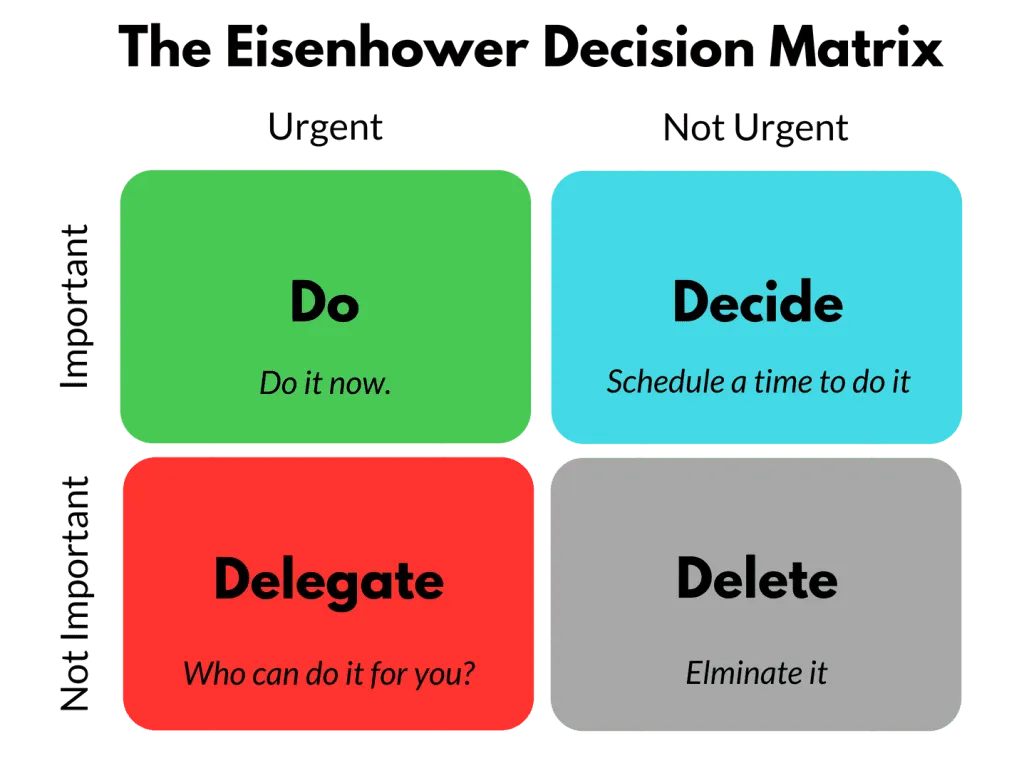
Before diving into your to-do list, take a moment to prioritize tasks based on urgency and importance. The Eisenhower Matrix, also known as the Urgent-Important Matrix, is a time management tool that categorizes tasks into four quadrants based on their urgency and importance: "Urgent and important", "Important, but not urgent", "Urgent, but not important" and "Not urgent and not important".
Or you can simply use the ABC method: Assigning tasks as A for high priority, B for medium, and C for low. By prioritizing tasks, individuals can focus on what truly matters, minimize distractions, and effectively manage their time to achieve their goals.
-
Set SMART goals:
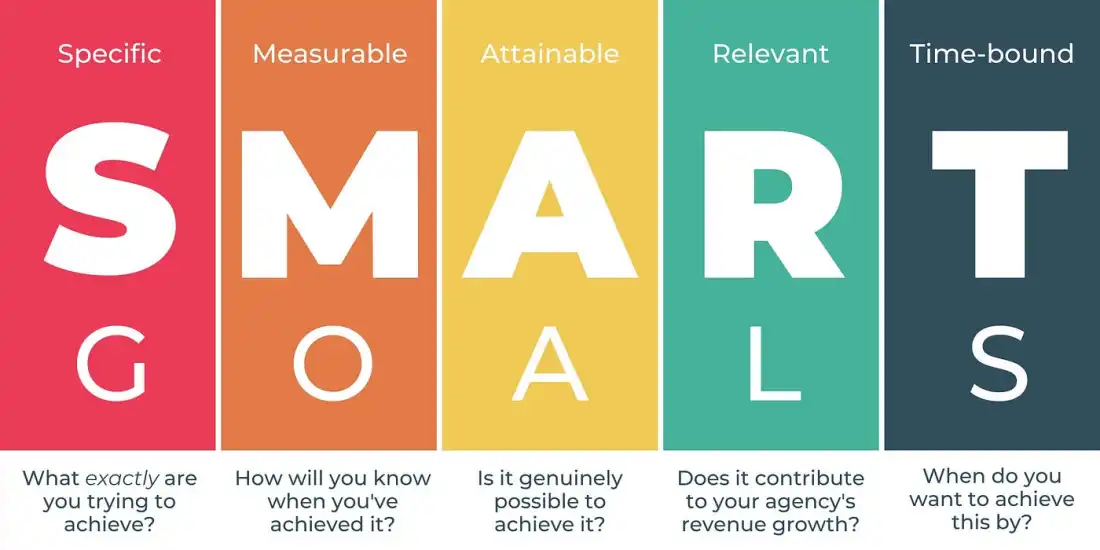
SMART goals are a framework for setting objectives that are Specific, Measurable, Achievable, Relevant, and Time-bound.
-
Specific goals clearly define what needs to be accomplished.
-
Measurable goals establish criteria for tracking progress.
-
Achievable goals are realistic and attainable given available resources.
-
Relevant goals align with broader objectives and priorities.
-
Time-bound goals have a defined timeframe for completion, providing a sense of urgency and accountability.
Setting SMART goals helps individuals and organizations set clear, actionable goals that drive motivation, focus efforts, and facilitate effective performance management.
-
Delegate tasks:
By recognizing tasks that don't necessarily require your direct involvement, you can empower team members and colleagues to take ownership and contribute to the overall success of projects. Platforms like
Asana or
Monday offer robust task management features that facilitate seamless delegation and collaboration within teams. These tools streamline communication, provide visibility into task assignments and progress, and enable teams to
work together more efficiently, ultimately leading to improved productivity and project outcomes.
Explore NearHub Board's approach to time management
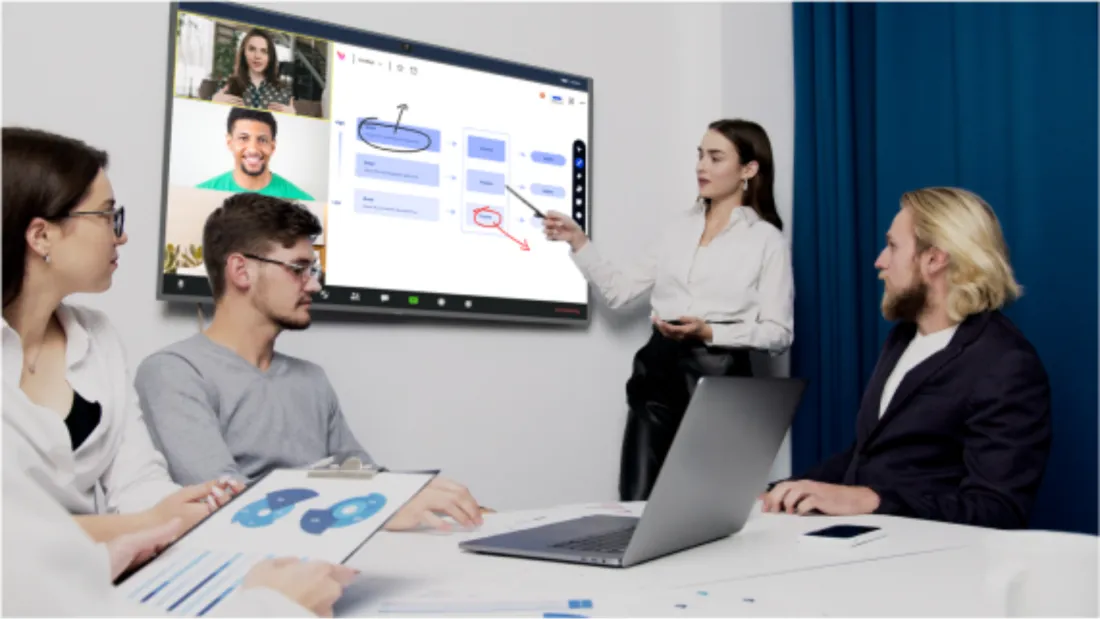
The time management tools and methods mentioned above offer pathways to enhance both efficiency and work quality. Moreover, selecting optimal hardware can amplify productivity while minimizing resource consumption. NearHub Board, an intelligent interactive whiteboard, is crafted for streamlined operation and serves as a potent ally in time management, offering an array of features and functionalities to support your endeavors:
-
Task management
NearHub Board offers task management capabilities, allowing users to create tasks, set deadlines, and prioritize them based on urgency. This helps users to organize their tasks effectively and allocate time accordingly.
-
vvCalendar integration
NearHub Board can integrate with calendars, enabling users to sync their tasks and deadlines with their existing schedules. This helps users to visualize their commitments and manage their time more efficiently.
-
Real-time collaboration
NearHub Board supports collaboration features, allowing users to share tasks and deadlines with team members or colleagues. This facilitates better coordination and ensures everyone is on the same page regarding project timelines and deadlines.
-
Visual representation
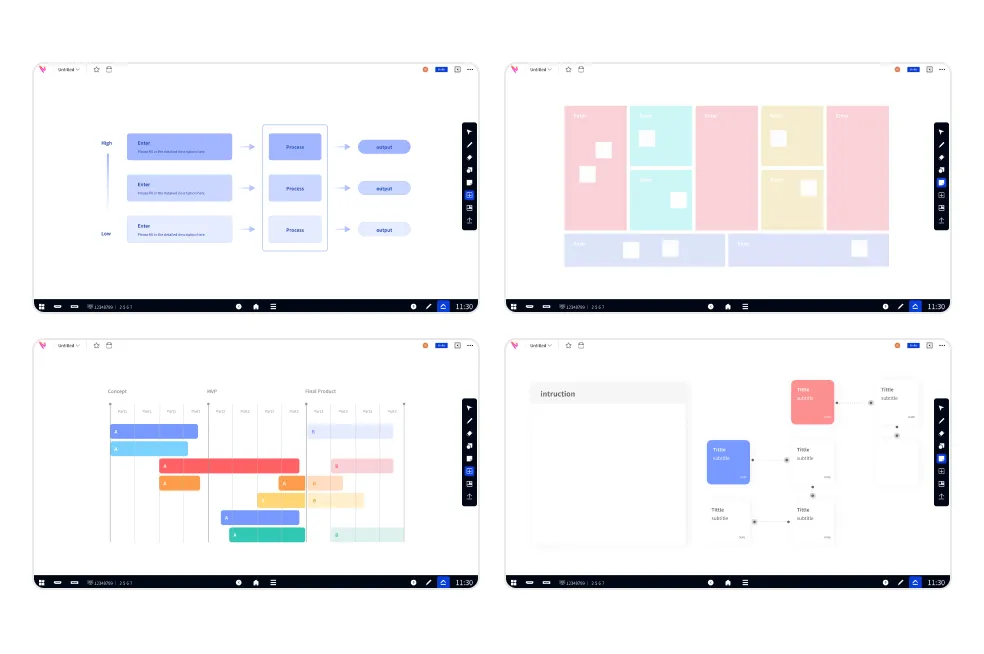
NearHub Board typically presents tasks and deadlines visually, often using Kanban boards, Gantt charts, or other visual representations. This visual approach helps users to quickly grasp their schedule and prioritize tasks effectively.
-
Reminders and notifications:
NearHub Board can send reminders and notifications for upcoming deadlines, ensuring that users stay on track and don't miss important tasks or appointments.
Overall, NearHub Board provides a comprehensive platform for managing tasks, deadlines, and schedules, helping users optimize their time and enhance their productivity.
Conclusion
Effective time management is a skill that can be honed with practice and the right tools. By incorporating these tips and utilizing the plethora of time management tools available, you can optimize your workflow, boost productivity, and achieve your goals more efficiently. Remember, mastering time management is not just about doing more tasks but doing the right tasks at the right time. So, take control of your time today and watch your productivity soar!
NearHub is an all-in-one solution for meeting rooms and classrooms. NearHub possesses an interactive digital Board with
cutting-edge smart software. By combining your favorite programs with mess-free writing canvas and video conferencing, you can improve your interaction and productivity in the online classroom. Besides, NearHub also provides
MagicPad S13 to improve digital learning and creativity. Click
here to view more on NearHub.