This article explains the hidden costs of Meeting Fatigue and provides actionable strategies, including Nearhub hardware solutions, to restore office productivity.
Meeting fatigue
Remote work burnout
Office productivity
Updated: Aug 19, 2026 · 12 minutes read
Global Business, Brought Near.
No Installer, No Hassle, Just Works.
Meeting fatigue is the silent productivity killer of the modern workplace, significantly eroding business profits. This guide explores the cognitive science behind virtual exhaustion—from the "spotlight effect" to the lack of passing time. Discover ten actionable strategies to reclaim office productivity, including the implementation of high-fidelity video conference devices like the Nearity 360 Alien to reduce mental strain, eliminate remote work burnout, and foster deep focus.
Key Takeaways
Cognitive Science: Meeting fatigue is caused by the "spotlight effect" and continuous partial attention required by digital screens.
The 23-Minute Rule: It takes nearly 25 minutes for an employee to return to a state of flow after a disruptive video call.
AI Hardware Solutions: Using 360-degree AI cameras like the Nearity 360 Alien reduces the mental strain of tracking speakers manually.
Policy Shifts: Implementing "No-Meeting Wednesdays" and 25-minute "Speedy Meetings" preserves team energy and focus.
Audio Priority: High-fidelity audio is more critical than video for reducing brain fatigue during long conferencing sessions.
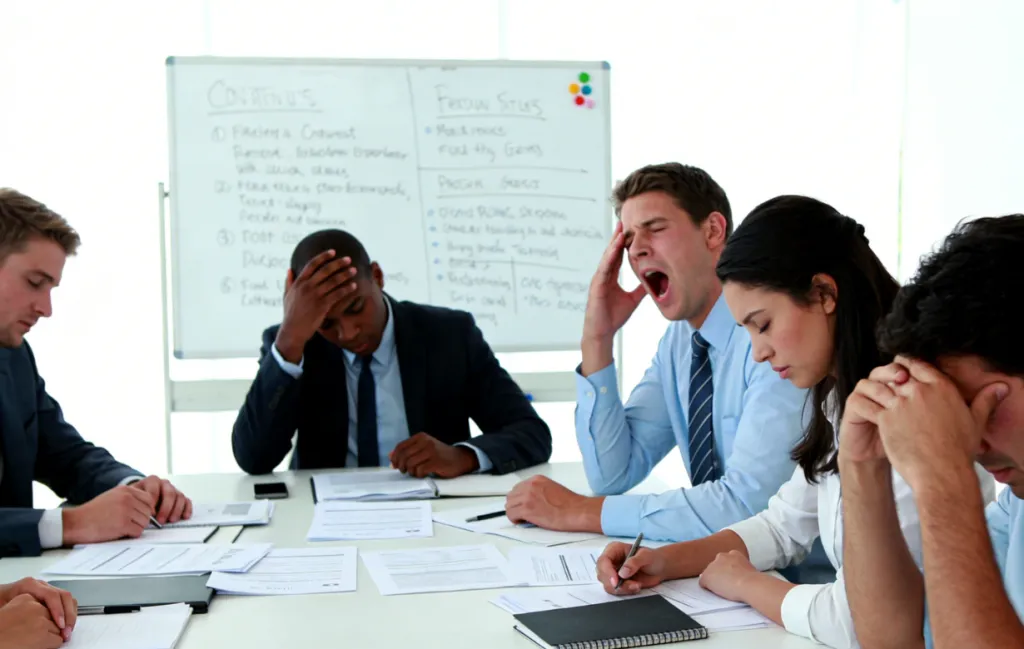
We’ve all been there. It’s Tuesday at 3:00 PM, and you are staring at a grid of faces on your screen. You’re nodding reflexively, but your brain feels like digital sawdust. You aren’t just tired; you are experiencing Meeting Fatigue. This phenomenon is the silent productivity killer of the modern workplace, draining creativity and eroding the bottom line of businesses worldwide.
Meeting fatigue isn't just a buzzword; it’s a measurable drain on corporate resources. When your team spends eight hours a day in low-quality video calls, they aren't just exhausted—they are incapable of the "Deep Work" required for innovation. In this guide, we will explore why this happens and, more importantly, how you can reclaim your profits and your sanity.
What is Meeting Fatigue?
Meeting Fatigue (often called "Zoom Fatigue" or "Zoom Gloom") is the physical and mental exhaustion caused by an excessive number of virtual meetings. Unlike in-person interactions, where we pick up on body language effortlessly, digital environments require "continuous partial attention."
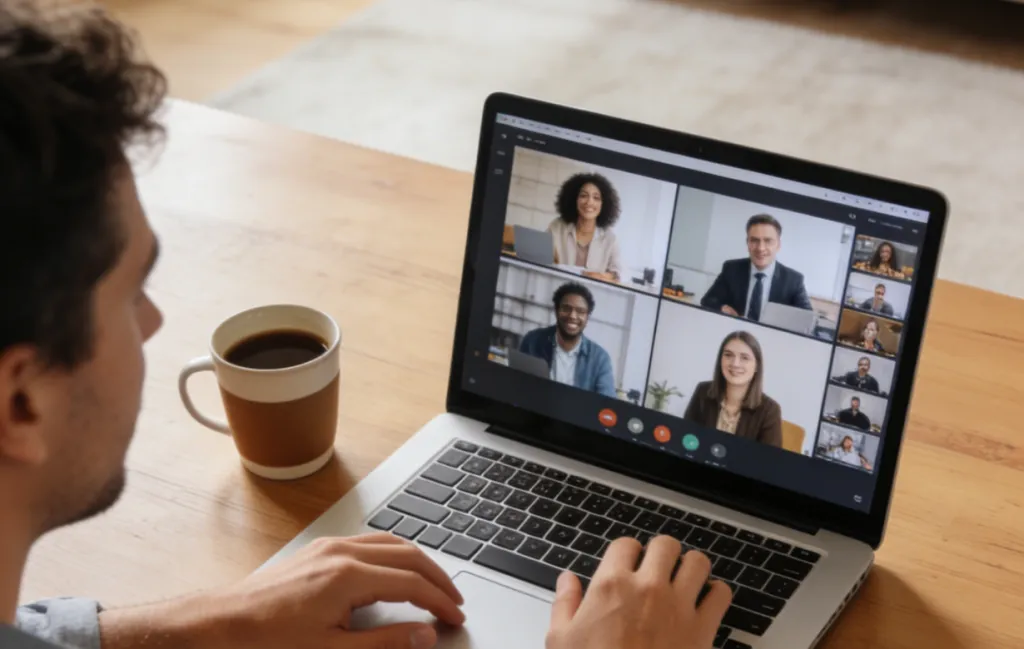
Your brain has to work overtime to decode non-verbal cues through a screen. You are managing audio delays, lighting issues, and the "spotlight effect"—the feeling of being constantly watched. This creates a cognitive load that traditional face-to-face talk simply doesn't produce.
Why Meeting Fatigue is Different from General Tiredness:
Cognitive Overload: Processing multiple backgrounds and faces simultaneously.
The Mirror Effect: The psychological strain of staring at your own face for hours.
Reduced Mobility: Being tethered to a fixed camera angle for the duration of the call.
Audio Strain: Straining to hear participants due to poor microphone quality.
The Hidden Cost: How Meeting Fatigue is Killing Your Profits
Many leaders view back-to-back meetings as a sign of high activity. In reality, it is often a sign of performative productivity. According to research by The Muse, organizations lose billions of dollars annually due to unnecessary or poorly managed meetings.
When employees suffer from remote work burnout, their engagement drops. Low engagement leads to higher turnover rates, and the cost of replacing a senior employee can be up to twice their annual salary. If your calendar looks like a game of Tetris, you aren't maximizing your office productivity; you are burning your most valuable asset: human focus.
The Profit Drain Checklist:
Opportunity Cost: Time spent in a meeting is time NOT spent on revenue-generating tasks.
Mental Recovery Time: It takes an average of 23 minutes to return to a state of flow after a meeting.
Health Costs: Increased stress leads to more sick days and lower physical health.
Retention Issues: Top talent will leave for companies that respect their time.
8 Warning Signs of Meeting Fatigue and Remote Work Burnout
How do you know if your team is just having a busy week or if they are on the brink of a total collapse? Recognizing the symptoms early is the key to maintaining a healthy remote work setup.
Increased Irritability: Small technical glitches trigger disproportionate frustration.
Decreased Contribution: Participants remain on mute and rarely offer input.
Physical Ailments: Frequent headaches, eye strain, or neck and back pain.
The "Blank Stare": Employees appear to be looking at the screen but aren't processing information.
Multitasking: You can see the reflection of emails or Slack messages in their glasses.
Avoidance: A sudden uptick in "camera-off" requests without specific reasons.
Post-Meeting Crashes: Feeling the need for a nap or a long break immediately after a 30-minute call.
Project Delays: High meeting volume is directly correlating with missed deadlines.
Why Does Meeting Fatigue Happen?
Stanford researchers have identified several key factors that make video calls more taxing than in-person meetings. One of the primary culprits is the "Spotlight Effect." In a physical room, you might look at the speaker, then at your notes, then out the window. On a video call, everyone is staring at everyone else’s face all the time. This triggers a "fight or flight" response in the nervous system because, biologically, such intense eye contact is usually reserved for conflict or intimacy.
Another factor is the lack of "Passing Time." In an office, you walk from Room A to Room B. That 3-minute stroll allows your brain to reset. In a video conference device environment, we teleport from a budget review to a creative brainstorm with a single click. Our brains aren't built for that kind of instantaneous context switching.
The Impact on Office Productivity: Data and Research
A study conducted by Microsoft’s Human Factors Lab used EEG caps to measure brainwave activity during meetings. They found that brain fatigue sets in after just 30-40 minutes of video conferencing. On days filled with back-to-back calls, stress levels remain high throughout the day, never allowing the brain to return to a baseline state of calm.
Comparative Productivity Impact Table
Factor
In-Person Meeting
Low-Quality Video Call
AI-Enhanced Video Call
Cognitive Load
Low
High
Medium/Low
Non-Verbal Cues
Natural/Full
Difficult to read
Enhanced (AI Auto-framing)
Physical Mobility
High
Low (Stuck at desk)
Medium (360° Tracking)
Participant Engagement
85%
40%
75%
Profitability Impact
Neutral
Negative
Positive
Top 10 Meeting Fatigue Solutions for 2026
To reclaim your office productivity, you must move from "defaulting to meetings" to "defaulting to focus." Here are ten actionable steps to fix the game:
1. The "Audit" Mindset
Before hitting "Send Invite," ask: Could this be an email? Or a Loom video? If the goal is simply to disseminate information, a meeting is the least efficient way to do it.
2. Invest in a Premium remote work setup
Hardware matters more than you think. Much of the fatigue comes from "straining" to see and hear. Using a high-end video conference device like the Nearity 360 Alien can significantly reduce the cognitive load by providing crystal-clear 4K video and AI-driven speaker tracking.
3. Implement "Speedy Meetings"
Change your default calendar settings. Instead of 30 or 60 minutes, set them to 25 or 50. This builds in a mandatory 5-10 minute "buffer" for people to stretch and reset their brains.
4. No-Meeting Wednesdays
At NearHub, we believe in deep work. Designate at least one day a week where internal meetings are strictly prohibited. This gives your team the "uninterrupted time" necessary for actual innovation.
5. The "Optional" Revolution
Normalize the idea that not everyone needs to be in every meeting. If a team member is only needed for the first ten minutes, let them leave. If they are only there "to be in the loop," send them the recording instead.
6. Use AI-Driven Modes to Reduce Strain
Meeting fatigue is often caused by the "fixed view." The Nearity 360 Alien offers "Discussion Mode" and "Global Mode," which automatically adjust the frame to follow the speaker. This mimics natural human eye movement, making the digital experience feel much less "robotic" and exhausting.
7. Camera-Optional Policies
Reduce the "spotlight effect" by making cameras optional for certain internal syncs. This lowers the cognitive load and allows people to move around their room, which actually boosts engagement.
8. Set Clear Agendas (The "No Agenda, No Meeting" Rule)
Never start a meeting without a clear goal. If participants don't know why they are there, their brains will check out within minutes, leading to rapid fatigue.
9. High-Fidelity Audio is Non-Negotiable
We can tolerate bad video, but bad audio is a torture for the brain. Ensure your setup includes AI noise-canceling microphones (like those found in NearHub solutions) to eliminate background distractions that force the brain to filter out "noise" instead of focusing on "content."
10. Encourage Physical Movement
Encourage your team to use wireless headsets or 360-degree cameras that allow them to stand up or shift their position without leaving the frame. Movement is the natural enemy of fatigue.
How the Nearity 360 Alien Solves the Fatigue Crisis
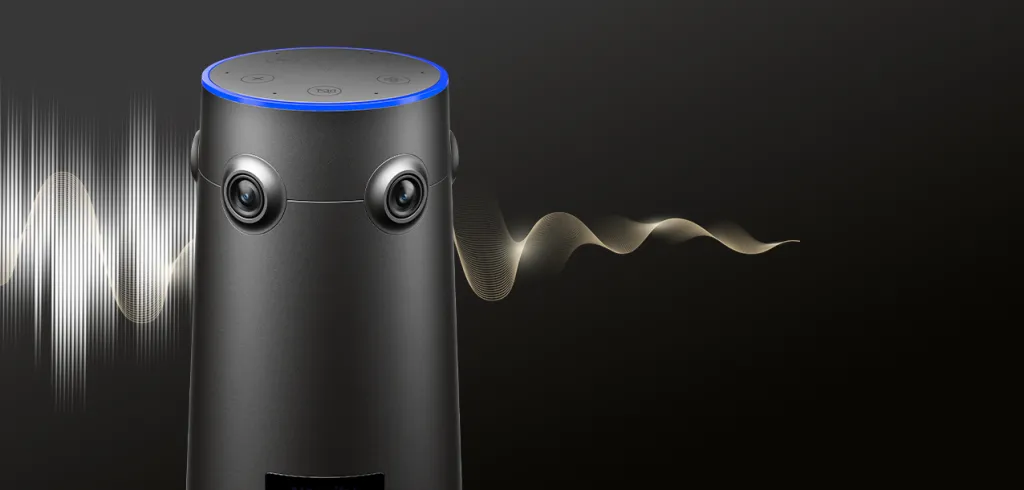
When we talk about a professional video conference device, we aren't just talking about pixels. We are talking about human-centric design. The Nearity 360 Alien is specifically engineered to combat Meeting Fatigue through its unique 4-lens array and AI intelligence.
By capturing a seamless 360° view, it eliminates the "claustrophobic" feeling of traditional webcams. Its AI tracking ensures that when someone speaks, the camera focuses on them naturally, just as a human neck would turn in a boardroom. This reduces the "mental processing" required by remote participants to figure out who is talking and what is happening in the room, directly increasing office productivity.
FAQs
Q: Can a better camera really reduce my fatigue?
A: Absolutely. Much of the exhaustion comes from the brain trying to fill in the gaps of low-quality video and distorted audio. A 4K, AI-driven device makes the interaction feel natural, lowering the cognitive stress required to "process" the meeting.
Q: What is the "Spotlight Effect" in video calls?
A: It is the psychological feeling that everyone is staring at you constantly because your face is always visible in a grid. This triggers a mild stress response that accumulates into total fatigue by the end of the day.
Q: How many meetings a day is too many?
A: Research suggests that after 3-4 hours of video conferencing, the quality of participation drops significantly. Beyond 5 hours, you are likely experiencing remote work burnout.
Q: Does "No-Meeting Day" actually work for large corporations?
A: Yes. Companies like Shopify and Facebook have implemented versions of this with massive success. It forces better asynchronous communication and protects the "Deep Work" hours that drive profit.
Q: How does the Nearity 360 Alien handle different room sizes?
A: It is designed for versatility. Whether it's a huddle room or a larger boardroom, its 5-meter pickup range and 360-degree coverage ensure that everyone is included without the need for messy wiring or multiple cameras.
Conclusion: Turning Fatigue into Focus
Meeting Fatigue is not an inevitable part of modern work; it is a symptom of outdated habits and inadequate technology. By auditing your meeting culture and investing in the right remote work setup, you can transform your team's energy levels and significantly boost your company’s bottom line.
Remember, the goal isn't to stop talking to each other. The goal is to make sure that when you do talk, it actually matters—and that your technology supports, rather than drains, your human potential. Stop letting low-quality calls kill your profits and start building a culture of focus today.