Best Headset for Home Office in 2026: 5 Top Picks for Clear Calls and All-Day Comfort
This article explores the best headset for home office in 2026, explaining how to choose the right model and highlighting five top picks for clearer calls, better focus, and all-day comfort.
WFH
Clear Calls
Updated: Aug 19, 2026 · 6 minutes read
Global Business, Brought Near.
No Installer, No Hassle, Just Works.
Let's be brutally honest: the tolerance for terrible remote audio has officially plummeted in 2026. If you are still joining high-stakes client pitches sounding like you are calling from a wind tunnel, you are actively damaging your professional brand.
Finding the best headset for home office use is no longer a luxury—it is a strict requirement for commanding the digital room. This article is designed to help you cut through the marketing noise. Say goodbye to ear fatigue and awkward background noise apologies. Let's upgrade your daily grind.
Key Takeaways
Choose the best headset for home office based on comfort noise cancellation microphone quality and connectivity.
A boom microphone with AI powered ENC helps keep your voice clear and blocks background noise during calls.
Wireless headsets with a USB dongle provide more stable connections and greater freedom for remote work.
A dedicated home office headset reduces cognitive fatigue and improves professionalism in virtual meetings.
How to Choose the Best Headset for Home Office
Buying a home office headset by just looking at the price tag is a rookie mistake. The spec sheets are loaded with marketing fluff—"studio quality," "ultra-HD," "crystal clear"—which means absolutely nothing when your neighbor decides to start a heavy metal band at 2 PM on a Tuesday.
To find a device that actually survives the reality of remote work, you need to evaluate four hyper-specific criteria. Here is the ultimate buyer’s criteria for finding the best home office headset that will genuinely elevate your productivity.
The "Eight-Hour Shift" Comfort Test
Comfort is entirely subjective, but physical pain is universal. A headset might feel like a cloud for the first twenty minutes, but by hour three of a marathon strategy session, a poorly designed headband will feel like a vice grip on your skull. You need to look at the geometry and materials.
Clamping Force Dynamics: Look for headsets with articulated earcups that tilt on dual axes. If the clamping force is focused solely on your temples rather than evenly distributed around your ears, you will get a headache by lunch.
Thermal Management: Leatherette looks premium, but it traps heat. If you run hot, look for dual-material cushions—cooling gel infused memory foam wrapped in breathable mesh fabric where it touches your skin.
The Glasses Factor: If you wear prescription lenses or blue-light blockers, stiff earpads will drive the arms of your glasses into your head. You need ultra-plush memory foam that yields to the frames.
Weight Distribution: For over-ear models, anything above 320 grams is entering danger territory for neck strain. For on-ear, keep it under 180 grams.
Decoding ANC: Active Noise Cancellation vs. Passive Isolation
Working from a home office means navigating a chaotic soundscape: Amazon delivery drivers ringing the bell, partners blending smoothies, and the relentless hum of HVAC units. Understanding how a headset handles this noise is critical.
Passive Noise Isolation: This is just physical blockage. Big, thick earcups physically block soundwaves. It is great for high-frequency sounds (like a clicking mechanical keyboard) but useless against low, rumbling noises.
Feedforward vs. Feedback ANC: Basic ANC uses outside mics to hear noise and cancel it. Advanced Hybrid ANC uses mics inside the earcup as well to correct what you are actually hearing in real-time.
Adaptive Transparency (Sidetone): This is arguably more important than ANC for calls. Sidetone pipes your own voice back into your ears. Without it, you will end up shouting because you feel deafened by the earcups.
Environmental Noise Cancellation (ENC): Do not confuse this with ANC! ANC is for your ears. ENC is for the microphone. It ensures the person on the other end of the Zoom call does not hear your dog barking.
Microphone Architecture and AI Voice Tracking
Your voice is your primary tool in the remote workspace. Relying on a pinhole microphone located next to your laptop’s cooling fan is professional sabotage. The best headset for home office environments treats the microphone as the star of the show, not an afterthought.
The Boom Arm Advantage: Physics dictates that proximity matters. A physical boom arm that extends toward the corner of your mouth will always outperform hidden, earbud-style microphones. It maximizes your vocal signal while minimizing room echo.
Acoustic Fencing: Advanced enterprise headsets use dual or triple microphone arrays to create a virtual "bubble" around your head. Anything outside that 12-inch bubble is aggressively muted by the firmware.
Machine Learning Algorithms: Modern headsets now feature AI chips trained on millions of hours of audio. They can instantly distinguish between human speech and a crying baby, gating the background noise before it even reaches your software.
Tactile Mute Controls: Fumbling for the mute button on your screen is a recipe for disaster. You need a physical, tactile mute button on the earcup, or better yet, a boom arm that mutes automatically when you flip it up.
Connectivity: The Freedom of Wireless vs. The Ironclad Wired
The wireless vs. wired debate is the most heavily contested topic in WFH forums. Your choice should depend entirely on your specific daily habits—are you a desk-bound deep worker, or a pacer who thinks on their feet?
The USB Dongle Reality: Never rely on your computer's native Bluetooth chip for critical calls; it is prone to latency and drops. Premium wireless headsets include a dedicated USB-A or USB-C dongle (usually pre-paired) that provides a rock-solid, high-bandwidth connection.
Bluetooth 5.4 and Multipoint: If you go wireless, ensure it supports true multipoint pairing. Many professionals now prefer using a Professional Wireless Noise Cancelling Headset that can connect to multiple devices simultaneously while maintaining stable call quality. This allows the headset to connect to your laptop for Teams calls and your iPhone for Spotify simultaneously, switching seamlessly.
Battery Anxiety: Look for a minimum of 30 hours of talk time (which drains battery faster than listening time). Fast-charging is a must—15 minutes on the charger should yield at least 3 hours of life.
The Wired Failsafe: Wired headsets (USB-C) offer zero latency, zero battery degradation over years, and absolute security. If you handle highly sensitive data or cannot tolerate a single millisecond of lag, wired is still the king.
5 Best Headsets for Home Office in 2026
We have tested dozens of models, subjected them to the "coffee grinder test," and worn them through grueling 6-hour seminar blocks. Below is the ultimate comparison, followed by our unapologetic reviews of the top 5 contenders.
The 2026 WFH Audio Showdown
Headset Model
Best For...
Form Factor
Mic Style
Key Tech Feature
Nearity EP320
The Hybrid Worker
Over-Ear
Boom Arm
AI-Powered ENC
Bose QC Ultra
Deep Focus & Music
Over-Ear
Integrated
CustomTune ANC
Jabra Evolve2 85
C-Suite Executives
Over-Ear
Hidden Boom
Busylight Integration
Poly Focus 2
The Chaotic House
On-Ear
Boom Arm
Acoustic Fence
Jabra Engage 75
The Roaming Pacer
On/Over-Ear
Boom Arm
DECT 490ft Range
1. Nearity EP320 – The Budget-Defying Overachiever
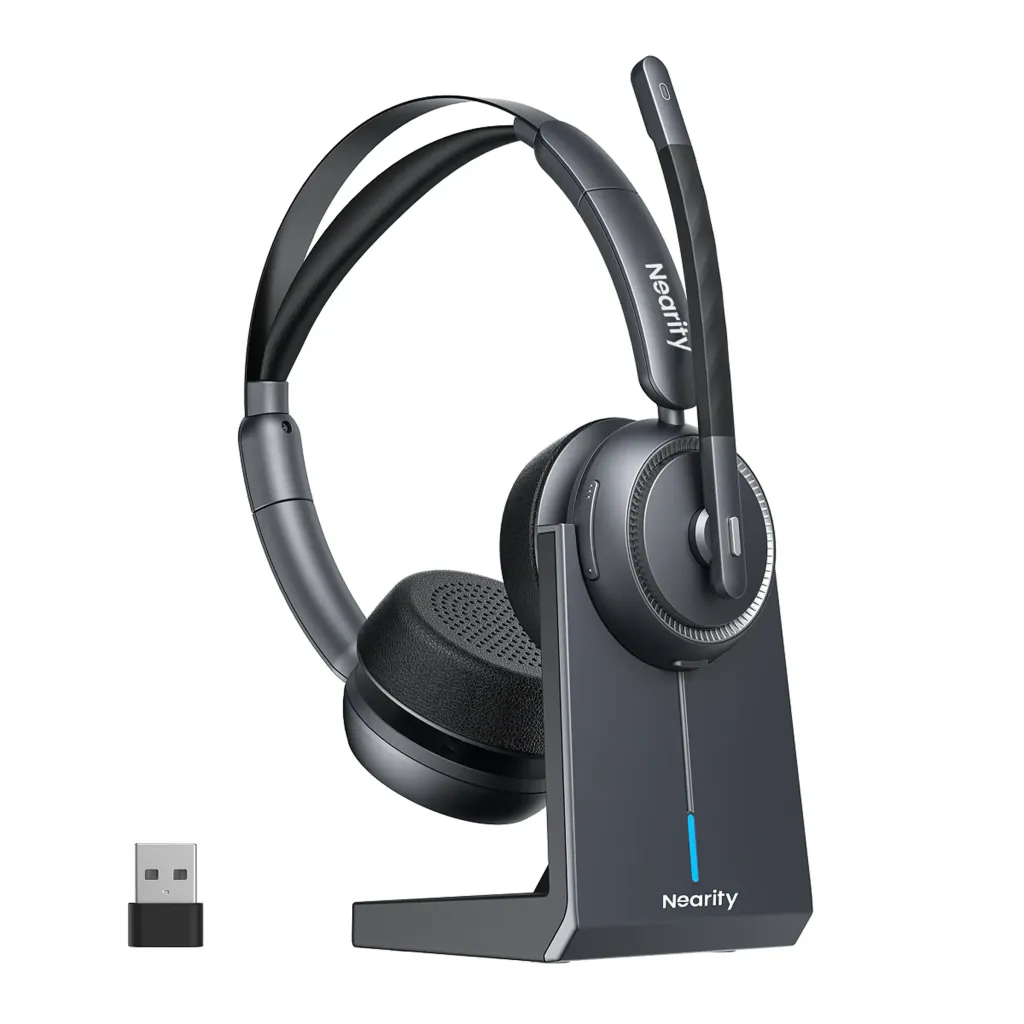
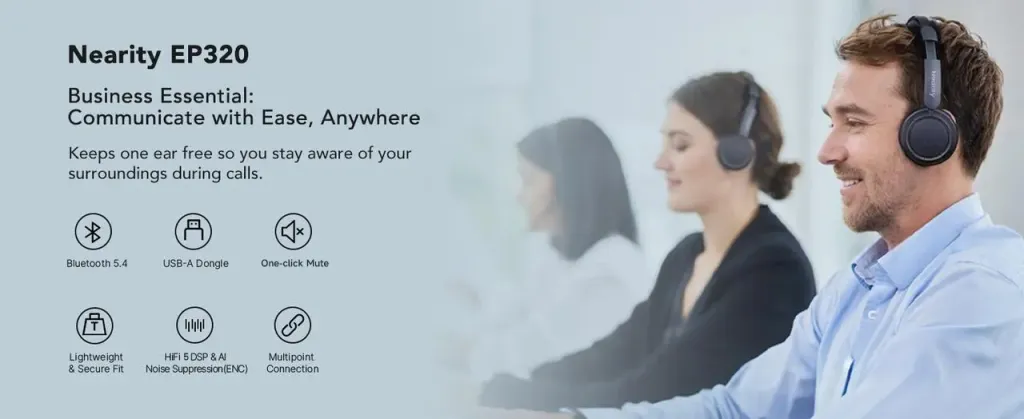
Let's kick things off with a massive disruptor. Historically, if you wanted enterprise-grade AI noise cancellation and premium comfort, you had to spend upwards of $300. The Nearity EP320 shatters that ceiling, offering flagship features at a highly accessible price point. If you are scouring the internet for the best noise cancelling headset that perfectly balances cost and extreme performance, this is where your search ends.
What makes the EP320 stand out is its aggressive approach to microphone technology and seamless daily usability. It is engineered specifically for the modern professional who needs zero distractions and total flexibility.
AI-Powered ENC Microphone: The EP320 utilizes advanced deep-learning algorithms to deliver true AI-powered Environmental Noise Cancellation. We tested this with a robotic vacuum running directly under the desk, and the caller on the other end heard absolutely nothing but clear voice audio.
Bluetooth 5.4 & Multi-Device Connection: Thanks to the cutting-edge Bluetooth 5.4 chip, you get an incredibly stable connection that allows you to roam further away from your desk—like stepping into the kitchen for coffee—without experiencing those dreaded audio dropouts. Plus, the seamless multi-device connectivity lets you switch instantly between a Zoom call on your laptop and a phone call on your mobile.
Supreme All-Day Comfort: Designed for grueling workdays, the oversized, plush memory foam earcups gently engulf the ear rather than pressing on it. This provides excellent passive isolation and ensures zero clamping fatigue, making it exceptionally comfortable even during back-to-back 8-hour shifts.
Marathon Battery Life: Say goodbye to mid-day charging panic. The EP320 boasts an ultra-long battery life that easily powers through a full week of heavy meetings and deep-work music listening on a single charge.
The Drawback: The aesthetic is decidedly "office professional." It won't turn heads at a coffee shop like a pair of sleek consumer lifestyle headphones, but it means serious business at your desk.
The WFH Verdict: The Nearity EP320 is the undisputed champion of value for the modern remote worker. Between its AI microphone, next-gen Bluetooth, and marathon battery, it punches significantly above its weight class.
2. Bose QuietComfort Ultra – The Sensory Deprivation Tank
Sometimes, your home office isn't just a place to take calls; it's a sanctuary where you need to lock in and do hours of deep, uninterrupted work. When you require a headset for deep work, the Bose QuietComfort Ultra is essentially a cheat code for intense focus.
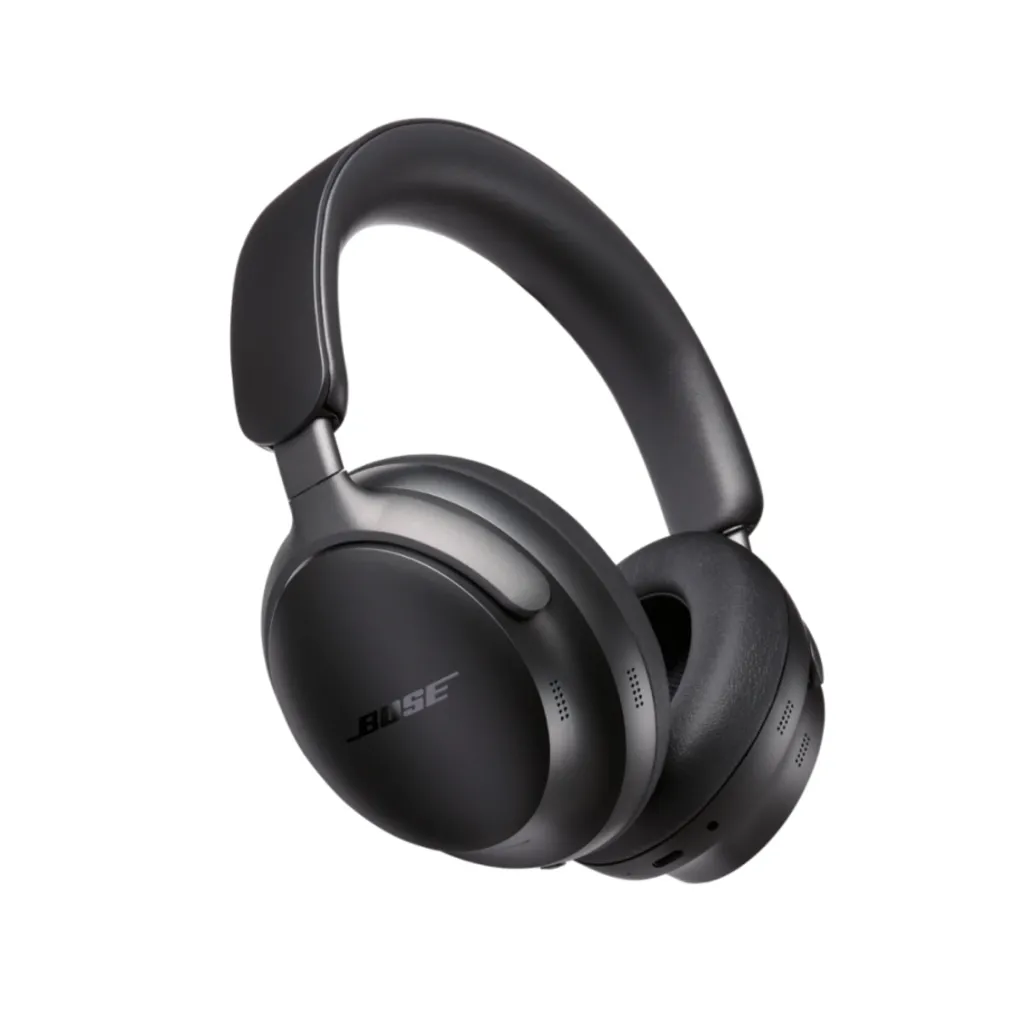
Bose practically invented modern active noise cancellation, and the Ultra represents their magnum opus. The ANC doesn't just muffle sound; it creates a vacuum-like silence that is almost startling the first time you turn it on.
The Good: Spatial Audio (Immersive Audio) is a game changer. It anchors the sound in front of you, making marathon virtual meetings feel significantly more natural and less fatiguing, as if the speakers are in the room with you.
The Comfort: True to the "QuietComfort" moniker, these are arguably the most comfortable headphones on the planet. The clamping force is meticulously balanced, and the synthetic leather is whisper-soft.
The Real-World Test: The CustomTune technology pings a sound into your ear canal every time you turn them on, adjusting the sound profile specifically to your unique ear shape. The audio fidelity for music is breathtaking.
The Drawback: It lacks a physical boom mic. While the beamforming microphones are excellent in quiet to moderately noisy rooms, they will let some sharp background noises slip through during calls compared to a dedicated boom arm.
The WFH Verdict: Buy this if your job requires long stretches of high-concentration spreadsheet wrangling, coding, or writing, and you want to listen to incredible music while doing it.
3. Jabra Evolve2 85 – The Boardroom Chameleon
The Jabra Evolve2 85 is what happens when you take high-end audiophile headphones and secretly pack them with hardcore enterprise communications technology. It is designed for the executive who is on back-to-back Microsoft Teams calls all morning, but wants to seamlessly transition to listening to a podcast on a flight later that afternoon.
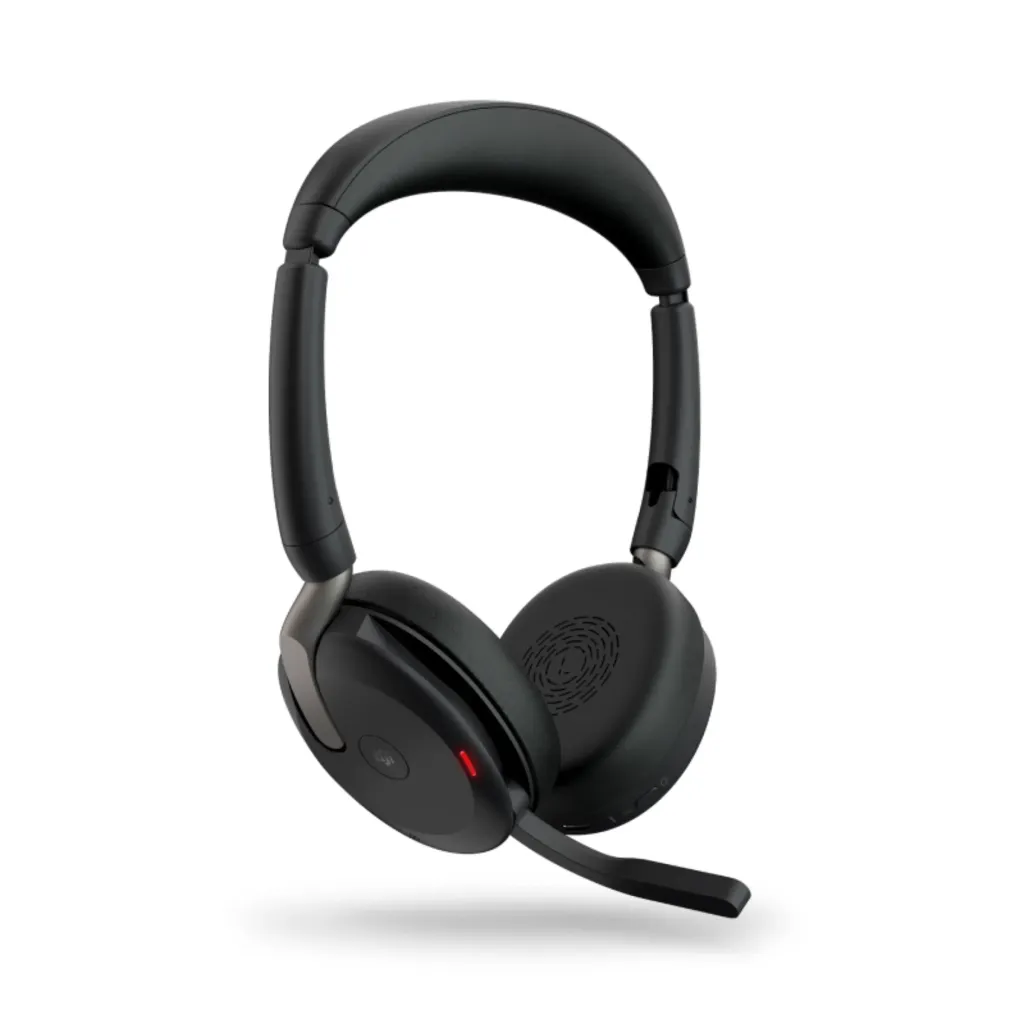
The Good: The integration of the boom arm is genius. When not in use, it rotates up and slots invisibly into the earcup, instantly transforming it from a "work headset" into stylish street headphones.
The Tech: It boasts an absurd 10-microphone array. This ensures that whether the boom is down or up, your voice is captured with stunning accuracy. Furthermore, the integrated 360-degree red "busylight" acts as a physical "Do Not Disturb" sign for your family.
The Real-World Test: The UC (Unified Communications) certification means zero setup. You plug the USB dongle into your Mac or PC, and it instantly syncs with Teams or Zoom, taking over the native call control buttons.
The Drawback: It is exceptionally pricey, representing a serious financial investment. Additionally, because it is packed with tech and a massive battery, it borders on the heavier side for all-day wear.
The WFH Verdict: The ultimate flex for power users and C-level remote workers who demand flawless integration with enterprise software and refuse to compromise on aesthetics.
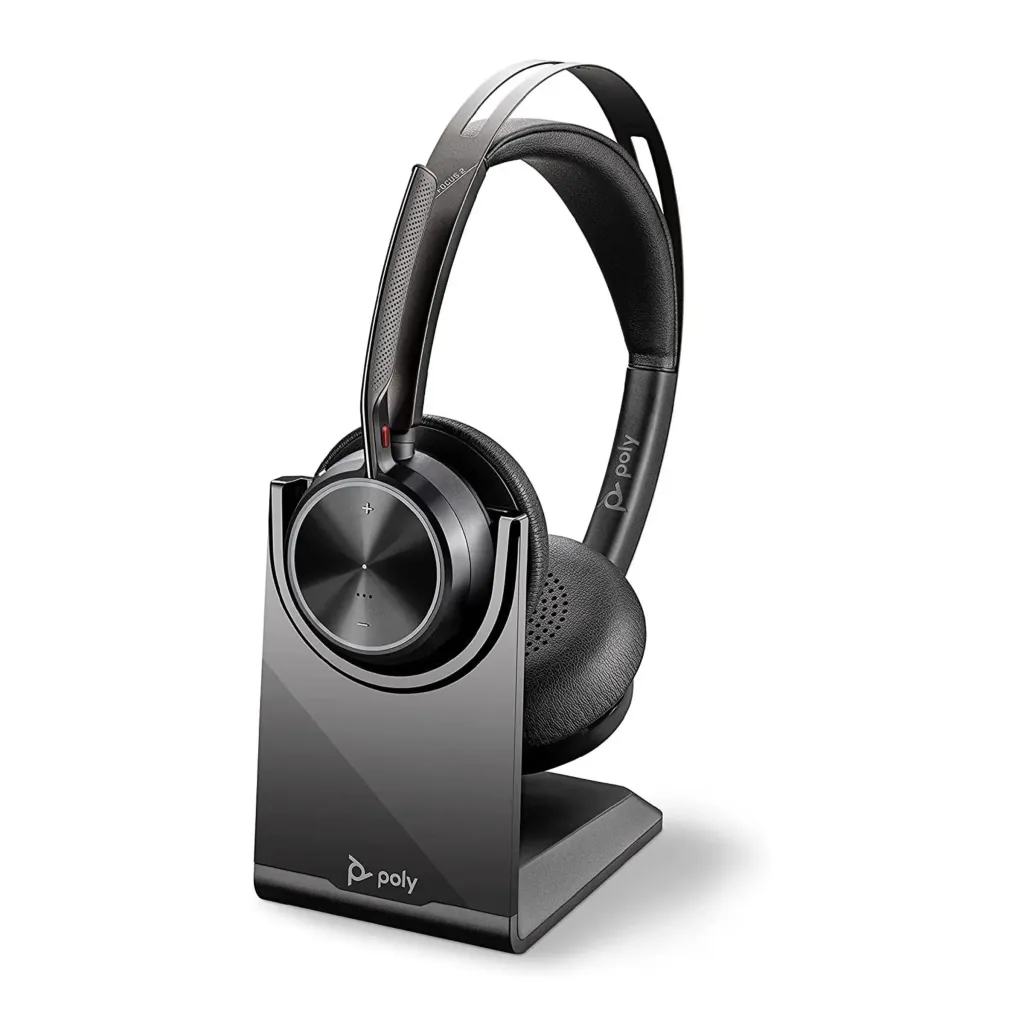
4. Poly Voyager Focus 2 – The High-Frequency Assassin
If your home office is less "serene study" and more "kitchen table next to the laundry room," you need the Poly Voyager Focus 2. Poly (formerly Plantronics) built their reputation in chaotic call centers, and they brought their most aggressive voice-isolation tech directly to the home office.
The Good: The "Acoustic Fence" technology is borderline magic. We have tested this headset while aggressively typing on a mechanical keyboard while a dog barked in the next room. The caller heard only the speaker's voice. It is that good.
The Comfort: It uses a unique "sling" headband design. Instead of a solid piece of plastic resting on your skull, a flexible piece of fabric suspends the headset over your head, completely eliminating pressure points.
The Real-World Test: The smart sensors are incredibly intuitive. If a call comes in, you simply put the headset on your head to answer it. Take it off, and it automatically pauses your Spotify or mutes your mic.
The Drawback: It is an on-ear design, not over-ear. While this keeps your ears cooler, it means the passive noise isolation is relatively weak compared to massive earcups. You will hear more of your environment, even if your caller doesn't.
The WFH Verdict: The definitive choice for parents, pet owners, or anyone living in a noisy, unpredictable environment who cannot risk background noise bleeding into a professional call.
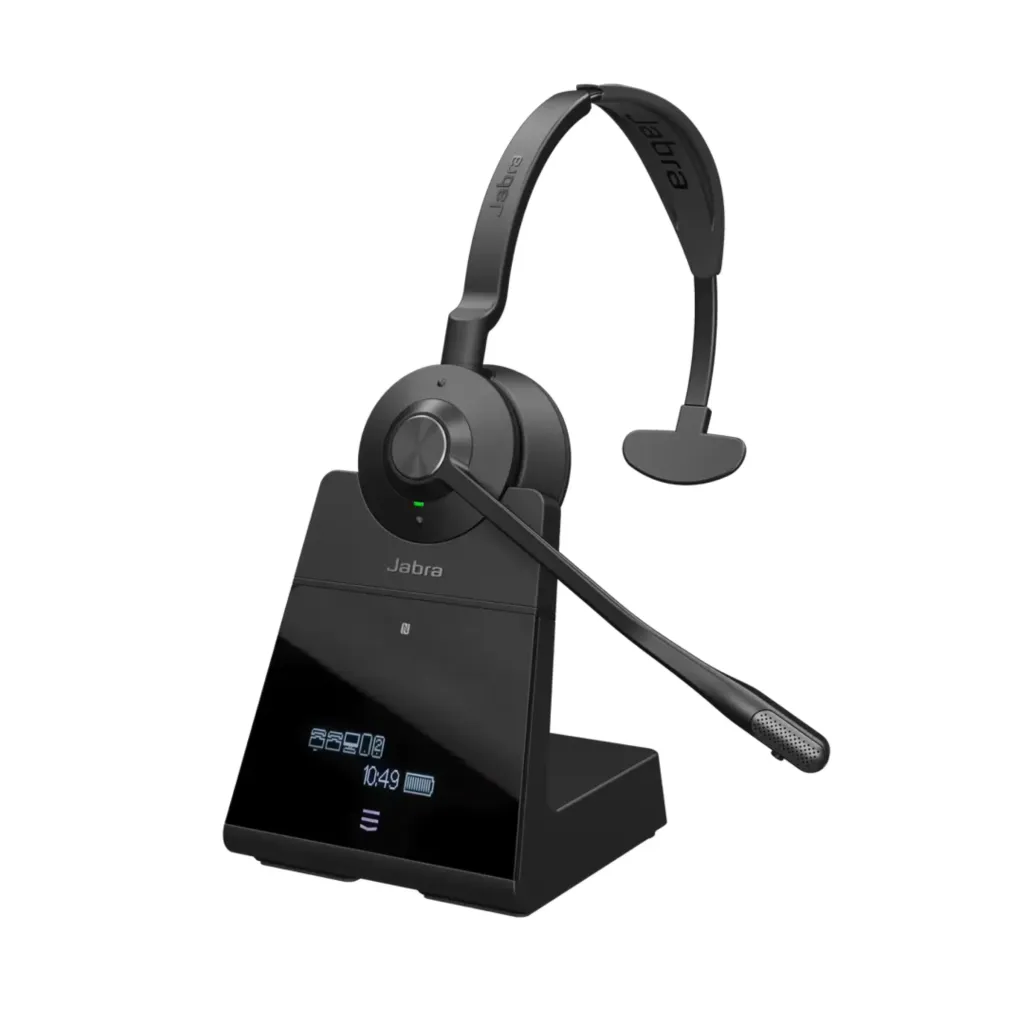
5. Jabra Engage 75 – The Marathon Roamer
Let's talk about the absolute power users. There is a subset of professionals—sales directors, dispatchers, premium support leads—who cannot be tethered to a desk. Standard Bluetooth has a range of about 30 to 50 feet before it gets choppy. If you need call center headsets levels of mobility in your house, the Jabra Engage 75 operates on DECT technology, blowing Bluetooth out of the water.
The Good: The range is staggering. You can leave your laptop in the upstairs office, walk downstairs, go out to the kitchen, make a sandwich, and step into the backyard—up to 490 feet away—without a single blip in audio quality.
The Tech: The base station is a command center. It features a touchscreen that allows you to connect a desk phone, a softphone (PC), and two mobile Bluetooth devices simultaneously.
The Real-World Test: The microphone features advanced noise-canceling, but more importantly, the earpiece features SafeTone technology, protecting your hearing from sudden, sharp acoustic shocks (like someone dropping a microphone on the other end).
The Drawback: It requires the base station to operate its extreme range, meaning it is not highly portable for taking to a coffee shop. It is strictly a home-base powerhouse.
The WFH Verdict: The only choice for pacing thinkers, active listeners, and high-volume callers who need total physical freedom around their entire property.
Why a Dedicated Home Office Headset Improves Call Quality
At this point, you might still be thinking, "My AirPods work fine, why spend the money?" This is a massive misconception. Consumer earbuds are designed for consuming media; professional headsets are designed for two-way communication.
Upgrading to the best home office headset is not a vanity purchase. Investing in a professional headset for work is a strategic career move backed by neurological and psychological data. Let's break down exactly why poor audio is quietly sabotaging your workday, and how the right gear fixes it.
The Hidden Tax of Cognitive Load
Have you ever ended a day of back-to-back virtual meetings feeling completely drained, irritable, and unable to focus, even though you just sat in a chair? You are experiencing "Zoom Fatigue," and the primary culprit isn't the screen—it's the audio.
When you use poor audio equipment, your brain has to constantly "fill in the blanks" of dropped syllables, muffled consonants, and overlapping background noises. A landmark study conducted by global audio brand EPOS monitored the brainwaves of users. It revealed that poor audio causes our brains to work a staggering 35% harder to interpret basic information.
Memory Retention Plummets: Because your brain is using all its processing power just to decode what is being said, it has no energy left to store the information. High-fidelity headsets reduce this cognitive load, improving memory recall significantly.
End-of-Day Exhaustion: Eliminating that 35% extra processing effort means you end your workday with more energy for your personal life.
The Transparency Bonus: Good headsets provide sidetone, allowing you to hear yourself speak naturally. Without it, you unconsciously shout, which strains your vocal cords and stresses your nervous system.
The Psychology of Professional Authority
In a physical boardroom, your presence is established by your posture, your eye contact, and your handshake. In a remote environment, your presence is established almost entirely by your audio fidelity.
If your voice is echoing through a cavernous room, or if you sound tinny and distant, you are fighting an uphill battle for respect. A comprehensive report by Shure and IDC analyzed remote communication dynamics. The data showed a brutal reality: listeners subconsciously rate speakers with poor audio as less intelligent, less competent, and less trustworthy.
Commanding the Room: A premium boom mic captures the deep bass and sharp treble of your natural speaking voice, making you sound broadcast-ready. This commands immediate attention.
Eliminating Apologies: Starting a presentation with "Can everyone hear me? Sorry about the dog..." immediately undermines your authority. A dedicated headset guarantees you can just hit unmute and start executing.
The Client Experience: Providing clear, distraction-free audio is a profound sign of respect for your clients' time. It shows you take the meeting, and their business, seriously.
Hardware-Level Privacy and Security
Using a laptop mic means you are broadcasting your entire household to your company. Conversely, using laptop speakers means you are broadcasting highly sensitive company data to your entire household (or the coffee shop).
Containment: A headset ensures that confidential financial discussions or HR matters remain strictly between your ears.
Gated Microphones: Advanced headsets only open the microphone gate when you speak. The moment you stop talking, the mic closes, preventing accidental sighs, muttered comments, or ambient room noise from leaking into the conference call.
Final Thoughts on Choosing the Best Headset for Home Office
Navigating the transition from chaotic amateur setups to a truly professional home broadcast studio is a game-changer for your career trajectory. Finding the absolute best headset for home office use is about acknowledging your specific environmental challenges and buying the hardware specifically designed to defeat them.
Whether you need the impenetrable silence of the Bose Ultra for deep work, the aggressive acoustic fencing of the Poly Voyager, or the brilliant, budget-friendly hybrid flexibility of the Nearity EP320, the goal is the same. Stop apologizing for your audio, protect your cognitive energy, and start sounding like the professional you are. Your clients, your colleagues, and your sanity will thank you in 2026.
FAQs
1. What is the best headset for a very noisy home office?
Get a headset with a physical boom mic and AI noise-canceling. The Poly Voyager Focus 2 and the Nearity EP320 are the undisputed kings of blocking out dogs, kids, and lawnmowers from your calls.
2. Should I connect via regular Bluetooth or the USB dongle?
Always use the USB dongle. Native laptop Bluetooth is notoriously unstable and causes lag; the dedicated USB dongle provides a dedicated, rock-solid lane for your audio, preventing mid-sentence dropouts.
3. Are wireless headsets actually better for WFH than wired?
Wireless wins for pacing, coffee runs, and freedom. Wired wins for zero latency, zero battery anxiety, and maximum data security. Pick based on whether you sit still or move around while you think.
4. Do I really need ANC (Active Noise Cancellation) just for Zoom calls?
Absolutely. ANC saves your sanity by blocking household chaos from your ears, while ENC (Environmental Noise Cancellation) saves your coworkers' ears by scrubbing the background noise from your microphone. You need both.