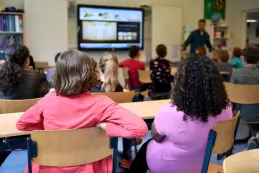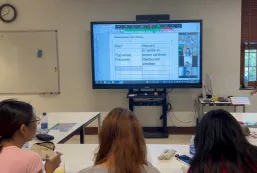













































This comprehensive guide explores how to download subtitles from YouTube for free and legally. Whether you're using YouTube for learning, content creation, or professional purposes, you'll find clear instructions on downloading subtitles in multiple formats, including from auto-generated captions. The post covers built-in YouTube features, third-party tools, and Chrome extensions. We also provide insights on using subtitles for educational and business purposes, including integration with interactive tools like whiteboard touch screens and smart boards.
Ever watched a YouTube video and thought, "Man, I wish I could download these subtitles for later?" Maybe you're learning a new language. Maybe you're creating a presentation. Or maybe, you're just someone who loves reading along while watching. Either way, you're not alone. Tons of people are looking for ways to download subs from YouTube—legally, easily, and yep, for free.
Let me break it down for you, plain and simple.
Quick Comparison: 3 Ways to Download YouTube Subtitles
| Method | Best For | Format Support | Difficulty | Speed |
|---|---|---|---|---|
| YouTube Transcript (Built-in) | Quick copy & paste | TXT | Easy | Fast |
| Online Subtitle Downloaders | SRT/TXT download | SRT, TXT, VTT | Easy | Fast |
| Chrome Extensions | Frequent use | SRT, TXT, DOC | Medium | Very Fast |
Why People Want to Download Subs from YouTube
Before we jump into the how-to, let's talk about the why.
- Students use subtitles for taking notes.
- Language learners use them for picking up grammar and vocabulary.
- Content creators use them to repurpose or quote accurately.
- Professionals use them for presentations or training content.
Trust me, this isn't about hacking the system. This is about using what's already available on YouTube in a smart, responsible way.
But What If There Are No Subtitles Available?
Sometimes you'll find a great video that doesn't have subtitles enabled. In these cases, you can use a free transcribe audio to text tool to generate your own transcript. While this requires an extra step, it's perfect for videos where:
- The creator hasn't added captions
- Auto-generated subtitles are unavailable
- You need a more accurate transcript than YouTube's AI provides
This approach works well for interviews, lectures, or any content where the audio is clear.
Is It Legal to Download YouTube Subtitles?
Quick and simple: Yes, if you're only downloading subtitles that the video owner has made available publicly. That means if you're not downloading someone else's copyrighted material or using it inappropriately, you're good.
What you can do:
- Download auto-generated captions for personal use.
- Download manually added captions (uploaded by the video creator).
What you shouldn't do:
- Sell them.
- Claim them as your own.
- Use them in a way that violates copyright laws.
How to Download Subs from YouTube (Step-by-Step Guide)
Here are some no-nonsense ways to get those subs.
Method 1: Use YouTube's Built-In Tools
The simplest way to get subtitles is directly from YouTube.
YouTube already provides a built-in transcript feature for most videos.
Step-by-Step Guide
- Open a YouTube video
- Click the three-dot menu below the video
- Select “Show transcript”
- Copy the displayed subtitles
- Paste into Google Docs or any text editor
Limitations of This Method
- No direct SRT file download
- Formatting is basic (no timestamps export control)
- Not available on all videos
Method 2: Use a Subtitle Download Site
Online tools are the easiest way to download subtitles in structured formats like SRT or VTT.
Comparison: Top Subtitle Download Tools
| Tool | Format Support | Features |
|---|---|---|
| DownSub | SRT, TXT | Fast URL-based download |
| SaveSubs | SRT, VTT | Multi-language support |
| YouSubtitles | SRT, TXT | Simple UI, no login |
How to Use These Tools
- Copy the YouTube video URL
- Paste into the tool
- Select subtitle language
- Download SRT/TXT file
These tools work directly in the browser and require no installation.
There are some great third-party tools out there.
✅ Tip: Stick to tools that don’t require software downloads. Less sketchy, more secure.
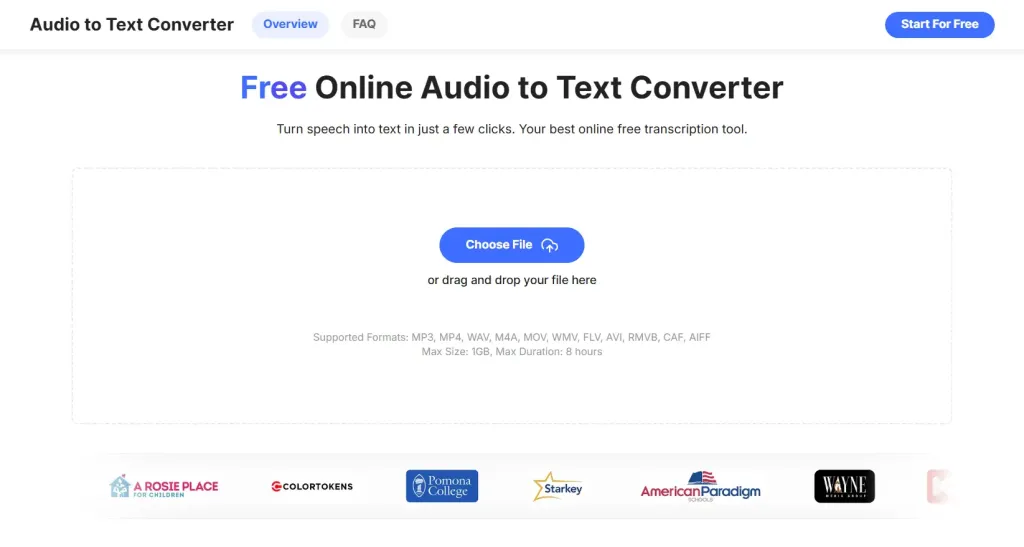
In cases where subtitles are missing or inaccurate, you can use an audio-to-text converter to generate a clean transcript from the video audio, which is especially useful for lectures, interviews, or long-form content.
Method 3: Chrome Extensions (Best for Frequent Use)
If you download subtitles regularly, browser extensions are the most efficient option.
Recommended Extensions
- Subtitles for YouTube (by Yousubtitles)
- YouTube Subtitle Downloader
- GlotDojo
These extensions allow you to:
- Download subtitles instantly
- Export SRT/TXT/DOC formats
- Copy subtitles with one click
They work directly inside Google Chrome while watching videos.
How to Get Auto-Generated Subtitles for Free YouTube Subs
YouTube uses AI to auto-generate subtitles for most videos. They’re not perfect, but they’re usually pretty good.
Steps:
- Go to the video.
- Check if "CC" (closed captions) is available.
- Open the transcript.
- Right-click and copy the text.
You can even clean it up using tools like:
- Google Docs (for formatting)
- Grammarly (for grammar fixes)
Bonus tip: Convert it into a Word doc or PDF for use in slideshows or meetings—especially useful if you're teaching with tools like whiteboard canvas or webcam whiteboard platforms.
Format Guide: SRT vs TXT vs VTT vs JSON
Understanding formats helps you choose the right output.
| Format | Best Use Case | Features |
|---|---|---|
| SRT | Video editing | Timestamp + subtitles |
| TXT | Reading/notes | Plain text only |
| VTT | Web videos | HTML5 support |
| JSON | Developers | Structured data |
👉 If you're editing videos, always choose SRT
👉 If you're studying or summarizing, choose TXT
What About a YouTube Sub Bot? Should You Use It?
So you’ve heard about YouTube sub bots, right?
Let me be real with you: don’t go there.
These are usually sketchy tools that promise to:
- Auto-download any subtitle
- Translate them instantly
- Even pull subs from private or restricted videos
Sounds too good to be true? That’s because it is.
Sub bots can:
- Get you banned from YouTube
- Break copyright laws
- Install malware
Instead, stick with the legal, simple tools we've already covered.
Download Subtitles from YouTube in Different Languages
One of the best features of YouTube subtitles? Multilingual support.
Many videos have:
- English
- Spanish
- French
- Chinese
- And more
To download in another language:
- Click the settings gear ⚙️ on the video.
- Select Subtitles/CC.
- Choose your language.
- Open transcript and follow earlier steps.
Pro tip: If you're teaching in multiple languages, grab a white board touch screen to show subtitles side-by-side.
Legal Considerations (Can You Download YouTube Subtitles?)
Yes—but with conditions.
Allowed:
- Personal learning use
- Research and note-taking
- Educational reference
Not allowed:
- Reselling subtitles
- Reposting without permission
- Using copyrighted content commercially
Always respect content ownership.
Real-World Uses of Free YouTube Subs
Here’s how people are using downloaded subtitles in their everyday work:
- Teachers add them to slides using whiteboard canvas tools.
- Marketers pull quotes for content.
- Students annotate them for study guides.
- Video editors use them for captions and translations.
You don't need to be tech-savvy. You just need to know where to look.
FAQs About Downloading Subs from YouTube
Can I download subtitles without downloading the video?
Yes! All the methods above let you grab just the subs.
Is it legal to use YouTube subtitles in my project?
As long as you’re using public videos and crediting the source properly, yes.
What’s the best format to save subtitles?
TXT and SRT are most common. Use SRT if you're adding them back to videos.
Can I translate downloaded subtitles?
Yes. Use Google Translate or tools like Deepl. Just be mindful of context and accuracy.
Final Thoughts
Getting subs free YouTube style isn't some shady backdoor trick—it’s about making content more useful for you. Whether you're a student, creator, teacher, or just curious, YouTube subtitles are gold.
And now? You know how to find them, save them, and use them the right way.
So go ahead, start downloading. Let the subtitles roll. 👏
Want more tech tips for your workspace? Check out the white board touch screen, webcam whiteboard, and 75 smart board from Nearhub. Perfect tools for smart classrooms, hybrid meetings, and killer presentations.
Stay smart. Stay curious.