














































Education is undergoing a profound digital transformation. As classrooms evolve and online learning becomes a permanent fixture in our educational landscape, educators are constantly searching for tools that bridge the gap between traditional instruction and modern engagement. Enter the smart digital whiteboard—a dynamic, interactive surface that is redefining how teachers present information and how students absorb complex concepts.
Gone are the days of dusty chalkboards and static dry-erase markers. Today's learning environments demand technology that can keep pace with curious minds, whether those minds are sitting in a physical science classroom or logging in from home for math online tutoring. The latest innovations in interactive display technology, particularly features like infinite zoom, are making it possible to explore subjects with a depth and flexibility previously unimaginable.
In this comprehensive guide, we'll explore how smart digital whiteboards are revolutionizing education, why infinite zoom is a game-changing feature, and how these tools are specifically impacting science and mathematics instruction. We'll also help you navigate the practical considerations of implementing this technology, from selecting the right size to understanding which features matter most for your unique teaching environment.
What Is a Smart Digital Whiteboard?
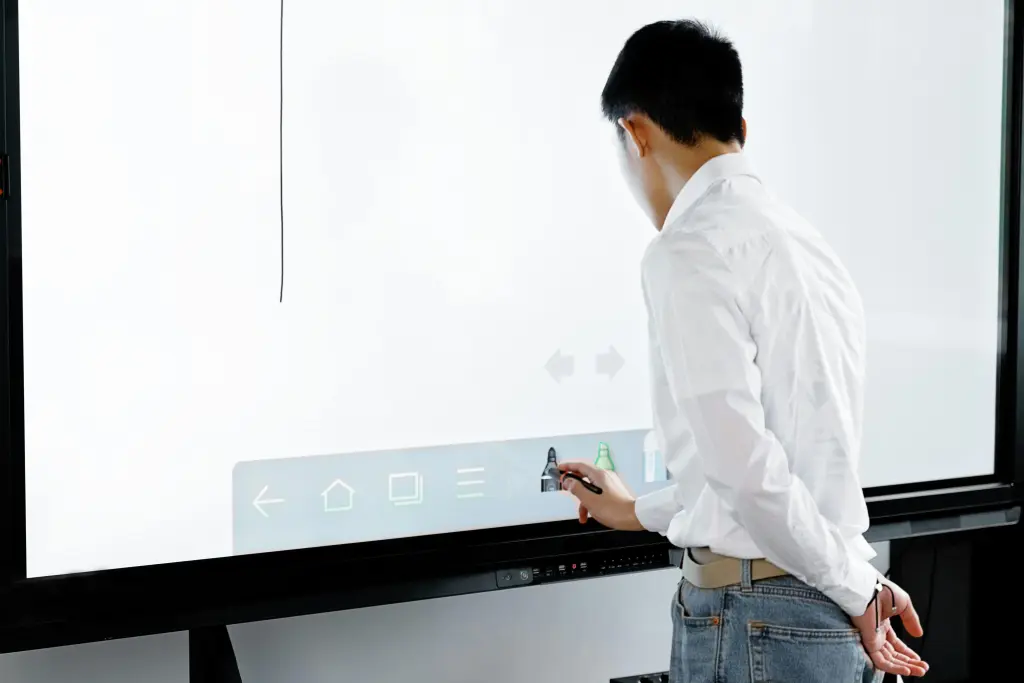
At its core, a smart digital whiteboard is an interactive display that combines the simplicity of a traditional whiteboard with the power of a computer. Unlike conventional boards, these devices allow users to write, draw, manipulate images, access the internet, run applications, and save their work digitally. They support touch input, often multi-touch, enabling multiple students or participants to interact with content simultaneously.
The modern smart digital whiteboard serves as the central hub of the connected classroom. It can display videos, host interactive quizzes, connect to document cameras, and integrate with learning management systems. For educators, this means one cohesive tool replaces the need for separate projectors, screens, and traditional writing surfaces.
What truly distinguishes today's premium interactive displays from earlier generations is the software ecosystem and advanced functionality they offer. Features like cloud saving, real-time collaboration, screen sharing, and infinite canvas capabilities are turning these boards from presentation tools into genuine platforms for discovery.
The Power of Infinite Zoom in Education
Among the most impressive features of advanced smart digital whiteboards is infinite zoom. This capability allows users to zoom in and out of content without losing resolution or clarity, effectively creating an unlimited canvas for exploration.
Imagine beginning a biology lesson with a full view of the human body. With infinite zoom, you can progressively dive deeper—moving from organs to tissues to individual cells, and finally to the molecular structures within those cells. Each level of magnification reveals new details, annotations, and interactive elements that you've prepared in advance. The transition is seamless, maintaining student engagement while building conceptual understanding from the macro to the micro.
For subjects that require understanding scale and proportion, infinite zoom is transformative. In astronomy, students can start with a view of the observable universe and zoom inward to our galaxy, our solar system, Earth, and finally a classroom. In mathematics, an infinite canvas means never running out of space when working through multi-step proofs or complex equations.
This feature is particularly valuable when different students need different levels of detail. A teacher can provide the broad overview for the entire class, then zoom into specific sections for students who need additional support, or zoom out to show connections between concepts for advanced learners. The flexibility supports differentiated instruction in ways that static boards simply cannot match.
Transforming the Science Classroom
Science education has always faced a unique challenge: how to make the invisible visible and the abstract tangible. Whether explaining cellular respiration, electromagnetic fields, or chemical bonding, teachers must bridge the gap between theoretical concepts and observable reality. The smart digital whiteboard, equipped with infinite zoom and interactive capabilities, is proving to be an invaluable ally in this mission.

Visualizing the Invisible
In a modern science classroom, static diagrams in textbooks are no longer the primary visual aid. Instead, teachers can display high-resolution 3D models of molecules, rotate them with a touch, and annotate them in real-time. When discussing DNA replication, for instance, an educator can manipulate a double helix model on screen, unwind it virtually, and label each component while students follow along on their own devices.
The infinite zoom capability shines particularly bright here. A lesson on cell structure can begin with a plant cell visible in its entirety. With a pinch and zoom gesture, the view can travel through the cell wall, past the membrane, into the cytoplasm, and finally focus on the ribosomes where protein synthesis occurs. At each level, students see contextual relationships—they understand where things are in relation to each other, not just what they look like in isolation.
This spatial understanding is critical for scientific literacy. Students who can mentally navigate between scales—from ecosystem to organism to organ to cell to molecule—develop a more robust framework for understanding biological processes. The smart digital whiteboard makes this navigation literal and interactive.
Interactive Simulations and Safe Experimentation
Laboratory safety and resource constraints often limit hands-on experimentation. While nothing fully replaces the experience of physical lab work, interactive simulations displayed on a smart digital whiteboard offer powerful supplementary experiences. Physics teachers can demonstrate electrical circuit behavior under various conditions without burning out actual components. Chemistry instructors can simulate exothermic reactions that would be too dangerous to perform in a standard classroom.
These simulations become collaborative experiences when hosted on an interactive display. Students can come to the board and adjust variables—changing the angle of a ramp in a physics simulation, modifying the concentration of reactants in a chemistry model, or altering environmental conditions in an ecology scenario. They can predict outcomes, test hypotheses, and immediately visualize results.
The ability to save these interactive sessions means the learning doesn't end when the bell rings. Teachers can export the annotated simulations to their learning management system, allowing students to review the material at home. This continuity between classroom and independent study reinforces learning and supports students who need additional processing time.
Fostering Scientific Collaboration
Science is inherently collaborative. Breakthroughs rarely happen in isolation, and the process of scientific inquiry benefits from diverse perspectives and collective problem-solving. Smart digital whiteboards facilitate this collaborative spirit by enabling multiple inputs simultaneously.
During group problem-solving sessions, students can approach the board from different angles, adding their contributions to a shared diagram or data set. In a lesson on climate change, one student might plot temperature data while another annotates a map showing glacial retreat, and a third adds notes about carbon emissions. The board becomes a shared thinking space where individual contributions combine into a comprehensive understanding.
For project-based learning, this collaborative capability is essential. When groups present their research, they can interact with their own content directly on the display rather than simply clicking through static slides. A group studying local water quality can display their data, zoom into specific collection points on a map, and annotate photos of their sampling sites—all in real-time during their presentation.
Revolutionizing Math Online Tutoring
While smart digital whiteboards have obvious applications in physical classrooms, they are equally transformative for remote instruction. Math online tutoring has historically struggled with a fundamental limitation: how to replicate the fluid, visual process of working through problems together when tutor and student are miles apart.
Traditional video conferencing tools allow for screen sharing, but they don't capture the natural back-and-forth of mathematical exploration. The smart digital whiteboard changes this equation entirely by creating a shared, interactive workspace where both tutor and student can write, draw, and manipulate mathematical objects in real-time.

Breaking Down Complex Problems
Mathematics is a subject built on layers. Understanding calculus requires a foundation in algebra and trigonometry. Mastering algebra depends on arithmetic fluency and conceptual understanding of variables. When a student struggles with an advanced topic, the issue often lies in a gap at a more fundamental level.
In math online tutoring sessions conducted via smart digital whiteboard, tutors can seamlessly navigate between these layers. If a student is struggling with a calculus optimization problem, the tutor can zoom out to review the underlying algebraic manipulation, then zoom back in to apply those skills to the original problem. The infinite canvas means there's always space to work through prerequisite concepts without erasing the current problem.
This visual layering helps students see connections between topics. A tutor might show how the Pythagorean theorem relates to the distance formula in coordinate geometry, or how patterns in arithmetic sequences foreshadow concepts in calculus. By keeping all these layers visible and navigable on an infinite canvas, students develop the integrated understanding that expert mathematicians possess.
Real-Time Collaboration Across Distances
The interactive nature of smart digital whiteboards means that math online tutoring becomes genuinely collaborative rather than merely instructional. Both tutor and student can write on the shared canvas simultaneously. The tutor might start a geometric proof while the student identifies congruent angles. They can pass the digital pen back and forth, building the solution together.
This collaboration extends beyond simple writing. Advanced tutoring platforms integrated with smart digital whiteboards allow for dragging and dropping geometric shapes, graphing functions dynamically, and manipulating algebraic expressions. A student learning about quadratic functions can adjust the coefficients of an equation and immediately see how the parabola changes shape. This immediate visual feedback is crucial for developing mathematical intuition.
For younger students, the gamification possibilities are endless. Tutors can create interactive puzzles, drag-and-drop matching activities, and collaborative challenges that make learning math feel like play. The tactile nature of touching and moving objects on screen engages kinesthetic learners who might struggle with purely auditory or visual instruction.
Building Mathematical Confidence
One of the greatest barriers to math achievement is anxiety. Many students approach mathematics with a fixed mindset, believing they simply "aren't math people." The interactive, exploratory nature of smart digital whiteboards helps dismantle this barrier by making math feel less like a test and more like an investigation.
In a supportive math online tutoring environment, students can experiment freely on the shared whiteboard. They can try different approaches to a problem, make mistakes, erase them easily, and start again without the permanence of ink on paper or the embarrassment of a marked-up worksheet. The infinite zoom and canvas mean they never run out of space, and they can always return to earlier work to check their reasoning.
Tutors can also use the recording capabilities of many smart digital whiteboard platforms to capture sessions for later review. Students can revisit their tutoring sessions before tests, watching not just the solutions but the thought process behind them. This review capability is invaluable for reinforcing learning and building the metacognitive skills that separate successful math students from struggling ones.
Choosing the Right Technology for Your Learning Space
Implementing a smart digital whiteboard in your educational environment requires thoughtful consideration. Not all interactive displays are created equal, and the right choice depends on your specific teaching context, physical space, and instructional goals.

Understanding classroom whiteboard dimensions
One of the first practical considerations is size. The effectiveness of an interactive display depends significantly on its visibility and accessibility to all students. When evaluating options, it's essential to understand classroom whiteboard dimensions and how they relate to your room layout, class size, and typical viewing distances.
A board that is too small for your classroom will force students in the back rows to strain to see details, undermining the very engagement you're trying to create. Conversely, an oversized display in a small room can be overwhelming and may not fit comfortably within your existing wall space. Consider not just the diagonal measurement of the screen, but the aspect ratio, the height at which it will be mounted, and how it will integrate with other classroom technology like document cameras and sound systems.
For rooms where students will interact directly with the board, ensure that the lower edge is accessible to your shortest students while the upper reaches remain usable for taller learners. Some installations benefit from adjustable mounting systems that allow the board to move vertically, accommodating different age groups and activities.
Finding the best whiteboards for classroom environments
Beyond size, the feature set and build quality of interactive displays vary widely. When searching for the best whiteboards for classroom use, consider factors like touch responsiveness, software compatibility, connectivity options, and durability.
Touch technology matters significantly for user experience. Capacitive touch systems offer smooth, smartphone-like interaction, while infrared and camera-based systems may require more deliberate pressure. For classrooms with young students or students with motor skill differences, the sensitivity and accuracy of the touch interface can determine whether the technology empowers or frustrates.
Software ecosystem is equally important. The hardware is merely a vessel; the teaching and learning happen through the applications and platforms the board supports. Look for systems that integrate with the tools you already use, whether that's Google Classroom, Microsoft Teams, Zoom, or specialized educational software. The ability to save work to cloud storage, share screens wirelessly from student devices, and access a library of pre-built lesson resources can dramatically reduce preparation time and expand instructional possibilities.
Durability should not be overlooked in K-12 environments. Classroom technology takes a beating. Displays need robust glass, reliable mounting hardware, and warranties that reflect the reality of daily school use. Consider the total cost of ownership, including potential replacement styluses, software subscriptions, and maintenance requirements.
A smart board for teaching: What K-12 Educators Should Know
For educators in K-12 settings, selecting interactive technology involves unique considerations. Younger students need intuitive interfaces that don't require extensive training. Middle schoolers benefit from features that support group work and movement. High school students need tools sophisticated enough to handle advanced content across multiple subjects.
A smart board for teaching in K-12 environments should balance simplicity with capability. It needs to boot up quickly because instructional time is precious. It should support multiple users simultaneously because collaboration is central to modern pedagogy. And it must be reliable because technical failures during lessons disrupt learning and erode teacher confidence in the technology.
Professional development is another critical factor. Even the most advanced smart digital whiteboard will gather dust if teachers don't know how to use it effectively. When evaluating options, consider what training and support the manufacturer or vendor provides. Look for companies that offer lesson plan libraries, video tutorials, and ongoing professional learning communities. The best technology investment is one that comes with a pathway to pedagogical transformation.
Meet the smartboard: The Ultimate Interactive Display
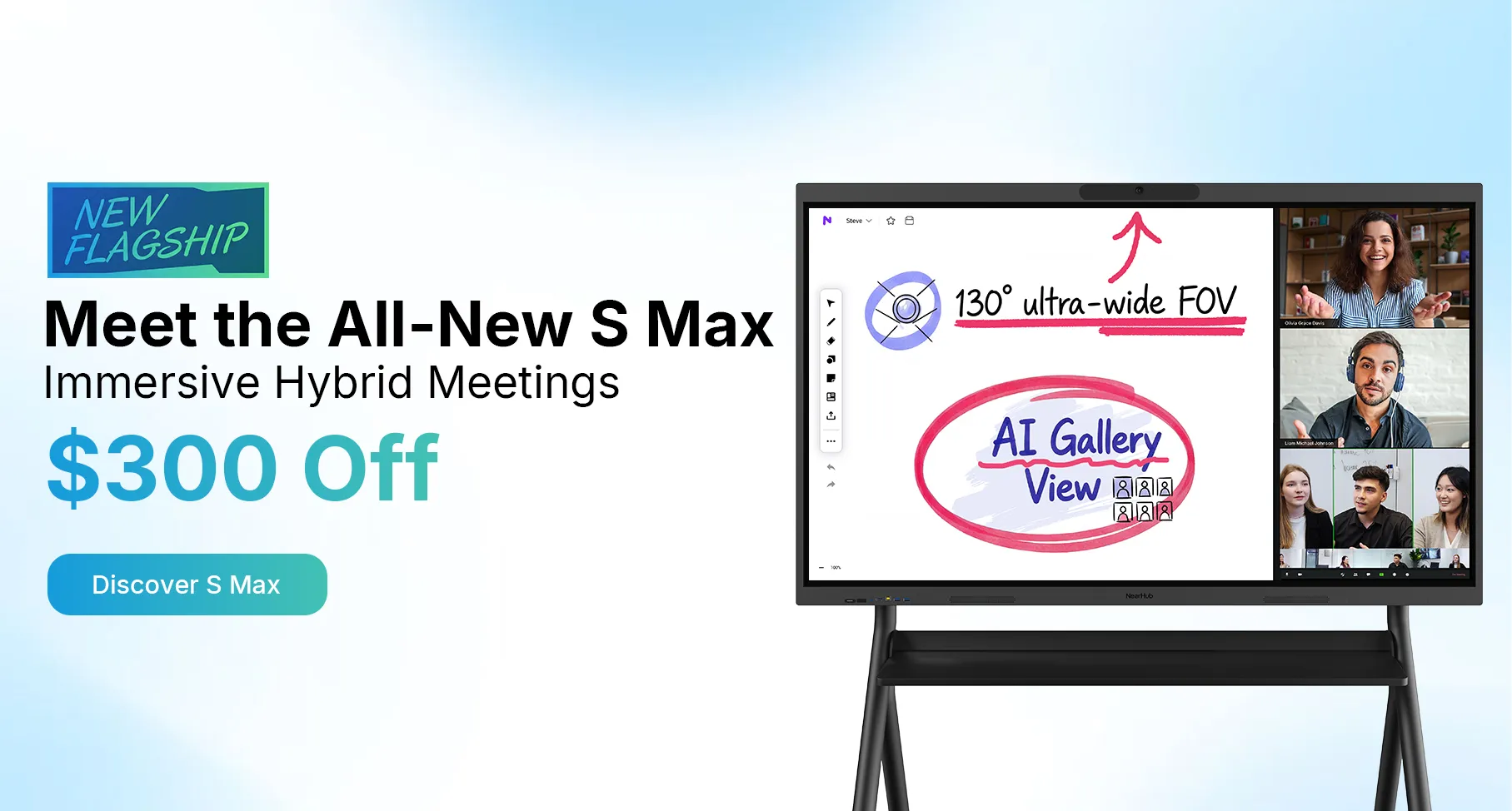
After exploring the educational possibilities and practical considerations of interactive displays, it's worth examining a specific solution that embodies these principles. The smartboard represents the cutting edge of classroom and online learning technology, designed specifically to meet the demands of modern educators.
This interactive display combines stunning 4K resolution with responsive touch technology, ensuring that every annotation, diagram, and video appears crisp and clear from any angle in the room. The infinite zoom capability is implemented with smooth performance, allowing teachers to navigate complex content without lag or loss of detail. Whether you're zooming into the cellular level in biology or exploring fractal geometry in mathematics, the visual experience remains fluid and engaging.
Designed for Educational Excellence
What sets this smartboard apart is its thoughtful integration of hardware and software specifically for learning environments. The display supports multiple touch points simultaneously, enabling true collaborative work. Students can solve problems together at the board, manipulate virtual lab equipment in groups, or compete in educational games that reinforce learning objectives.
The built-in software suite includes tools specifically designed for educators: infinite canvas whiteboarding, screen recording for flipped classroom content, wireless screen sharing from student devices, and seamless integration with popular video conferencing platforms. For math online tutoring, this means tutors can invite students to join a shared whiteboard session with a simple link, eliminating technical barriers that often derail remote learning.
For the science classroom, the smartboard's high brightness and anti-glare coating ensure visibility even in rooms that can't be fully darkened. The robust build quality withstands daily classroom use, and the intuitive interface means teachers spend less time troubleshooting and more time teaching.
Connectivity and Future-Proofing
Modern education requires technology that plays well with others. The smartboard includes comprehensive connectivity options, from HDMI and USB to wireless casting protocols. It integrates with existing classroom infrastructure while providing a platform for future innovations. Regular software updates ensure that the display capabilities expand over time, protecting your investment and keeping your teaching tools current.
For administrators concerned with total cost of ownership, the energy-efficient design and durable construction translate to lower operating costs over the display's lifespan. The ability to serve multiple purposes—presentation board, collaborative workspace, video conferencing hub, and digital signage—means one device replaces several, simplifying technology management and reducing clutter.
Implementation Strategies for Success
Adopting a smart digital whiteboard is not merely a technology decision; it's a pedagogical shift. To maximize the return on your investment, consider these implementation strategies.
Start with Learning Objectives
Technology should serve pedagogy, not drive it. Before integrating a smart digital whiteboard into your instruction, identify specific learning objectives that the technology will support. Are you trying to improve student collaboration? Increase engagement with visual learners? Provide better review materials for absent students? Create more effective math online tutoring experiences?
Once you have clear objectives, you can select features and design lessons that directly support those goals. This targeted approach prevents the common pitfall of using expensive technology as a glorified projector, and instead unlocks its transformative potential.
Build a Lesson Library
The most successful implementations of classroom technology involve shared resources. As you develop lessons using your smart digital whiteboard, save and organize them in a shared drive or learning management system. Over time, you'll build a library of interactive content that other teachers can adapt and use.
Collaborate with colleagues across subjects. A history teacher's timeline template might inspire a biology teacher's evolutionary timeline. A math teacher's graphing activity might be adapted for physics. The infinite canvas and zoom capabilities that make these lessons powerful can be applied across the curriculum.
Train and Support Educators
Even tech-savvy teachers need time to adapt to new tools. Provide initial training focused on basic operation, then follow up with professional learning communities where teachers share successes and troubleshoot challenges together. Identify technology champions in your building who can provide peer support and model effective integration.
For online tutors, consider creating standard operating procedures for your math online tutoring sessions. Establish norms for how the shared whiteboard will be used, how students should signal when they want to contribute, and how session recordings will be shared. Clear expectations help remote sessions run smoothly and maximize learning time.
Evaluate and Iterate
Like any educational initiative, technology integration should be regularly evaluated. Gather feedback from students and teachers about what's working and what isn't. Observe lessons to see how the smart digital whiteboard is being used, and provide coaching to help teachers move from basic presentation uses to more sophisticated interactive applications.
Use data to inform your decisions. Are students more engaged during lessons that use the interactive features? Are tutoring clients reporting better understanding? Are test scores improving in classes where the technology is used most effectively? Let evidence guide your ongoing implementation strategy.
Frequently Asked Questions
How does infinite zoom actually work on a smart digital whiteboard?
Infinite zoom works through vector-based rendering and high-resolution display technology. Unlike traditional displays that show fixed pixel dimensions, advanced smart digital whiteboards use software that renders content as scalable objects. This means you can zoom in continuously without the pixelation or blurriness that occurs when enlarging raster images. The board's powerful processor ensures smooth transitions, and teachers can prepare layered content in advance, placing detailed information at various zoom levels for students to discover.
Can a smart digital whiteboard replace all traditional teaching tools?
While a smart digital whiteboard can replace many traditional tools—whiteboards, projectors, DVD players, and document cameras—it's most effective when integrated thoughtfully into a broader instructional strategy. Some activities, particularly certain hands-on science labs or art projects, still benefit from physical materials. The goal isn't replacement but enhancement: using the interactive display for what it does best (visualization, collaboration, digital archiving) while maintaining other tools for tactile, physical experiences.
Is a smart digital whiteboard effective for one-on-one math online tutoring?
Absolutely. In fact, math online tutoring is one of the contexts where smart digital whiteboards show their greatest value. The shared canvas creates a genuine collaborative space where tutor and student can work together in real-time. The infinite zoom allows for exploring problems at multiple levels of detail. Session recording enables review. And the interactive features—dragging numbers, manipulating graphs, testing equations—build the conceptual understanding that leads to lasting mathematical proficiency.
What should I look for when comparing different interactive displays?
Key comparison points include: touch technology and responsiveness, display resolution and brightness, software ecosystem and compatibility, connectivity options, durability and warranty, professional development support, and total cost of ownership. Consider your specific use case—a science classroom has different requirements than a math online tutoring business. Read reviews from educators in similar contexts, and whenever possible, test displays hands-on before making a decision.
How difficult is it to transition from traditional whiteboards to smart digital whiteboards?
The learning curve varies by individual, but most educators find the basic operation intuitive within a few hours of use. Writing on the display feels natural, especially with quality styluses. The bigger transition is pedagogical: learning to design lessons that take advantage of interactivity, collaboration, and infinite canvas capabilities. Schools that provide ongoing professional development and peer support see the fastest and most successful transitions. Start with simple applications and gradually increase complexity as comfort grows.
Can students access the whiteboard content from home?
Yes, most modern smart digital whiteboards support cloud saving and sharing. Teachers can export their annotated lessons as PDFs, images, or interactive files that students access through learning management systems. For remote tutoring, the shared whiteboard is accessible to anyone with the session link and a compatible device. This accessibility ensures continuity between classroom instruction and independent study, supporting students who miss class or need additional review.
Conclusion
The evolution from chalkboards to smart digital whiteboards represents more than technological progress—it signals a fundamental shift in how we conceptualize teaching and learning. In the science classroom, these tools make the invisible visible, turning abstract concepts into interactive explorations. For math online tutoring, they bridge geographical distances, creating shared spaces where mathematical thinking can flourish.
Features like infinite zoom are not mere gimmicks; they address real pedagogical needs. They allow us to teach scale and proportion in genuinely meaningful ways. They support differentiated instruction by enabling navigation between overview and detail. They facilitate collaboration by providing unlimited space for collective thinking.
As you consider bringing this technology into your educational environment, remember that the tool is only as effective as the teaching it supports. Take time to understand your space, your learners, and your instructional goals. Explore resources about classroom whiteboard dimensions to ensure proper fit. Research the best whiteboards for classroom use to find features that match your needs. Consider how a dedicated smart board for teaching can support your specific K-12 context. And when you're ready to invest in a solution that brings together all these capabilities, explore what the smartboard can offer your learners.
The future of education is interactive, collaborative, and boundless. With the right smart digital whiteboard in your science classroom or tutoring practice, you're not just keeping pace with that future—you're helping to create it, one infinite zoom at a time.

Ready to transform your teaching? Visit NearHub today to explore interactive display solutions designed specifically for educators. Whether you're equipping a new science classroom, expanding your math online tutoring business, or upgrading your entire school's technology infrastructure, our team can help you find the perfect fit. Schedule a demo, browse our educational resources, and take the first step toward a more engaging, effective learning experience for every student you serve.