Top 10 Best Free eSignature Services for 2025: Reviews and Comparisons
In this comprehensive guide, we explore the top 10 best eSignature services for 2025, comparing their features, pricing, and usability.
best esignature service
Updated: Aug 19, 2026 · 8 minutes read
Global Business, Brought Near.
No Installer, No Hassle, Just Works.
Looking for the best eSignature service in 2025? This detailed review covers the top 10 digital signing platforms, their free and paid options, and insider tips to choose the right tool. Ideal for businesses, freelancers, and remote teams needing fast, secure, and legally binding signatures.
Have you ever thought: "Why is signing a document still so complicated?" "Do I really have to print, sign, scan, and email back?" "Is my digital signature even legal?"
You’re not alone. I get these questions all the time. In today’s fast-moving world, eSignature services aren’t just "nice to have" anymore — they’re absolutely essential. Whether you’re running a small business, working remotely, or just handling personal contracts, choosing the best eSignature service can save you time, money, and a ton of headaches.
Today, I’m breaking down the Top 10 Best eSignature Services for 2025 — real reviews, real comparisons, real advice.
Let’s dive in 👇
Why Trust eSignature Services in 2025?
Before we get into it, let's answer this: Is an eSignature legally binding? ✅ Yes, absolutely. Thanks to laws like ESIGN Act (U.S.) and eIDAS (Europe), your e-signature holds the same legal weight as a handwritten signature.
And security? ✅ Modern digital signing tools use bank-level encryption and identity verification to keep your documents safe.
Are Any eSignature Services Free in 2025?
If you’re wondering whether you can get away with using a free eSignature service, you’re not alone — it’s a super common question.
Here’s the deal:
Service
Free Version Available
Notes
DocuSign
❌ Only a 30-day free trial
Paid plans from $10/month after trial
Adobe Sign
❌ Only a 7-day free trial
Paid plans start at $13/month
HelloSign (Dropbox Sign)
✅ Free plan (up to 3 docs/month)
Upgrade for more
PandaDoc
✅ Free basic eSignature plan
Paid plans start at $19/month for advanced features
SignNow
❌ Only low-cost paid plans
From $8/month
SignEasy
❌ Free trial, then paid
From $8/month
OneSpan Sign
❌ No public free version
Enterprise-level pricing
Zoho Sign
✅ Free (up to 5 documents/month)
Paid from $10/month
RightSignature
❌ No free version
Starts at $12/month
eversign
✅ Free (up to 5 docs/month)
Paid plans for heavier use
✅ Totally Free Options:
HelloSign
PandaDoc (for basic needs)
Zoho Sign
eversign
🚫 Only Free Trials (not truly free long-term):
DocuSign
Adobe Sign
SignEasy
SignNow
RightSignature
OneSpan Sign
👉 My advice:
Light users (sign a few documents a month)? Stick with HelloSign, Zoho Sign, or eversign for free.
Heavy users or businesses? Invest in a paid plan for more features and reliability.
. DocuSign — Still the King of Digital Signing Tools
Best for: Large businesses and legal documents Price: Starting at $10/month Free Trial: 30 days
Why DocuSign?
DocuSign is like the iPhone of electronic signature apps — reliable, secure, and almost everyone knows it. It’s trusted by 1 billion users worldwide.
Templates for common contracts
Advanced authentication options
Works beautifully with Google Drive, Dropbox, Salesforce
Pro tip: If you often need in person signing software for desktop, DocuSign's "In-Person Signing" feature is a lifesaver — ideal for real estate, healthcare, or face-to-face transactions.
Best for: Affordable bulk signing Price: Starting at $8/month
Why SignNow?
Incredible value for the money.
Unlimited templates
Team management tools
API for developers
If you need best esignature service for affordable enterprise deals, SignNow punches way above its price tag.
6. SignEasy — Best for Mobile First Signing
Best for: On-the-go signing Price: Starting at $8/month
Why SignEasy?
Quick, intuitive mobile apps.
Sign PDFs, Word docs, JPGs
Integrates with Google Workspace
Offline signing mode (very rare!)
Perfect for field sales, inspectors, delivery staff.
7. OneSpan Sign — Best for Highly Regulated Industries
Best for: Banks, insurance, healthcare Price: Custom pricing
Why OneSpan?
If security is your #1 priority, look no further.
Strong compliance (GDPR, HIPAA, FINRA)
Detailed audit trails
Face-to-face in-person signing tools
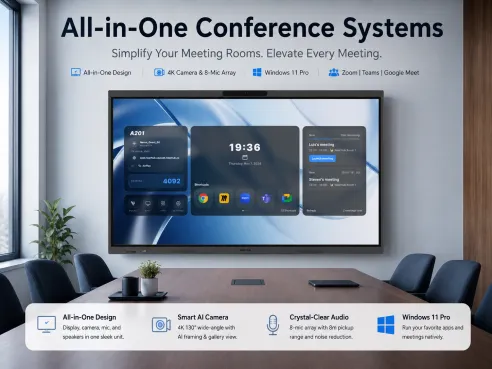
This is also where pairing with a webcam whiteboard like NearHub S65 can add another level of remote verification during signings.
8. Zoho Sign — Best for Zoho Users
Best for: Businesses already using Zoho CRM, Zoho Mail Price: Free for 5 documents/month, paid from $10/month
Why Zoho Sign?
Fully integrated into the Zoho ecosystem.
Great for sales, HR teams
Digital certificate options
Easy CRM tracking of signatures
9. RightSignature — Best for Quick Setups
Best for: Fast one-off contracts Price: Starting at $12/month
Why RightSignature?
Created by Citrix. If you want fast, straightforward contracts without all the bells and whistles, this is it.
Drag, drop, and send
Custom branding available
10. eversign — Best for Freelancers and Small Businesses
Best for: Solopreneurs Price: Free for up to 5 documents/month
Why eversign?
Solid free plan, and affordable upgrades.
Cloud storage integrations
In-person signing mode
Audit trails and security features
How to Pick the Best eSignature Service for Your Needs
Here’s what I always tell people: Don’t just chase features. Choose based on:
Security: Is it encrypted?
Ease of use: Can you sign on mobile and desktop?
Integrations: Does it work with your CRM or storage tools?
Cost: Are you paying for features you don’t use?
In-Person Options: Some need strong in person signing software for desktop — others don’t.
FAQs about eSignature Services in 2025
1. Are electronic signatures really legally binding?
Yes! In the U.S., the ESIGN Act and UETA make electronic signatures fully legal.
2. What’s the most secure eSignature platform?
OneSpan Sign and DocuSign lead the way for ultra-secure, compliance-heavy industries.
3. What’s the best free eSignature tool?
For very light use, eversign or Zoho Sign have generous free plans.
4. Can I use eSignatures for in-person signings?
Absolutely. Services like DocuSign, PandaDoc, and OneSpan offer in person signing software for desktop setups — perfect for face-to-face deals.
Final Thoughts: Why Choosing the Best eSignature Service Matters
Choosing the best esignature service is like choosing the right car: it needs to fit your lifestyle. Whether you’re sealing multimillion-dollar deals or getting a quick freelance contract signed, the right tool makes a difference.