











































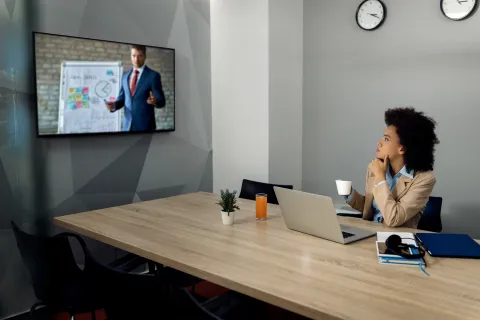
In today's hybrid work environment, a blurry, echoing video call is no longer just a minor annoyance—it's a barrier to business. As a core part of your hybrid meeting equipment, the quality of your video setup directly impacts communication effectiveness. Whether you are conducting high-stakes management consulting sessions or coordinating complex logistics meetings, upgrading to the best conference room camera is essential for maintaining a professional presence and ensuring seamless collaboration.
But with so many specs, features, and brands on the market, how do you make the right choice? This comprehensive guide will walk you through the critical factors to consider when selecting a video conference camera and highlight the ultimate solution for modern workspaces.
Key Takeaways
- The Four Pillars of Selection: Priority should be placed on Visual Intelligence (AI tracking), Acoustic Architecture (full-duplex and noise suppression), Scalability (daisy-chaining capabilities), and seamless Platform Compatibility.
- Spatial Optimization Strategies: Small huddle spaces thrive with 360° panoramic cameras (such as the Nearity 360 Alien), while large boardrooms require high-optical zoom PTZ cameras paired with cascaded audio systems.
- Industry-Specific Customization: Healthcare demands high-fidelity diagnostics; Finance and Law prioritize audio confidentiality; and Education relies heavily on dynamic presenter tracking for hybrid engagement.
- 2026 Deployment Trends: Simplified single-cable USB-C connectivity (BYOM) and centralized cloud-based device management have officially become the non-negotiable standards for modern enterprise IT.
The Anatomy of a High-Performance Video Conference Camera
When evaluating a conference camera, IT decision-makers should focus on four core pillars:
- Visual Intelligence: Beyond 4K resolution, the speed and smoothness of AI-driven Auto-framing and Speaker Tracking are critical for a natural meeting flow.
- Acoustic Architecture: The 2026 standard requires Full-Duplex audio combined with deep AI-based noise suppression to eliminate background distractions.
- Scalability: Assess whether the hardware supports Daisy-chaining. This determines if your system can flexibly expand as your meeting spaces grow.
- Platform Compatibility: Native, seamless support for Zoom, Microsoft Teams, and Google Meet ecosystems is non-negotiable for driverless deployment.
Top 5 Most Popular Conference Room Cameras in 2026
Based on market share, user satisfaction, and technological innovation, these are the top 5 solutions defining the modern workspace this year:
Quick Comparison Matrix: Top 5 Solutions
| Camera Model | Price Range (Est.) | Key Advantages | Best For |
| Nearity 360 Alien | $1,399.99 | True 4K 360° Vision, AI Noise Reduction, Futuristic Design | Startups & Agile Teams seeking premium video equity |
| Meeting Owl 3 | $1,099.00 | Intuitive User Experience, Proven AI Tracking, Portable | Small Creative Agencies & Flexible Workspaces |
| Logitech Rally Bar | $1,899.00 | Cinema-quality Optics, Enterprise-grade Reliability | Large Corporations with standardized IT ecosystems |
| Jabra PanaCast 50 | $1,475.99 | 180° Panoramic 4K, Compact Video Bar, Intelligent Zoom | Narrow Huddle Rooms & Wall-mounted Setups |
| Poly Studio X70 | $2,267.00 | Dual 4K Sensors, Studio-grade Audio, Boardroom Ready | Fortune 500 Executive Suites & High-stakes Sales |
- Nearity 360 Alien: One of the best alternatives to the Meeting Owl 4+. The breakout star for 2026. It combines True 4K 360° panoramic visuals with an advanced 4-mic array. Its "Alien" design is optimized for center-of-table placement, providing unparalleled meeting equity in huddle and medium rooms.

- Owl Labs Meeting Owl 3: A legacy leader in the 360° category. While it remains highly popular for its intuitive "follow-the-speaker" AI and seamless integration, it is now primarily chosen for its ease of use and established ecosystem in smaller collaboration hubs.
- Logitech Rally Bar: The gold standard for integrated video bars. Known for its premium optics and RightSense™ technology, it remains the go-to choice for IT departments seeking a reliable, front-of-room All-in-One solution for medium to large spaces.
- Jabra PanaCast 50: A favorite for rectangular rooms. Its 180° field of view ensures that even those sitting close to the wall are captured in 4K, making it highly effective for narrow office layouts.
- Poly Studio X70: The powerhouse for large boardrooms. Featuring dual 4K lenses and pro-grade audio, it is designed for high-stakes executive meetings where visual fidelity and sound isolation are non-negotiable.
Selecting the Right Conference Room Cameras Based on Your Space
Different spatial layouts demand distinct video conference camera requirements.
1. Huddle & Small Rooms (1–6 Participants)
- The Pain Point: Limited space where participants are often seated very close to the lens, or small rectangular setups requiring clear focus.
- Strategy: An ultra-wide-angle lens or a panoramic view is required to capture everyone without distortion or the need for a large footprint.
- Recommended Solution: Nearity 360 Alien.
- The Advantage: As a True 4K 360° all-in-one conference camera, the 360 Alien ensures that everyone around the table is seen in crystal-clear detail. Its 4-mic array and AI noise reduction handle close-quarters audio perfectly, eliminating the need for complex external setups in small rooms.
Medium Rooms (6–12 Participants)
- The Pain Point: The need to balance a panoramic view of the room with detailed focus on the active speaker as the distance increases.
- Strategy: Professional 4K setups that offer flexible audio extension and intelligent framing to handle mid-range depth without clutter.
- Recommended Solution: Nearity 120 Max.
- The Advantage: The 120Max offers a True 4K sensor with AI auto-framing that keeps every participant in sharp focus. Its standout feature is the NA20 wireless USB dongle, which enables a clutter-free workspace. By flanking participants with AM01 expansion mics, the system delivers pro-grade audio coverage that adapts to the room’s seating for a seamless, plug-and-play experience.
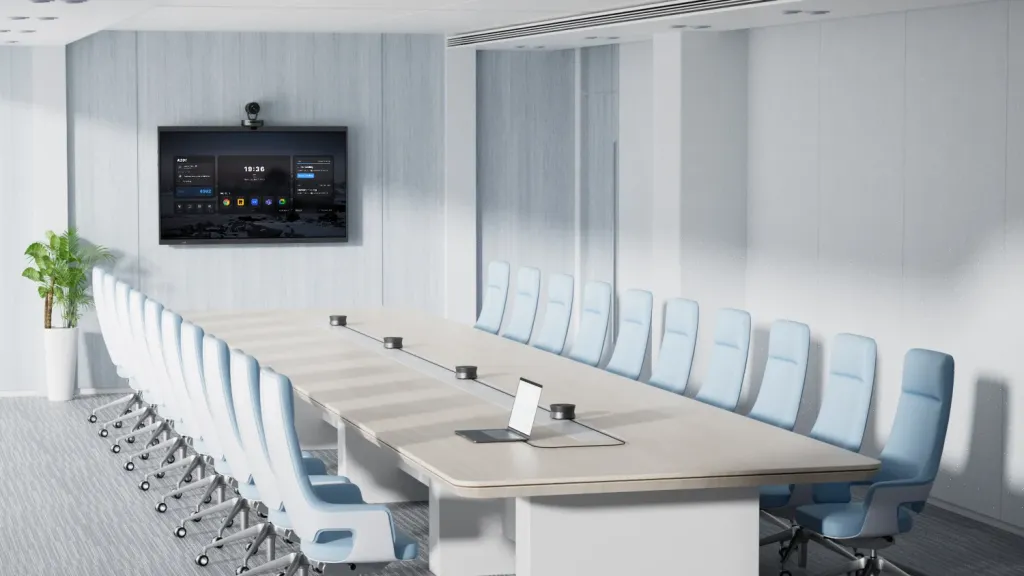
Large Boardrooms(12–20 Participants)
- The Pain Point: Significant depth where traditional single-point audio cannot reach the end of long tables.
- Strategy: High-quality optical zoom cameras paired with cascaded (daisy-chained) audio systems for comprehensive coverage.
- Primary Recommendation: Nearity V410 + A20S Daisy-Chain Array.
- Deep Dive: Mount the V410 at the front to capture participants and presentations with precision. Paired with four daisy-chained A20S speakerphones, this setup provides full-room audio coverage for large spaces. Ideal for boardrooms and training rooms, it ensures clear video and audio for hybrid meetings through a single USB connection.
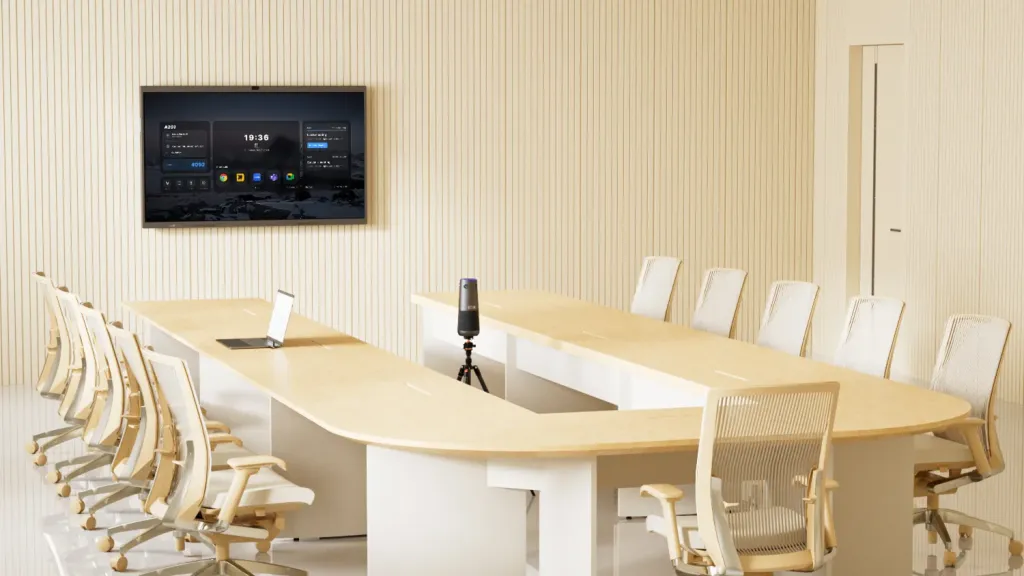
U-Shaped Rooms (Executive & Training Layouts)
- The Pain Point: Hollow center creating sightline and audio "dead zones."
- Strategy: Elevated panoramic cameras and distributed audio along the perimeter.
- Recommended Solution: Nearity 360 Alien + ST30 Stand
- The Advantage: Elevating the camera on the ST30 stand avoids table obstructions, while cascaded AM01 units provide consistent pickup along the "U" arms.
Comparing the Best Conference Room Camera Solutions for 2026
The following matrix highlights the leading conference room cameras for various business needs:
| Space Type | Recommended System | Key Technical Advantage | Scalability |
| Huddle/Small | Nearity 360 Alien | True 4K 360° View / 4-Mic Array | All-in-One Plug-&-Play |
| Medium Room | Nearity 120Max | 4K AI Framing / Wireless Dongle | AM01 Audio Expansion |
| Large Room | Nearity V410 + A20S | Front-of-Room PTZ / 4-Unit Audio | 4-Speakerphone Array |
| U-Shaped | 360 Alien + ST30 | True 4K Panoramic / Elevated View | Adjustable Stand |
Industry-Specific Requirements: Mapping Technology to Professional Pain Points
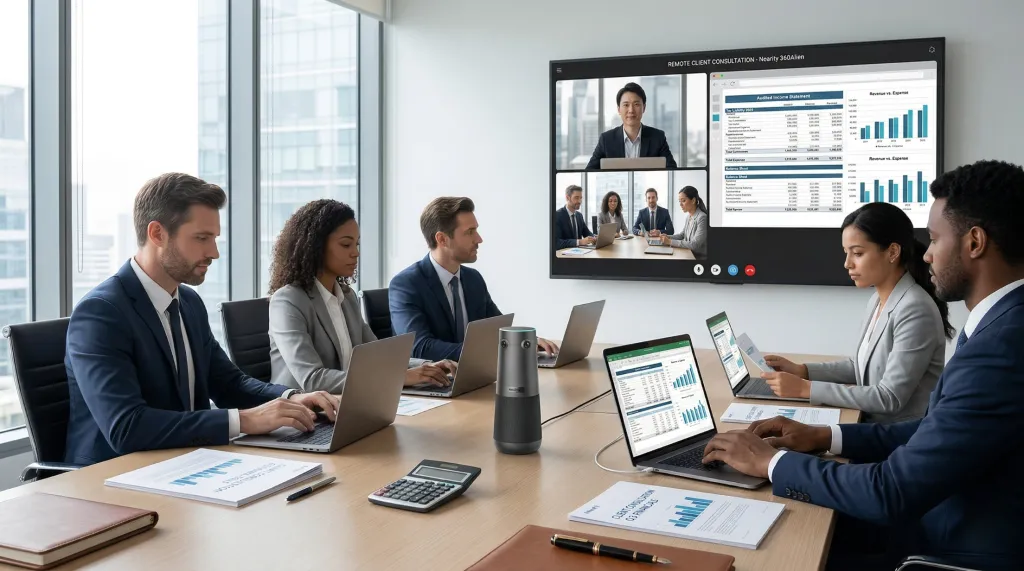
Choosing the best conference room camera often depends on the unique communication barriers of your industry. Understanding these pain points is essential for a successful IT deployment:
- Healthcare & Telemedicine (Visual Fidelity & Diagnostic Accuracy): In clinical settings, every pixel counts. Remote consultations require extreme visual precision to observe physical symptoms or review intricate medical charts. High-resolution sensors with low-light compensation are critical here, as diagnostic accuracy cannot be compromised by digital noise or motion blur.
- Finance & Law (Audio Confidentiality & Deep Noise Suppression): For these sectors, "Clear Audio" isn't just about hearing words; it's about security. Advanced AI noise suppression is required to isolate human speech from ambient office chatter, ensuring that sensitive negotiations remain private and intelligible even in open-plan offices or rooms with poor acoustic treatment.
- Education & Corporate Training (Engagement & Dynamic Movement): The biggest challenge in hybrid learning is the "Passive Observer" syndrome. To keep remote students engaged, the hardware must proactively follow the presenter. Fast, responsive speaker tracking and multi-focal AI are needed to handle instructors who move between whiteboards, podiums, and physical demonstrations.
- Tech & Creative Agencies (Collaborative Presence & Meeting Equity): Creative brainstorming relies on non-verbal cues and spontaneous interjection. The primary pain point is the "Tunnel Vision" of traditional cameras. These industries require panoramic views that foster a sense of "togetherness," ensuring that remote team members feel like they are sitting at the same table during high-energy ideation sessions.
Deployment Guide: How to Integrate Your Conference Camera into Existing Workflows
Choosing the best conference room camera is only the first step. Successful integration depends on IT operational details:
- USB-C Single-Cable Connectivity: 2026 standards prioritize single-cable solutions to reduce boardroom clutter and simplify the "Bring Your Own Meeting" (BYOM) experience.
- Distributed Audio (Daisy-Chaining): In elongated or U-shaped rooms, cascading microphones is scientifically superior to increasing the sensitivity of a single microphone, as it eliminates the "Inverse Square Law" drop-off of sound.
- Cloud Management: Ensure devices support bulk remote firmware updates, which is vital for IT managers maintaining a global office footprint.
Maximize Your ROI: Final Thoughts on Choosing a Video Conference Camera
In 2026, the best conference room camera is not necessarily the most expensive one; it is the one most precisely calibrated to your spatial acoustics and business workflow.
- For startups and small teams, the Nearity 360 Alien offers the premium 4K panoramic experience in a compact form factor.
- For flexible medium spaces, the Nearity 120Max removes cable constraints through wireless connectivity without sacrificing 4K visual quality.
- For complex layouts like U-shaped or large rooms, the Nearity V410 and 360 Alien + A20S solutions stand as the optimal choices, delivering "Meeting Equity" through superior modular audio and video reach.
Ultimately, selecting the right conference camera is an investment in your team's collective intelligence and collaboration efficiency.
FAQs
- What is the difference between a webcam and a conference room camera?
Conference room cameras go far beyond standard webcams. They typically offer higher resolution, AI-powered features, automated framing and tracking, and may include beamforming microphone arrays that enhance audio clarity while minimizing background noise—resulting in a more professional and distraction-free meeting experience.
- Does 4K resolution really matter if video platforms compress the signal?
Yes. While Zoom/Teams may compress to 1080p, a 4K sensor provides a "data buffer." This allows AI to perform digital zooming and auto-framing (cropping) without the resulting image becoming pixelated, maintaining professional clarity for remote viewers.
- What is the benefit of a "360-degree" conference room camera vs. a "Front-of-Room" PTZ?
360-degree cameras (like the 360 Alien) are best for collaborative brainstorming where everyone is an equal participant. Front-of-room PTZ cameras (like the V410) are superior for presentation-style meetings or very deep rooms where a lecturer needs to be tracked from a distance.
- Do these conference cameras require professional technical staff for deployment?
Most conference cameras do not require professional deployment. By 2026, the mainstream trend is plug-and-play. Most all-in-one devices can be set up by simply connecting a single USB-C cable to a computer, allowing everyday users to complete the setup in under five minutes.