Best Collaboration Tools for Remote Teams in 2026 (For Hybrid & Distributed Teams)
Discover the best 2026 remote collaboration solutions by integrating high-performance software and interactive hardware to maximize team communication and productivity.
collaboration tools for remote teams
Updated: Aug 19, 2026 · 9 minutes read
Global Business, Brought Near.
No Installer, No Hassle, Just Works.
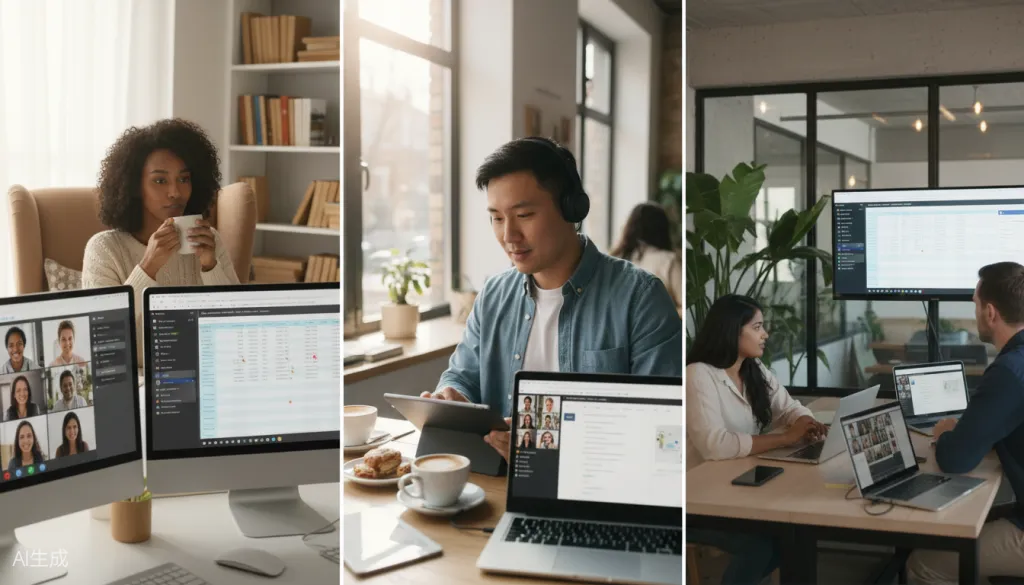
Remote work has evolved from a temporary adjustment to a permanent operating model for millions of organizations worldwide. By 2026, distributed teams will have moved beyond basic video calls and email chains—they will need sophisticated, integrated collaboration ecosystems that bridge the gap between home offices, coworking spaces, and corporate headquarters.
If you're responsible for equipping your remote or hybrid team with the right tools, you're facing a crowded marketplace of software platforms, hardware solutions, and promises of seamless collaboration. This guide cuts through the noise to help you understand what types of collaboration tools for remote teams actually work in 2026, how to evaluate different categories, and why integrated hardware-software solutions are becoming essential for high-performing distributed teams.
What Remote Teams Actually Need in 2026
The collaboration landscape has matured significantly. Teams no longer ask, "How do we work remotely?" Instead, they ask, "How do we work remotely better?" This shift requires tools that address specific pain points:
Communication fragmentation remains the top challenge. When conversations scatter across email, chat, video calls, and project management tools, context gets lost, and productivity suffers. The best remote team collaboration tools centralize communication while maintaining flexibility.
Meeting fatigue and engagement have become critical concerns. Back-to-back video calls drain energy and reduce creative output. Teams need tools that make meetings more interactive and efficient, not just more frequent.
Asynchronous collaboration is essential for teams across time zones. Not every decision requires a meeting—tools that support documentation, visual collaboration, and workflow transparency enable team members to contribute on their own schedules.
Hybrid equity ensures remote participants aren't second-class citizens in meetings. When half the team is in a conference room, and half is on video, the remote experience often suffers. Modern collaboration infrastructure must prioritize equal participation.
Software Collaboration Tools: The Foundation
Software platforms form the backbone of remote collaboration. Here's how the major categories break down for 2026:
Communication and Messaging Platforms
Microsoft Teams remains the choice for organizations deeply embedded in the Microsoft ecosystem, offering tight integration with Office 365 and increasingly competitive video calling features.
Discord has emerged as a surprisingly effective option for creative and technical teams, offering superior audio quality and community-building features that traditional corporate tools lack.
Video Conferencing and Remote Meeting Tools
Zoom has maintained its position as the reliability standard, with consistent performance even on lower-bandwidth connections. Google Meet offers seamless integration for Google Workspace users, while Webex and Teams have closed the gap with enterprise-grade security and features.
The key differentiator in 2026 isn't basic video quality—it's how these platforms integrate with other tools and support hybrid meeting scenarios.
Project Management and Workflow Tools
Asana, Monday.com, ClickUp, and Notion each serve different collaboration styles. Asana excels at task-based workflows with clear ownership. Monday.com offers visual project tracking that appeals to operations-focused teams. Notion has become the documentation and knowledge management platform of choice for teams that value flexibility.
The best approach often involves combining a dedicated project management tool with a documentation platform, ensuring that work progress and context live in connected systems.
Cloud Storage and Document Collaboration
Google Workspace and Microsoft 365 remain the primary choices for real-time document collaboration. Dropbox has evolved beyond simple storage into a workflow platform, while Box dominates in security-conscious enterprise environments.
Hardware Solutions: The Missing Piece
While software gets most of the attention, hardware collaboration tools have become equally important for hybrid teams. Here's why:
The Hybrid Meeting Room Problem
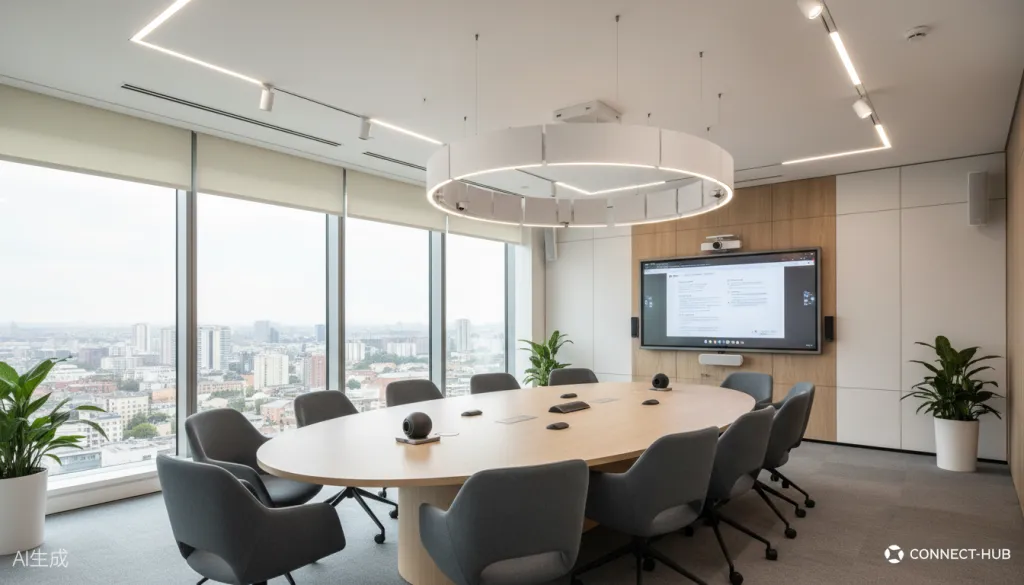
Traditional conference room setups weren't designed for hybrid work. A TV screen with a basic webcam creates an asymmetrical experience where remote participants struggle to see, hear, and contribute effectively. In-person attendees often forget about their remote colleagues entirely.
Interactive Whiteboards for Remote Teams
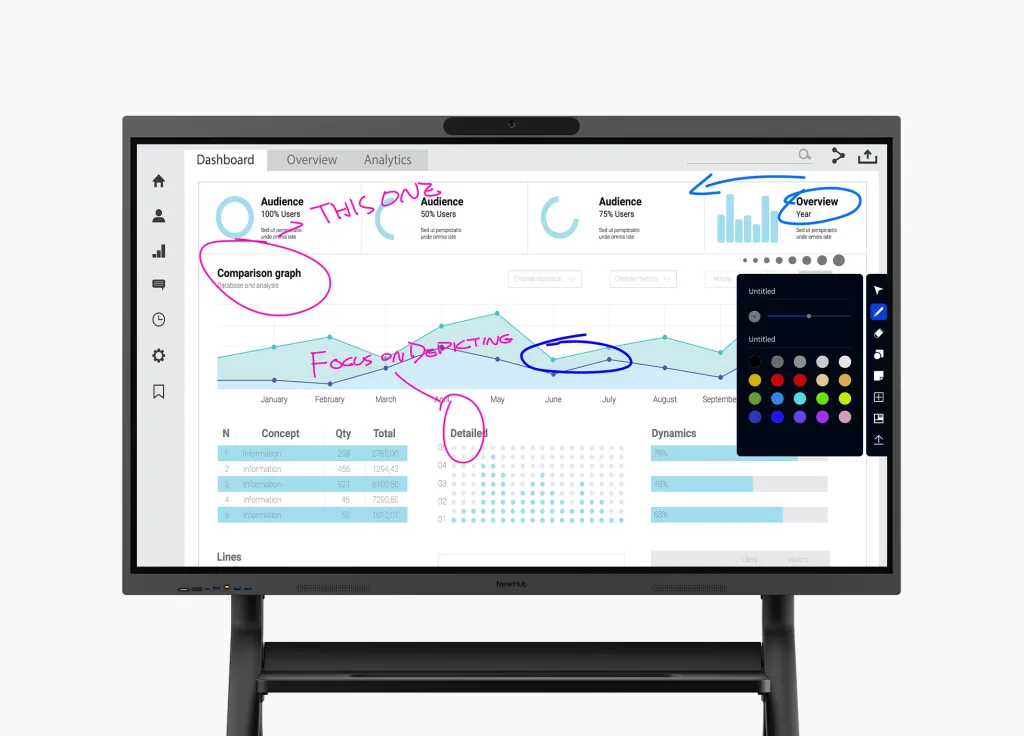
Interactive whiteboards have emerged as the centerpiece of modern hybrid meeting rooms. These large touchscreen displays serve multiple purposes:
Visual collaboration: Teams can brainstorm, diagram, and whiteboard together in real-time, with remote participants contributing equally
Content sharing: Documents, presentations, and videos display clearly for everyone
Meeting hub: Integrated cameras, microphones, and speakers eliminate the need for separate AV equipment
Digital capture: Everything created during the meeting is saved and shareable, eliminating the "whiteboard photo" problem
All-in-One Meeting Room Systems
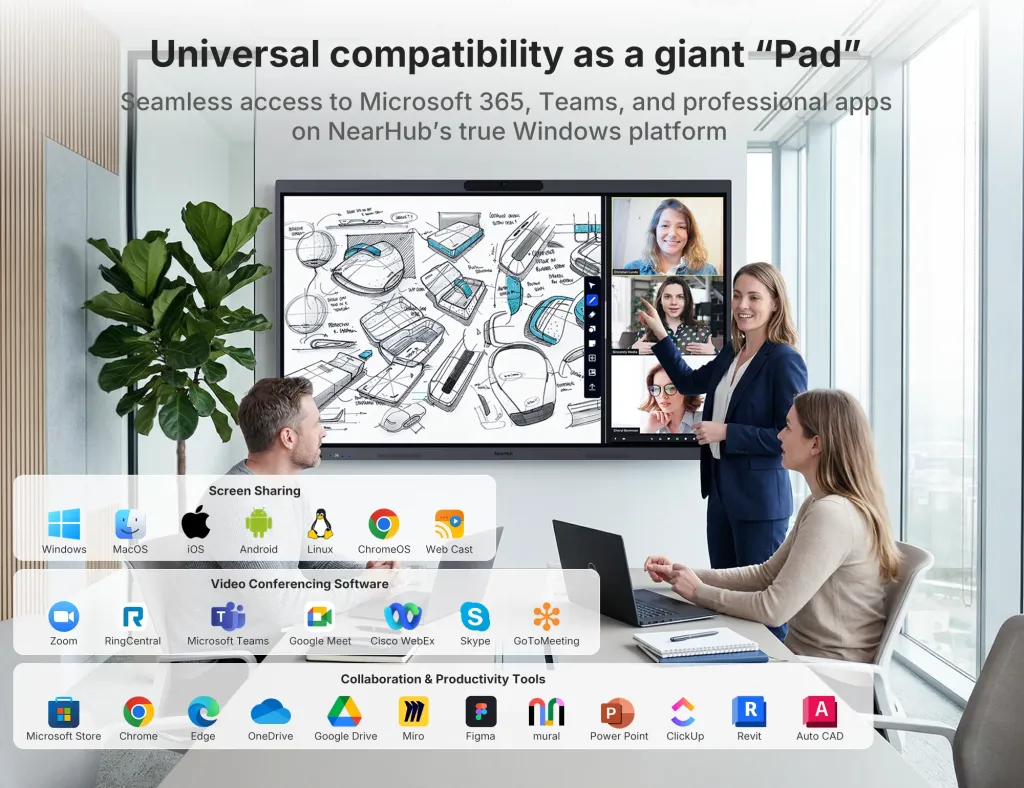
Solutions like the NearHub Board Max combine display, computing, camera, microphone, and whiteboarding capabilities in a single device. This integration matters because:
Reduced setup complexity: One device replaces multiple pieces of equipment
Consistent experience: Teams know exactly how to start meetings regardless of which room they use
Better remote participant experience: High-quality cameras and microphones with intelligent framing keep remote team members visible and audible
Touch-enabled collaboration: Interactive features that software-only solutions cannot replicate
Evaluation Criteria: How to Choose the Right Tools
When evaluating collaboration tools for your remote or hybrid team, consider these factors:
Integration Ecosystem
The best tools don't exist in isolation. Your video conferencing should integrate with your calendar. Your project management should connect to your communication platform. Your hardware should work seamlessly with your software stack. Before adopting any tool, map its integrations against your existing systems.
Ease of Adoption
The most feature-rich tool provides zero value if your team won't use it. Consider the learning curve, onboarding requirements, and daily workflow friction. Tools that require extensive training or constant IT support often fail to achieve adoption targets.
Scalability and Pricing
Startups and growing teams need tools that scale without dramatic cost increases. Evaluate pricing tiers, user limits, and feature restrictions. Some tools that work well for 10-person teams become prohibitively expensive at 100 people.
Security and Compliance
For teams handling sensitive data, security features matter. Evaluate encryption standards, compliance certifications (SOC 2, GDPR, HIPAA), and administrative controls. European teams and those in regulated industries should pay particular attention to data residency options.
Mobile and Cross-Platform Experience
Remote work happens everywhere—not just at desks. Test how collaboration tools perform on mobile devices and across operating systems. The best tools maintain feature parity across platforms rather than treating mobile as an afterthought.
Integrated Solutions: Software Meets Hardware
The most effective collaboration setups in 2026 combine software and hardware strategically. Here's what this integration looks like in practice:
The Connected Meeting Room
A modern hybrid meeting room might feature:
An interactive whiteboard as the central display and collaboration surface
Integrated video conferencing through the whiteboard's built-in camera and microphones
Wireless screen sharing from any device
Cloud-connected whiteboarding that saves and shares content automatically
Calendar integration for one-touch meeting starts
This setup eliminates the common friction points of hybrid meetings: the five-minute delay while someone figures out AV connections, the remote participants who can't see the whiteboard, the lost notes and action items.
The NearHub Board Max as a Hybrid Collaboration Hub
The NearHub Board Maxexemplifies this integrated approach. With a 55-inch or 65-inch 4K touchscreen display, built-in 4K camera, array microphone with 8-meter voice pickup, and integrated whiteboarding software, it functions as a complete meeting room solution.
Key features that address hybrid collaboration challenges:
Multi-touch support allows multiple in-person participants to interact simultaneously
Remote whiteboarding enables distributed team members to contribute to the same canvas
Wireless casting from laptops, tablets, and phones eliminates cable hunting
Built-in video conferencing works with Zoom, Teams, Google Meet, and other platforms
Cloud sync automatically saves whiteboard sessions for later reference
For operations managers and IT decision-makers, this type of all-in-one solution reduces equipment complexity, standardizes the meeting experience across rooms, and creates more equitable participation for remote team members.
Future Trends in Hybrid Work Infrastructure
Looking ahead, several trends will shape how remote and hybrid teams collaborate:
AI-Powered Meeting Enhancement
Artificial intelligence is increasingly embedded in collaboration tools, offering real-time transcription, action item extraction, and meeting summaries. These features reduce the administrative burden of meetings and ensure remote team members who couldn't attend still receive key information.
Spatial Audio and Immersive Video
Emerging technologies aim to make remote participants feel more present in hybrid meetings. Spatial audio creates directional sound that mimics in-person conversation. Advanced camera systems track speakers and frame them appropriately. While still evolving, these technologies promise to reduce the "remote participant as observer" problem.
Standardization of Hybrid Workspaces
Organizations are moving away from ad-hoc home office setups toward standardized collaboration environments. This includes stipends for proper equipment, guidelines for lighting and audio quality, and investment in centralized meeting room technology that ensures consistent experiences.
Focus on Employee Wellbeing
The next generation of collaboration tools will prioritize reducing meeting fatigue and supporting work-life boundaries. Features like meeting-free time blocks, asynchronous-first workflows, and wellness reminders are becoming standard rather than optional.
FAQ: Common Questions About Remote Team Collaboration Tools
What are the essential collaboration tools for remote teams in 2026?
Essential collaboration tools for remote teams include communication platforms (Slack, Microsoft Teams), video conferencing (Zoom, Google Meet), project management software (Asana, Monday.com), cloud storage (Google Drive, Dropbox), and hardware solutions like interactive whiteboards for hybrid meeting rooms.
How do interactive whiteboards improve remote team collaboration?
Interactive whiteboards bridge the gap between in-person and remote participants by enabling real-time visual collaboration. Teams can brainstorm, annotate documents, and whiteboard together regardless of location, making hybrid meetings more engaging and productive.
What should I consider when choosing collaboration tools for a hybrid team?
When choosing collaboration tools for hybrid teams, consider ease of use, integration capabilities with existing software, scalability, security features, mobile accessibility, and whether the solution supports both remote and in-person participants equally.
Are hardware collaboration tools worth the investment for remote teams?
Hardware collaboration tools like interactive whiteboards and all-in-one meeting room systems are worth the investment for teams that frequently conduct hybrid meetings. They reduce setup time, improve meeting quality, and create a more inclusive experience for remote participants.
How can I improve remote team communication and reduce meeting fatigue?
Improve remote team communication by establishing clear meeting protocols, using asynchronous communication for non-urgent matters, investing in high-quality audio/video equipment, and creating opportunities for informal interaction. Interactive tools that keep meetings engaging also help reduce fatigue.
Building Your Collaboration Stack
The best collaboration tools for remote teams in 2026 aren't necessarily the ones with the most features—they're the ones that fit your team's specific workflow, integrate well with your existing systems, and create equitable experiences for both remote and in-person participants.
Start by auditing your current pain points. Are meetings consistently starting late due to technical issues? Do remote team members struggle to contribute during brainstorming sessions? Is important context getting lost between communication channels?
Once you understand your specific challenges, evaluate solutions that address them directly. For teams struggling with hybrid meeting equity, hardware solutions like the NearHub Interactive Smart Whiteboard offer an integrated approach that standardizes the meeting experience and gives remote participants equal presence.
Remember that tools alone don't create collaboration—they enable it. The most successful remote teams combine the right technology with clear communication norms, documentation practices, and intentional culture-building. Start with your team's needs, choose tools that fit your workflow, and continuously iterate based on feedback.
The future of work is hybrid, distributed, and increasingly collaborative. Equipping your team with the right tools today prepares you for the workplace realities of tomorrow.