Bringing Every Voice Into the Conversation in Large College Meetings
Higher Education Audio
College Conference Rooms
Large Meeting Rooms
Updated: Nov 4, 2026 · 8 minutes read
Global Business, Brought Near.
No Installer, No Hassle, Just Works.
Before and after NearHub
The Original Setup
When one speakerphone can't cover the room
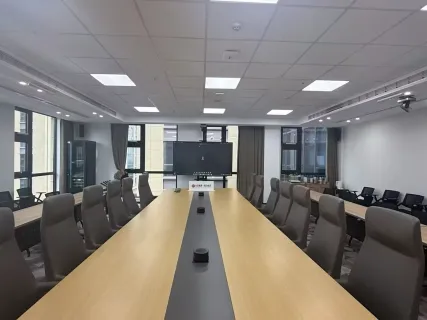
A meeting with up to 34 people is underway. Someone at the far end of the room speaks up, but their voice is harder to hear through a single speakerphone.
As the discussion moves around the room, important contributions can get lost.
The Nearity Solution
More voices heard across the room
With multiple Nearity A20S units connected through daisy chain, St. Thomas Aquinas College expanded its meeting audio setup for a larger group. The team reported hearing voices from a wider area, including participants farther away, helping more people take part in the conversation.
Hear voices from farther away
Expand coverage with multiple units
Connect devices through daisy chain
When More People Join the Meeting, Every Voice Matters
Some of the most important conversations at a college happen around a meeting table.
Faculty members exchange ideas. Departments coordinate plans. Committees discuss decisions that affect the wider institution. And increasingly, these conversations include participants joining remotely.
As the number of people in a meeting grows, so does the importance of clear audio. Participants may sit at different ends of a long table or across several seating areas. Someone speaking from farther away may be harder to hear, while remote attendees need to follow the discussion without repeatedly asking people to speak up.
For St. Thomas Aquinas College, the meeting arrangement under consideration involved approximately 34 participants.
The college wanted to explore a conference audio setup suited to a larger group rather than simply relying on a single speakerphone. That meant considering how multiple devices could work together and how the overall setup could accommodate the way people participate in a larger meeting.
Looking Beyond a Single Speakerphone
For a small meeting, placing one speakerphone in the center of the table may be enough. In a larger room, however, the distance between participants and the microphone becomes a more important consideration.
A person seated near the device may be heard clearly, while someone at the other end of the table may be farther away from the microphone's effective pickup area.
St. Thomas Aquinas College initially considered two Nearity A20S units. Following an online product demonstration, the college decided to move forward with three units instead.
That shift meant considering a connected audio setup rather than relying on one central device to serve the entire meeting space.
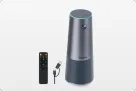
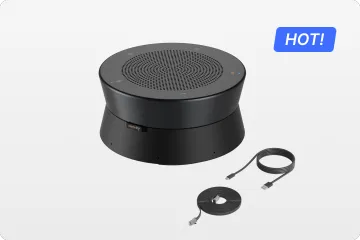
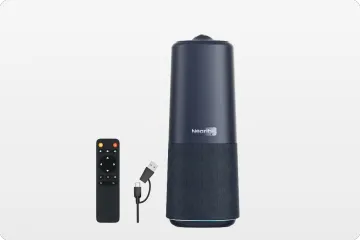
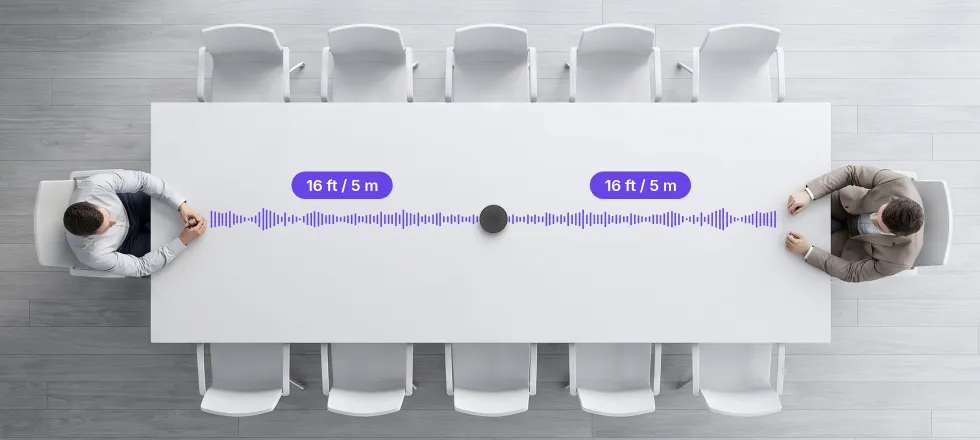
Each A20S features an array of eight omnidirectional microphones with 360° pickup and an effective pickup range of up to 16 ft / 5 m. Multiple units can be daisy-chained, giving the institution more flexibility to plan microphone positions around the seating area.
For a larger group meeting, this is an important distinction: the audio setup can be considered in relation to where participants sit and speak, rather than being limited to one microphone position.
The goal was to explore a meeting setup that could grow with the room while keeping the meeting experience simple.
From an Online Demonstration to a Three-Unit Trial
The college's evaluation moved forward through an online product demonstration.
Initially, the team was considering two A20S units. After seeing the product demonstrated, it decided to explore a three-unit configuration instead.
The college then expressed its intention to try the expanded setup:
“We want to try 3 units. Please advise.”
This was an important step in the evaluation. The conversation had moved beyond simply learning what the product could do toward considering how multiple units might fit the institution's meeting requirements.
The choice of three units gave the college a multi-device configuration to work with for its larger meeting requirements. Instead of approaching the room as a single-device setup, the institution selected a system that could be connected and planned around the meeting space.
For colleges managing shared meeting rooms, this kind of decision involves more than the speakerphone itself. The number of devices, their positions, the connection between units, and the host computer workflow all contribute to how practical the setup will be for everyday meetings.
The decision was not simply to add another speakerphone. It was to move forward with a more flexible, multi-device approach to conference room audio.
Planning Around the Room, Not Just the Number of People
A meeting planned for approximately 34 participants requires more consideration than choosing devices based on headcount alone.
A long conference table, multiple connected tables, or separate seating sections can create very different audio conditions. The location of each speakerphone matters because participants need to speak within an appropriate distance of a microphone.
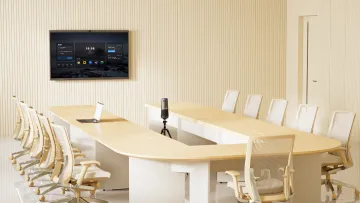
With three A20S units, the connected setup can be planned around the room's seating arrangement. The units connect through Ethernet daisy-chain cabling, while the primary device connects to the host computer through USB-C.
This creates a more structured approach to room audio: multiple microphone positions can be incorporated into one connected system instead of requiring each speakerphone to operate as an independent computer audio device.
The final placement should still be based on the actual room. Device spacing, table dimensions, participant positions, background noise, and room acoustics all influence the listening experience.
Nearity's published A20S guidance places larger-room configurations of 3–6 units at approximately 14–20+ people. A meeting arrangement of around 34 participants is beyond that stated reference range. Therefore, the college's three-unit purchase should not be interpreted as a verified 34-person coverage result. A room-specific assessment is important when determining whether the configuration meets the full meeting requirement.
For other institutions planning a similar setup, the lesson is useful: choose a connected audio system around the room and the way people participate—not just the number of people attending.
A More Practical Setup for Shared Campus Meeting Rooms
In a shared campus meeting room, the person hosting the meeting can change from one session to the next. A faculty member may connect a laptop for a department discussion, while an administrator may use the same room for a committee meeting later in the day. The audio setup needs to work without requiring everyone to reconnect or configure multiple devices individually.
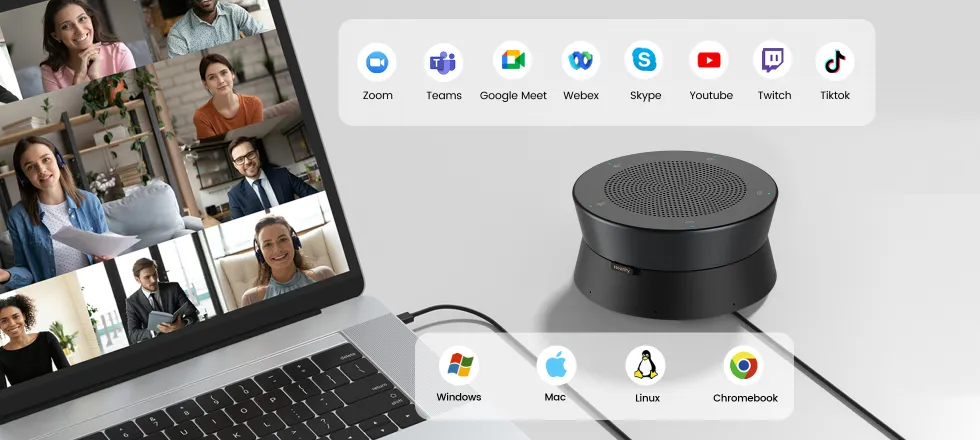
With Nearity A20S, the primary speakerphone connects to the meeting computer through USB-C. Additional A20S units can be linked through Ethernet daisy-chain connections, creating a multi-device audio setup around the meeting space. Staff can use the host computer to run their preferred conferencing platform, including Zoom, Microsoft Teams, Google Meet, Webex, or GoTo Meeting.
This gives the room a more defined setup: position the connected speakerphones according to the seating layout, connect the host computer, and start the meeting. Standard use does not require installing additional drivers.
For St. Thomas Aquinas College, this is another important point for the three-unit evaluation. Beyond checking whether voices can be picked up from different parts of the room, the trial can help determine whether the device placement, cabling, and connection process work for the way staff actually use the space.
The objective is a meeting room that is ready for the next discussion—not one that needs to be set up from scratch every time the meeting host changes.
Look at How the Room Is Used
A faculty committee meeting, an administrative discussion, and a larger departmental meeting may have different seating arrangements and participant needs.
Before choosing a conference speakerphone system, consider whether people sit around one table, across multiple tables, or in separate sections. The meeting layout affects where devices should be placed.
Choose Audio Coverage, Not Headcount Alone
Two rooms with the same number of participants can have different audio requirements.
Room dimensions, microphone-to-speaker distance, background noise, and acoustic conditions all influence voice clarity. A multi-device setup can offer more flexibility, but the number and placement of units should be assessed against the actual room.
Consider How the System Connects
A conference audio system should fit the way staff already use their meeting computers and conferencing platforms.
Check how the primary device connects, how additional units are linked, and whether the setup requires driver installation or complicated configuration for standard use.
Leave Room for Different Meeting Needs
Campus meeting rooms may support small committee discussions one day and larger group meetings the next.
An expandable conference audio system can provide more flexibility for different room arrangements. The key is to choose a configuration based on actual usage requirements and validate it before planning a wider deployment.
Planning a Better Audio Experience for Your Meeting Rooms?
Every meeting space has different requirements. A configuration that works in one room may not deliver the same experience in another.
Nearity A20S offers an expandable conference audio approach for organizations evaluating multi-device meeting setups. The right number of units and placement depend on the room, seating arrangement, and how participants communicate.
If your college or university is planning audio for a larger meeting room, start with the room itself.
Share your room dimensions, seating layout, and typical meeting size with the Nearity team to get a configuration recommendation.
What is a good conference room audio solution for colleges and universities?
A good conference room audio solution for a college or university should capture voices clearly across the seating area, allow remote participants to follow the conversation, work with the institution's conferencing platforms, and be easy for staff to operate.
For larger meeting rooms, an expandable conference audio system may offer more flexibility than relying on a single device. The right configuration depends on room dimensions, seating layout, participant distance, and acoustic conditions.
How can a university improve audio in a large hybrid meeting room?
Start by reviewing where people sit and speak, how far they are from the audio equipment, and whether remote participants can hear contributions from different parts of the room.
For larger spaces, multiple connected conference speakerphones may help distribute microphone pickup across the meeting area. A room assessment or hands-on trial can help determine the appropriate device placement and configuration.
Can multiple Nearity A20S speakerphones be connected in one meeting room?
Yes. Nearity A20S supports daisy-chain connectivity for up to six units. Additional devices connect through Ethernet cabling, while the system connects to the host computer through USB.
The maximum number of connectable units is a technical limit, not a guarantee of coverage for a particular room size or participant count. The final setup should be planned around the room's dimensions and seating arrangement.
Is three A20S speakerphones enough for a 34-person meeting?
Not necessarily. St. Thomas Aquinas College requested a three-unit trial for a meeting arrangement involving approximately 34 participants, but the configuration has not yet been validated in that room.
Nearity's published A20S room guidance associates larger-room configurations of 3–6 units with approximately 14–20+ people. A 34-person meeting is beyond that stated reference range, so the institution should obtain a room-specific recommendation and evaluate the actual setup before confirming its suitability.
How far can a Nearity A20S microphone pick up voices?
Each Nearity A20S has an eight-microphone array with 360° pickup and an effective range of up to 16 ft / 5 m.
Actual voice intelligibility depends on participant distance, background noise, device placement, and room acoustics. Larger rooms may require multiple units, but the appropriate configuration should be assessed individually.
Does Nearity A20S work with Zoom and Microsoft Teams?
Yes. Nearity A20S works with Zoom, Microsoft Teams, Google Meet, Webex, and GoTo Meeting. It connects to a computer through USB-C and supports standard plug-and-play use without driver installation.
Does a college need IT support to set up Nearity A20S?
Standard use does not require driver installation. The primary A20S connects to the host computer through USB-C, and additional units can be linked through Ethernet cabling.
For a larger multi-device room, IT staff may still want to review cable routing, host-computer connections, device placement, and the institution's meeting-room requirements before deployment.
How do I choose the right number of conference speakerphones for a university meeting room?
Start with the room's dimensions, table shape, seating layout, typical participant count, and the distance between people and microphones. Also consider the room's acoustics, the conferencing platform, and how the system will connect to the host computer.
For a larger or irregularly shaped room, do not choose the device count based on headcount alone. Share a floor plan or room measurements with the provider and request a configuration recommendation before purchasing.
Planning a larger meeting room?Contact the Nearity team to discuss your room dimensions, seating layout, and conference audio requirements.