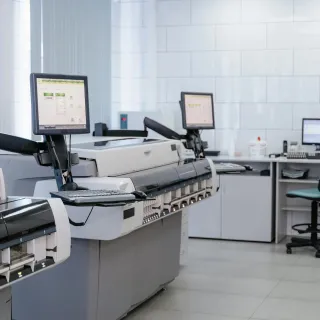
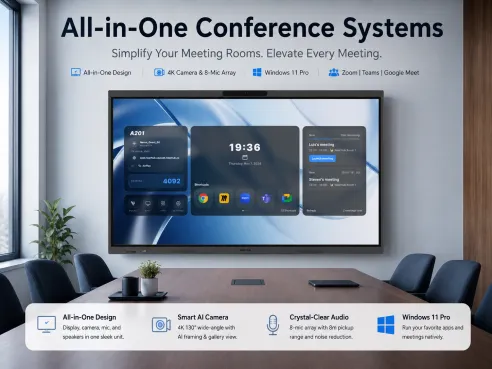
If you’re tired of watching your print expenses eat into your budget, this guide is for you. Learn five proven printer cost reduction strategies that help small businesses save money on ink, paper, electricity, and equipment. From switching to energy-efficient printers to signing up for toner subscriptions and using print management software, this article breaks it down in simple terms. It also includes expert tips and product recommendations like ergonomic furniture and standing desks to streamline your workspace in 2025.
Let’s face it—printing costs sneak up on you.
🖨️ One minute you’re just printing an invoice, and the next you're shelling out hundreds on toner, paper, and maintenance. If you’ve asked yourself, “How much does an office printer cost each year?” or “Is there a low cost printer for office use that’s actually good?”—you’re not alone.
As a small business owner, I’ve had to get smart about print cost reduction.
💰 The good news? With the right strategies, you can cut printing costs in half without sacrificing quality or productivity.
Let me walk you through five practical tips that work—and keep more cash in your pocket:
1️⃣ Audit Your Printing Habits – Track usage to identify waste.
2️⃣ Switch to Energy-Efficient Printers – Lower power and ink costs.
3️⃣ Buy Compatible Toner – Save up to 50% vs. brand-name cartridges.
4️⃣ Go Paperless Where Possible – Use digital signatures and cloud storage.
5️⃣ Negotiate with Suppliers – Bulk purchases or loyalty discounts.
Pro Tip: 🔍 Always compare Total Cost of Ownership (TCO)—not just the printer’s sticker price.
1. Invest in an Energy-Efficient Printer
Older printers drain power and spike utility bills. In 2025, modern models are designed to reduce waste and use smarter power management.
Here’s why it makes a difference:
- ENERGY STAR-rated printers use significantly less electricity.
- Most come with auto-sleep and low-power standby modes.
- Long-term energy savings often offset the upfront cost.
Quick Tips:
- Look for duplex printing support.
- Choose inkjet models for lower energy use over lasers (unless high-volume is your norm).
- Check online reviews for reliability and maintenance.
💡 Pro Tip: Don’t just stop at the printer. Want to increase productivity and comfort at your desk? Check out the best office chair for short people—great for getting posture right during long hours of admin work.
2. Sign Up for Ink and Toner Subscriptions
Tired of buying overpriced cartridges every month? I hear you. One of the easiest ways to lower expenses is by joining an ink or toner subscription program.
Here’s what you get:
- Predictable, flat monthly costs.
- Cartridges delivered right when you need them.
- Lower per-page printing costs.
- Bonus: Some plans even include a low cost printer for office use.
Subscription services to consider:
- HP Instant Ink
- Epson ReadyPrint
- Canon Auto Refill
Over the last year, my ink costs dropped by 40% just by switching to one of these services.
3. Print Smart: Use Grayscale & Draft Mode
Color ink is pricey—and usually unnecessary for internal use. I set my printer default to black-and-white, and I rarely change it.
Why grayscale and draft mode help:
- You preserve your expensive color ink.
- Pages print faster.
- Draft quality uses less ink while still being legible for everyday docs.
📌 Extra hack: Use tools like Google Docs’ “Print Preview” to check layout and reduce accidental multi-page prints.
And while you're making the most of your office setup, consider leveling up your seating. A solid height adjustable chair can keep your posture on point while you manage those invoices and client forms.

4. Use Print Management Software
Here’s a truth bomb: people print more than they need—especially when no one’s tracking it.
Print management software helps cut waste by:
- Monitoring print activity by user or department.
- Setting usage limits or print quotas.
- Offering secure print release to prevent abandoned jobs.
- Creating visual reports so you can spot high-usage trends.
Bonus perks:
- Many systems are free or low-cost for small teams.
- Helps promote a “think before you print” culture.
- Great for improving your sustainability scorecard.
5. Optimize Print Settings + Paper Usage
Sometimes the biggest savings are hiding in your printer’s settings. I fine-tuned mine last year and saw a 25% drop in paper and toner use.
Things to try:
- Set default to duplex (double-sided).
- Shrink margins to fit more per page.
- Reduce image-heavy prints.
- Use recycled or budget paper for internal docs.
🏷 And for streamlining your workflow even further, try integrating tools like an ergonomic under desk keyboard tray. It’ll declutter your space while keeping your desk ergonomics in check.

FAQs About Print Cost Reduction
Q: How much does an office printer cost to operate annually?
A:
- The average small business spends between $300–$800/year.
- Costs include ink, paper, energy, and maintenance.
- Smart print cost reduction strategies can reduce that by 30–50%.
Q: What’s the best low cost printer for office use in 2025?
A:
- Look for printers with:
- High page yield (1500+ pages per cartridge)
- Duplex printing support
- Wireless printing & mobile app integration
- Long warranty periods
- Brands I recommend:
- Brother HL-L2395DW
- HP OfficeJet Pro 9015e
- Canon imageCLASS LBP6030w
Q: How can I save on toner and ink?
A:
- Always use draft mode for everyday printing.
- Stick to black and white for internal docs.
- Buy XL or high-yield cartridges in bulk.
- Consider remanufactured or eco-friendly cartridge brands.
- Use subscription ink services.
Q: Are standing desks worth it if I’m trying to save space and money?
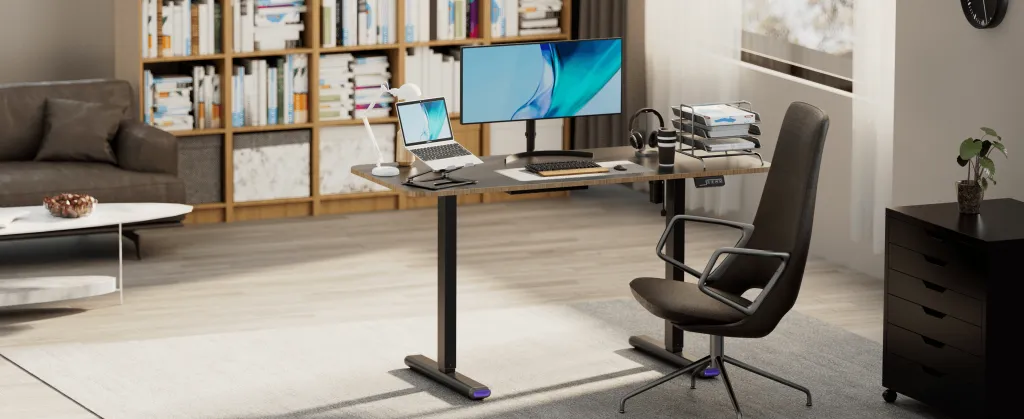
A: Absolutely. Beyond comfort, a good standing desk improves workflow and even helps reduce health-related downtime. I’ve been using this auto height adjustable desk for over a year now, and it’s been a total game-changer.
Final Thoughts: Cut Printing Costs Without Cutting Corners
Small changes = big results. If you're serious about reducing printing expenses this year, these five strategies will help you stay efficient without sacrificing quality.
And hey—don’t forget to set your office up for long-term success with ergonomic furniture and tools that make your workflow smoother, healthier, and more productive.
You got this.