Making Job-Site Meetings Feel More Like Being in the Room
Construction
Hybrid Meetings
360° Conference Camera
Updated: Nov 4, 2026 · 5 minutes read
Global Business, Brought Near.
No Installer, No Hassle, Just Works.
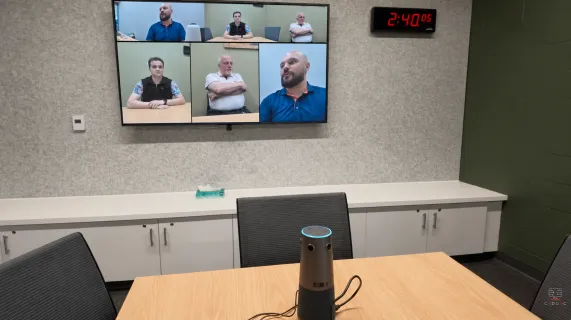
Before and after NearHub
The Job-Site Meeting Challenge
When construction gets in the way
Project meetings take place in a job-site trailer, with construction carrying on just outside.
Background noise makes it difficult for remote architects to hear the on-site team's discussion clearly.
The Nearity Solution
See the whole table. Hear the whole team.
With Nearity 360 Alien, remote architects can see the whole table and hear the on-site team clearly—even with construction going on outside.
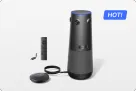
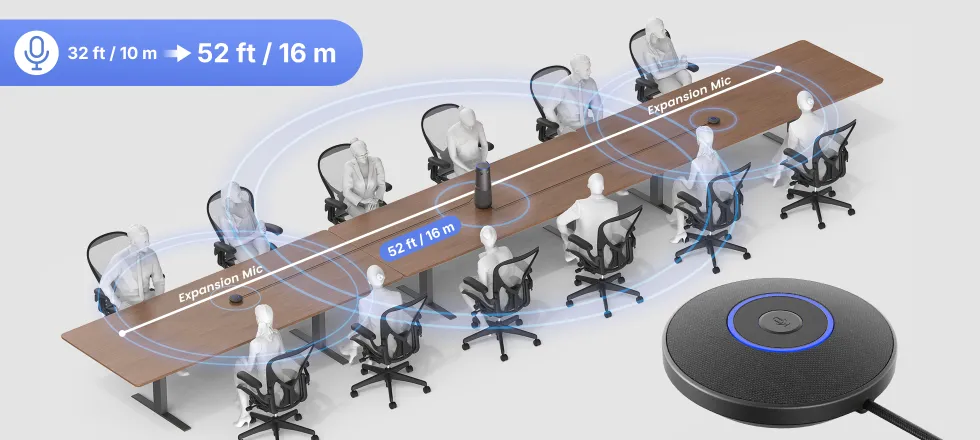
As meeting needs grew, Mosaic added two expansion microphones for wider audio coverage and a wireless dongle for fewer cables and more flexible connections.
360° view of the meeting
Expandable audio coverage
Flexible wireless connection
Construction projects don't happen in one place.
Project managers may be working from a job-site trailer while architects join remotely from the office. Engineers and other stakeholders may be dialing in from another location. Decisions still need to happen in real time, even when the environment is anything but a traditional meeting room.
For Mosaic, that meant project meetings often took place directly from the job site. The team had already been using an Owl Labs meeting setup, but as hybrid collaboration became a regular part of the workflow, they needed a meeting experience that could keep the people in the room visible and voices intelligible—even with construction happening outside.
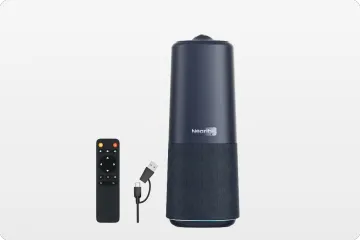
Nearity 360 Alien brought a 360° meeting view and expandable audio options into that environment.
“We run project meetings straight from the job-site trailer, where background noise used to kill every call. With the 360 Alien, our remote architects see the whole table and hear us clearly — even with construction going on outside. Site-to-office meetings are finally painless.”
— Tom Williams, Construction Project Manager, Mosaic
Collaboration Doesn't Stop at the Job Site
For construction teams, the meeting room isn't always a conference room.
A project meeting might happen around a table inside a job-site trailer, with the sounds and activity of the site continuing just outside. The people around the table may be project managers, architects, engineers, or other members of the project team, while important stakeholders participate remotely.
That creates a very different set of requirements from a typical office meeting.
Everyone needs to be part of the conversation. Remote participants need to see who is speaking and understand what is happening around the table. And the people on site shouldn't have to stop what they are doing to constantly adjust a camera, move closer to a microphone, or troubleshoot the room before a meeting can begin.
For Mosaic, background noise had become a particularly noticeable problem.
The challenge wasn't simply connecting a video call. It was helping remote participants follow the conversation naturally, even when the meeting was taking place on an active construction site.
Moving Beyond a Traditional Conference Camera Setup
Mosaic was already familiar with a 360° meeting setup through its experience with Owl Labs. For its project meetings, however, seeing the people around the table was only part of the equation. Audio mattered just as much, particularly in a job-site environment.
With the Nearity 360 Alien, Mosaic could bring a 360° camera into the center of its meeting setup and give remote participants a more complete view of the people in the room.
Instead of treating the camera as something that needed to be pointed toward whoever was speaking, the meeting could be organized around the participants themselves.
That distinction matters in construction. A project manager may be explaining an update while an architect responds from another location. Someone else around the table may need to contribute moments later. The meeting should follow the conversation—not force everyone to follow the camera.
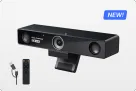
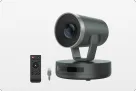
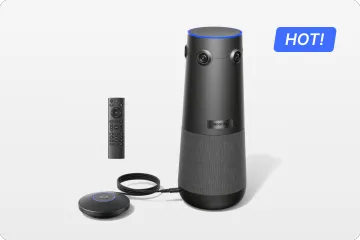
Nearity 360 Alien combines four 4K camera lenses with AI-powered meeting modes and a built-in microphone system. For Mosaic, the goal was to support both sides of the conversation: helping remote participants see the people around the table and hear the discussion.
For Mosaic, those capabilities addressed the two sides of the problem at the same time:
Remote teams needed to see the whole table.And they needed to hear the people sitting around it.
From the Job-Site Trailer to the Remote Architect
The 360 Alien was deployed in Mosaic's job-site trailer, where project meetings could take place without requiring the construction team to return to a traditional office.
Positioned within the meeting area rather than at one end of the room, the camera gives participants around the table a shared visual presence.
For distributed construction teams, this helps connect people working in different environments. On-site teams can focus on the project, while remote architects and other stakeholders join from wherever they are.
The all-in-one design also helps keep the setup straightforward—a practical consideration when the meeting space is temporary or may change as a project progresses.
The goal isn't to turn a job-site trailer into a high-end corporate conference room. It's to make the space work as a place for collaboration.
A Meeting Setup That Grows With the Team
As Mosaic continued using Nearity 360 Alien for its 21–29-person Zoom meetings, the team expanded its setup to better suit the meeting space.
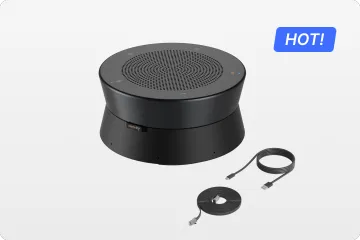
Mosaic initially added one expansion microphone, then purchased a second to extend audio pickup across the room. The additional microphones gave the team more flexibility to cover participants seated farther from the main unit, including those at the corners of the room.
The team also added a wireless dongle, giving them more flexibility in how they connected the 360 Alien to their meeting computer. With fewer cables to manage, the setup could be adapted more easily to the team's meeting needs.
For a construction team working from a job-site trailer, that flexibility matters. The meeting space needs to work around the project—not the other way around.
More audio coverage. Fewer cables. More flexibility for meetings on site.
When the Technology Stops Being the Problem
The value of a meeting setup isn't just what it can do on paper. It's how well it fits into the way people work.
For Mosaic, the changes were practical: a 360° view of the meeting space, additional microphones as the team's needs evolved, and a wireless connection option that reduced reliance on cables.
The result was a setup that could adapt to the realities of a job-site meeting, rather than requiring the team to adapt its workflow around the technology.
As Tom Williams put it:
“Site-to-office meetings are finally painless.”
That's the role good hybrid meeting technology should play: helping bridge the distance between the job site and the office without making the people doing the work become meeting-technology experts.
What Construction Teams Can Take From Mosaic's Experience
Choose a setup for the way your team meets
Construction meetings often bring together project managers, architects, engineers, and clients working across different locations. Consider whether a front-facing camera is sufficient for your meeting layout, or whether a 360° view would better support conversations around the table.
Plan for audio coverage, not just video
Seeing everyone is only part of a hybrid meeting. Consider where participants sit, how large the meeting space is, and whether additional microphones may be needed as the team or room requirements change.
Mosaic's decision to add two expansion microphones illustrates why audio needs can evolve after the initial setup.
Make flexibility part of the setup
A job-site trailer is not always a permanent conference room. Flexible connection options and expandable audio can help a meeting setup adapt as project needs change.
The broader lesson is simple: choose a system for the way your team works today, while leaving room for the way it may work tomorrow.
A 360° Meeting Experience Built to Grow With the Team
Nearity 360 Alien brings 360° video, AI-powered meeting modes, and expandable audio into one conference camera. For construction teams meeting from job-site trailers, offices, or other changing spaces, it offers a flexible way to bring remote participants into the conversation.
Mosaic's experience illustrates how a meeting setup can evolve with a team's needs—from adding microphones to expanding audio coverage to simplifying connectivity.
A meeting around a table. A job site outside the window. Architects joining remotely. And a team working to keep everyone part of the conversation.
Explore Nearity 360 Alien to learn more about its features and configuration options for your meeting space.
FAQs
What should construction companies look for in a conference camera for job-site meetings?
For job-site meetings, look for a conference camera that gives remote participants a clear view of the whole table, captures voices across the room, and is easy to set up in temporary spaces.
The Nearity 360 Alien combines 360° video with built-in and expandable audio, helping construction teams connect on-site staff with remote architects, engineers, and other stakeholders.
Explore the Nearity 360 Alien for job-site and project coordination meetings.
Are additional microphones necessary for large construction project meetings?
Not always. The right configuration depends on the number of participants, table dimensions, seating arrangement, and how far people sit from the main device.
The Nearity 360 Alien includes six built-in microphones. For larger meeting spaces or tables with participants seated farther from the camera, you can add up to two AM01 expansion microphones to extend audio pickup coverage to up to 52 ft (16 m) with the supported configuration. The number of microphones needed depends on your room layout and seating arrangement.
Not sure which kit is right for your team? Compare the available Nearity 360 Alien kits to find the right fit for your meeting space.
Can the Nearity 360 Alien reduce background noise during construction meetings?
The Nearity 360 Alien includes AI-based noise suppression and acoustic echo cancellation to help improve voice clarity. However, performance depends on the type and level of surrounding noise, microphone placement, and room acoustics.
For job-site trailers near active construction, position the meeting equipment thoughtfully and reduce avoidable noise where possible. A conference camera's noise-processing features should not be treated as a guarantee that loud construction sounds will be eliminated.
Can construction teams connect the Nearity 360 Alien without a USB cable?
Yes. The optional NA20 wireless dongle supports wireless connection to a compatible computer or room PC, providing an alternative to a direct USB connection.
This can be useful when teams want more flexibility in how they connect their meeting equipment without more cables. The wireless dongle is an optional accessory, so check the selected kit or configuration before ordering.
Which Nearity 360 Alien setup is right for a construction project team?
Start with three questions: How many people usually join the meeting in the room? How large is the meeting table? And do participants need additional audio coverage or a wireless connection?
The Nearity 360 Alien can be configured with expansion microphones and an optional wireless dongle. Rather than choosing based on headcount alone, consider seating distance, room acoustics, connection preferences, and whether the setup needs to move between meeting spaces.