The 2025 Paperless Office Guide: Save 20 Hours/Month With Digital Solutions
Going paperless isn't just a trend — it's a game-changer.
paperless office solutions
Updated: Aug 19, 2026 · 8 minutes read
Global Business, Brought Near.
No Installer, No Hassle, Just Works.
This blog explores how transitioning to paperless office document management can dramatically improve productivity, save time, and reduce physical clutter. It covers why paper is a hidden productivity killer, must-have paperless office tools, how to build an effective paperless workflow, and solutions to common challenges like data loss and team resistance. With practical steps, tool recommendations, and physical workspace upgrades, readers are equipped to confidently embrace a fully digital office in 2025.
🔍 Have you ever wasted an hour searching for one missing file? 📄 Or stared at a mountain of paperwork thinking, “There’s gotta be a better way to do this…”
💡 Trust me — you're not alone. ⏳ Back when I first started moving toward a paperless office document management system, I had no idea how much time, space, and money I was about to save.
🚀 In 2025, it’s not just smart to go digital — it’s essential. 📌 Today, I'm going to show you exactly how paperless office solutions can save you 20+ hours per month, and how you can start today without feeling overwhelmed.
Let’s dive in. ▶️
Why Paper Is a Productivity Killer (And How Paperless Office Solutions Set You Free)
First things first — why should you even care about a paperless office?
Because paper is sneaky. It clutters your desk, your mind, and your calendar.
Here’s how paper steals your time:
Searching for documents (10+ minutes every time you misplace one)
Printing, filing, storing (eats up precious hours)
Managing physical backups (storing piles of old contracts nobody looks at)
By switching to paperless office document management, you can:
Find anything instantly
Access your work from anywhere (even your phone)
Save on office supplies (paper, ink, storage, shipping)
Collaborate better with your team
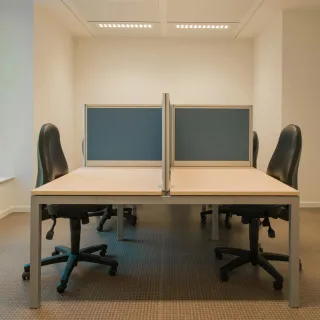
Create a cleaner, calmer workspace
The feeling of a clean desk? Priceless. Pair it with a high ergonomic chair and a sit & stand desk, and you’ll be unstoppable.
Step 1: Paperless Office Document Management Tools You Need Right Now
Not all tech is created equal. If you want paperless office solutions that actually work, you need the right tools.
Here's what I recommend after years of trial and error:
1. Cloud Storage
Google Drive — easy sharing, real-time collaboration
Dropbox — powerful integrations
Microsoft OneDrive — seamless for Office users
These platforms are the foundation of any good paperless office document management setup.
2. Digital Note-Taking
Notion — customizable, sleek workspaces
Evernote — quick, searchable notes
Apple Notes — super simple for Apple users
Imagine ditching sticky notes forever. Bliss.
3. Scanning Apps
Genius Scan — quick, high-quality scans from your phone
Adobe Scan — integrates right into your PDFs
No bulky scanner needed anymore. Just whip out your phone and you're done.
4. E-Signature Services
HelloSign — perfect for contracts
DocuSign — trusted by big companies everywhere
Signing contracts digitally is one of the best paperless office solutions — hands down.
🖥️ Pro tip: While you’re upgrading, make sure your physical workspace matches your digital one. A keyboard mouse tray under desk keeps your desk surface clean and comfy.
Step 2: How to Build a Paperless Office Workflow (Without Losing Your Mind)
Uploading files to the cloud is just Step One. You need a real system to make your paperless office document management sustainable.
Keyboard mouse tray under desk to maximize desk space
Combine an ergonomic setup with smart paperless office solutions, and your productivity will skyrocket.
Common Challenges When Going Paperless (And How to Beat Them)
It’s not always rainbows at first. Here are some struggles you might hit — and how I tackled them:
Overwhelm
Problem: Where do you even start?
Solution: Pick one document type (like client contracts) and go fully paperless with it first. Win there, then move to the next category.
Fear of Data Loss
Problem: What if everything gets deleted?
Solution: Use cloud backups and physical backups. Google Drive alone has built-in version control and history.
Resistance from Team Members
Problem: Not everyone loves change.
Solution: Lead by example. Show how much faster and easier life is with paperless office document management.
FAQs About Paperless Office Solutions
How do I start going paperless if my office is filled with physical files?
Start scanning the most active documents first. Then slowly archive or digitize old files as you have time. Don’t stress about doing it all at once.
Are paperless office solutions expensive?
Not at all! Most cloud services and apps cost less than a ream of printer paper per month.
Can paperless office document management handle legal documents securely?
Yes — if you use encrypted cloud storage and secure e-signature services like DocuSign, your documents are protected (often better than physical storage).
How fast will I notice time savings?
Pretty much immediately. Most people reclaim 10–20 hours per month within the first 90 days.
Is there a perfect paperless setup?
Honestly? No. The perfect paperless office solutions are the ones that fit your workflow and your brain.
Final Thoughts: Paperless Office Document Management Isn’t the Future — It’s the NOW
If you’ve been waiting for the “right time” to switch to paperless office solutions, this is it.
The reality is simple: Every hour you spend digging through paper files could be an hour building your business, your passion, or just living your life.
Paperless office document management isn't about chasing trends — it's about working smarter, living lighter, and reclaiming your time. Plus, with tools like best desk chairs for short people, you can literally build a workspace that feels as good as it works.
Trust me: Once you go paperless, you’ll never go back.
Let’s make 2025 the year you say goodbye to paper clutter — for good.