




































































High-net-worth clients expect white-glove treatment in every interaction. When face-to-face meetings aren't possible, your video consultation room becomes an extension of your firm's brand and commitment to excellence. A pixelated video feed, choppy audio, or awkward camera angles can undermine years of trust-building in seconds.
This guide walks you through implementing wealth management video consultation rooms that meet the exacting standards of private banking. Whether you're upgrading an existing space or building from scratch, you'll learn how to create an environment where clients feel heard, valued, and confident in your services—even through a screen.
Why Video Quality Directly Impacts Client Trust
In wealth management, trust is your most valuable currency. Every element of the client experience either builds or erodes that trust. When clients visit your physical office, they notice the leather furniture, original artwork, and panoramic city views. These signals communicate success, stability, and attention to detail.
Your video consultation room must deliver the same message.
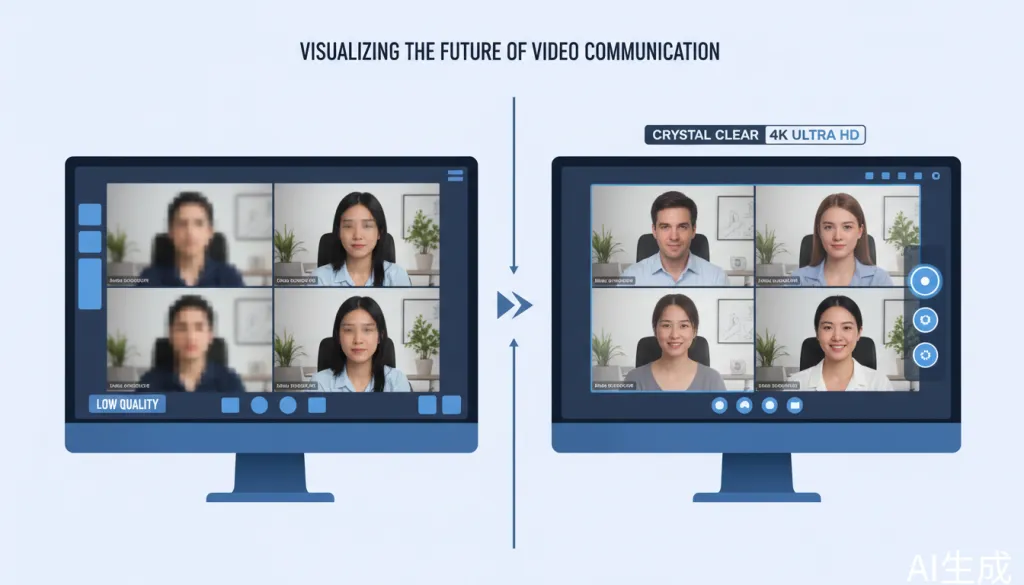
Research from the Financial Planning Association shows that 73% of high-net-worth clients rank video quality as a critical factor in their satisfaction with virtual advisory services. Poor video creates subconscious doubts about your firm's technological competence and, by extension, your ability to manage their wealth in an increasingly digital world.
The stakes are even higher when discussing sensitive topics like estate planning, tax strategies, or family wealth transitions. Clients need to see your facial expressions. They need to feel your presence. A multi-lens conference camera that captures every nuance of the conversation isn't a luxury—it's a necessity.
Essential Components of High-End Financial Meeting Rooms
Building a premium video consultation environment requires careful attention to four core components:
1. Broadcast-Quality Video Capture
Standard webcams and all-in-one monitors simply don't cut it for private banking. You need a camera system that delivers:
- True 4K Ultra HD resolution (3840 x 2160) for capturing fine details
- Wide field of view to include multiple participants naturally
- Intelligent framing that follows speakers without manual adjustment
- HDR support for balanced exposure in rooms with mixed lighting
The Nearity 360 Alien addresses these requirements through a revolutionary four-camera array design. Unlike traditional 360-degree cameras that rely on a single fisheye lens with blurry edge distortion, the 360 Alien uses four 120-degree ultra-wide-angle lenses that seamlessly cover the panoramic view. Each participant is captured with maximum clarity—no blind spots, no stitching lines, just smooth and natural interaction.
2. Crystal-Clear Audio Processing
In financial consultations, every word matters. A misunderstood instruction or missed concern can have significant consequences. Your audio system must deliver:
- Full-duplex communication so both parties can speak naturally without cutting out
- AI-powered noise suppression to eliminate background distractions
- Echo cancellation for clean, professional sound
- Expandable coverage for larger meeting spaces
The Nearity 360 Alien features six omnidirectional MEMS microphones with ProperClean 2.0 Audio Technology, providing a 5.5-meter pickup radius that extends to 16 meters with expansion microphones. Advanced AI noise suppression eliminates 99.99% of ambient noise, while built-in echo and resonance cancellation ensure distraction-free audio. The integrated 83dB Hi-Fi speaker delivers rich, natural sound reproduction.
3. Enterprise-Grade Security
Secure client communication is non-negotiable in wealth management. Your video infrastructure must protect sensitive financial discussions from interception or unauthorized access.

The Nearity 360 Alien's plug-and-play design connects directly via USB cable or wireless dongle without requiring additional software, apps, or cloud services. This driver-free approach eliminates common attack vectors while maintaining compatibility with your existing secure video conferencing platforms including Zoom, Microsoft Teams, Google Meet, Webex, and Skype.
The 30-degree automatic exclusion zone is another thoughtful security feature—it prevents the camera from capturing displays or walls behind the device, keeping sensitive background information out of view.
4. Professional Aesthetics
Your consultation room should look like a premium financial environment, not a tech showroom. The technology should fade into the background while delivering exceptional performance.
The Nearity 360 Alien's cylindrical design with subtle blue LED indicators complements professional interiors without drawing attention. Its compact footprint leaves your desk uncluttered, and the intuitive touch controls on top allow quick adjustments without fumbling for a remote.
Step-by-Step: Setting Up Your Video Consultation Room
Follow this workflow to implement a professional-grade video consultation environment:
Step 1: Assess Your Space
Measure your consultation room and identify:
- Room dimensions (the 360 Alien covers up to 16m x 5m with expansion mics)
- Natural lighting conditions and window placement
- Existing furniture layout and seating arrangements
- Network infrastructure and available connections
For most private banking consultations, a medium-sized room (10-15 feet in length) provides an intimate setting while accommodating the advisor, client, and any family members or attorneys present.
Step 2: Position Your Camera System
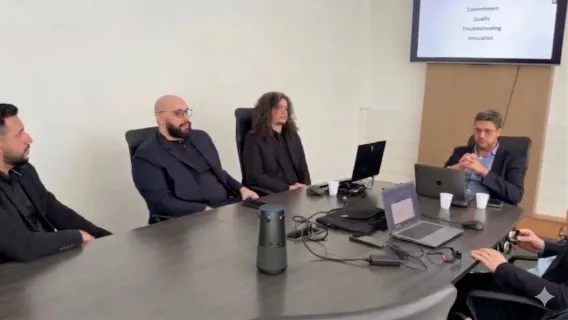
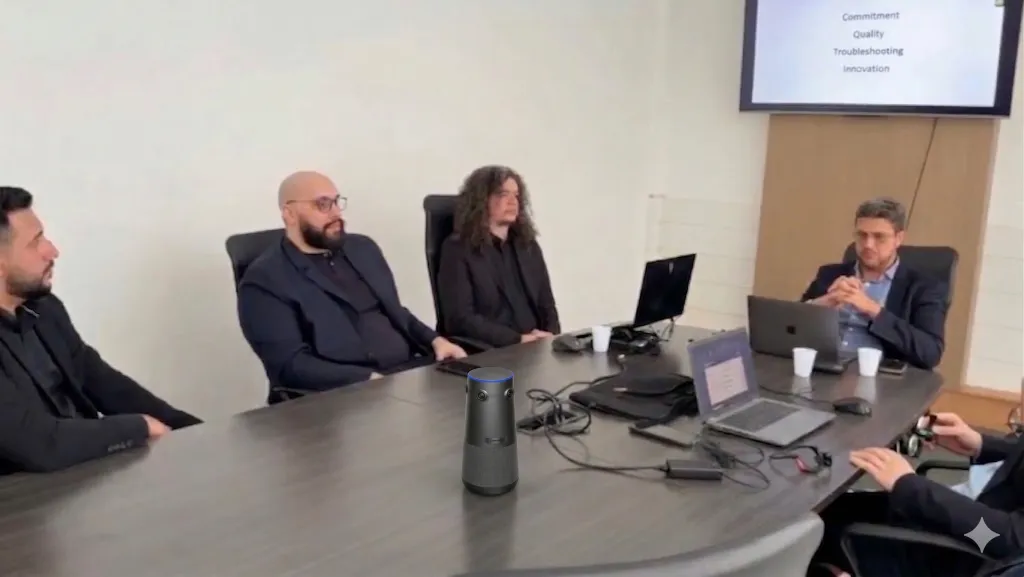
Place the Nearity 360 Alien at the center of your meeting table, ideally 3-4 feet from where participants will sit. The device's 360-degree coverage captures everyone equally, eliminating the need to crowd around a single camera.
For larger boardroom-style consultations, position the camera at the head of the table and add expansion microphones to ensure clear audio pickup from all seats.
Step 3: Optimize Lighting
Professional video requires balanced lighting. Avoid:
- Direct backlighting from windows (causes silhouetting)
- Harsh overhead lights (creates unflattering shadows)
- Mixed color temperatures (confuses auto-white balance)
Instead, use soft, diffused lighting positioned in front of participants. The 360 Alien's Star-VIS CMOS sensor and auto-exposure features handle varying light conditions gracefully, but proper lighting elevates the experience from acceptable to exceptional.
Step 4: Configure Your Video Platform
Connect the Nearity 360 Alien to your preferred video conferencing platform:
- Plug-and-play via USB: Connect the included USB-C&A cable for instant 4K@30fps output
- Wireless connectivity: Use the optional NA20 wireless dongle for cable-free setup
- HDMI output: For dedicated display systems, the HDMI output delivers 1080P@60fps
The device is recognized automatically by Windows, macOS, ChromeOS, and Linux systems. No driver installation required.
Step 5: Test and Refine
Before your first client consultation:
- Conduct test calls with colleagues to verify video and audio quality
- Experiment with the three AI modes (Discussion, Presentation, Global) to understand which works best for different meeting types
- Adjust camera positioning and lighting based on feedback
- Document your optimal settings for consistent experiences
Understanding the Three AI Modes
The Nearity 360 Alien's intelligent video modes adapt to different consultation scenarios:
| Mode | Best For | How It Works |
|---|---|---|
| Discussion Mode | Multi-party family meetings, collaborative planning sessions | All four lenses work together with voice and face detection to automatically frame up to four active speakers seamlessly |
| Presentation Mode | Portfolio reviews, market updates, single-advisor presentations | Dynamically tracks and zooms on the current speaker, adjusting the frame in real-time based on voice and movement |
| Global Mode | Formal presentations requiring stable view | Maintains a steady 120-degree wide-angle view from a selected main lens; switch main view via remote to focus on different speakers |
For wealth management consultations, Discussion Mode excels when meeting with couples or families to discuss estate planning. Presentation Mode shines during one-on-one portfolio reviews where you want the client focused on your analysis. Global Mode provides a professional, stable view for formal market updates or recorded presentations.
Investment Considerations for Financial Firms
The Nearity 360 Alien is priced at $1,399.99 (regularly $1,599.99), representing a significant investment in your client experience infrastructure. When evaluating this investment, consider:
Return on Investment Factors:
- Client retention: Superior video experiences reduce the friction that drives clients to seek alternatives
- Geographic expansion: High-quality video consultations enable you to serve clients remotely without opening new offices
- Advisor productivity: Eliminate travel time while maintaining relationship quality
- Competitive differentiation: Premium video capabilities become a selling point in client acquisition
Total Cost of Ownership:
The 360 Alien includes everything needed for immediate deployment: the camera unit, one AM01 expansion microphone, USB-C&A cable, power adapter, remote control, user manual, and warranty card. Optional accessories include additional expansion microphones ($150 each) and the NA20 wireless dongle ($150) for cable-free connectivity.
With a 12-month warranty and 30-day return policy, the financial risk is minimal while the potential upside in client satisfaction is substantial.
Common Mistakes to Avoid
Even with premium equipment, these pitfalls can undermine your video consultation experience:
1. Neglecting the Background
Your background communicates as much as your words. Avoid cluttered spaces, distracting artwork, or visible confidential materials. The 360 Alien's exclusion zone helps, but thoughtful room design is essential.
2. Ignoring Audio Quality
Poor audio is more frustrating than poor video. Clients will tolerate slightly fuzzy video longer than they will tolerate choppy, echo-filled audio. The 360 Alien's six-microphone array and noise suppression address this, but test your acoustics thoroughly.
3. Overlooking Network Infrastructure
4K video requires bandwidth. Ensure your internet connection supports consistent upload speeds of at least 5 Mbps for 4K streaming. Consider dedicated network segments for video conferencing to prevent bandwidth contention.
4. Forgetting the Human Element
Technology enables connection but doesn't replace it. Maintain eye contact by looking at the camera, not the screen. Use the 360 Alien's superior video quality to read client reactions and adjust your approach accordingly.
The Nearity 360 Alien: Technical Specifications
For IT procurement officers evaluating technical requirements:
Camera System:
- 4-unit 120° ultra-wide-angle lens array
- Star-VIS CMOS sensor with F2.0 aperture
- True 4K@30fps via USB (1080P@60fps via HDMI)
- 3x digital zoom with auto-framing
- HDR and 3D noise suppression support
Audio System:
- 6 omnidirectional MEMS microphones
- 5.5m pickup radius (16m with expansion mics)
- 83dB Hi-Fi speaker with full-duplex communication
- ProperClean 2.0 AI noise suppression
- Echo and resonance cancellation
Connectivity:
- USB-C&A cable (plug-and-play)
- Optional NA20 wireless dongle
- HDMI output
- Compatible with Zoom, Teams, Meet, Webex, Skype
- Windows, macOS, ChromeOS, Linux support
Physical:
- Cylindrical design with touch controls
- Remote control included
- 30° auto-exclusion zone
Conclusion: Elevating Client Relationships Through Technology
The shift toward virtual consultations in wealth management isn't temporary—it's a fundamental evolution in how advisors build and maintain client relationships. Firms that invest in premium video consultation infrastructure now will enjoy lasting competitive advantages in client satisfaction, retention, and acquisition.
The Nearity 360 Alien represents a purpose-built solution for high-end financial meeting rooms, combining broadcast-quality 4K video, professional audio processing, enterprise security, and elegant design in a single device. At $1,399.99, it delivers capabilities that previously required multiple components and complex integration.
For private bankers and wealth managers committed to delivering exceptional client experiences, the question isn't whether to invest in premium video consultation rooms—it's how quickly you can implement them.
Ready to transform your client consultations? Book a free demo of the Nearity 360 Alien and experience the difference that true 4K clarity makes in building trust with high-net-worth clients.
This guide was prepared for financial professionals seeking to implement secure, high-fidelity video consultation environments. Product specifications and pricing are current as of April 2026.




 sales@nearhub.us
