How to Run Successful Online Fundraisers at PTA Meetings
This article explains how to run successful online fundraisers at PTA meetings by using digital and hybrid strategies to boost parent engagement, increase donations, and support school clubs more effectively.
pta meeting
online fundraising events
360 conference camera
Updated: Aug 19, 2026 · 10 minutes read
Global Business, Brought Near.
No Installer, No Hassle, Just Works.
Busy parents, low turnout, and tired fundraising ideas no longer have to limit what a PTA can achieve. By rethinking PTA meetings as engaging digital and hybrid experiences, schools can unlock more effective online fundraisers for clubs and student programs. When storytelling, real-time interaction, and clear calls to action come together, parents feel connected and motivated to give—turning ordinary meetings into powerful moments of community support and meaningful impact.
Key Takeaways
Use hybrid or online PTA meetings to remove attendance barriers and reach more parents, including those who can’t join in person.
Align online fundraisers with a clear mission and storytelling during the PTA meeting to create emotional connection and motivate giving.
Invest in reliable audio and video technology so all participants can see, hear, and engage clearly, which directly improves participation and donations.
Drive real-time donations by sharing clear calls to action, live progress updates, and interactive elements during the meeting.
Follow up quickly after the PTA meeting with recordings, thank-you messages, and impact updates to capture late donations and build long-term trust.
Running a school organization is a labor of love, but let’s be honest: the most common pain point for any parent-teacher association is engagement. You’ve likely sat in a sparsely populated cafeteria, staring at a stack of unsold chocolate bars, wondering why it’s so hard to get people involved. Many board members feel the "participation gap" widening as parents juggle multiple jobs, hectic family schedules, and digital fatigue. The physical walls of the school can sometimes feel like a barrier rather than a bridge.
The traditional pta meeting has undergone a massive transformation. In a world where parents are busier than ever, moving your strategy online or adopting a hybrid model isn't just a convenience—it’s a necessity for survival. By digitizing the experience, you remove the physical and temporal barriers that keep your most valuable supporters away. However, technology is only half the battle; the other half is creating a high-energy, high-value environment where people want to show up and give.
This article serves as a comprehensive How-to Guide: How to Use Your pta meeting Like a Pro to drive record-breaking donations. We will explore how to integrate online fundraising events directly into your digital or hybrid sessions to maximize reach and revenue while maintaining a welcoming, community-focused atmosphere.
1. Understanding the New Landscape of a PTA Meeting in Schools
The traditional image of pta meetings in schools—folding chairs, lukewarm coffee, and paper sign-up sheets—is rapidly being replaced by a more dynamic, inclusive model. Today, the most successful associations are those that meet parents where they are: on their screens, in their cars, or at home, while still providing a "home base" for those who crave physical connection.
A modern pta meeting is no longer just a boring reporting session about budget line items; it is a high-stakes production, a social event, and a launchpad for change. To succeed in this new era, it requires the right video conferencing solutions to ensure every parent, whether sitting in the front row of the library or joining from a laptop 20 miles away, feels completely included.
Why Accessibility is the New Currency of Engagement
Eliminating Childcare Barriers: One of the primary reasons parents skip in-person meetings is the lack of childcare. A virtual option solves this instantly.
Inclusivity for Working Parents: Many parents work late shifts or have long commutes. A digital pta meeting allows them to listen in while they drive or cook dinner.
Recording for Later Viewing: When you record your sessions, you extend the life of your fundraising pitch. Parents who couldn't attend live can still watch the recording and click the donation link the next morning.
According to research from the National PTA, schools that offer flexible participation options see a significant uptick in diverse parent representation. By digitizing your meetings, you aren't just raising money; you are building a more equitable school community.
2. Strategic Alignment: Connecting Online Fundraisers for Schools to Your Meeting
Successful fundraising is rarely about the "what" (the product) and almost always about the "why" (the mission). When you run online fundraisers for schools, the pta meeting serves as the emotional engine that drives the campaign.
The Hybrid Advantage: Data vs. Emotion
In-person meetings are great for building emotional trust through eye contact and shared physical space. Online platforms are great for data, quick links, and instant transactions. A hybrid meeting combines both.
Feature
Traditional In-Person PTA Meeting
Hybrid/Online PTA Meeting
Primary Goal
Social Connection
Mass Accessibility & Efficiency
Donation Method
Cash/Check (Slow)
Digital Link/QR Code (Instant)
Attendee Reach
20-50 local parents
100+ parents including remote family
Engagement Level
High for in-person participants
High for both in-person and online participants
Cost to Run
Moderate (Facility/Snacks)
Low to High (Tech investment vs. saved time)
Integrating the "Call to Action"
Every pta meeting should have one clear goal. If the goal is fundraising, every part of the agenda should lead parents toward that final "Donate" button. This requires a shift from "reporting" to "storytelling." Instead of saying "we need money for books," show a video of a student whose life was changed by a specific literacy program.
3. How to Setup the Perfect Tech Environment for a PTA Meeting
To run a professional pta meeting that inspires people to open their wallets, you cannot rely on a standard laptop webcam. Low-quality audio and grainy video send a subtle message that your organization is unprofessional. This is where high-quality hardware becomes a direct contributor to your ROI.
Professional Hardware: The Silent Board Member
When you are hosting pta meetings in schools, you often deal with large, echoey rooms like cafeterias or gyms. Standard hardware simply can't cope with these environments. This is where nearhub technology becomes a critical asset.
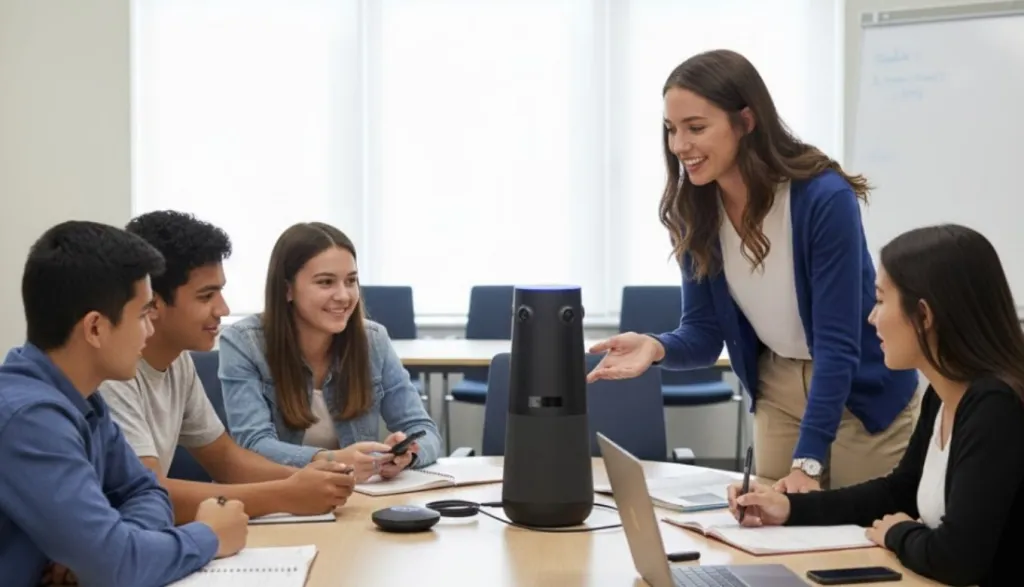
The Power of 360-Degree Views: Using a 360 conference camera allows remote parents to see the entire room. When a teacher in the audience stands up to speak, the camera tracks them. This makes remote parents feel like they are part of the conversation, not just observers.
Crystal Clear Audio: AI-powered noise suppression is vital. It filters out the sound of shuffling papers, air conditioners, and distant hallway noise, ensuring the speaker’s voice is the only thing parents hear.
Simplicity for Volunteers: PTA boards change every year. You need a "Plug-and-Play" system. NearHub allows any parent to walk in, plug in a USB cable, and start a professional meeting in seconds.
Software Best Practices
Ensure your Zoom, Teams, or Google Meet settings are optimized:
Enable the Waiting Room: This allows you to play a "pre-roll" video of school highlights while parents wait for the meeting to start.
Use Pinned Messages: Keep your fundraising link pinned at the top of the chat window for the entire duration of the pta meeting.
4. How-To Guide: Step-by-Step Execution of Your Fundraising PTA Meeting
Instead of just listing ideas, let's look at the actual process of running a meeting that converts. Mastering a pta meeting like a pro requires a structured approach to the clock.
Step 1: The "Hype" Phase (14 Days Before)
Don't just send a calendar invite. Create a narrative. Send out a digital agenda that includes a "Guest Speaker" (like a local hero or a beloved teacher).
Step 2: The "Welcome" Phase (10 Minutes Before)
The atmosphere of pta meetings in schools should be welcoming, not clinical.
Play upbeat music in the virtual room.
Have a "Chat Moderator" greeting people by name as they log in.
For in-person attendees, ensure a volunteer is at the door with a smile and a name tag.
Step 3: The "Impact" Phase (The First 15 Minutes)
Start with the "Why."
The Hook: Share a student testimonial.
The Goal: Clearly state the amount needed and what it will be used for. "Tonight, our pta meeting is focused on raising $5,000 for the new inclusive playground."
The Matching Gift: If you have a corporate sponsor, announce it now. "Every dollar donated tonight will be doubled!"
Step 4: The "Engagement" Phase (The Middle 20 Minutes)
This is where you use the interactive features of your conference camera to keep energy high.
Interactive Polls: Ask parents to vote on the color of the new equipment or the theme of the next event.
Live Q&A: Use the tracking features of your camera to let teachers in the room answer questions from parents at home.
5. Maximizing Real-Time Donations During the PTA Meeting
The biggest mistake PTAs make is waiting until the meeting is over to ask for money. By then, the emotional connection has faded. You must facilitate "Live Giving" during the pta meeting.
Strategies for "Live" Momentum
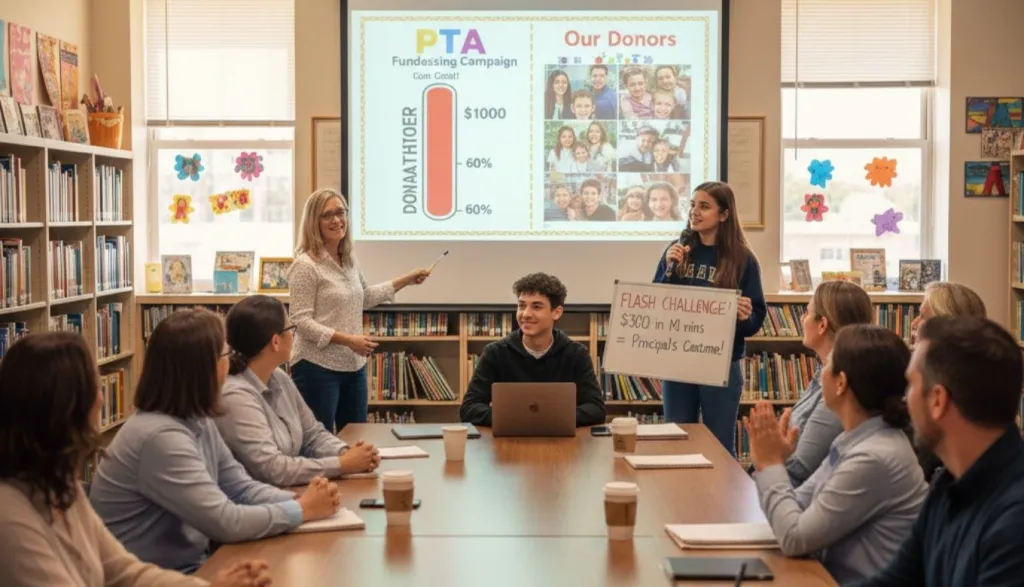
The Progress Bar: Share your screen and show a real-time donation thermometer. As people donate, watch the bar rise.
The "Shout-Out" System: Have a volunteer monitor the donation feed. "Thank you to the Miller family for their $50 contribution! We are now at 60% of our goal!"
Flash Challenges: "If we raise $500 in the next 10 minutes, the Principal will wear a silly costume to school tomorrow!" This creates a fun, high-energy environment for online fundraising event
Leveraging Peer Pressure (The Good Kind)
When parents see their peers contributing during a pta meeting, it validates their own desire to give. This social proof is the most powerful psychological tool in your fundraising arsenal. By using a 360 conference camera, remote viewers can see the hands going up in the room, making the energy contagious.
6. Volunteer Management: Building a Digital-Ready Team
You cannot run a high-tech pta meeting alone. You need a team with clearly defined roles to ensure the technology and the fundraising stay on track.
Essential Roles for a Modern PTA Meeting
The Moderator (In-Person): Focuses on the physical room and the guest speakers.
The Digital Concierge (Remote): Monitors the chat, answers technical questions, and drops fundraising links.
The "Hype" Lead: Tracks donations in real-time and provides shout-outs to keep the energy up.
Training Your Volunteers
Consistency is key for pta meetings in schools. Before the first major meeting of the year, hold a "Tech Rehearsal." Practice switching between the live camera feed and shared screen presentations. Ensure everyone knows how to use the nearhub interface to maximize the viewer experience.
7. The Post-Meeting "Glow": Sustaining Fundraising Momentum
The end of the pta meeting shouldn't be the end of the conversation. In fact, the 24 hours following a meeting are critical for capturing "last-minute" donations from those who were on the fence.
The Immediate Follow-up
Within two hours of the meeting:
Send a "Thank You" email to everyone who attended.
Include the link to the recording of the pta meeting.
State clearly: "We are only $400 away from our goal. Can you help us cross the finish line?"
Reporting Back on Impact
Two weeks later, use your newsletter to show the "Success Story." If you raised money for new books, show a photo of the students reading them. This builds the "Donor Confidence" necessary for your next online fundraising events.
Volunteer Appreciation
Publicly thank your tech team and organizers. Running online fundraisers for schools is hard work, and a little recognition goes a long way in preventing volunteer burnout.
Conclusion
Running a successful pta meeting that actually generates revenue requires a fundamental shift in mindset. You must move away from the outdated "Bake Sale" model and embrace a digital-first, community-centric strategy. By leveraging the power of online fundraising events, you are opening your school's needs to a global audience of potential supporters.
Remember, the technology you choose serves as the vital bridge between your mission and your donors. Investing in high-quality video conferencing solutions from NearHub isn't just an administrative expense; it’s a strategic investment in your school’s long-term health. When parents can see the impact and hear the passion clearly, they feel connected. When they feel connected, they contribute generously.
Start small, stay consistent, provide a welcoming environment, and always keep the students at the very heart of your narrative. Your next pta meeting has the potential to be the most profitable and engaging one in your school's history.
1. How can we increase attendance at our pta meeting in schools?
The best way to increase attendance is to remove friction. By offering a hybrid option, you allow parents to join without worrying about childcare or traffic. Also, ensure your agenda includes "Value-Add" items like guest speakers or student performances.
2. Are online fundraisers for schools actually as effective as bake sales?
Yes, and often much more so. While bake sales have high engagement, they have high overhead and a limited audience. Online fundraising events allow you to reach grandparents, alumni, and community partners who aren't physically at the school, often resulting in 3x the revenue of traditional methods.
3. What if our school doesn't have a high-speed internet connection in the gym?
If the gym's Wi-Fi is weak, consider using a dedicated cellular hotspot for the meeting. Additionally, high-quality hardware like the 360 conference camera often has better processing capabilities to handle lower bandwidth than standard laptop cameras.
4. How do we keep a pta meeting under an hour while still fundraising?
Stick to a "Timed Agenda." Give each speaker 5-7 minutes. Use the middle of the meeting for your "Donation Power Hour" rather than leaving it for the very end when people are ready to log off.