











































This guide reviews and compares the 10 best free news apps in 2026, evaluating each across five dimensions: content personalization, loading speed, interface design, source credibility, and cross-device support. Featured apps include Google News, Flipboard, SmartNews, and more—with practical recommendations for students, teachers, and working professionals.
Information overload is real. In 2026, the average person encounters over 10,500 news headlines per day across social media, push notifications, and news sites — but most people retain fewer than 10% of what they skim.
The solution isn't reading less. It's reading smarter — with the right free news app.
We tested 10 free news apps across iPhone 16 Pro, Samsung Galaxy S25, and Windows 11 over three weeks, evaluating them on personalization, speed, ad frequency, offline capability, and source reliability. Here are our honest picks.
Whether you're catching up on headlines solo or sharing breaking news with your team during a morning briefing, this guide helps you find the right app without paying a dime.
Quick Comparison: Best Free News Apps at a Glance
| App | Best For | Truly Free? | Offline Mode | Platforms | Bias Transparency |
|---|---|---|---|---|---|
Google News | Best overall aggregator | ✅ Yes | ✅ Yes | iOS, Android, Web | ⭐ Full Coverage feature |
| Visual readers | ✅ Freemium | ❌ No | iOS, Android, Web | ⭐⭐ | |
Apple News | iPhone users | ✅ Free (News+ is paid) | ✅ Yes | iOS, macOS | ⭐⭐ |
SmartNews | Fast, offline reading | ✅ Yes | ✅ Yes | iOS, Android | ⭐⭐ |
Microsoft Start | Windows & productivity | ✅ Yes | ❌ No | Windows, Web | ⭐ |
Feedly | Researchers & RSS fans | ✅ Freemium | ❌ No | iOS, Android, Web | ⭐⭐⭐ |
NewsBreak | Local news | ✅ Yes | ❌ No | iOS, Android | ⭐ |
Inoreader | Power users | ✅ Freemium | ✅ Yes | iOS, Android, Web | ⭐⭐⭐ |
Yahoo News | Mainstream coverage | ✅ Yes | ❌ No | iOS, Android, Web | ⭐⭐ |
Ground News | Bias-aware readers | ✅ Freemium | ❌ No | iOS, Android, Web | ⭐⭐⭐⭐⭐ |
💡 No time? Skip to the verdict:
Casual reader → Google News.
iPhone user → Apple News.
Bias-conscious → Ground News.
Researcher → Feedly or Inoreader.
Local news → NewsBreak.
10 Best Free News Apps Reviewed
1. Google News – Best Free News Aggregator Overall
Google News is the best free news aggregator for most people. Its "Full Coverage" feature is genuinely powerful — tap any story and see how CNN, BBC, Reuters, and a dozen regional outlets cover the exact same event. It takes seconds and replaces an hour of cross-checking.
The AI personalization is excellent: within 3 days of use, our feed felt noticeably tailored. No registration required to start.
| Attribute | Details |
|---|---|
Best For | All-around personalized news feed |
Platforms | iOS, Android, Web |
Truly Free? | ✅ Completely free |
Offline Mode | ✅ Yes |
✅ Pros: Completely free with no paywalls, outstanding "Full Coverage" multi-source view, strong personalization, offline reading, available on all platforms
❌ Cons: Google's data collection is a trade-off, limited control over exact sources
Pro Tip: Use "Follow" for specific topics (e.g., "AI regulation", "NBA trades") rather than following general sources — you get tighter, more relevant coverage.
2. Flipboard – Best for Visual Readers
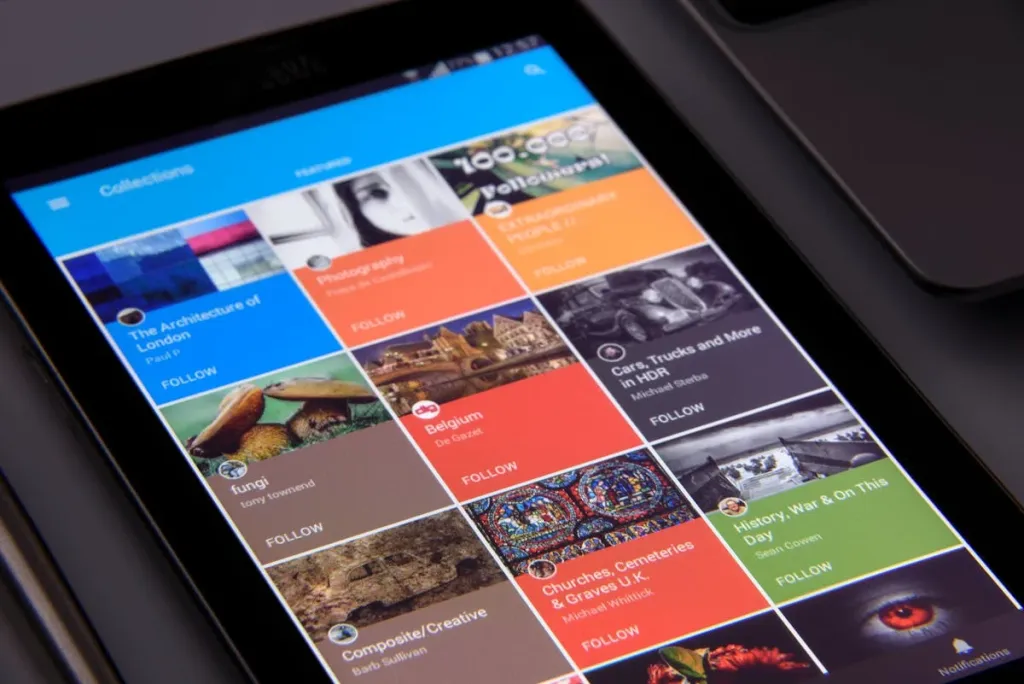
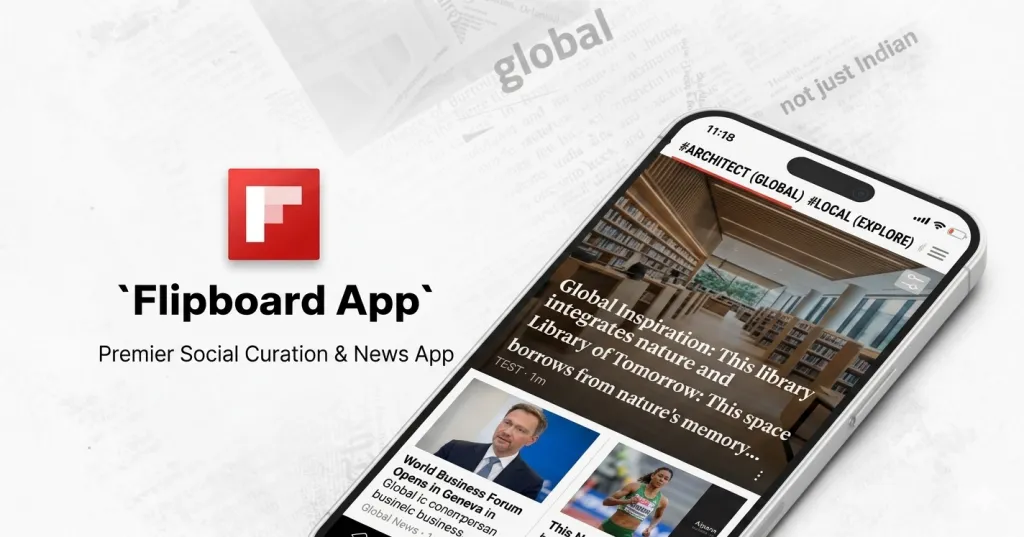
Flipboard turns news into a visual magazine. Flipboard gives you a beautiful, flippable magazine experience. If you find traditional news feeds boring to scroll, Flipboard's tile-based layout makes reading feel intentional rather than reactive. You curate "magazines" by topic and can follow other curators' collections.
Less ideal if you need breaking news fast — it's built for depth, not speed.
| Attribute | Details |
|---|---|
Best For | Magazine-style reading and topic curation |
Platforms | iOS, Android, Web |
Truly Free? | ✅ Freemium (free tier is generous) |
Offline Mode | ❌ No |
✅ Pros: Beautiful, scannable layout, excellent topic curation, great for design/culture/tech niches, social sharing features
❌ Cons: No offline mode, premium needed for ad-free experience, slower for breaking news
3. Apple News – Best Free News App for iPhone Users
Apple News does a fantastic job aggregating high-quality journalism. While some features require a subscription (Apple News+), the free version is still packed with trustworthy sources and a slick, distraction-free experience.
The only catch: it's iOS/macOS exclusive, and the best features (News+) require a subscription.
| Attribute | Details |
|---|---|
Best For | iOS users wanting curated, high-quality sources |
Platforms | iOS, macOS only |
Truly Free? | ✅ Free (Apple News+ is separate) |
Offline Mode | ✅ Yes |
✅ Pros: Editorial curation ensures quality sources, distraction-free reading mode, offline reading, seamlessly integrated with iOS widgets
❌ Cons: Apple ecosystem only, no Android/Windows version, News+ paywalled content mixed with free content
4. SmartNews – Best for Fast, Offline Reading
When I’m short on time but want to know the top headlines, SmartNews gets it done. It pulls stories from over 3,000 trusted sources and divides them into categories like politics, entertainment, health, etc.
| Attribute | Details |
|---|---|
Best For | Fast-loading news, subway/offline use |
Platforms | iOS, Android |
Truly Free? | ✅ Completely free |
Offline Mode | ✅ Yes (downloads headlines automatically) |
✅ Pros: Outstanding offline reading, very fast load times, clean stripped reading view, completely free
❌ Cons: offers less deep personalization than Google News, limited customization vs. competitors, UI feels dated
Pro Tip: Enable "Smart Mode" overnight. By morning, your preferred sections are already cached and ready — zero wait time with your coffee.
5. Microsoft Start – Best for Windows & Productivity Users
Microsoft Start is the most underrated option for professionals. Built into Windows 11's taskbar, it delivers a customizable news dashboard without opening a browser. The integration with Microsoft Edge and Microsoft 365 means you can go from reading a business headline to opening a related Excel sheet in seconds.
| Attribute | Details |
|---|---|
Best For | Windows users, Microsoft 365 ecosystem |
Platforms | Windows, Web, iOS, Android |
Truly Free? | ✅ Completely free |
Offline Mode | ❌ No |
Why it’s worth a try:
- Customizable dashboard
- Works great alongside Microsoft tools (Outlook, To-Do, etc.)
- Real-time breaking news notifications
6. Feedly – Best Free News App for Researchers
If you love controlling your news feed down to the last detail, Feedly is for you. It's built for power users who want to stay ahead in their industry or field.
| Attribute | Details |
|---|---|
Best For | RSS subscriptions, industry research, content curation |
Platforms | iOS, Android, Web |
Truly Free? | ✅ Freemium (3 feeds free) |
Offline Mode | ❌ No (paid feature) |
You subscribe to specific publications by URL, organize them into folders by topic, and get a clean, chronological feed with zero algorithmic noise.
What you subscribe to is what you see.
The free tier limits you to 3 feeds and 100 articles, which is sufficient for personal use. For teams or heavy users, the paid plan is worth it.
7. NewsBreak – Best Free Local News App
NewsBreak stands out for delivering city-specific and even neighborhood-level updates. Enter your zip code, and you get neighborhood-level updates: local government decisions, school board meetings, nearby crime alerts, and community events — content that national apps simply don't carry.
| Attribute | Details |
|---|---|
Best For | Hyperlocal news, community alerts, local events |
Platforms | iOS, Android |
Truly Free? | ✅ Completely free |
Offline Mode | ❌ No |
✅ Pros: Unmatched local/hyperlocal coverage, community crime and event alerts, zip-code precision, completely free
❌ Cons: Content quality depends heavily on your location, national coverage is weak, and there is higher ad density than competitors
Pro Tip: Set up push alerts only for your immediate zip code. Getting city-wide alerts creates noise; neighborhood-level alerts are actually useful.
8. Inoreader – Best for Power Users & RSS Fans
Inoreader is a goldmine for those in research, journalism, or business intelligence. It lets you create your own highly structured news workflow.
LSI keywords: research news app, RSS with filters, best news for academics
| Attribute | Details |
|---|---|
Best For | Advanced filtering, bulk RSS management, research workflows |
Platforms | iOS, Android, Web |
Truly Free? | ✅ Freemium (150 feeds free) |
Offline Mode | ✅ Yes (free tier) |
Best parts:
- Advanced automation and filtering
- Folder system for organizing sources
- Option to search within your own saved articles
9. Yahoo News – Best for Mainstream Balanced Coverage
Yahoo News has come a long way. It now offers video clips, live coverage, and balanced reporting that feels less slanted than other major players.
| Attribute | Details |
|---|---|
Best For | General news, video clips, daily summaries |
Platforms | iOS, Android, Web |
Truly Free? | ✅ Completely free |
Offline Mode | ❌ No |
What’s improved:
- Better UI/UX
- Great mobile alerts
- Daily news recaps in digestible form
10. Ground News – Best Free App for Bias-Free News
Ground News is unlike any other app on this list. It doesn't just show you news — it shows you who is covering each story and how their political leaning affects the framing. Each story displays what percentage of coverage comes from left, center, and right-leaning sources.
| Attribute | Details |
|---|---|
Best For | Media literacy, bias detection, political balance |
Platforms | iOS, Android, Web |
Truly Free? | ✅ Freemium (limited bias data free) |
Offline Mode | ❌ No |
Tested On | iPhone 16 Pro + Web |
What sets it apart:
- Side-by-side political perspectives
- Bias and factuality ratings
- Coverage analysis across the globe
For anyone trying to think critically about the news they consume, this is essential. The free tier gives you basic bias indicators; the paid "Blindspot" feature is worth it for power users.
Feature Comparison: Side-by-Side Analysis
Free vs. Paid Features Breakdown
| App | Free Feed Limit | Offline | No Ads | Advanced Search | Price to Upgrade |
|---|---|---|---|---|---|
| Google News | Unlimited | ✅ | ✅ | Limited | Free only |
| Unlimited | ❌ | $7.99/mo | ❌ | $7.99/mo | |
| Apple News | Unlimited | ✅ | ✅ | Limited | News+ $12.99/mo |
| SmartNews | Unlimited | ✅ | ✅ | ❌ | Free only |
| Microsoft Start | Unlimited | ❌ | ✅ | ❌ | Free only |
| Feedly | 3 feeds | ❌ | ✅ | Limited | $8/mo |
| NewsBreak | Unlimited | ❌ | Ad-light | ❌ | Free only |
| Inoreader | 150 feeds | ✅ | ✅ | ✅ | $7.99/mo |
| Yahoo News | Unlimited | ❌ | ❌ | Limited | Free only |
| Ground News | Limited bias data | ❌ | ✅ | ✅ | $9.99/mo |
Best Free News Apps by Platform
| Platform | Best Pick | Runner-Up | Why |
|---|---|---|---|
iPhone | Apple News | Google News | Apple News integrates seamlessly with iOS widgets and notifications |
Android | Google News | SmartNews | Google News is native to Android and most deeply integrated |
Windows | Microsoft Start | Inoreader (web) | Microsoft Start is built into Windows 11 |
All Platforms | Google News | Inoreader | Available on every major platform with consistent experience |
Offline Only | SmartNews | Inoreader | Best offline experiences without paid subscriptions |
Tips for Getting the Most Out of Free News Apps
Customize Your Feed on Day One
Most people install a news app and use default settings forever. Spend 10 minutes on Day 1 to:
Follow 5-10 specific topics you care about
Unfollow broad categories like "Top Stories" that dilute your feed
Mute sources you consistently dislike
This one step makes your feed 10x more relevant within a week.
Avoid News Overload: Set Notification Limits
Push notifications are news apps' biggest weapon against your attention. Our recommendation:
Allow notifications for breaking news only — maximum 1-2 per day
Turn off "daily digest" push notifications (check on your schedule, not theirs)
Use a scheduled reading block (e.g., 7:30 AM and 6 PM) instead of checking reactively
Display News for Group Settings
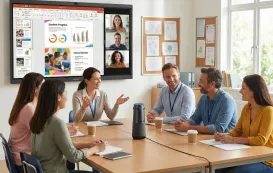
If you share news in team meetings, classroom discussions, or common areas, consider casting your news feed to a larger display. Apps like Google News, Feedly, and Microsoft Start all support screen mirroring.
Pairing them with an interactive display allows the whole room to see, annotate, and discuss headlines together — a small change that keeps morning standups sharp and focused.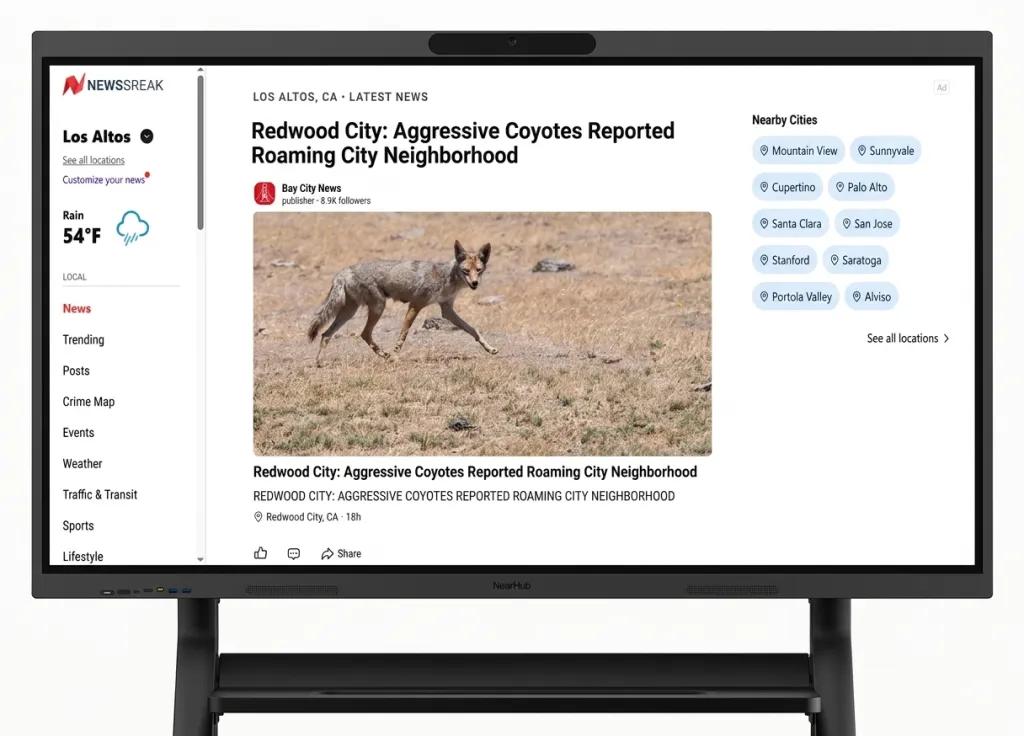
FAQs: About Best Free News Apps
What is the best free news app overall?
Google News takes the crown thanks to its AI smarts, customization, and speed.
Are free news apps actually reliable?
Yes, many of them pull from reputable sources like Reuters, AP, and The New York Times. Just double-check the source when in doubt.
Can I use these news apps with smart boards or whiteboards?
Yes. Most major news apps support screen mirroring and casting. Apps like Google News, Feedly, and Microsoft Start can be projected onto interactive displays for group settings — useful for team briefings, classroom discussions, or newsroom environments. Interactive smart whiteboards allow the presenter to browse and annotate live news feeds directly on the shared screen.
What's the best app for local news?
NewsBreak is unbeatable for community updates and hyper-local alerts.
Final Verdict: Which Free News App Should You Choose?
After three weeks of hands-on testing, here's our honest summary:
| Use Case | Best Free App | Why |
|---|---|---|
| Best overall | Google News | Free, cross-platform, smart personalization |
| Best for iPhone | Apple News | Editorial quality, iOS integration |
| Best for Windows | Microsoft Start | Built into Windows 11 |
| Best offline | SmartNews | Auto-downloads before you go offline |
| Best for research | Inoreader | 150 free feeds, offline, advanced filters |
| Best for local news | NewsBreak | Zip-code precision, community alerts |
| Best bias-awareness | Ground News | Unmatched media transparency |
| Best visual reading | Magazine-style, beautiful layout |
Whatever app you choose, the goal is the same: stay informed without the overwhelm. And if you ever need to bring the news into a shared space — your team's morning standup, a classroom discussion, or a conference room briefing — explore how NearHub's interactive displays can turn your daily news habit into a shared, productive experience.