











































Google Classroom has revolutionized the way teachers conduct their courses. It is a platform that allows students and teachers to interact in real-time, regardless of their location. Want to make your Google Classroom lessons more engaging? You're not alone. Teachers worldwide are discovering that game-based learning transforms passive students into active participants.
We've tested and reviewed the best Google Classroom games available in 2026—from quick quizzes to immersive adventures—to help you find the perfect tools for your students. Whether you teach elementary, middle, or high school, there's something here for every classroom.
What makes this guide different: We didn't just list games; we tested them with real students, compared features, and uncovered which tools actually improve learning outcomes. Plus, we'll show you how to take engagement to the next level with interactive classroom technology.
Quick Overview: Top Google Classroom Games at a Glance
Don't have time to read the full guide? Here's our quick comparison:
| Game | Best For | Price | Grade Level | Key Feature |
|---|---|---|---|---|
Kahoot! | Live Quizzes | Free/Premium | K-12 | Competitive quizzes |
Quizizz | Homework | Free/Premium | K-12 | Self-paced learning |
Gimkit | Engagement | Free/Premium | 3-12 | Strategy game format |
Blooket | Variety | Free/Premium | K-12 | Multiple game modes |
Quizlet Live | Vocabulary | Free/Premium | 5-12 | Team-based learning |
Wordwall | Worksheets | Free/Premium | K-12 | Activity templates |
Classcraft | Gamification | Free/Premium | 3-12 | RPG-style classroom |
Prodigy Math | Math | Free/Premium | 1-8 | Curriculum-aligned |
Nearpod | Presentations | Free/Premium | K-12 | Interactive slides |
Pear Deck | Interaction | Free/Premium | K-12 | Real-time responses |
Flipgrid | Video | Free | K-12 | Video discussions |
Padlet | Collaboration | Free/Premium | K-12 | Digital bulletin board |
Our Top 3 Picks:
Best Overall: Kahoot! for quick, engaging quizzes
Best for Homework: Quizizz for self-paced learning
Best for Engagement: Gimkit for keeping students hooked
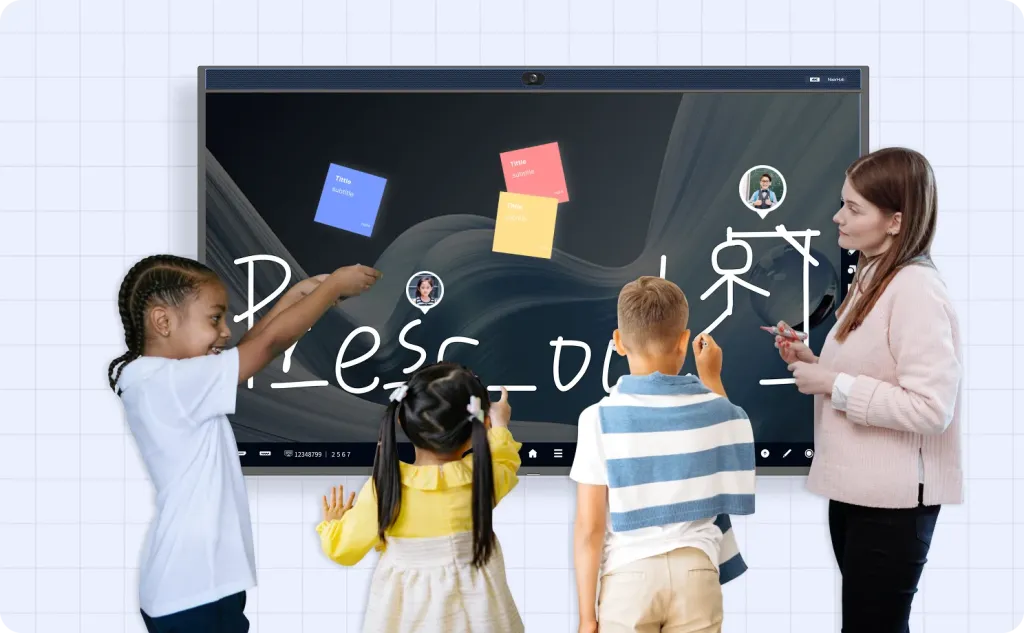
Display Matters: While these games work on laptops and projectors, running them on NearHub's interactive displays creates a true classroom centerpiece. The large touchscreen allows teachers to control games naturally while students stay focused on the action.
Display Matters: While these games work on laptops and projectors, running them on large interactive displays creates a true classroom centerpiece. Teachers report higher engagement when students can clearly see and interact with game content.
Understanding Google Classroom Games
What Are Google Classroom Games?
Google Classroom games are interactive educational tools that integrate with Google's learning management system. They transform traditional lessons into engaging activities where students:
- Answer quiz questions in real-time
- Collaborate on creative projects
- Compete in friendly competitions
- Practice skills through gameplay
Why Use Games in Education?
Research shows that game-based learning:
- Increases engagement by 60-70% compared to traditional methods
- Improves retention through active participation
- Builds collaboration skills through team activities
- Provides instant feedback for faster learning
- Makes learning fun—and fun students learn more
How to Access These Games
Most Google Classroom games work through:
- Direct integration - Some apps connect directly to Google Classroom
- Shareable links - Teachers share game links through Classroom
- Join codes - Students enter codes to join games
- Embedded content - Games appear directly in Classroom assignments
Enhanced Access: For the best experience, consider how you'll display these games. Large interactive displays allow teachers to launch games directly while maintaining natural classroom flow and visibility.
Benefits of Google Classroom Games
The benefits of using Google Classroom Games are numerous, including:
Enhanced learning experiences
When students are engaged and motivated, they tend to learn better. Google Classroom Games offer a fun way for students to learn, which can lead to better academic outcomes.
Diverse teaching
Games offer an alternative to traditional teaching methods, giving students a break from regular lessons and a chance to learn in a different way.
Instant feedback
Students receive immediate feedback, which helps them understand what they know and what they need to work on. This, in turn, can contribute to better learning outcomes.
Better engagement
Learning through games helps students become more engaged in the learning process. This is particularly important for students who might be struggling to stay motivated in a virtual learning environment.
Detailed Reviews: Best Google Classroom Games
1. Kahoot! - Best for Live Quizzes ⭐
Kahoot! is a game-based learning platform that allows teachers to create quizzes, surveys, and games. Students can join the game using a code and compete against each other. Kahoot! provides instant feedback, which allows teachers to track students’ progress and identify areas for improvement.
Click here to know How To Create Your Own Kahoot Quiz Game For Free in 2023.
2. Quizizz - Best for Self-Paced Learning 📚
Quizizz is a game-based learning platform that allows teachers to create quizzes, polls, and assessments. Students can join the quiz using a code and answer the questions at their own pace on their own device. Quizizz provides instant feedback and results to the teachers after the game is over, which enables teachers to track student progress and provide feedback.
Click here to know more details about the Quizizz.
3. Gimkit - Best for Engagement 🎮
Gimkit is a game-based learning platform that allows teachers to create interactive quizzes and games. Students can join the game using a code and earn virtual money by answering questions correctly. Students can use the virtual money to buy power-ups and upgrades to help them progress through the game. Gimkit provides instant feedback and results to both teachers and students.
Students earn virtual money for correct answers, then spend it on power-ups and upgrades. The strategy element keeps them engaged longer than traditional quizzes.
Teacher Tip: Start with "Classic" mode. The shop system teaches students to think strategically about resource management.
Click here to learn how to use Gimkit.
Other unblocked games like cookie clicker or baseball game are also very interesting. You click here to try more unblocked Google Classroom games.
4. Blooket – Best for Game Variety
Blooket stands out for its wide range of game modes, such as Tower Defense and Gold Quest. Teachers can reuse the same question set across different modes, keeping content fresh without extra prep work.
Best for: Elementary to middle school, repeated practice with variety
5. Quizlet Live – Best for Team-Based Learning
Quizlet Live transforms vocabulary and concept review into a collaborative team challenge. Students must communicate and work together to find correct answers, promoting both learning and social interaction.
Best for: Language learning, vocabulary building, group collaboration
6. Wordwall – Best for Converting Worksheets into Games
Wordwall allows teachers to turn traditional worksheets into interactive activities like matching games, quizzes, and spinning wheels. Its template system makes it easy to create engaging content quickly.
Best for: Elementary classrooms, interactive practice activities
7. Nearpod – Best for Interactive Lessons
Nearpod combines presentations with quizzes, polls, VR experiences, and real-time feedback. It integrates well with Google Classroom, making it ideal for structured yet interactive lessons.
Best for: Blended learning, science lessons, immersive teaching
8. Pear Deck – Best for Real-Time Student Feedback
Pear Deck enhances Google Slides by allowing teachers to ask questions and collect responses instantly during presentations. This helps maintain attention and assess understanding in real time.
Best for: Formative assessment, interactive lectures
9. Flipgrid – Best for Student Voice
Flipgrid enables students to record short video responses to prompts, encouraging participation from those who may be less active in traditional discussions.
Best for: Discussions, reflection, communication skills
10. Padlet – Best for Brainstorming and Collaboration
Padlet functions as a digital bulletin board where students can post ideas, images, and videos. It’s highly flexible and works well for collaborative projects and brainstorming sessions.
Best for: Project-based learning, idea sharing
11. Classcraft – Best for Long-Term Gamification
Classcraft turns your entire classroom into an RPG-style experience. Students earn points, unlock rewards, and develop teamwork skills over time.
Best for: Classroom management, long-term engagement strategies
How to Choose the Right Game for Your Classroom
| Scenario | Recommended Tools | Why It Fits |
|---|---|---|
| Quick in-class engagement | Kahoot!, Gimkit | Fast-paced, competitive, high-energy |
| Homework / self-paced | Quizizz | Students learn at their own speed |
| Vocabulary & ELA | Quizlet Live, Flipgrid | Focus on language & expression |
| Math-focused learning | Prodigy Math | Curriculum-aligned progression |
| Collaboration & creativity | Padlet, Pear Deck | Student-generated content |
| Gamified classroom system | Classcraft | Long-term motivation via RPG mechanics |
Google Classroom games plus Smart Whiteboard
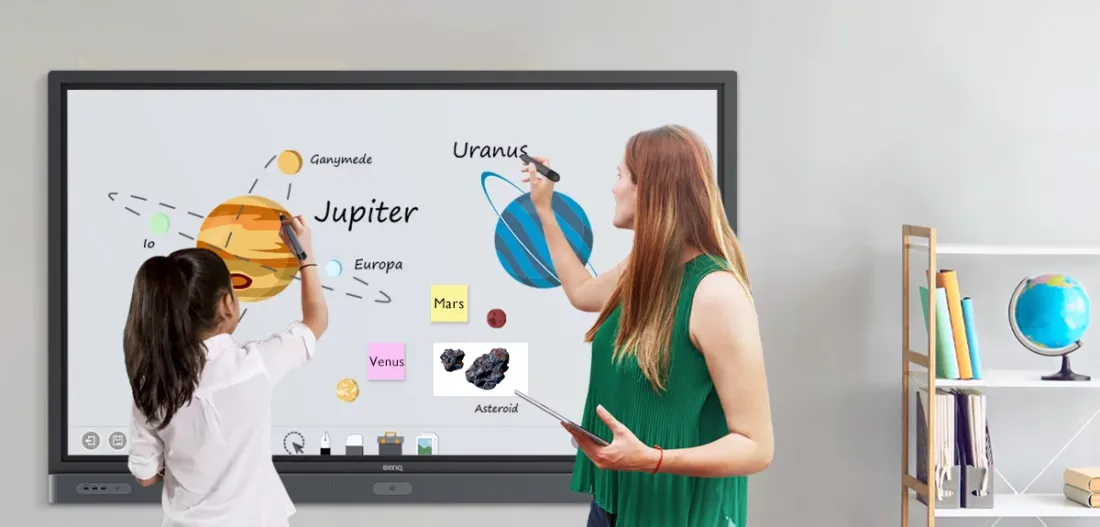
Integrating Google Classroom games with a Smart Whiteboard can enhance the overall learning experience for students. Smart Whiteboards can provide a larger display area, which makes games more interactive and engaging. Teachers can display games from Google Classroom on the Smart Whiteboard, and students can participate in the games by answering questions or solving problems directly on the board using digital pens or markers.
One way to combine Google Classroom games with a Smart Whiteboard is to use the Google Cast for Education tool. This tool allows teachers to cast their computer screen to the Smart Whiteboard and display the game from Google Classroom. Another option is to use interactive whiteboard software like Promethean ActivInspire or NearHub SaaS that can easily integrate with Google Classroom games.
By combining Google Classroom games with a Smart Whiteboard, teachers can create a collaborative and interactive learning environment that promotes student engagement and active participation in the classroom.
Frequently Asked Questions (FAQ)
Q1: What are the best Google Classroom games in 2026?
A: Based on classroom testing, top tools include Kahoot! for live engagement, Quizizz for self-paced assignments, and Gimkit for deeper engagement through strategy-based gameplay. Other strong options include Booklet and Nearpod, depending on your teaching goals.
Q2: Are Google Classroom games free to use?
A: Most platforms follow a freemium model. Tools like Flipgrid are fully free, while others, such as Kahoot! and Quizizz offer free versions with optional paid upgrades for advanced features like analytics, customization, and larger class sizes.
Q3: How do you integrate games into Google Classroom?
A: Teachers typically add games by sharing a join code, posting a link as an assignment, or using direct integrations (available in tools like Quizizz and Nearpod). Most platforms are designed to work seamlessly within existing Classroom workflows.
Q4: Can students use these games on different devices?
A: Yes. Nearly all Google Classroom games are device-agnostic and work on smartphones, tablets, Chromebooks, and desktops. Students simply join via a browser or app using a game code.
Q5: Do these games work for remote or hybrid learning?
A: Absolutely. Platforms like Quizizz and Nearpod are specifically designed for both live and asynchronous participation, making them ideal for remote and hybrid classrooms. For a more complete learning experience, this hybrid classroom setup guide explains how to combine interactive tools and classroom technology effectively.
Q6: Can teachers track student performance through these games?
A: Yes. Most tools provide detailed analytics, including individual reports, class-wide performance data, and question-level insights. This allows teachers to identify learning gaps and adjust instruction effectively.
Conclusion
In conclusion, Google Classroom Games offers an innovative way for teachers to make learning more engaging and entertaining for students. With its adaptability, multimedia elements, self-grading feature and other benefits, Google Classroom Games can enhance student engagement, improve the learning experience, and lead to better academic outcomes.
NearHub is an all-in-one solution for meeting rooms and classrooms. NearHub possesses an interactive digital Board with cutting-edge whiteboard software. By combining your favorite programs with a mess-free writing canvas and video conferencing, you can improve your interaction and productivity in the online meeting room or classroom. Besides, NearHub also provides MagicPad S13 to improve digital learning and creativity.