
































































In today’s world, remote work has become the new normal. Whether you’re attending daily Zoom meetings, collaborating on Slack, or hosting virtual presentations, having the right headset can make all the difference. A high-quality headset ensures that your voice is heard clearly, reduces background noise, and provides long-lasting comfort for hours of work.
In this blog, we’ll cover why remote workers need the best headset, who should use it, how ENC noise-cancelling technology improve remote working, the top wireless headsets for remote work, how to choose the right one, and finally, actionable tips to get the most out of your headset.
Key Takeaways
- Superior Clarity: ENC (Environmental Noise Cancellation) is crucial for filtering out home distractions like pets or appliances.
- Professional Image: High-quality audio prevents misunderstandings and reflects better on your professional brand.
- Physical Wellness: Ergonomic designs with memory foam prevent "ear fatigue" and headaches during 8+ hour shifts.
- Reliable Connectivity: The NearHub EP320 offers dual connectivity (Bluetooth 5.4 + USB Dongle) for maximum stability across all devices.
- Versatility: Ideal for a wide range of users, including corporate employees, online teachers, and customer support agents.
Why You Need the Best Headset for Remote Work
Remote work comes with unique challenges, and a poor headset can impact both your productivity and your professional image. Here’s why investing in the high-quality headset for remote work is essential:
Clear Communication in Meetings
Whether it’s a team call, client presentation, or online training, poor audio quality can lead to misunderstandings. Background noise from pets, children, or home appliances can make your voice difficult to hear. A high-quality headset with ENC or noise-cancelling technology ensures your voice is clear, professional, and easy to understand.
Long-Lasting Comfort
Remote work often requires long hours of headset use. A poorly designed headset can cause ear fatigue, headaches, or pressure on the head. The best headset for remote work offers ergonomic design, adjustable headbands, and soft ear cushions to ensure comfort throughout the day.
Wireless Freedom and Flexibility
Tangled cords and limited mobility can be frustrating, especially when you need to move around during calls. A wireless headset allows freedom of movement without compromising audio quality, making multitasking much easier.
Professional Image
Clear audio reflects professionalism. Your colleagues, clients, and supervisors will perceive you as more prepared and engaged when they can hear you clearly, even in a noisy environment.
Investing in the top headset for remote work isn’t just about convenience—it’s about maintaining productivity, comfort, and a professional presence.
Who Should Use the Best Headset for Remote Workers?
The best headset for remote workers isn’t just for office employees. Multiple types of professionals can benefit from having a high-quality remote headset:
Corporate Remote Employees
Employees attending frequent video conferences or client calls need a headset that ensures crystal-clear audio and reduces background noise, helping maintain professionalism in every meeting.
Online Teachers and Educators
Teachers, tutors, and instructors can use headsets to deliver clear lessons, improving student engagement and comprehension during virtual classes.
Content Creators and Streamers
Podcasters, YouTubers, and live streamers benefit from a headset that provides high-quality audio for both recording and live communication, reducing echo and noise interruptions.
Customer Support and Call Center Agents
Clear communication is crucial for customer satisfaction. ENC-enabled headsets allow support agents to focus on calls without being distracted by surrounding office or home noises.
Gamers and Remote Collaborators
Gamers or virtual team collaborators need accurate voice transmission and low-latency communication for effective coordination. A good headset ensures seamless interaction and minimal audio delay.
Whether you are a full-time remote worker or someone who frequently works from home, investing in the professional headset for remote workers can drastically improve your audio experience and productivity.
How ENC / Noise-Cancelling Headsets Improve Remote Working
ENC (Environmental Noise Cancellation) and active noise-cancelling technology have revolutionized the remote working experience. Here’s how these technologies can help:
Reduce Background Noise for Clearer Calls
ENC microphones detect and filter out background sounds, like typing, pets, or nearby conversations. This headset to block out noise ensures your voice remains clear, even in a noisy environment, making meetings more effective and reducing miscommunication.
Protect Your Voice
Without ENC technology, you may raise your voice to be heard over ambient noise. Over time, this can strain your vocal cords. The best headset for remote working allows you to speak at normal volume, maintaining vocal health during long calls or teaching sessions.
Enhance Focus and Productivity
By minimizing distracting sounds, noise-cancelling headsets help you concentrate better on work tasks. You’ll notice improved focus during calls, writing, or any task that requires attention.
Wireless Convenience
Many ENC and noise-cancelling headsets come with wireless options, including Bluetooth or USB dongles. Wireless connectivity provides flexibility and mobility while maintaining clear, uninterrupted audio.
In short, using an ENC or noise-cancelling headset transforms remote work from a noisy, frustrating experience to a seamless, professional workflow.
Top Wireless Headset for Remote Work: Nearity EP320
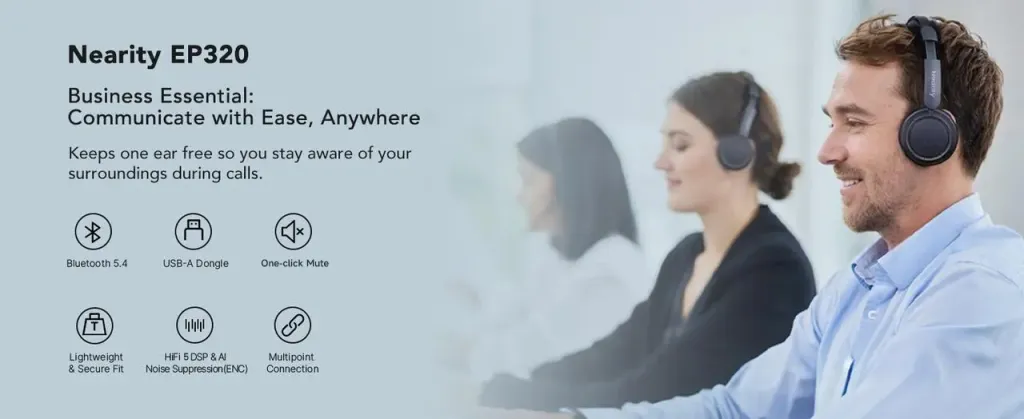
When it comes to remote work, having a single high-quality wireless headset for remote work can make a huge difference in productivity and communication. The Nearity EP320 is designed specifically for professionals who need crystal-clear calls, all-day comfort, and reliable connectivity.
Why the Nearity EP320 Is the Best Headset for Remote Work
AI-Powered ENC Noise Cancellation
The EP320 is a headset with best noise cancelling microphone, featuring a 4-microphone ENC system that effectively filters out background noise from your environment. Whether you’re working in a busy home, a shared workspace, or a coffee shop, your voice will come through clear and professional, ensuring seamless communication in every meeting.
Long Battery Life & Wireless Freedom
With up to 35 hours of talk time and 45 hours of listening, the EP320 keeps up with even the longest workdays. Bluetooth 5.4 and a USB dongle provide stable connections across laptops, Macs, and mobile devices, allowing you to move freely without interruptions.
All-Day Comfort
Designed for extended wear, the EP320 features ergonomic memory foam earcups and an adjustable headband. Even during multiple back-to-back calls or long virtual presentations, you’ll stay comfortable and focused.
Easy Setup & Multi-Device Compatibility
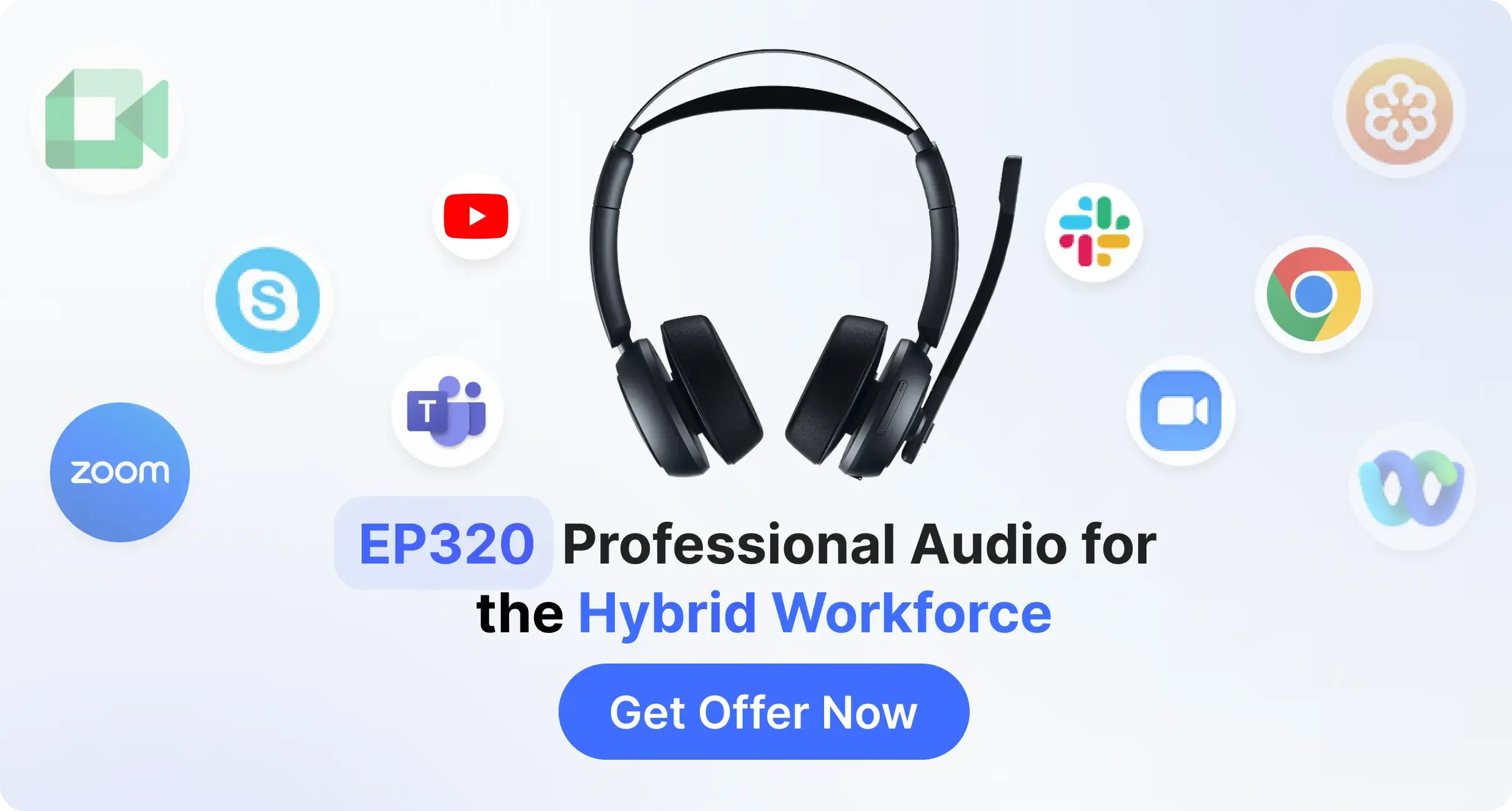
Plug-and-play with the included USB dongle or connect via Bluetooth. The headset works seamlessly with Zoom, Teams, Google Meet, and other collaboration platforms, making it the ideal noise-cancelling headset for remote work.
How to Choose the Best Headset for Remote Working
Selecting the right headset requires balancing several factors:
Usage Scenarios
- Video conferencing, teaching, streaming, or casual calls? Match the headset to your primary use.
Noise-Cancelling Capability
- High ENC performance ensures clear calls, even in noisy environments.
Comfort and Ergonomics
- Look for adjustable headbands, cushioned ear cups, and lightweight designs for long-term wear.
Connectivity Options
- USB vs Bluetooth: USB provides lower latency and more stable connections, while Bluetooth offers wireless convenience.
Budget Considerations
- High-end models offer superior noise-cancellation and comfort, while mid-range headsets often provide excellent value with sufficient ENC performance.
By carefully evaluating these factors, you can pick the best headset for remote working that fits your needs and enhances your productivity.
Conclusion: Get the Professional Headset for Remote worker
A high-quality headset is no longer optional—it’s essential for anyone working remotely. Clear calls, reduced background noise, comfort during long hours, and wireless flexibility all contribute to a better remote work experience.
Don’t let poor audio quality hinder your productivity or professional image. Invest in the best headset for remote work today, and enjoy crystal-clear communication, comfort, and efficiency in every call.
Find the perfect wireless headset for your remote work setup with the Nearity EP320 and take your productivity to the next level. Shop now and experience the difference!
FAQs
I wear glasses, will this headset be comfortable for all-day use?
Comfort is a major priority for remote workers. The EP320 is designed with ergonomic memory foam ear cushions and an adjustable headband. These materials are soft enough to accommodate glasses frames without applying excessive pressure, making it comfortable for 8+ hours of wear.
Can I use the EP320 for online teaching or streaming?
Definitely. The Nearity EP320 provides professional-level call clarity, making it ideal for online educators, content creators, or streamers who need high-quality audio during lessons or live sessions.
How do I connect the EP320 to my computer or phone?
You can either connect via Bluetooth 5.4 or plug in the included USB dongle. The setup is plug-and-play, compatible with Windows, Mac, and most mobile devices, making it a true wireless headset for remote work.
Are wireless headsets reliable for remote work?
Modern wireless headsets with Bluetooth 5.4 or USB dongle connectivity provide stable connections with minimal latency. They allow freedom of movement without compromising audio quality, making them ideal for remote professionals.



 sales@nearhub.us
