

































































For modern corporate leadership, technology is no longer a background utility—it is a critical driver of business continuity and executive presence. In a high-stakes environment, the reliability of your conference room av solutions directly impacts your organization's ability to communicate vision, close deals, and maintain a cohesive hybrid culture. When scaling operations to a large conference room, the margin for technical error disappears; professional-grade integration becomes a necessity to prevent costly downtime and communication breakdowns.
This guide provides a strategic roadmap for decision-makers to audit, upgrade, and scale their audio-visual infrastructure. We will move beyond basic hardware to explore how a robust corporate meeting room ecosystem can be leveraged to ensure seamless collaboration across global teams.
Key Takeaways
- Prioritize Audio to Overcome the Inverse Square Law Large rooms demand distributed audio—such as beamforming ceiling mics and DSP—to ensure every participant is heard clearly, as standard video bars fail to cover vast distances.
- Adopt Modular AV-over-IP for Scalability Replace "all-in-one" huddle room bars with modular AV-over-IP architectures. This ensures high-bandwidth 4K video and multi-channel audio performance without latency or reliability issues.
- Drive "Meeting Equity" with Interactive Tools Empower hybrid teams using AI-driven cameras and the NearHub S Pro Smart Whiteboard. These tools provide remote participants with a real-time, inclusive experience for collaborative brainstorming.
- Simplify Operations with Centralized Management Reduce IT overhead by implementing "One-Touch Join" for users and centralized dashboards for technical teams to monitor health and push remote updates across the organization.
- Future-Proof via Software-First, Certified Hardware Avoid vendor lock-in by investing in modular hardware certified for Zoom and Microsoft Teams. This ensures your conference room av solutions support future AI features and connectivity standards.
Identifying Common Audio Visual Challenges in Today’s Corporate Meeting Room
Before we can solve the problem, we have to diagnose it. A corporate meeting room is a high-traffic environment where technology must be "invisible"—meaning it should work so well that no one notices it's there. However, several recurring issues often plague these spaces.
The "Acoustic Shadow" and Poor Audio Pickup
In a large conference room, audio is usually the first thing to fail. Standard "all-in-one" bars often lack the reach to pick up voices from the back of a 20-foot table. This creates "acoustic shadows" where certain participants are effectively silenced in the hybrid environment. Without professional conference room audio visual planning, echo and reverberation become major distractions.
"Cable Chaos" and Connectivity Dead Zones
We’ve all seen it: a beautiful mahogany table covered in a "spaghetti" of HDMI adapters, USB extenders, and power strips. Poorly planned conference room av solutions often rely on physical tethering that limits where people can sit and how they can present.
Lighting and Visibility Issues
A screen that looks great in a small huddle room might be unreadable in a sun-drenched large conference room. Glare, poor contrast ratios, and "pixelated" video feeds from low-quality cameras can make remote collaboration feel like looking through a foggy window.
User Interface Friction
If it takes more than 60 seconds to start a meeting, the technology has failed. Complex remotes with 50 buttons or "bring your own laptop" (BYOD) setups that require five different drivers are the enemies of efficiency.
Why Standard Setups Fail: The Complexity of Large Conference Room Audio Visual Requirements
Many organizations try to save money by taking a "huddle room" kit and trying to stretch it to fit a large conference room. This is a recipe for disaster. The physics of sound and light don't scale linearly; they change exponentially as the room grows.
The Physics of Large Spaces: The Inverse Square Law
In audio, the inverse square law dictates that for every doubling of distance from the sound source, the sound pressure level drops by 6 decibels. In a small room, this is negligible. In a large conference room, the person at the far end of the table is effectively "whispering" to the microphone compared to the person sitting next to it. Professional conference room av solutions require Digital Signal Processing (DSP) and beamforming microphone arrays to compensate for this.
Network Bandwidth and Latency
When you move to high-end conference room audio visual systems, you aren't just plugging in a USB cable anymore. You are likely moving to AV-over-IP. Large rooms often involve multiple 4K streams and high-fidelity audio channels (like Dante). If your network isn't optimized, you’ll experience lag, which destroys the flow of natural conversation.
According to Industry Data
According to a report by Statista on the Global Video Conferencing Market, the demand for high-quality hardware has surged as 75% of US companies have shifted to a permanent hybrid model. This shift means that the "standard setup" of 2019 is no longer sufficient for the high-bandwidth, high-reliability needs of 2026.
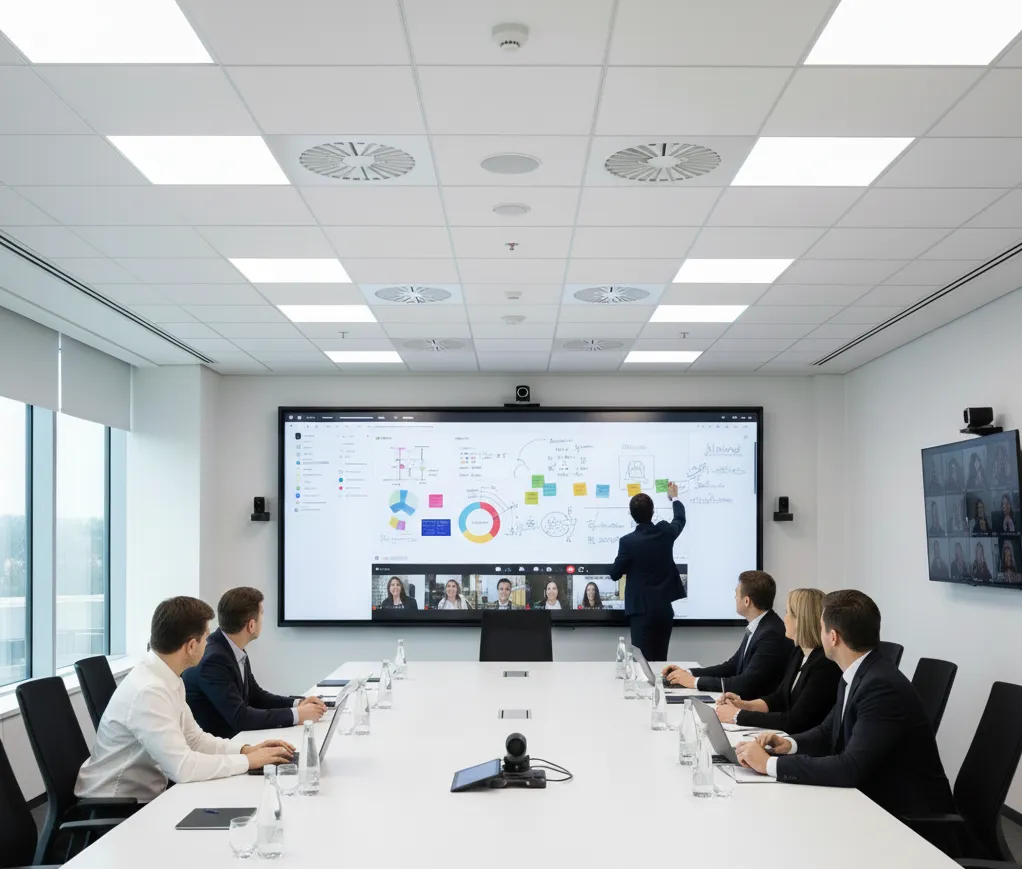
Key Components of Scalable Conference Room AV Solutions
To truly scale, you need a modular approach. You can't just buy a box; you need to build a system. Here is the breakdown of the "Must-Have" components for a high-performing corporate meeting room.
1. High-Performance Visual Displays
In a large space, visibility is king. While traditional projectors were once the standard, we are seeing a massive shift toward large-format LED displays and interactive smart boards. A meeting room smart board provides the dual benefit of a crystal-clear 4K display and a collaborative canvas where remote and in-person teams can brainstorm in real-time.
2. Intelligent Audio Ecosystems
Instead of a single microphone, large rooms require a "distributed" audio strategy.
- Ceiling Array Microphones: These use beamforming technology to "track" the speaker as they move around the room.
- Digital Signal Processors (DSP): The "brain" of your audio, which removes background noise (like HVAC hum) and prevents echo.
- Distributed Speakers: Ensuring everyone hears the remote participants at a consistent volume, regardless of where they sit.
3. Multi-Camera Configurations
A single camera at the front of a large conference room makes the people at the back look like ants. To solve this, professional conference room av solutions now utilize AI-powered multi-camera setups. These systems can automatically switch between a wide-angle shot of the whole room and a tight "speaker view" to keep the remote audience engaged.
4. Comparison Table: All-in-One vs. Modular Integrated Systems
| Feature | All-in-One Bar (Standard) | Modular Integrated System (Large Room) |
|---|---|---|
| Audio Range | 10 - 15 feet | Unlimited (Scalable with multiple nodes) |
| Camera Quality | Single fixed lens | Multi-camera with AI-tracking |
| Collaboration | Passive Viewing | Active (Interactive Smart Boards) |
| Complexity | Plug-and-Play | Requires Professional Integration |
| Best For | Huddle Rooms / Small Offices | Boardrooms / Large Training Halls |
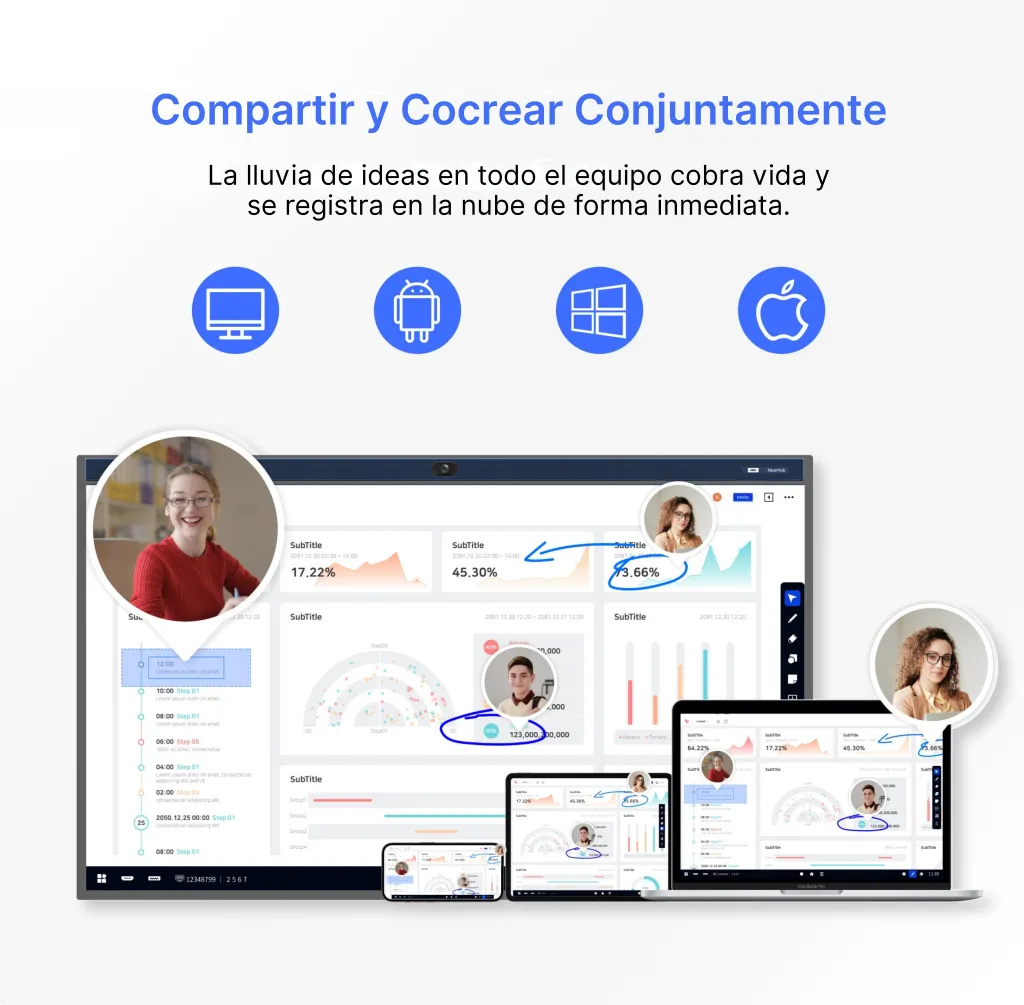
Optimizing Audio Visual Performance for Hybrid Teams in Large Conference Rooms
"Meeting Equity" is the buzzword of the year for a reason. In a hybrid world, the people "on the screen" should have the same presence as the people in the room. Achieving this in a large conference room requires a strategic touch.
Designing for the "Front Row" Experience
Major platforms like Microsoft Teams and Zoom have introduced layouts like "Front Row," which places remote participants at eye level across the bottom of the screen. To make this work, your conference room audio visual hardware needs to support ultra-wide aspect ratios (like 21:9).
Interactive Whiteboarding: Bridging the Physical Gap
One of the biggest pain points for hybrid teams is "the whiteboard problem." When someone in the room gets up to draw on a physical whiteboard, the remote team usually sees a blurry, angled view of someone's back.
By integrating a solution like the NearHub S Pro Smart Whiteboard, you digitize the collaboration instantly. Every stroke on the board is mirrored on the remote participants' screens, ensuring everyone is on the same page. When companies like Nearhub design these tools, they focus specifically on reducing latency so that the "digital ink" feels as natural as a Sharpie on paper.
Lighting for Video Success
Don’t underestimate the power of "Video-Friendly" lighting. For large rooms, you want high-CRI (Color Rendering Index) LED panels that provide even coverage. This prevents the "witness protection program" look where half of the presenter's face is in shadow.
Integrated Control Systems: Simplifying Corporate Meeting Room Management
If the technology is too hard to use, your employees will find workarounds—or worse, they’ll stop using the room entirely. Integration is what turns a collection of gadgets into a professional corporate meeting room.
One-Touch Join
The goal should always be "One-Touch Join." Through integrated control panels (like those from Crestron, Extron, or integrated smart board interfaces), a user should be able to walk in, tap a single button, and have the lights dim, the screen turn on, and the Zoom/Teams call initiate.
Centralized Management for IT Teams
For the IT department, scaling conference room av solutions means being able to manage 50 rooms from a single desk. Modern systems allow for remote firmware updates, health monitoring, and usage analytics. You can see which rooms are being used most often and which hardware is throwing errors before a user even reports it.
Learning the Tech: Training and Ease of Use
Even the best tech requires a bit of an introduction. Providing a simple how to use a smart board guide can significantly reduce "support tickets" and empower your staff to lead high-tech meetings with confidence.

Scaling Your Conference Room Audio Visual Strategy for Future Growth
The only constant in technology is change. When you invest in conference room av solutions, you need to ensure they won't be obsolete in 24 months.
Modular Upgradability
Instead of buying a system that is "hard-wired" into the room’s architecture, look for modular hardware. If a new camera technology comes out, you should be able to swap the camera without replacing the entire DSP and display system.
Budgeting for the Long Term
When planning your expansion, you have to look at the total cost of ownership. While a smart whiteboard cost might seem higher upfront than a standard TV, the value it adds in terms of collaboration, reduced travel costs, and saved time is immense.
Software-First Mentality
Prioritize hardware that is "Certified" for the platforms you use (Zoom, Teams, Google Meet). This ensures that as the software evolves—adding new AI features or security protocols—your hardware can keep up via simple software updates. The NearHub S Pro Smart Whiteboard is a prime example of hardware built with a software-first heart, allowing for continuous feature sets that grow with your business.
Final Thoughts on Scaling
Scaling a large conference room is a journey, not a destination. By focusing on high-quality audio pickup, AI-driven video, and interactive collaboration tools, you create a space where ideas can flourish without the interference of technical failure.
FAQ Section
1. What are the best conference room av solutions for a room with 20+ people?
For a room of this size, you should move away from all-in-one bars. We recommend a distributed system featuring ceiling-mounted beamforming microphones, a dedicated DSP, and a large interactive display like the NearHub S Pro for collaborative work.
2. How much does a professional conference room audio visual setup cost for a large boardroom?
Costs vary wildly based on the level of integration. A basic professional setup starts around $10,000, while fully integrated, automated boardrooms with high-end acoustics and multi-camera setups can exceed $50,000.
3. Do I need a professional integrator to install these conference room av solutions?
For huddle rooms, DIY is fine. However, for a large conference room, we strongly recommend a professional integrator. They handle complex tasks like acoustic tuning, EDID management, and secure network configuration that are vital for long-term stability.
4. Can I use my existing laptops with these new systems?
Yes. Most modern corporate meeting room designs utilize "BYOD" (Bring Your Own Device) or "MTR" (Microsoft Teams Room) configurations that allow for seamless wireless or single-cable (USB-C) connectivity.
5. What is the most important component of conference room audio visual?
Most experts agree that audio is the most important. A meeting can survive a dropped video feed, but it cannot survive a situation where participants cannot hear or understand each other.
Conclusion & CTA
Successfully scaling your conference room av solutions requires a shift from "buying equipment" to "designing experiences." By understanding the unique acoustic and visual challenges of the large conference room, you can implement a system that empowers your team rather than frustrating them. From intelligent microphones to interactive displays, the right technology stack ensures that every voice is heard and every idea is seen, no matter where in the world your team is sitting.
As you look to the future of your corporate meeting room, remember that simplicity for the user is the result of sophisticated planning behind the scenes. Investing in high-quality, scalable conference room av solutions today will pay dividends in meeting efficiency and employee satisfaction for years to come.






 sales@nearhub.us
