
































































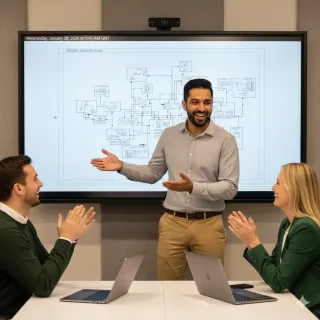
In the landscape of 2026, successful hybrid work models have shifted from rigid attendance mandates to intentional, activity-based presence. This guide identifies the core components of high-functioning distributed teams, focusing on the pillars of "Presence Equity" and "Technological Symmetry." By exploring various frameworks—including anchor-day, office-first, and choice-based models—the article provides a step-by-step roadmap for how to implement hybrid work. It details how advanced hybrid work technology, such as the Windows-powered NearHub S Pro, eliminates the "Setup Tax" and "Documentation Black Holes" through seamless app integration and AI-powered visibility features, ensuring that remote and in-office members contribute to a single, shared digital reality.
Key Takeaways
- Transition to Activity-Based Presence: Align work locations with cognitive requirements—reserve the home office for deep focus and the physical hub for high-bandwidth synchronous innovation.
- Prioritize Presence Equity: Utilize AI-driven features like Speaker Tracking and Auto-Framing to ensure remote participants have the same visual weight and influence as those in the physical room.
- Eliminate the "Setup Tax": Adopt Windows-based smart boards to run enterprise collaboration apps natively, allowing teams to join meetings in under 60 seconds without technical friction.
- Zoning for Collaborative Surplus: Redesign office space requirements hybrid work into specific "Focus Zones" and "Collaboration Hubs" to provide tools and environments that are significantly superior to home setups.
- Implement Digital-First Documentation: Abandon legacy analog whiteboards in favor of cloud-synced interactive canvases to ensure a "single source of truth" and prevent information silos.
- Focus on Innovation Velocity: When leading hybrid teams, shift management metrics from "hours in chair" to "impact on milestones," fostering a culture of outcome-based trust and high-speed problem solving.
We have all felt that specific type of workplace frustration: you wake up early, navigate forty-five minutes of grueling morning traffic, find a desk in a cavernous, half-empty building, and then proceed to spend the next eight hours on the exact same video calls you could have taken from your kitchen table. It feels inefficient, outdated, and frankly, like a waste of human energy. This "Office/Remote Disconnect" is the primary reason why so many organizations are struggling to maintain morale in 2026. When the physical office feels like a chore rather than a tool for progress, your approach to hybrid work models has reached its breaking point.
Welcome to the definitive How-to Guide for modern workforce dynamics. This isn't just another theoretical overview; it is a comprehensive manual on how to use hybrid work models like a pro. In this guide, we will explore the most effective strategy examples, examine the technical infrastructure required for success, and provide a step-by-step roadmap for turning your office into a high-octane collaboration hub. Whether you are navigating return-to-office mandates or scaling a global startup, this article provides the strategic framework you need to win in the era of flexible work. We will bridge the gap between policy and productivity to ensure your team actually thrives in this hyper-connected era of work.
What are Hybrid Work Models? Understanding the 2026 Landscape
Before we can optimize for productivity, we must define what we mean by hybrid work models in the current market. A decade ago, "hybrid" was a loose term for working from home occasionally. Today, it is an architectural strategy that treats the physical office as a specialized piece of equipment—much like a laboratory or a recording studio—rather than a default storage facility for people.
The Core Components of a Successful Model
To move beyond a stagnant "badge-swipe" culture, a modern model must address three core dimensions to be effective:
- Activity-Based Presence: Choosing the work location based on the nature of the task. Deep focus work like coding or report writing is done at home, while brainstorming and strategic planning are done at the office.
- Presence Equity: Ensuring remote participants have the same visual and vocal influence as those in the room. This is the cornerstone of any high-functioning team.
- Technological Symmetry: Providing tools in the office that are significantly superior to an employee's home setup. If the office technology is worse than a home setup, the model will fail.
According to a recent report by Gartner, organizations that focus on "intentional collaboration" rather than mandatory attendance see a 15% increase in employee engagement and a 20% boost in innovation speed. This proves that the success of hybrid work models depends on the why of the interaction, not just the where.
Hybrid Work Model Examples: Finding the Right Fit for Your Culture
When determining how to use hybrid work models to your advantage, looking at hybrid work model examples from industry leaders can provide a valuable baseline. However, there is no one-size-fits-all solution. Your strategy should be a reflection of your team’s specific cognitive load and collaboration tempo.

The "Anchor Day" Model (Synchronized Hybrid)
Common in tech and creative agencies, the entire team gathers in the office on specific "anchor days" (e.g., Tuesday and Thursday) for all-hands meetings and collaborative sprints.
- How to implement: Set two non-negotiable days for in-person strategy.
- The "Plugged In" Secret: Use a nearhub system to ensure that any specialist who must remain remote during an anchor day feels physically present via high-fidelity video.
The "Office-First" Model (Structured Hybrid)
Often used by financial and law firms, this mandates four days in the office with one day of flexibility.
- How to implement: Focus the four office days on mentorship and high-stakes conflict resolution.
- Office Requirements: Every huddle room must be equipped with a smart white board to ensure that the one remote day doesn't create a documentation gap.
The "Choice-Based" Model (Fluid Hybrid)
Used by companies like Atlassian and Shopify, this model allows employees to work remotely by default but provides high-tech hubs for those who want to use them.
- How to implement: Treat the office as a "product" that employees choose to visit for superior tools.
- Success Metric: Measure office utilization based on the value of collaborative sessions rather than seat occupancy.
| Model Type | Primary Driver | Best For | Key Infrastructure |
|---|---|---|---|
| Anchor Day | Predictability | Creative Sprints | Integrated [nearhub] Terminals |
| Office-First | Mentorship | Junior Development | 4K [smart white board] |
| Choice-Based | Autonomy | Global Talent Pools | Cloud-Synced Canvases |
How Do Plug In Hybrid Work Technologies for Presence Equity?
The biggest hurdle in answering how to lead a global team is the concept of "Presence Equity." To solve this, you must learn how do plug in hybrid work technologies that move beyond simple video feeds and toward intelligent interaction. This is the cornerstone of any high-functioning environment.
AI Camera Features: Speaker Tracking and Auto-Framing
In a traditional meeting, remote participants are often "small squares" looking at a distant shot of a conference room. To bridge this gap, you must utilize hardware with AI features.
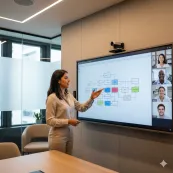
- Speaker Tracking: The NearHub S Pro Smart Whiteboard utilizes intelligent AI to automatically zoom in on whoever is speaking. This ensures that facial expressions and non-verbal cues are preserved for remote members.
- Auto-Framing: The camera constantly adjusts to include everyone in the room perfectly within the frame, making the remote participant feel like they are sitting at the same table.
Eliminating the "Setup Tax"
One of the most ignored friction points is the time wasted connecting devices. If a meeting takes ten minutes to start because of a faulty HDMI cable, you've just wasted a significant percentage of your collaborative ROI.
- Pro Tip: Learn how to use a smart board that functions as a standalone Windows PC. This allows you to walk in, tap "Join," and start collaborating instantly.
- Seamless Compatibility: Since the S Pro runs on a Windows system, it ensures full desktop application compatibility with Teams, Zoom, and Google Meet, rather than limited mobile versions.
Space Requirements: Designing for Success in Hybrid Work Models
If you want your strategy to stick, the office must offer something the home office cannot. This is where hybrid work model office space requirements differ significantly from legacy office designs. The goal is to move from "rows of desks" to "theaters of innovation."
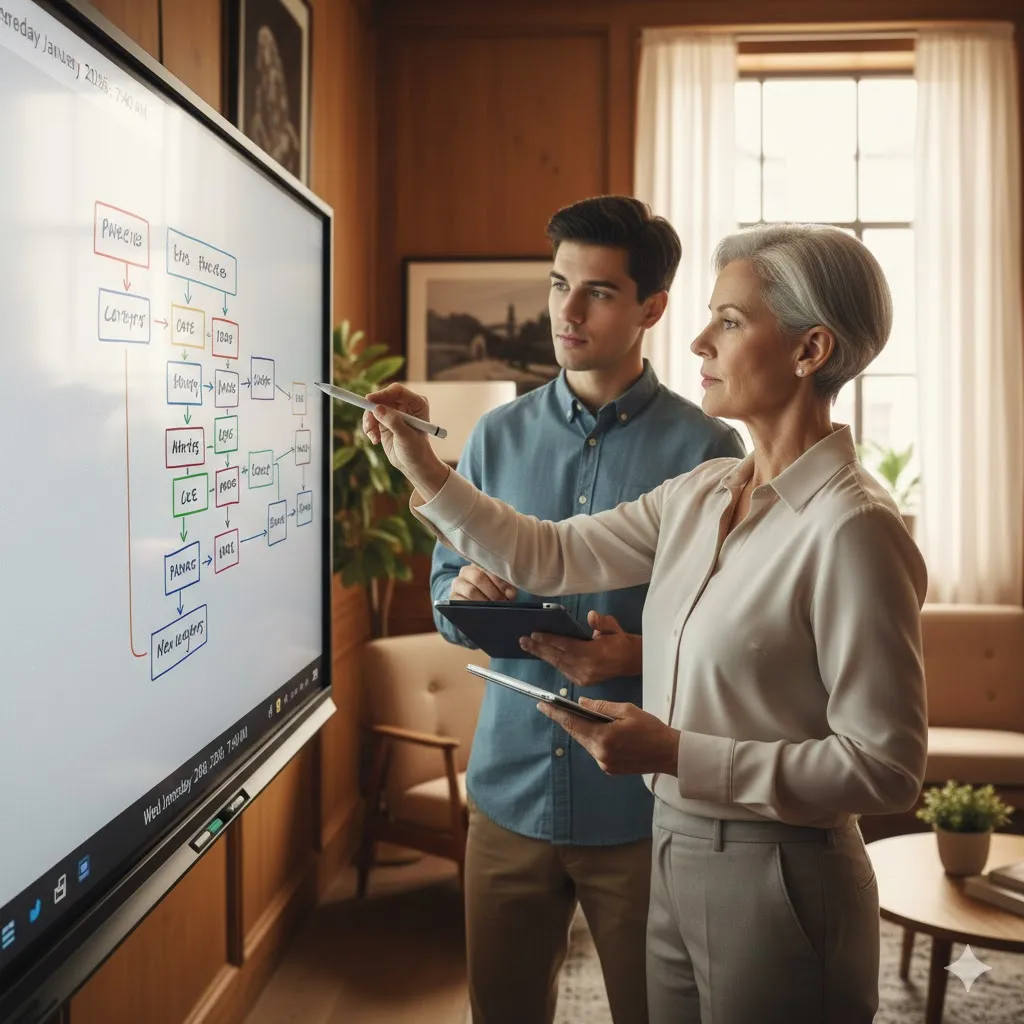
Zoning the Modern Office for Cognitive Load
The modern office should be zoned like a high-performance laboratory.
- The Focus Zone: Soundproof pods or quiet libraries for the deep work typically done at home.
- The Innovation Hub: Wide-open spaces centered around a nearhub interactive hub for visual mapping and collective sketching.
- The Social Anchor: Areas designed specifically for unplanned interactions—the "water cooler" moments that drive serendipitous innovation.
The Role of the NearHub S Pro Smart Whiteboard
The NearHub S Pro Smart Whiteboard serves as the central nervous system of these zones. By allowing for "Persistent Canvases," it ensures that a brainstorm started on Monday is still there on Wednesday, accessible to both the people in the room and the people at home. This bridge between the stylus and the screen is what makes a synchronized approach feel effortless.
Step-by-Step: How to Use Hybrid Work Models to Maximize Innovation
Ready to implement? Follow this operational guide to ensure your hybrid work models are both human-centric and performance-driven.
Step 1: Audit Your Cultural Friction
Ask your team exactly what they hate about coming to the office. Is it the noise? The tech? The commute? Use this data to define your "Collaboration Tempo"—the frequency and purpose of in-person gatherings.
Step 2: Implement "Digital-First" Documentation
Abandon legacy analog whiteboards. Every brainstorm must happen on a digital interactive board. This ensures that every stroke is captured in 4K and synced to the cloud instantly. This prevents the "Documentation Black Hole" where decisions made in the office are lost to remote workers.
Step 3: Master Your Interactive Tech
Provide training on how to use a smart board so no one feels intimidated by the technology.
- The Checklist: Can everyone share their screen wirelessly? Can remote workers annotate the board from their laptops? Can the session be exported as a PDF with one click?
Step 4: Outcome-Based Performance Metrics
Stop tracking "hours in chair." Start tracking "impact on milestones." Use collaborative software that tracks project contributions rather than just badge-swipe data. Measure success by "Innovation Velocity"—the speed at which your team solves complex problems.
ROI and Innovation Velocity: The Impact of a Synchronized Strategy
As a leader, you aren't just looking for tools; you are looking for Innovation Velocity. Implementing robust hybrid work models pays for itself not just in rent savings, but in the speed at which your team can move from ideation to execution.
Rightsizing the Physical Footprint
By adopting policies that utilize desk-sharing and activity-based zoning, companies can often reduce their total square footage by 30% to 50% while actually improving the quality of the remaining space.
- The Math: Rent savings from 10,000 sq ft can fund the technological upgrade of 20 high-end "Innovation Theaters" equipped with a smart white board.
Mitigating Talent Replacement Costs
The cost of replacing a high-level employee is often 1.5x to 2x their annual salary. In a global talent market, flexibility is a top-three priority for job seekers. A rigid return mandate without a supportive strategy is an invitation for your competitors to poach your top performers. Providing a high-tech, frictionless office is the best way to ensure long-term loyalty and cultural cohesion.
Security and Governance: The IT Foundation of Hybrid Work Models
As your models mature, security becomes a primary concern. You cannot have sensitive corporate data being shared over unencrypted channels or left on unsecured physical boards.
Standardized IT Integration
A professional approach requires hardware with high management transparency:
- Native Windows Security: The NearHub S Pro uses a Windows-based system, meaning it integrates with your existing domain management (Active Directory) and IT security protocols.
- Regulated Data Sharing: Move away from fragmented personal storage and use built-in enterprise storage interfaces (like OneDrive for Business) to ensure all collaborative outputs remain within the company's digital perimeter.
FAQ Section: Optimizing Your Hybrid Workflow
What are the best hybrid work model examples for startups?
Startups often thrive on the "Synchronized" model. Choose two anchor days (like Tuesday and Wednesday) where the entire team is together for high-intensity planning, and leave the rest of the week for remote execution.
How do I use a smart board to bridge the remote gap?
A smart white board allows remote workers to see annotations in real-time and even draw on the board from their own laptops. This creates a "single source of truth" for the meeting, ensuring no one is left out of the creative process.
What are the hybrid work model office space requirements for small teams?
Small teams should prioritize "Multipurpose Hubs." Instead of assigned desks, create a central zone with an interactive 4K screen and 2-3 focus pods for private calls. This maximizes the utility of a small footprint.
How do I lead a hybrid team effectively without micromanaging?
Focus on "output-based" tracking. Use collaborative software that tracks project milestones and contributions rather than just tracking time spent active on a computer or badge-swipe data.
Conclusion & CTA
The transition to a hybrid-first world is the most significant shift in corporate culture since the industrial revolution. Successfully navigating this change requires more than just a memo; it requires a radical commitment to infrastructure and a willingness to invest in the tools that keep teams aligned.
By focusing on intentional collaboration, eliminating tech friction with the Windows-powered NearHub S Pro Smart Whiteboard, and utilizing AI features like Auto-Framing to ensure equity, you can build a system that doesn't just "work"—it excels. Make the office a destination where the technology is so intuitive and the collaboration so rich that employees wouldn't dream of staying home.
Looking for a reliable hybrid work models? Check out our smart white board here: Best Interactive Smart Whiteboard for Teaching & Business | NearHub Board S Pro | NearHub Official.



 sales@nearhub.us
