How to Choose the Right Conference Room Solutions for Your Business
This article provides a comprehensive guide to selecting conference room solutions, covering acoustics, AI-driven hybrid meeting solutions, and wireless technology to ensure seamless collaboration in any workspace.
hybrid meeting solutions
wireless conference room solutions
conference camera
Updated: Feb 9, 2026 · 12 minutes read
Global Business, Brought Near.
No Installer, No Hassle, Just Works.
Effective conference room solutions are no longer a luxury but an operational necessity in a hybrid world. This article explores how to audit your space, the importance of "Meeting Equity," and the technical nuances of 4K video and AI audio. By choosing scalable, user-friendly technology like the Nearity 360 Alien, businesses can eliminate technical friction, improve engagement, and ensure every voice is heard clearly.
Key Takeaways
Prioritize Audio: Audio clarity is the backbone of any meeting; invest in beamforming mic arrays and full-duplex technology to avoid communication breakdowns.
Achieve Meeting Equity: Use intelligent hardware like 360-degree cameras and speaker tracking to give remote and in-room participants an equal presence.
Room-Scale Selection: Tailor your hardware (Huddle, Medium, or Large) based on room dimensions and capacity to ensure optimal FOV and mic pickup.
Future-Proof with AI: Look for smart features like auto-framing, noise cancellation, and analytic data (people counting) to stay ahead of evolving office needs.
Wireless Flexibility: Implement BYOM (Bring Your Own Meeting) solutions to reduce cable clutter and allow users to join meetings in under 60 seconds.
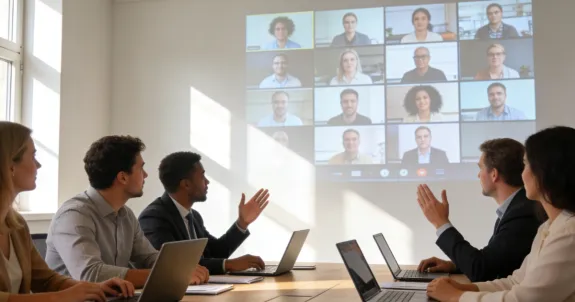
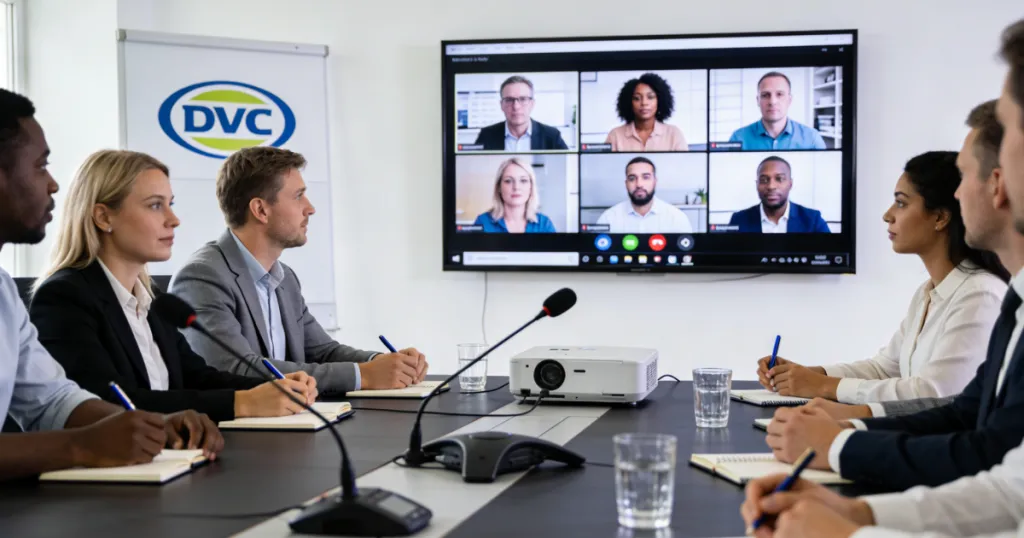
Picture this: You are five minutes into a critical quarterly review. The CEO is on the screen, dialing in from London. Half your team is in the New York office, and the other half is scattered across home offices in three different time zones. You ask a question, and silence follows. Then, a crackle. Then, "Sorry, you're breaking up," or the dreaded feedback loop screeches through the speakers.
The momentum is gone. The meeting is effectively ruined.
In the modern business landscape, the quality of your technology directly correlates to the quality of your collaboration. If you are still relying on a laptop webcam placed at the end of a long table, you are failing your team. This is why finding robust conference room solutions is no longer a luxury—it is an operational necessity.
Auditing Your Current Space and Requirements
Before you spend a dime on new hardware, you must understand the physics and logistics of your current environment. Buying the most expensive camera for a room with glass walls and no acoustic treatment is like putting a Ferrari engine in a golf cart—it just won’t handle well.
Understanding Room Acoustics and Lighting
Audio is arguably more important than video. If video fails, you can still talk. If audio fails, the meeting is over.
Glass Walls: These are the enemy of good audio. They reflect sound, causing reverb. You will need conference room solutions with advanced noise suppression and echo cancellation.
Room Shape: A long, narrow rectangular room requires a different microphone pickup pattern than a wide, square room.
Lighting Conditions: Is the room backlit by a window? If so, you need a camera with High Dynamic Range (HDR) to prevent silhouetting the participants.
The "Room Size" Matrix
We categorize rooms into three main types to determine the hardware needed.
Are you a Microsoft Teams house? Do you live on Zoom? Or do you need a BYOD (Bring Your Own Device) setup where employees plug in their laptops and use whatever software the client prefers?
Dedicated Rooms: These run a specific software (like Zoom Rooms) permanently. They are easier to use but less flexible.
BYOD Rooms: These require flexible conference room solutions that are "platform agnostic," meaning they work with anything via USB.
The Rise of Hybrid Meeting Solutions: Bridging the Digital Divide
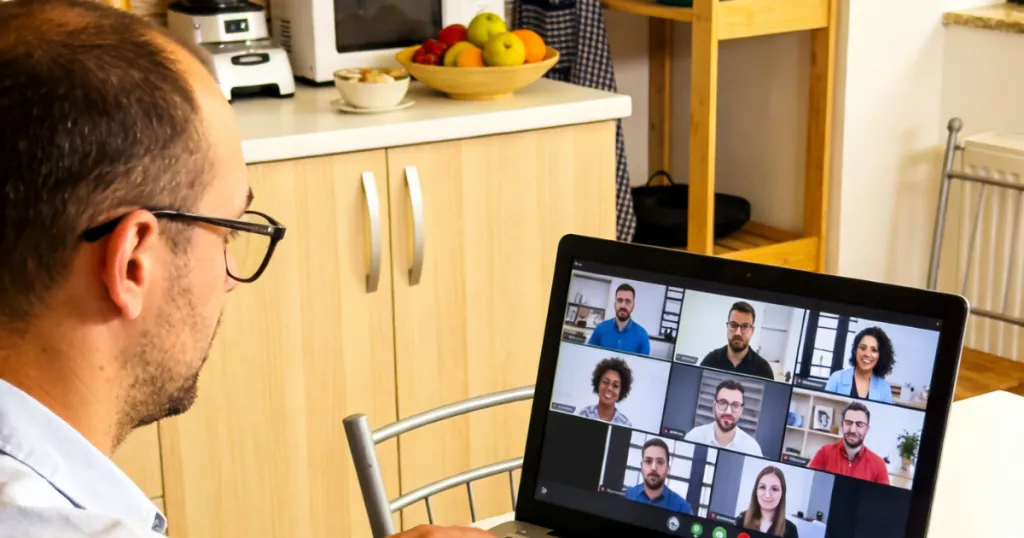
The post-pandemic world has cemented the concept of "Meeting Equity." This term refers to the idea that everyone in the meeting—whether they are sitting at the head of the table or dialing in from a kitchen table in Ohio—should have an equal presence.
Why Legacy Hardware Fails Hybrid Teams
Old systems were designed for room-to-room calling. Hybrid meeting solutions must be designed for room-to-cloud interaction. When you have three people in a room and four remote, the remote participants often feel like second-class citizens. They can't see who is talking in the room because the camera is too far away, and they can't hear side conversations.
Speaker Tracking: The camera automatically zooms in on the active speaker.
Auto-Framing: The lens detects how many people are in the room and crops the image to fit them perfectly, removing empty space.
Gallery View Support: Some advanced cameras can split the video feed, showing individual close-ups of in-room participants to remote viewers, essentially giving everyone their own "box" on the Zoom grid.
Pro Tip: According to recent workforce studies, 78% of remote workers feel disengaged when they cannot clearly see the facial expressions of in-room participants. Investing in high-resolution, AI-driven cameras is an investment in company culture.
Audio Clarity: The Backbone of Effective Conference Room Solutions
If you take one thing away from this guide, let it be this: Do not scrimp on audio. You can forgive grainy video, but you cannot forgive choppy, garbled audio.
The Science of Mic Arrays
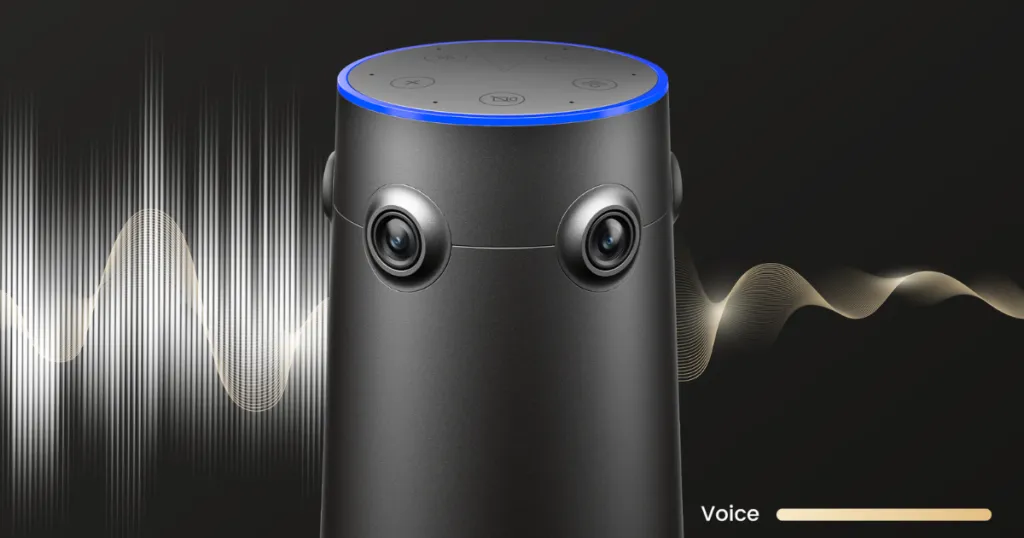
Modern conference room solutions rarely use a single microphone. They use "Beamforming Microphone Arrays."
What is it? A cluster of mics (sometimes 4, 8, or even more) that work together.
How it works: The internal processor identifies where the voice is coming from and "steers" the listening beam toward that person while rejecting noise from other directions (like the HVAC system or keyboard typing).
Full-Duplex Audio
Have you ever tried to interrupt someone on a conference call, but they kept talking because they couldn't hear you until they stopped speaking? That is "Half-Duplex" audio (like a walkie-talkie).
You need Full-Duplex audio technology. This allows sound to travel in both directions simultaneously. It makes the conversation feel natural, allowing for interruptions, affirmations ("uh-huh," "right"), and dynamic debate without cutting out audio streams.
Noise Cancellation vs. Noise Suppression
Suppression: Lowers the volume of steady background noise (air conditioning).
Cancellation: Actively removes transient noises (a dog barking, a siren, a chip bag rustling).
When evaluating products, ask specifically about AI-based noise cancellation algorithms. The best systems, like those found in high-end 360 meeting camera setups, use machine learning to distinguish human speech from non-speech noise.
Video Dynamics: Why 360-Degree Views Matter
In a traditional boardroom, everyone faces the screen at the front of the room. But in a collaborative brainstorming session, people face each other across the table. A standard front-of-room camera captures the side of people's heads.
The Center-of-Table Revolution
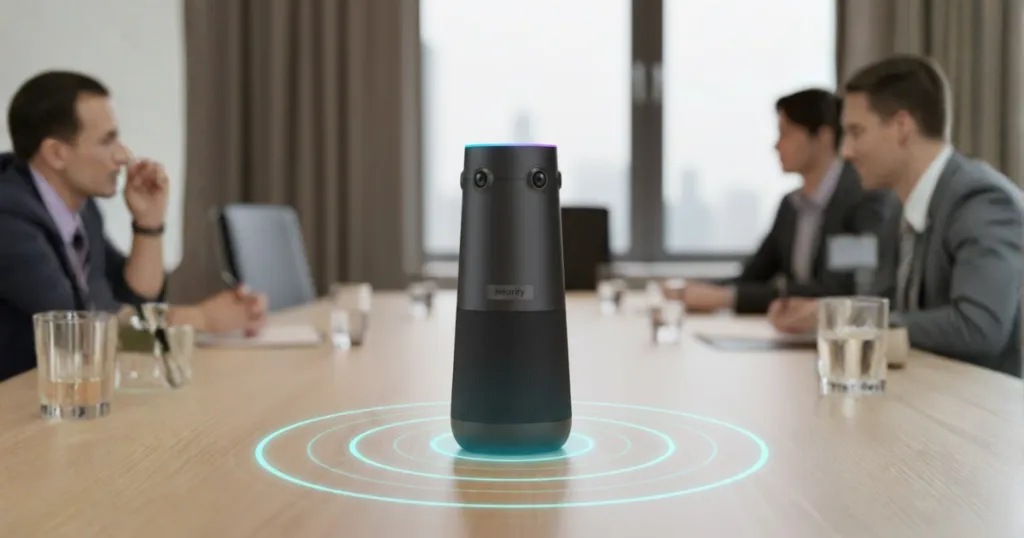
This is where the portable conference room concept intersects with high-end video tech. Center-of-table cameras capture a 360-degree panoramic view of the room.
Benefits of 360-Degree Cameras:
Inclusivity: No one is hidden in the back.
Natural Eye Contact: Since the camera is in the middle, when you look at your colleague across the table, you are also facing the camera generally.
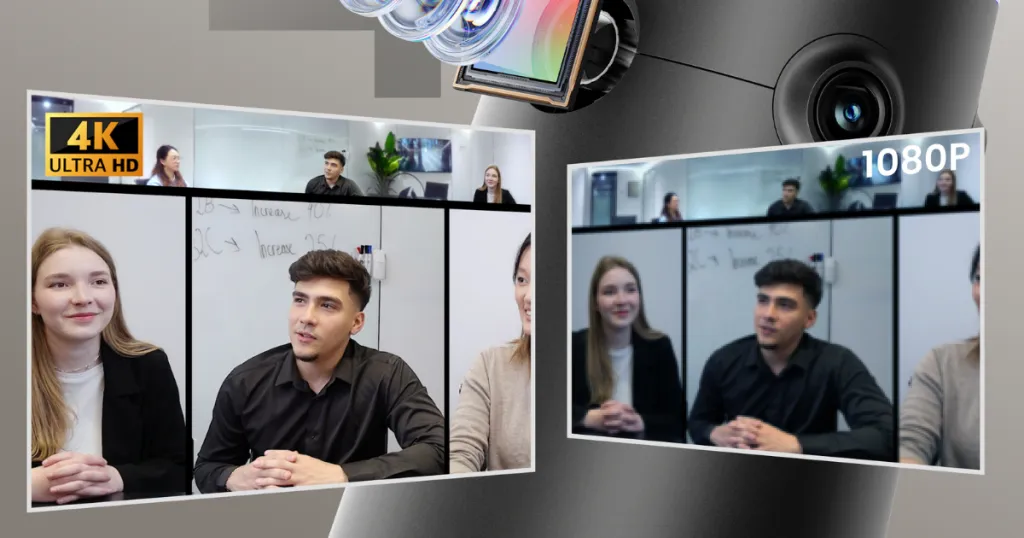
Dynamic Layouts: These cameras usually offer a "split mode," showing a panoramic strip of the whole room at the top of the screen, while focusing on active speakers below.
Resolution Realities: 1080p vs. 4K
Do you really need 4K? Yes, but not for the reason you think. Zoom and Teams often compress video to 720p or 1080p to save bandwidth. However, a 4K sensor is vital for digital zooming.
If you have a 1080p camera and you zoom in 2x, you are now transmitting a blurry 540p image.
If you have a 4K camera and zoom in 2x or 3x to frame a speaker, the resulting image is still crisp High Definition.
Cutting the Cord: The Case for Wireless Conference Room Solutions
Cable clutter is the bane of every IT manager's existence. HDMI cables break, dongles go missing, and messy tables look unprofessional.
The Evolution of Wireless Casting
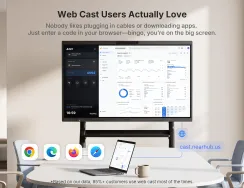
Wireless conference room solutions allow users to walk in, open their laptop, and share their screen to the room display without physically plugging in.
Common Wireless Protocols:
Miracast: Native to Windows devices.
AirPlay: Native to Apple devices.
Google Cast: Native to Android/Chrome.
Hardware Dongles: Plug-and-play USB buttons (like Barco ClickShare or similar concepts).
Wireless Conferencing (BYOM)
"Wireless Casting" is just sharing your screen. "Wireless Conferencing" (Bring Your Own Meeting) is the next level. This technology connects your laptop wirelessly to the room's camera and microphone.
Imagine walking into a room and opening your laptop. Instead of wrestling with a tangled mess of HDMI and USB cables, you simply plug in a sleek wireless dongle. Within seconds, your laptop automatically pairs with the high-end 360 camera and mic array on the table. This is the power of a dedicated hardware dongle: it eliminates the need for software installations or driver downloads, providing a "plug-and-play" reliability that pure software solutions often lack. This is the future of seamless, zero-friction wireless conference room solutions.
Portability and Flexibility: Designing a Portable Conference Room
Not every company has the budget or space for permanently installed AV racks. Startups, construction sites, and agile teams often need a portable conference room.
The "Pop-Up" Meeting Concept
A portable solution usually consists of an all-in-one device (Camera + Mic + Speaker) that fits in a carrying case or is small enough to move between offices.
Use Cases for Portable Solutions:
Cafeteria Town Halls: Turning a lunch space into a meeting space.
Construction Trailers: High-quality meetings from job sites.
Executive Offices: Turning a private office into a mini-conference room for a sensitive call.
When selecting a portable device, look for:
Plug-and-Play USB: It must work without installing drivers.
Compact Footprint: It shouldn't take up the whole table.
Robust Build Quality: It will be moved around; it needs to be durable.
Companies like NearHub have recognized this shift, designing products that bridge the gap between permanent installation quality and portable convenience.
Budgeting for Scalable Conference Room Solutions
Budgeting is often the hardest part. Prices vary wildly from $100 webcams to $20,000 Cisco Telepresence systems. Here is a guide to budgeting for scalable conference room solutions.
The "Total Cost of Ownership" (TCO)
Don't just look at the hardware price. Consider:
Installation Costs: Do you need a contractor to run cables through walls?
License Fees: Do you need a Zoom Room license ($49/month/room)?
Maintenance: Does the hardware require paid firmware updates?
Cost Breakdown Estimate (Per Room)
Component
Budget Tier
Mid-Range Tier
Premium Tier
Video/Audio Hardware
$200 - $500
$600 - $1,500
$2,000+
Display (TV/Monitor)
$300
$600
$1,500+ (Touchscreens)
PC/Compute Unit
Laptop (BYOD)
$700 (Mini PC)
$1,500 (Dedicated Codec)
Cabling/Mounts
$50
$150
$500
Est. Total
~$600
~$2,000
~$5,000+
ROI of Good Hardware
Bad meetings cost money. If a meeting starts 10 minutes late because of AV issues, and there are 6 executives in the room earning an average of $100/hour, you just burned $100 of company time. Do that once a week, and a cheap webcam becomes very expensive.
Summary Checklist for Decision Makers
Before you make your purchase, run your choice through this checklist:
Scalability: Can we deploy this across 10 rooms easily?
Audio Reach: Does the mic pickup range cover the corners of the room?
Video Field of View: Does the camera see the person closest to the screen?
Platform Compatibility: Does it work with Zoom, Teams, and Webex?
Simplicity: Can a non-technical user start a meeting in under 60 seconds?
Support: Does the manufacturer offer US-based support and warranty?
FAQs
Q1: What is the difference between a video bar and a 360-degree camera?
A video bar sits at the front of the room (under the TV) and faces the audience, similar to a soundbar. It is great for traditional setups. A 360-degree camera sits in the center of the table, capturing everyone equally. Center-table cameras are often better for hybrid meeting solutions because they capture facial expressions better than a front-facing camera that is 10 feet away.
Q2: Can I use a consumer TV for my conference room?
Technically yes, but commercial displays are better. Commercial displays are designed to run 16+ hours a day, have anti-glare coatings, and don't show annoying "Smart TV" pop-up ads during your meetings.
Q3: How much bandwidth do I need for 4K video conferencing?
While the camera might be 4K, most platforms stream at 1080p. Generally, you want at least 4-5 Mbps upload and download speed per room dedicated to video conferencing to ensure smooth performance.
Q4: Are wireless conference room solutions secure?
Yes, enterprise-grade wireless solutions use encryption (like WPA2/WPA3) and often generate a unique PIN code for every session to prevent unauthorized casting from people outside the room.
Q5: Why do remote participants complain about echo?
Echo happens when the microphone picks up the sound coming out of the speakers and loops it back. High-quality conference room solutions have AEC (Acoustic Echo Cancellation) to prevent this. If you have echo, it usually means your hardware lacks decent AEC or the volume is too loud for the room's acoustics.
Q6: Is a portable conference room setup professional enough for client calls?
Absolutely. Modern portable devices from reputable brands utilize the same AI noise cancellation and high-resolution sensors as permanent install gear. A client won't know you are using a portable device; they will just know you look and hear clear.
Conclusion: Investing in Connection
Choosing the right conference room solutions is about more than specs and cables. It’s about removing friction. It’s about ensuring that when a brilliant idea is spoken in a whisper at the back of the room, it is heard just as clearly as the shout from the front.
Whether you need a robust hybrid meeting solution to connect global teams, a wireless conference room solution to tidy up your boardroom, or a portable conference room kit for your traveling sales team, the market is full of incredible technology. The key is matching the tool to the task.
Don't let bad audio be the reason you lose a pitch or misunderstand a project requirement. Upgrade your space, empower your team, and make every meeting count.
Ready to transform your meeting experience?
If you are looking for a reliable, all-in-one solution that covers video, audio, and speaker tracking in stunning resolution, look no further. The Nearity 360 Alien is designed specifically to solve the hybrid meeting dilemma. With its True 4K lens, 360-degree panoramic view, and intelligent speaker tracking, it ensures no one is left out of the conversation.