Best Earbuds for Teams Conference Calls: How to Choose the Right Pair for Seamless Communication
Find the best earbuds for Teams calls that deliver clear voice quality, reduce ear fatigue, and keep you productive in long meetings.
earbuds for team calls
remote work
open-ear earbuds
Updated: Aug 19, 2026 · 6 minutes read
Global Business, Brought Near.
No Installer, No Hassle, Just Works.
We’ve all been there: you’re mid-sentence in a high-stakes Microsoft Teams meeting, explaining a pivotal project phase, when your audio cuts out, or worse, your coworkers start complaining about the "jackhammer" sound coming from your background. In the era of hybrid work, your audio quality is your professional handshake. If your voice is muffled or your ears are throbbing after an hour-long sync, you aren't just uncomfortable—you're less effective.
This article serves as a comprehensive How-to Guide: How to Use the Best Earbuds for Teams Calls Like a Pro. We will dive deep into the technical specifications, ergonomic designs, and software integrations that separate a pair of "okay" headphones from the best earphones for teams calls. Whether you are a remote freelancer or a corporate executive, this guide will ensure your communication is crystal clear and your comfort is prioritized.
Key Takeaways
Teams-optimized earbuds make your voice come through clearly and keep meetings running smoothly.
Open-ear and ergonomic designs reduce ear fatigue, pressure, and discomfort during long calls.
AI-powered microphones and noise-cancellation technology filter out background sounds for professional clarity.
Stable Bluetooth connection and multipoint support let you switch seamlessly between devices without interruptions.
Long battery life ensures you stay productive all day, even during back-to-back meetings.
Why Choosing the Best Earbuds for Teams Calls Matters
In a world where digital communication has replaced the boardroom, the quality of your audio equipment is no longer a luxury—it is a fundamental business tool. Industry analysts widely agree that the global unified communications market is entering a period of sustained growth, driven by the long-term shift toward hybrid and remote work. As Microsoft Teams now boasts over 320 million monthly active users, the competition for "vocal presence" in virtual meetings has never been higher.
The Professional Impact of High-Quality Audio
When you use the earbuds for calls that are specifically optimized for Teams, you aren't just hearing better; you're projecting a more professional image. Low-quality audio leads to "listener fatigue," a psychological phenomenon where participants have to work harder to understand what is being said, leading to exhaustion and disengagement.
Vocal Authority: Research shows that people perceive speakers with clearer audio as being more intelligent and trustworthy. Static and background noise act as "cognitive barriers" that diminish your influence.
Reduced Meeting Fatigue: When you don't have to strain to hear others or worry about your own mic, you conserve mental energy for the actual work.
Seamless Collaboration: Professional-grade gear reduces the "Can you hear me now?" interruptions that derail creative momentum.
Technical Reliability and Microsoft Teams Certification
Microsoft Teams is a sophisticated platform with specific audio processing requirements. Using earbuds that are "Teams Certified" or optimized for the platform ensures that the hardware and software are in perfect harmony.
Echo Cancellation: Advanced algorithms prevent your voice from looping back through the speakers of other participants, a common issue with non-optimized consumer hardware.
Automatic Gain Control: This ensures your voice stays at a consistent volume, even if you move your head or speak softer during sensitive discussions.
Instant Sync: Certified devices often feature a dedicated button to pull the Teams window to the foreground or join a scheduled meeting with one touch.
Productivity and Concentration
Beyond the call itself, the best earbuds for work calls act as a gateway to "Deep Work." By utilizing a headset for deep work, you can transition from a noisy collaborative environment to a state of high-focus flow. The ability to switch between high-intensity communication and silent concentration is the hallmark of a high-performing professional in the digital age.
Key Features to Look for in the Best Earbuds for Microsoft Teams
To find the best headsets for teams calls, you need to look beyond the marketing fluff and understand the hardware that actually impacts performance.
Microphone Technology: The "Magic" of Beamforming
High-end earbuds use "Micro-Electrical-Mechanical System" (MEMS) microphones arranged in a beamforming array. This is the single most important feature for voice clarity.
Spatial Filtering: Beamforming works by using two or more microphones to calculate the time difference of sound arrival. It effectively creates a "virtual microphone" pointed directly at your mouth.
Environmental Noise Cancellation (ENC): Unlike Active Noise Cancellation (which helps you hear better), ENC helps others hear you better by suppressing up to 90% of ambient office noise.
Frequency Response: Look for mics that support wideband audio (100Hz to 10kHz), which captures the full spectrum of the human voice rather than the "telephone" sound of budget models.
Battery Life and Fast Charging
A common pain point in remote work is the mid-call battery death during critical presentations.
Talk Time vs. Standby: Constant microphone use and AI processing drain battery 2-3x faster than listening to music. Aim for at least 6-8 hours of continuous talk time.
Charging Case Capacity: A case that provides 3-4 full recharges is essential for travel or long office days away from a power outlet.
Quick Charge Reliability: In a pinch, a 5-minute charge should provide at least 45 minutes of meeting time.
Connectivity: Multipoint and Stability
Bluetooth stability is paramount. The best earbuds for teams calls should support Bluetooth 5.3 to ensure lower latency and better power management.
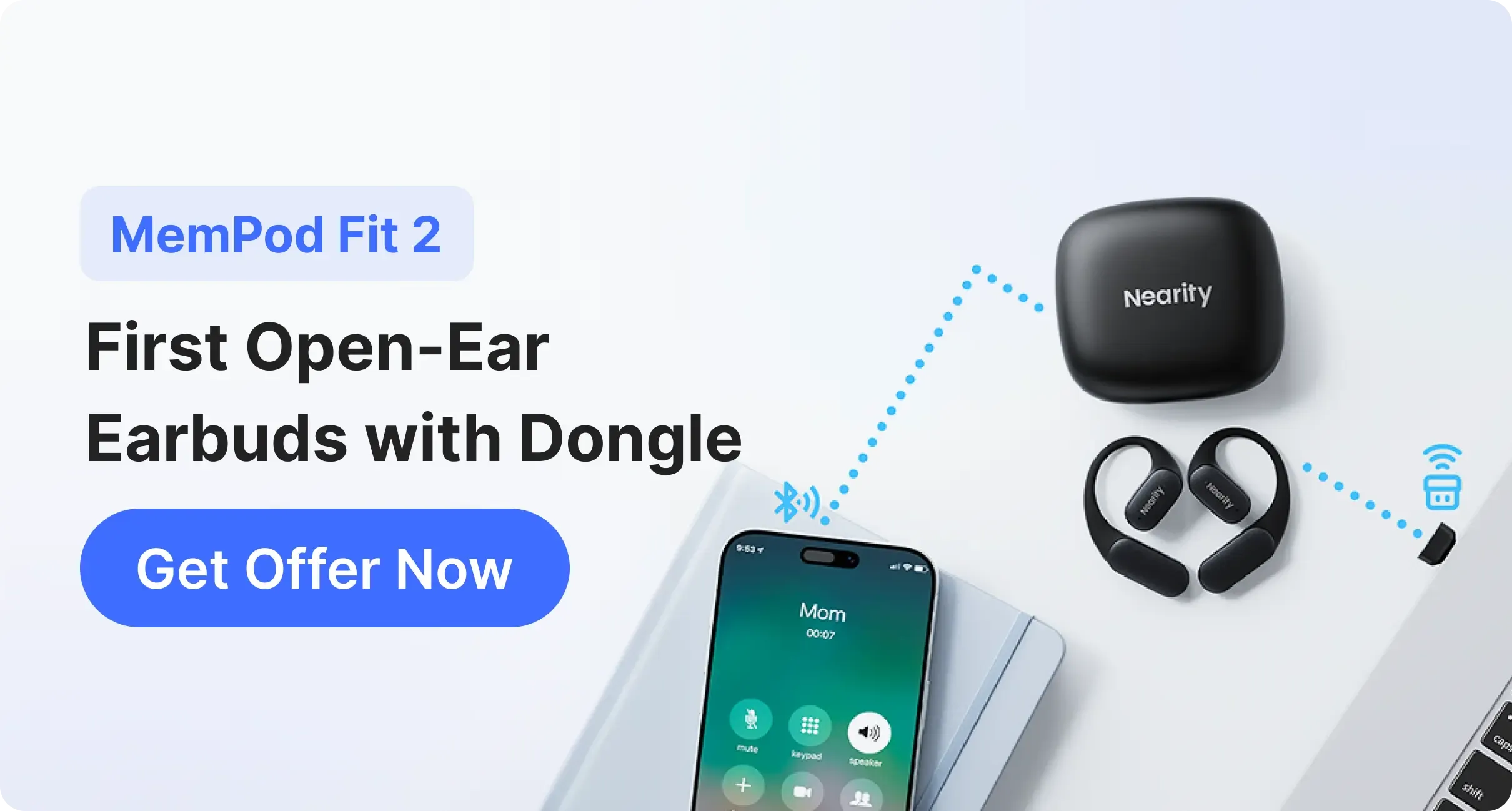
Multipoint Connection: This allows you to stay connected to your laptop for Teams calls while simultaneously being connected to your phone for urgent mobile notifications.
Audio Codecs: Support for AAC or aptX Voice ensures that the compressed audio transmitted over Bluetooth retains its high-fidelity characteristics.
Comfort & Fit: Why Open-Ear Design Works Better for Long Teams Meetings
We have all experienced "ear fatigue"—that dull ache inside the ear canal after wearing silicone tips for hours. This discomfort is more than just a nuisance; it is a signal that your ears need a break.
The Problem with In-Ear Earbuds
The Occlusion Effect: When you seal the ear canal, your own voice sounds like it is booming inside your head. This leads to the "Lombard Effect," where you subconsciously start shouting, causing vocal cord strain.
Pressure Imbalance: Constant pressure against the ear canal walls can cause headaches and even temporary hearing sensitivity or dizziness.
Hygiene and Airflow: Sealing the ear canal creates a warm, moist environment—the perfect breeding ground for bacteria. Open-ear designs allow the ear to "breathe."
The Rise of Open-Ear Technology
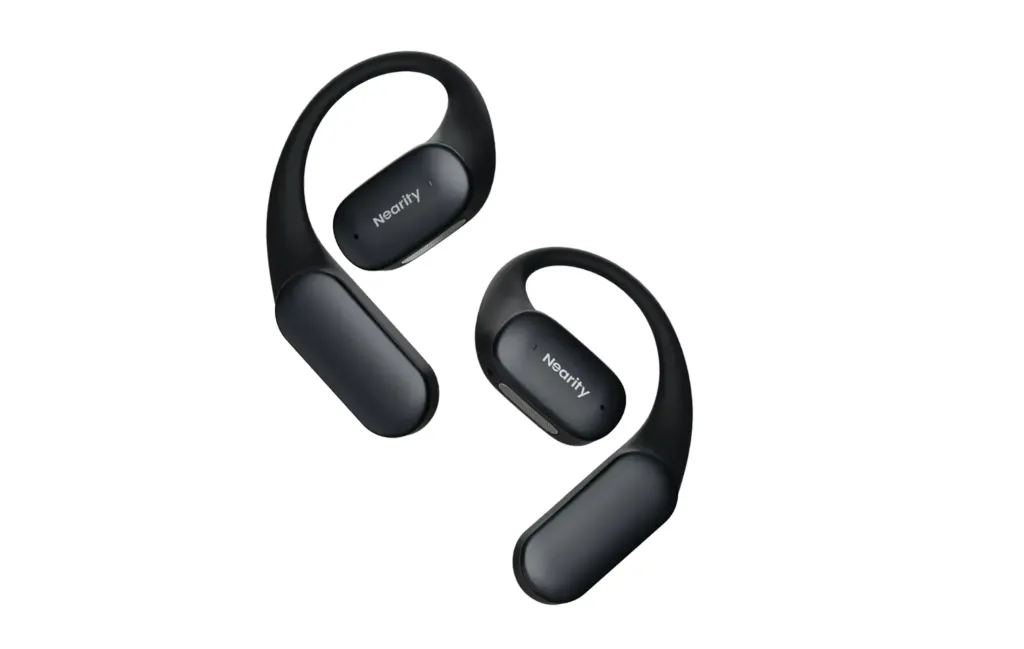
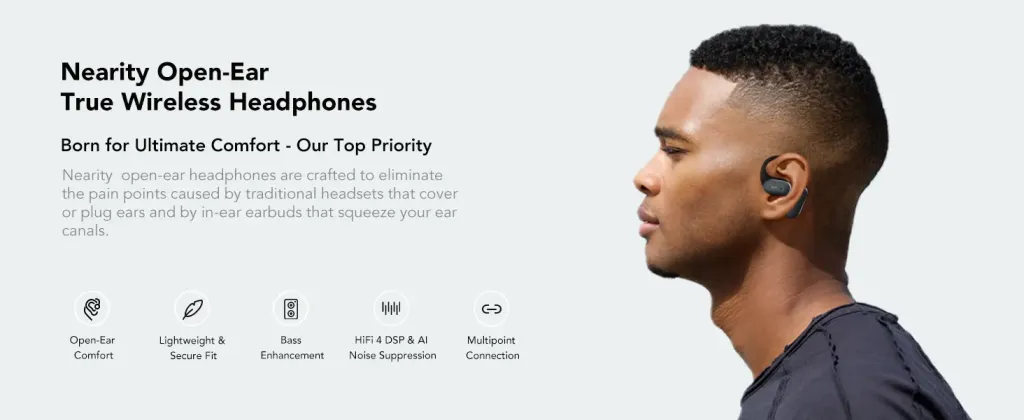
Open-ear designs have been shown in ergonomic trials to provide greater comfort over traditional noise-cancelling headsets during all‑day wear. Open-ear earbuds, such as the Nearity MemPod Fit 2, do not enter the ear canal. They utilize air conduction technology to project sound waves toward the eardrum while keeping the ear canal open.
Situational Awareness: You can hear your own voice naturally, just as you would in a face-to-face meeting, which makes for a much more natural conversation flow.
Safety: Whether you are working in a home office or a co-working space, being able to hear your surroundings (a delivery at the door, a colleague's question) is a major productivity advantage.
Weight Distribution: Professional open-ear models often use a "ear-hook" design that distributes the weight across the larger surface area of the outer ear.
Best Wireless Earbuds for Microsoft Teams: Top Recommendations
Choosing the right pair involves weighing your environment against your need for comfort. Here are the top contenders in the current market.
The Nearity MemPod Fit 2 is the superior choice for professionals seeking the best earbuds for meetings that prioritizes health and clarity. It is specifically designed to solve the "meeting marathon" problem.
Pros: The open-ear design provides unparalleled all-day comfort. It features a dual-mic array with AI-powered vocal isolation that filters out keyboard clicks and background chatter with surgical precision. It is widely considered one of the best earbuds for teams calls.
Cons: In extremely quiet environments, there may be slight sound leakage at maximum volume, though this is rarely an issue in professional settings.
Summary Comparison Table
Feature
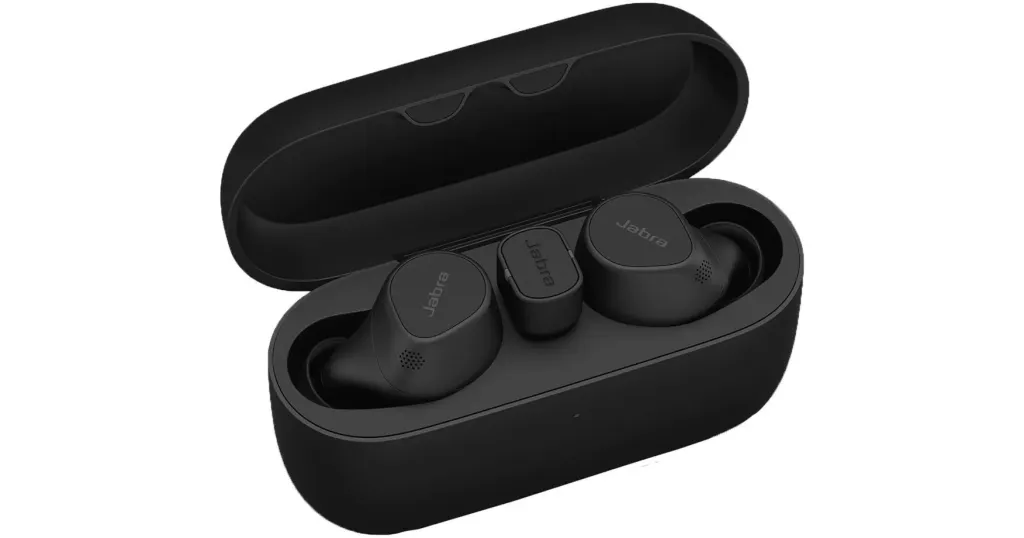
Jabra Evolve2 Buds
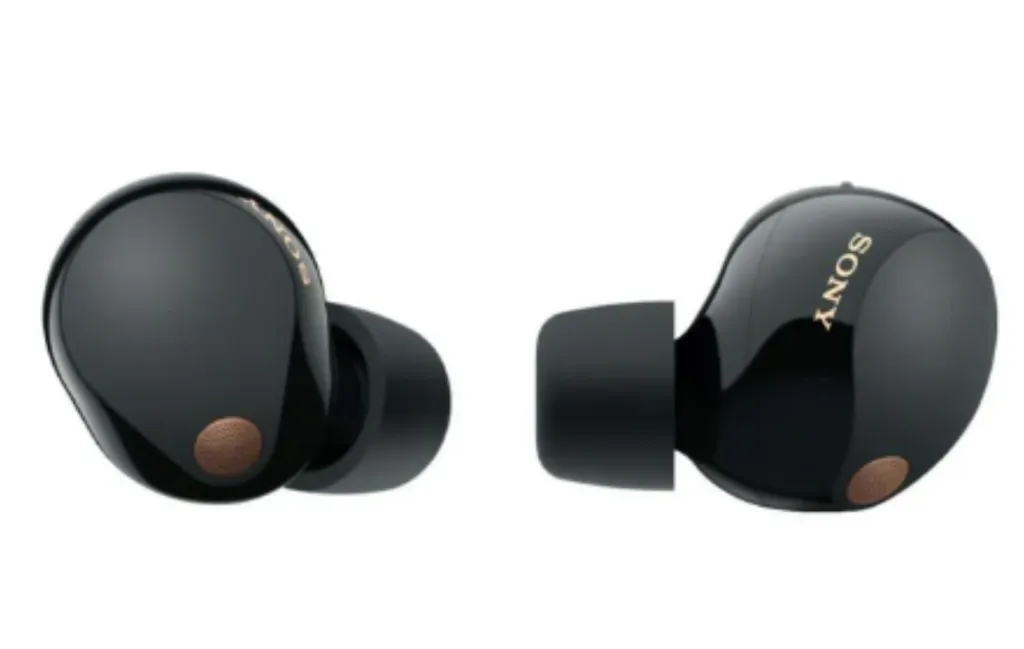
Sony WF-1000XM5
Nearity MemPod Fit 2
Design Type
In-Ear (plug)
In-Ear (seal)
Open-Ear (air conduction)
Teams Optimization
Certified
Compatible
Compatible
Primary Strength
Connectivity
Noise isolation
Long-term wearing comfort
Mic Technology
multi-mic system with voice sensors
Dual-microphone system with noise processing
Dual MEMS microphones with ENC
Battery (Talk)
~5 hours
~8 hours
~8-10 Hours
Why Nearity MemPod Fit 2 Is One of the Best Earbuds for Teams Conference Calls
When we look at the intersection of professional performance and long-term health, the Nearity MemPod Fit 2 stands out as a specialized tool for the modern knowledge worker.
Superior Long-term Wearing Comfort
The most significant advantage of the MemPod Fit 2 is its revolutionary ergonomic approach. While most brands focus on how the earbud sounds for the first 10 minutes, Nearity focused on how it feels after the 4th hour of continuous use.
Zero-Pressure Fit: By utilizing a flexible, skin-friendly material for the ear hooks, the device stays secure without pinching or pressing. It is so lightweight that many users report forgetting they are even wearing them.
Natural Feedback Loop: Because the ear canal is not blocked, you hear your own voice through the air rather than through bone conduction. This eliminates the "head-in-a-box" feeling and allows for a more relaxed speaking cadence during intensive Teams calls.
Vestibular Balance: Some users of traditional ANC earbuds experience dizziness or "pressure" on the eardrum. The open-ear nature of the MemPod Fit 2 maintains natural air pressure, making it a safer and more comfortable choice for those prone to ear sensitivity.
AI-Enhanced Vocal Clarity
The Nearity MemPod Fit 2 isn’t just about comfort—it’s designed specifically for clear, professional voice calls. It uses dual MEMS microphones combined with ENC noise-cancelling and DSP voice processing to enhance speech clarity and reduce background distractions during meetings.
Focused Voice Pickup: The dual-mic setup prioritizes your voice while suppressing surrounding noise, helping keep your speech clear and consistent even if you slightly turn your head or move during a call.
Real-Time Noise Reduction: From keyboard typing to ambient home or office noise, the ENC system works in real time to minimize non-voice sounds, ensuring your voice remains intelligible and professional in Zoom, Teams, or Google Meet calls.
Stability and Reach: With Bluetooth 5.4 support, MemPod Fit 2 delivers a more stable wireless connection and reliable range for home or office use. You can move around your workspace without frequent dropouts, making it practical for long meetings and multitasking during calls.
A Professional-First Philosophy
Nearity’s heritage lies in high-end conference room audio. They have distilled the technology used in enterprise boardrooms—where audio failure is not an option—into the MemPod Fit 2. This makes it one of the best earbuds for teams calls for anyone who values reliability over gimmicks.
Conclusion
Selecting the best earbuds for teams calls is an investment in your career and your physical well-being. In a digital-first workplace, your voice is your most valuable asset, and your comfort is the foundation of your productivity. While the Jabra Evolve2 Buds and Sony WF-1000XM5 are excellent for specific use cases, the Nearity MemPod Fit 2 offers a unique combination of ergonomic health and professional clarity.
By choosing a headset for deep work that also excels as your primary earbuds for calls, you are setting yourself up for a more productive, less stressful workday. Don't let poor audio or ear pain hold back your professional potential.
FAQs
1. Are wireless earbuds stable enough for 2-hour long Microsoft Teams meetings?
Yes, modern earbuds with Bluetooth 5.4, such as the Nearity MemPod Fit 2, are engineered for extreme stability. For the best experience, ensure your computer's Bluetooth drivers are up to date and minimize other high-bandwidth Bluetooth devices nearby.
2. Why is "Open-Ear" better for meetings than "In-Ear"?
Open-ear designs provide Superior Long-term Wearing Comfort by eliminating ear canal pressure and the "occlusion effect." This allows you to hear your own voice naturally, which reduces vocal fatigue and makes virtual conversations feel more like face-to-face interactions.
3. How do I stop picking up background noise like keyboard clicks in my Teams calls?
The best earbuds for teams calls utilize AI-powered beamforming microphones. These mics create a focused pickup zone around your mouth and use digital signal processing (DSP) to identify and subtract ambient noises like typing or hums.
4. Can I use these earbuds with my phone and laptop at the same time?
Yes, look for "Multipoint Connection" support. This is a standard feature in professional models like the MemPod Fit 2, allowing you to switch seamlessly from a Teams call on your PC to a phone call on your mobile device without re-pairing.