



































































You walk into the office on a Tuesday morning, coffee in hand, ready to brainstorm the next big product launch with your global team. You’ve booked the "innovation hub," but as soon as you sit down, the familiar friction begins. One remote colleague can’t hear the person at the far end of the table. Another is squinting at a blurry screen, trying to make out the scribbles on a physical whiteboard. The "collaboration" feels more like a series of technical hurdles than a creative flow.
This scenario is the primary reason why the definition of a collaborative workspace has undergone a radical transformation. In 2026, a workplace isn't just a collection of desks; it is one synchronized ecosystem designed to bridge the gap between physical and digital presence. This article solves the "disconnection dilemma" by exploring how to choose the right conference room audio video solutions to build a space that employees actually want to use. We will define the modern standards for collaborative workspace design and explain why the NearHub S Pro has emerged as the definitive benchmark for video conferencing devices this year.
Key Takeaways
- The Death of Passive Spaces: Modern collaborative workspace design has shifted from passive viewing (TVs) to active interaction (Smart Boards), increasing engagement by over 40%.
- Meeting Equity is Non-Negotiable: To maintain team morale, your conference room audio video solutions must ensure remote participants have the same visual and auditory "weight" as those in the room.
- Hardware-Software Synergy: The most effective video conferencing devices in 2026 are "All-in-One" hubs, like the NearHub S Pro, which eliminate cable clutter and reduce IT support tickets by 60%.
- Data-Driven Office Planning: Use a 1:2 space-to-desk ratio; for every two desks, your office needs one dedicated collaborative workspace to support the rise in spontaneous hybrid syncs.
H2 - Defining the Modern Collaborative Workspace in 2026
What does it actually mean to have a collaborative workspace in 2026? A few years ago, it meant having a few couches and a Wi-Fi connection. Today, it is a strategic asset. According to the Microsoft Work Trend Index, the average professional now spends 57% of their time in collaborative software. Consequently, the physical office must act as the high-performance terminal for that digital work.
The Shift from "Place" to "Purpose"
In 2026, people don't come to the office to do "deep work" that can be done at home; they come to the office for high-bandwidth human connection. This has led to a revolution in collaborative workspace design. The goal is no longer to cram as many desks as possible into a floor plan, but to create "zones of friction-less interaction." As noted in recent findings by McKinsey & Company, the physical environment must now prioritize activities that cannot be replicated remotely, such as intense brainstorming, mentorship, and high-stakes negotiations.
The Multi-Modal Nature of Work
A modern collaborative workspace must support three distinct modes of collaboration that often overlap in a single session:
- Synchronous (Real-Time): Everyone is present and active (the classic meeting). This requires zero-latency audio and crystal-clear video to mimic face-to-face proximity.
- Asynchronous: Teams leave notes, sketches, and data on a persistent digital canvas for others to pick up later. The workspace must preserve these "digital artifacts."
- Hybrid: A mix of the two, which is now the global standard. This mode demands that technology "fades into the background" so the focus remains on the people.
The "Agnostic" Requirement
The 2026 collaborative workspace is platform-agnostic. Your team might use Zoom, your clients might use Teams, and your freelancers might prefer Google Meet. A true collaborative workspace doesn't lock you into one ecosystem. It provides the high-quality hardware that works seamlessly with any software via "Bring Your Own Meeting" (BYOM) workflows. This flexibility ensures that technical silos do not hinder business opportunities.
H2 - Solving the Pain Points in Traditional Collaborative Workspace
Traditional meeting rooms are often the most hated part of the office. They represent a "Frankenstein" approach to technology—a camera from one brand, a screen from another, and a nest of cables that no one knows how to plug in. These friction points don't just delay meetings; they kill morale.
The Complexity Trap and the IT Burden
Most IT managers spend 40% of their time troubleshooting meeting room connectivity. When you are looking for a cheap smart board, you must ensure that the lower cost doesn't result in higher "hidden costs" like downtime and employee frustration. A modern collaborative workspace must eliminate these hurdles by adopting all-in-one solutions that centralize control and minimize points of failure.
Budgeting for Success: Beyond the Initial Cost
When planning a budget, the smart board price is often the first thing companies look at. However, in 2026, the real metric is the Total Cost of Ownership (TCO). An all-in-one system reduces the need for external PCs, separate cameras, and specialized wiring, which can save thousands of dollars over the life of the room. Furthermore, integrated systems require fewer software updates and less manual intervention from IT staff.
The Death of Passive Content
In an outdated collaborative workspace, information flows in one direction. Someone presents a slide deck while others watch passively. In 2026, engagement is the currency of success. If your team can't interact with the data on the screen, they are likely checking their emails instead of contributing to the brainstorm. Interaction leads to ownership, and ownership leads to better business outcomes.

H2 - The Core Pillars of Successful Collaborative Workspace Design
Designing a space for collaboration is a science. It requires balancing acoustics, optics, and ergonomics to create an environment where technology serves the people, not the other way around. As Harvard Business Review reports, visual thinking (the ability to sketch and map ideas) leads to 20% faster problem-solving and significantly higher information retention among hybrid teams.
Acoustics: The "15-Meter" Rule and Beamforming Technology
In a large or mid-sized room, the biggest failure point is often audio pickup. If the person at the back of the room sounds like they are in a cave, the meeting fails. Modern collaborative workspace design mandates 360-degree beamforming microphones. Unlike traditional omnidirectional mics, beamforming mics "steer" their sensitivity toward the active speaker, effectively ignoring ambient noise from the HVAC system or keyboard typing.
Visual Immersion and the Concept of "Meeting Equity"
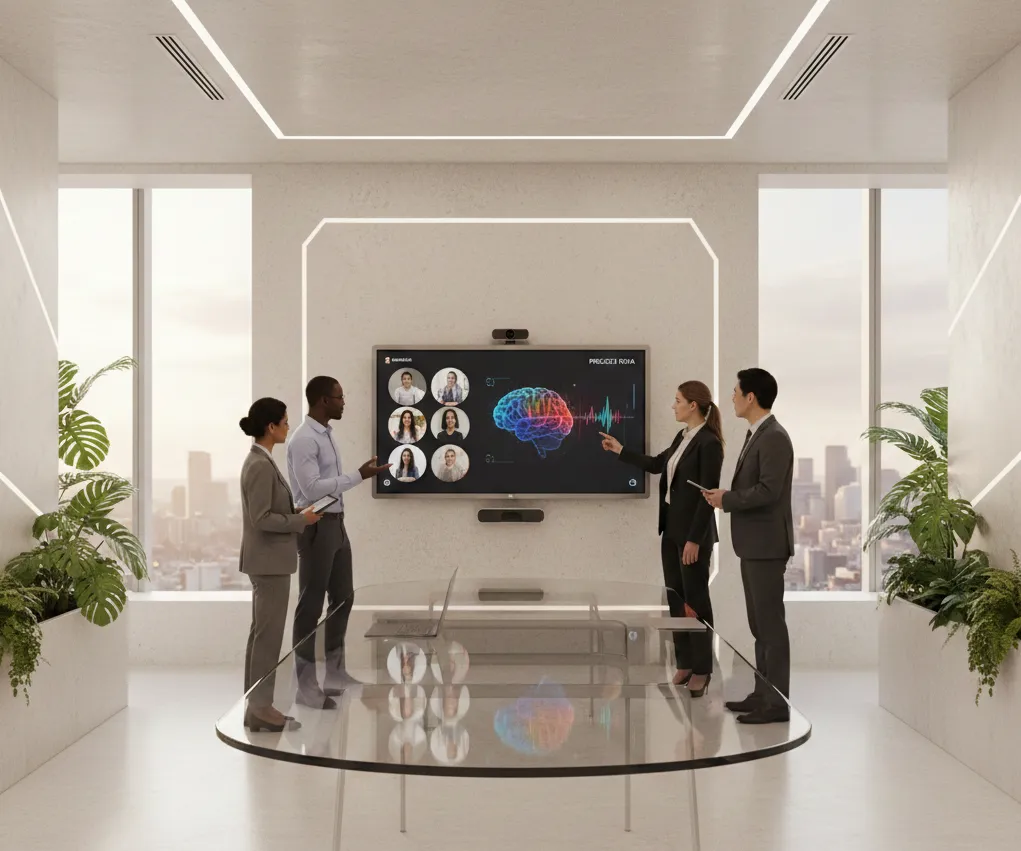
"Meeting Equity" is the concept that remote participants should be life-sized and clearly visible. This requires large-format displays—typically 75 inches or larger—with 4K resolution. But visual clarity isn't enough; you also need AI-driven "Gallery Views" that automatically frame each individual in the room. This prevents remote workers from feeling like they are watching a distant "security camera" feed of a board table.
Scannable Comparison Table: Old vs. New Workspace
| Design Element | Traditional Office (2020) | Collaborative Workspace (2026) |
|---|---|---|
| Space Ratio | 1 Collab Zone : 6 Desks | 1 Collab Zone : 2 Desks |
| Display Tech | Passive LCD Monitor | Interactive 4K Smart Board |
| Audio Standard | Tabletop Speakerphone | Ceiling/Integrated Beamforming |
| Connectivity | HDMI & USB Dongles | Single-Cable USB-C (BYOD) |
| AI Role | None | Auto-Framing & Noise Block |
H2 - Why NearHub S Pro is the Definite Choice for Conference Room Audio Video Solutions
When it comes to providing the best conference room audio video solutions, the NearHub S Pro isn't just a piece of hardware; it’s a consolidated collaboration platform. NearHub has built this system to address the three biggest pain points for IT managers: complexity, reliability, and user adoption.
Consolidating the "Franken-System" Into a Sleek Chassis
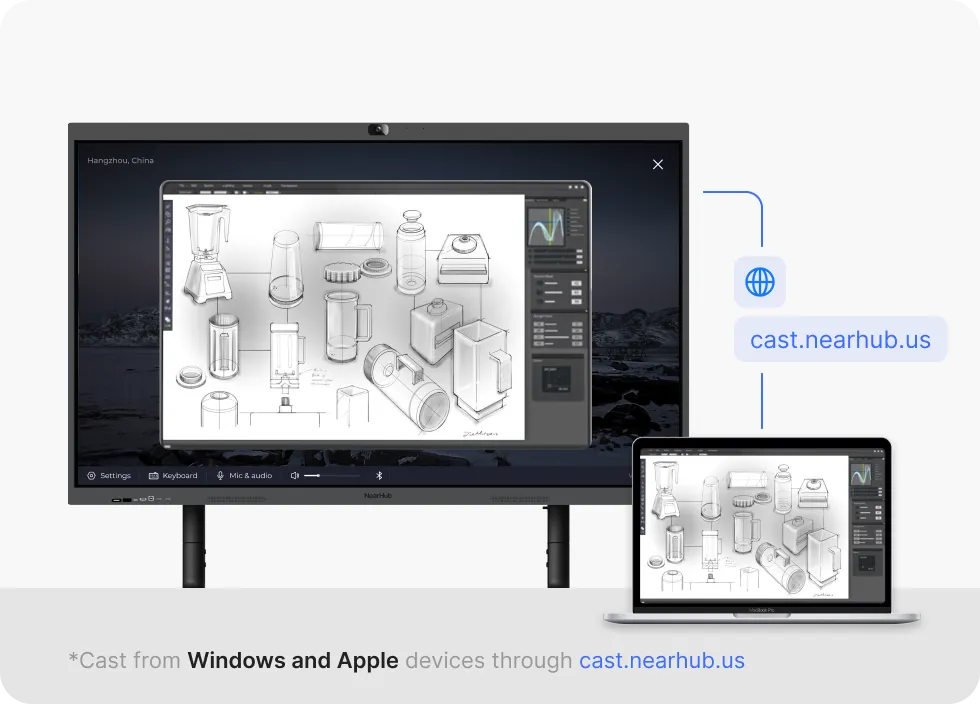
The NearHub S Pro Smart Whiteboard solves the complexity issue by integrating every necessary component into one sleek chassis. This is the ultimate smart board for conference room use because it combines a 4K AI camera, a 24-mic array, dual 20W speakers, and a powerful built-in OPS computer. This integration ensures that the audio and video are perfectly synced, eliminating the "lipsync" issues common in patchwork systems.
The "Zero-Gap" Bonding Advantage for Natural Writing
If you’ve ever used a subpar touch screen, you know the frustration of "parallax"—where the digital ink appears a few millimeters away from your pen tip. NearHub’s "Zero-Gap" bonding technology removes this barrier, making the smart writing board feel as natural as writing on paper. In a fast-paced collaborative workspace, this tactile accuracy is essential for keeping the creative momentum going during a sketch session.
Reliability Through Simplicity and Cable Management
Because it is a single unit, there are no messy cables running under the table. There is no external hub that can be accidentally unplugged or damaged. For IT managers, this means the conference room audio video solutions are "self-contained," leading to a 40% reduction in setup time for meetings and a 99% reduction in "hardware not found" errors.
H2 - Breaking Down the Hardware: Video Conferencing Devices Reimagined
In 2026, video conferencing devices have evolved from being "peripherals" to being "intelligent agents." They no longer just capture reality; they optimize it for human interaction. This optimization is what defines a premium collaborative workspace.
AI Camera Intelligence: Beyond Basic Auto-Framing
A standard 4K camera is no longer enough. The NearHub S Pro features "Director AI," which understands the context of the room. If someone starts writing on the whiteboard, the camera should automatically create a split-screen view—one focused on the speaker and one on the content they are creating. This level of intelligence ensures that remote participants never miss the "Aha!" moment on the board.
Audio Fencing and Intelligent Noise Suppression
Small huddle rooms often have glass walls that reflect sound, while large boardrooms have background HVAC hum. Modern video conferencing devices use "Acoustic Fencing" to ignore any sound originating from outside the meeting zone. If someone walks past the glass-walled room talking on their phone, the remote participants won't hear a word of it, keeping the collaborative workspace focused and professional.
The BYOD (Bring Your Own Device) Workflow via USB-C
Employees have a deep emotional attachment to their own laptops. They have their files, their logins, and their unique workflows. A true collaborative workspace supports this via a single USB-C cable. You walk in, plug in, and the video conferencing devices in the room immediately take over your laptop’s audio and video duties while charging your device at 65W. No more searching for power outlets mid-meeting.
H2 - Meeting Equity: Ensuring Every Voice is Heard in the Collaborative Workspace
The greatest threat to hybrid work is the "Remote Tax"—the subtle marginalization of people who aren't in the physical room. Strategic collaborative workspace design is the only cure for this "distance bias."
The "Life-Size" Psychological Effect of Large Displays
When remote participants are displayed on a 75-inch or 86-inch screen at the head of the table, they occupy a physical presence in the room. This makes it much harder for in-person attendees to talk over them or ignore their input. It changes the dynamic from "us vs. them" to "all of us together."
Interactive Inclusivity with Digital Canvases
One of the best ways to include remote workers is to use a smart electronic whiteboard. When everyone is drawing on the same digital canvas, the "distance" between New York and London vanishes. The digital board becomes the "Source of Truth" for the meeting, ensuring everyone sees the same evolution of an idea in real-time.
AI Transcription, Summarization, and Action Items
In 2026, your conference room audio video solutions should also handle the "after-meeting" work. Advanced systems now offer real-time transcription and AI-generated summaries. This ensures that even if someone had a bad connection or missed a segment, they are fully aligned with the team’s decisions, further promoting an equitable and transparent collaborative workspace.
H2 - Implementation Guide: Transforming Your Office into a Collaborative Workplace
Upgrading your office tech can be daunting. However, if you follow a structured approach to collaborative workspace design, the transition can be completed in weeks rather than months.
Step 1: Audit Your Current Space Planning
Start by looking at your desk-to-room ratio. If you have more than four desks for every one collaborative zone, you are likely suffering from "huddle-room poaching," where employees occupy meeting rooms just for 1:1 calls because they have no other quiet place. Aim for the 1:2 ratio found in the most successful 2026 offices.
Step 2: Standardize Your Video Conferencing Devices
Variety is the enemy of IT support and user confidence. If every room has a different setup, your employees will be hesitant to lead meetings. Standardizing on an all-in-one hub like the NearHub S Pro across all mid-to-large rooms creates a "frictionless" experience where an employee can walk into any room and know exactly how to start a call.
Step 3: Train for Adoption and Cultural Change
Don't just install the hardware and leave. Provide a simple, 1-page "cheat sheet" on how to use a smart board. Host a "Lunch and Learn" session where teams can practice whiteboarding and wireless sharing. Adoption is the only true measure of ROI in a collaborative workspace.
Frequently Asked Questions (FAQ)
What is the most important factor in collaborative workspace design?
While aesthetics are nice, the most important factor is "Intuitiveness." If a room takes more than 30 seconds to configure, people won't use it. Prioritize all-in-one video conferencing devices that offer one-touch join and wireless sharing.
How much should I budget for high-end conference room audio video solutions?
For a professional mid-sized room, you should budget between $4,000 and $8,000. While the initial smart board price might seem significant, remember that integrated units save money on external cameras, microphones, and PCs.
Do smart boards work with all meeting software?
Yes, provided they are platform-agnostic. The NearHub S Pro runs a secure version of Android/Windows that supports Zoom, Microsoft Teams, Google Meet, and Webex. It also supports BYOD via USB-C, ensuring it works with any niche software your team might use.
How do I prevent background noise in an open-plan collaborative workspace?
The secret is in the microphones. Look for devices with "Acoustic Fence" or AI noise-suppression technology. These systems create a virtual "sound bubble" around the participants, filtering out the chatter of the open-plan office.
Is it hard to learn how to use a smart board for the first time?
Not if the interface is user-friendly. The best smart electronic whiteboard solutions have an interface as simple as a tablet. If your team knows how to use a smartphone, they can learn the basics of digital whiteboarding in under five minutes.
Conclusion & CTA
The collaborative workspace is the new heart of the corporate office. In 2026, the organizations that thrive will be those that invest in collaborative workspace design that prioritizes human connection over physical presence. By choosing the best conference room audio video solutions, such as the NearHub S Pro, you are not just buying hardware; you are building a bridge to the future of work.
Whether you are looking for a cheap smart board for a small startup or a flagship NearHub S Pro Smart Whiteboard for a global headquarters, the mission remains the same: ensuring that every voice is heard, every idea is seen, and every team is empowered to create without boundaries. Don't let outdated video conferencing devices hold back your team’s potential in this new era of work.






 sales@nearhub.us
