






















































You’ve likely been there: sitting in a sleek office chair, ready to deliver a career-defining presentation, only for the “connection” to fail. Or worse, you realize half the team is squinting at a tiny laptop screen, while the remote participants feel like they’re watching a grainy silent film from 1920. In the high-stakes corporate world of 2026, a glitchy virtual meeting room isn't just a technical hiccup—it’s a threat to your brand’s professionalism and productivity.
The "hybrid hustle" is no longer a temporary fix; it is the definitive global standard. According to insights from the Harvard Business Review on the evolution of flexible work, the physical office must now function primarily as a social and collaborative anchor. However, as the lines between physical and digital spaces blur, the equipment we use must work harder to provide an equitable experience for everyone involved. This guide is designed to help you navigate the complex landscape of modern office tech, ensuring that every virtual meeting room you build is a powerhouse of collaboration and clarity.
Key Takeaways
- Mandatory AI-Driven "Meeting Equity": To avoid marginalizing remote workers, the best video conferencing equipment must feature AI auto-framing and speaker tracking to ensure every participant has an equal digital presence.
- Optimizing by Room Volume: Actionable setups vary significantly; huddle rooms require 120° ultra-wide lenses, while large boardrooms demand multi-camera arrays and ceiling-mounted beamforming microphones.
- Maximizing ROI with All-in-One Hubs: Integrated solutions like the NearHub S Pro offer superior ROI by consolidating 4K cameras, 24-mic arrays, and interactive whiteboards into a single, low-maintenance endpoint.
- The 80/20 Audio Rule: Audio clarity is the primary driver of meeting success. Prioritize hardware with spatial audio and acoustic fencing over incremental video pixel upgrades to reduce cognitive fatigue.
- Scalable & Sustainable Connectivity: Prioritize "Bring Your Own Device" (BYOD) flexibility with universal USB-C standards and invest in software-defined hardware that stays relevant through automated cloud updates.
What is a Virtual Meeting Room and Why is it the Standard for 2026?
In previous years, a "virtual meeting room" was often thought of as just a software link—a Zoom ID or a Microsoft Teams calendar invite. However, in 2026, the definition has evolved significantly. Today, a virtual meeting room is a synchronized ecosystem where high-end physical hardware meets sophisticated cloud-based software to create a "borderless" collaboration experience.
The Shift to "Meeting Equity"
According to a recent report by Frost & Sullivan, by 2026, over 75% of all business meetings will include at least one remote participant. This shift has given rise to the concept of "Meeting Equity." It means that whether you are sitting in a boardroom in Manhattan or a home office in Austin, you should have the same ability to see, hear, and contribute to the conversation.
Beyond the Video Call
Today's solutions are no longer just about seeing a face on a screen. They are about data persistent environments. When you step into a modern virtual meeting room, you expect to pick up exactly where you left off. This is why NearHub has focused so heavily on creating a unified experience where hardware and software are inseparable.
The Standard for Corporate Credibility
For businesses, the quality of their virtual presence is now a primary indicator of their technical maturity. Clients and partners judge your organization by the fluidity of your digital interactions. Investing in the right virtual meeting room setup isn't just an IT expense; it's a critical component of your marketing and operations strategy.
Essential Video Conference Device Categories for a Seamless Digital Space
Building the ultimate room requires a deep understanding of the individual components that make up a professional video conference device tech stack. You cannot simply throw a consumer-grade webcam into a conference hall and expect professional results.
High-Fidelity Audio: The Invisible Foundation
If your video fails, you can still have a meeting. If your audio fails, the meeting is over. In 2026, the standard for a professional video conference device includes beamforming microphone arrays and AI-driven noise suppression. These systems can isolate a human voice while filtering out the hum of the HVAC system or the rustle of papers.
4K AI Cameras and Optical Zoom
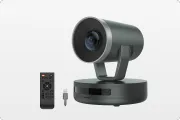
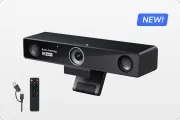
The camera is the "eye" of your remote participants. Modern cameras utilize AI to perform "Auto-Framing" and "Speaker Tracking." This means the camera automatically zooms in on whoever is speaking, ensuring their facial expressions and body language are captured clearly. This level of detail is a prerequisite for any serious virtual meeting room setup.
Interactive Visual Hubs
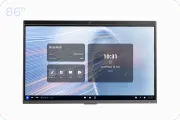
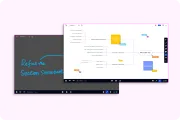
Static monitors are quickly being replaced by interactive smart boards. When people ask how much is a smart board interactive whiteboard, they are usually looking for a way to turn a passive viewing experience into an active collaboration session. A smart board allows for real-time annotation, digital whiteboarding, and instant file sharing.
| Component | Essential Feature in 2026 | Recommended Standard |
|---|---|---|
| Audio | Acoustic Fence / Noise Block | Full Duplex, 20ft+ Range |
| Video | AI Auto-Framing / 4K | 120-degree Field of View |
| Display | Multi-touch Interaction | 4K UHD, Low Latency |
| Control | One-Touch Join | Table-top or Integrated Pad |
Owl Conference Room Camera vs. All-in-One Smart Boards: Which Fits Your Team?
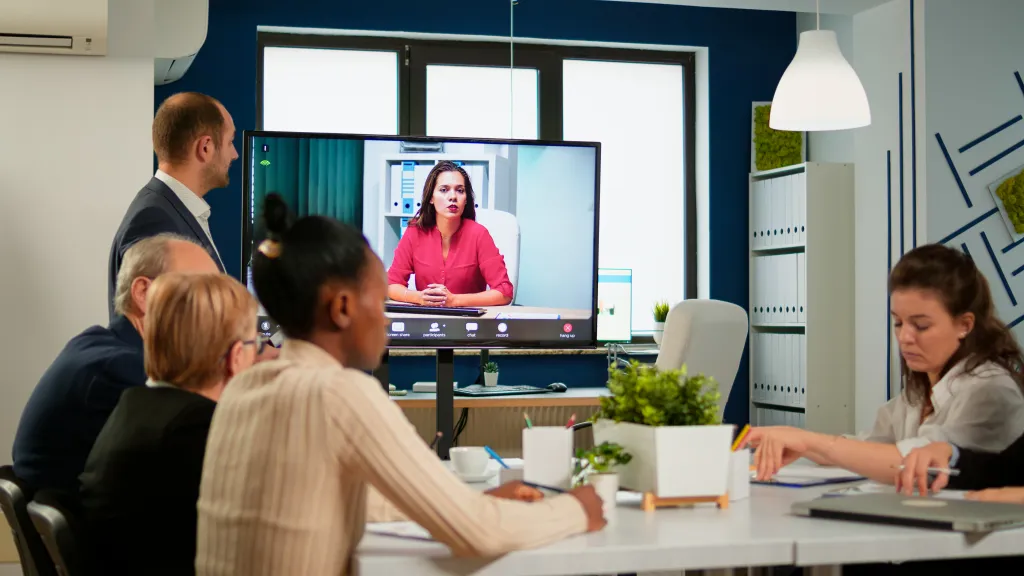
When companies begin researching the best way to outfit their office, two main philosophies often emerge: the "Center of the Table" approach (like the Owl conference room camera) and the "Front of the Room" approach (using an integrated smart board).
The Case for the 360-Degree Camera
The Owl conference room camera became popular because of its 360-degree lens that captures everyone around a huddle table. It is excellent for "roundtable" discussions where the conversation flows rapidly between multiple participants. However, it can sometimes struggle in larger rooms where participants sit further away from the device.
The Rise of All-in-One Smart Boards
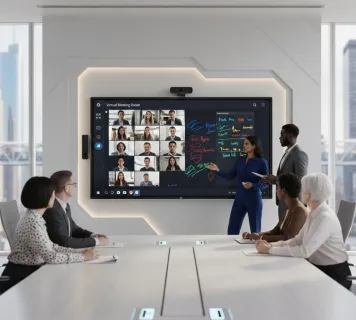
On the other side of the spectrum is the "All-in-One" solution, such as the NearHub S Pro Smart Whiteboard. These devices consolidate the camera, microphones, speakers, and a massive 4K touch display into a single unit.
- Superior Collaboration: Unlike a standalone camera, a smart board allows remote users to see exactly what is being drawn or edited on the screen in real-time.
- Professional Aesthetics: There are no messy cables running to the center of the table. Everything is contained on the wall or a mobile stand.
- Versatility: A meeting room smart board isn't just for calls; it’s a presentation tool, a brainstorming canvas, and a digital signage board when not in use.
Which One Should You Choose?
If your meetings are purely conversational, a 360 camera like the Owl might suffice. However, if your virtual meeting room needs to support creative brainstorming, data analysis, or interactive pitches, the smart board is the undisputed winner for 2026 workflows.
Scalable Conference Room Solutions for Every Workspace Size
One size does not fit all in the world of office design. The virtual meeting room for a CEO needs to look and feel different from a 2-person huddle pod.
Huddle Rooms (2–4 People)
In these small spaces, you want a wide-angle lens so that everyone is visible even if they are sitting close to the screen. Because budgets are often tighter for these rooms, many IT managers look for a cheap smart board that doesn't compromise on the 4K resolution needed for clear text.
Standard Meeting Rooms (6–12 People)
This is the standard for most corporate environments. Here, the conference room solutions must prioritize audio pickup range. You need a system that can hear the person at the far end of the table without them needing to shout. The NearHub S Pro Smart Whiteboard is particularly effective here, as its integrated mic array is designed specifically for these mid-sized dimensions.
Large Boardrooms and Training Halls (15+ People)
Large spaces require complex "Meeting Equity" technology. This might include ceiling-mounted microphones and dual-camera systems—one for a wide shot of the room and one focused on the presenter. In these environments, the smart board often acts as the "Brain" of the room, controlling the auxiliary cameras and mics while providing a massive focal point for the presentation.

The Hidden Benefits of Upgrading Your Video Conference Device Tech Stack
Many organizations view a video conference device upgrade as a "grudge purchase." However, the benefits of modernizing your tech stack go far beyond just having a clearer picture.
Reducing "Zoom Fatigue"
Research from Stanford University has shown that poor video and audio quality significantly contribute to cognitive fatigue. When the brain has to work harder to "fill in the gaps" caused by choppy audio or grainy video, participants become exhausted much faster. Upgrading to a professional virtual meeting room setup allows for natural communication, keeping your team energized and focused.
Attracting and Retaining Talent
In 2026, the "Digital Employee Experience" (DEX) is a key factor in recruitment. Top-tier talent expects to work in an environment that values their time and their ability to collaborate. A seamless, high-tech virtual meeting room signals that your company is future-oriented.
Speed to Market
The faster your team can brainstorm, edit, and approve a project, the faster you get to market. By using an interactive smart board, you eliminate the "take a photo of the whiteboard and email it later" step. The work is saved instantly to the cloud, allowing the project to move forward the moment the meeting ends.
Key Features to Look for in Modern Conference Room Solutions
If you are currently evaluating different conference room solutions, you should prioritize features that ensure longevity.
AI-Powered Intelligence
Look for hardware that understands the room. This includes:
- Acoustic Echo Cancellation (AEC): Essential for preventing that annoying screeching sound.
- People Counting: Provides data to your facilities manager on how often the room is used.
- Automatic Lighting Correction: Adjusts the image so you look great even in a room with windows or harsh fluorescent lights.
BYOD (Bring Your Own Device) Flexibility
Your virtual meeting room should be "agnostic." A high-quality video conference device should support a single-cable USB-C connection that handles video, audio, and charging simultaneously.
Security and Manageability
For enterprise-level conference room solutions, security is paramount. Ensure your devices support encrypted firmware, secure boot, and remote management tools that allow IT to update screens building-wide from a single dashboard.

Final Checklist: How to Build the Ultimate Virtual Meeting Room in 2026
Ready to pull the trigger on a new setup? Use this final checklist to ensure you haven't missed any critical details for your virtual meeting room.
- Assess the Acoustics: Before buying a single video conference device, check the room for echo. Consider acoustic panels or soft furnishings.
- Verify Network Bandwidth: A 4K video stream requires significant "Upstream" speed. Ensure your room has a hardwired Ethernet port.
- Choose the Right Display Size: The distance to the furthest seat should be no more than 4x the height of the screen. For most mid-sized rooms, a 65" or 75" smart board is the gold standard.
- Simplify the User Interface: If it takes more than 30 seconds to start a meeting, the tech has failed. Look for "One-Touch Join" capabilities.
- Plan for Interactive Collaboration: Invest in a meeting room smart board that allows your team to actually do work together.
Frequently Asked Questions (FAQ)
What is the absolute best video conferencing equipment for a small startup?
For startups, flexibility and ease of use are the top priorities. Startups should prioritize "All-in-One" solutions like the NearHub S55 or S Pro. These provide everything you need in one package—display, camera, and microphones—meaning you don't need to hire an external A/V consultant for installation.
Do I really need a 4K camera if Zoom only supports 1080p?
Yes, you definitely do. While the stream might be compressed to 1080p, a 4K sensor allows for "Digital Cropping" and intelligent zoom. This means the AI can zoom in on a specific person's face without the image becoming pixelated, which is a key feature of modern speaker-tracking.
Is it better to have a dedicated PC in the room or rely on employee laptops?
A dedicated "Room PC" (like those built into the NearHub S Pro) is always more reliable. It prevents the "cable hunt" and ensures the meeting starts instantly with a single touch. However, ensure your system also supports BYOD (Bring Your Own Device) for guest presenters.
What is the ideal camera height for a video conference device?
The camera should be at eye level (approximately 48–52 inches from the floor). If it is mounted too high, remote participants will feel like they are being looked down upon. Eye level creates the most natural "face-to-face" psychological connection.
How do I choose between different conference room solutions for a satellite office?
For remote or satellite offices, prioritize ease of setup. You want an "All-in-One" device like the NearHub S Pro Smart Whiteboard that can be set up in minutes without needing an on-site A/V engineer, reducing the burden on your central IT department.
Conclusion & CTA
Building the perfect virtual meeting room is about more than just buying gadgets; it’s about crafting an environment where ideas can flow without friction. As we navigate the complexities of hybrid work in 2026, the organizations that prioritize "Meeting Equity" and interactive collaboration will be the ones that win the talent war and drive innovation.
Whether you are looking for a cheap smart board to outfit a dozen huddle rooms or a flagship NearHub S Pro Smart Whiteboard for your executive suite, the goal remains the same: making distance disappear. By following the strategies and checklists outlined in this guide, you can ensure your team is equipped to communicate with clarity, regardless of where they are in the world.





 sales@nearhub.us
