
































































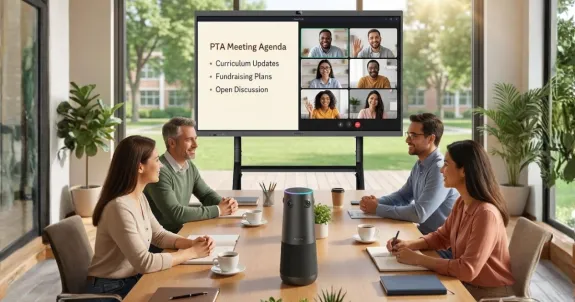
In this guide, we aren't just talking about theory. We are breaking down the five specific communication gaps plaguing schools today and solving them with a two-pronged approach: methodological discipline (using digital logs and templates) and technological innovation (deploying hybrid audio-video solutions).
Whether you are a PTA president, a school administrator, or a classroom teacher, this problem-solution framework is your roadmap to a connected, transparent school community.
Key Takeaways
- Use Excel Templates: Replace casual notes with structured Meeting Minutes Templates in Excel to track action items and ensure accountability.
- Maintain Contact Logs: Document every interaction using a Contact Log to create a paper trail and prevent "he said, she said" disputes.
- Adopt Hybrid Meetings: Increase parent attendance by offering flexible Hybrid Meeting options for those who cannot attend in person.
- Upgrade AV Hardware: Use dedicated 360° cameras like the Nearity 360 Alien to ensure remote parents are active participants, not just spectators.
- Centralize Apps: Avoid fragmented updates by mandating one single Communication App (e.g., Remind) for all daily announcements.
Picture this: It’s 3:00 PM on a Tuesday. You are sitting in the school library for the monthly PTA meeting. The snacks are set out, the agenda is printed, and the enthusiasm is high. But as you look around, only four parents have shown up. Meanwhile, your email inbox is flooding with questions from parents who couldn't make it due to work, childcare, or distance.
This disconnect is the single biggest hurdle in modern education management.
The gap between "wanting to be involved" and "actually participating" is widening. It is common knowledge parent teachers share a unified goal: student success. However, without the right tools to document conversations and the right technology to bridge the physical distance, that goal remains out of reach.
In this guide, we aren't just talking about theory. We are breaking down the five specific communication gaps plaguing schools today and solving them with a two-pronged approach: methodological discipline (using digital logs and templates) and technological innovation (deploying hybrid audio-video solutions).
Whether you are a PTA president, a school administrator, or a classroom teacher, this problem-solution framework is your roadmap to a connected, transparent school community.
Problem 1: Disorganized Meeting Records (The "Black Hole" Effect)
The first gap is historical. How often has a great idea been proposed at a meeting, only to be forgotten by the next month because the notes were scribbled on a napkin or lost in a chaotic Google Drive folder? When meeting records are disorganized, accountability vanishes. Decisions aren't tracked, and volunteers lose motivation because they don't see progress.
The Solution: The Master Meeting Minutes Template Excel
To fix this, we need to move away from casual note-taking and toward structured data. The most effective tool for this is a standardized meeting minutes template excel sheet.
Why Excel? Because it allows for sorting, filtering by "Action Item," and tracking deadlines. A Word document is just text; an Excel sheet is a database of accountability.
What Your Template Needs (The Golden Standard)
It is not enough to just write down "what happened." A functional minutes template must act as a project management tool. Below is a checklist of the essential columns and fields your template must contain to be effective.
Table 1: Essential Elements of a Meeting Minutes Template Excel
| Component | Why It Is Crucial | Best Practice Strategy |
|---|---|---|
| Call to Order Timestamp | Establishes the legal start of the meeting. | Use 24-hour format to avoid confusion. |
| Attendees vs. Absentees | Tracks quorum and engagement levels over time. | Link this to a separate "Attendance Tab" in the same Excel file. |
| Approval of Previous Minutes | Legal requirement for formal boards (PTA/PTO). | Include a hyperlink to the previous month's PDF. |
| Officer Reports (Treasurer/Principal) | separating financial data from general discussion. | Use specific cells for "Current Balance" and "Pending Expenses." |
| Old Business (Unfinished) | Ensures dropped topics are picked back up. | Color-code these rows (e.g., Yellow) until resolved. |
| New Business (Motions) | The core decision-making section. | Record exactly who made the motion and who seconded it. |
| Action Items & Owners | The most important column. Assigns responsibility. | Use data validation (drop-down list) for names to ensure consistency. |
| Deadlines | Creates urgency. | Set conditional formatting to turn the cell red if the date passes. |
| Adjournment Time | Closes the official record. | Note the date/time of the next meeting immediately here. |
By standardizing this format, you ensure that any parent who missed the meeting can open one file and understand exactly what was decided, how much money was spent, and who is responsible for the next steps. This transparency is the foundation of trust.
Problem 2: The "He Said, She Said" Conflict
Moving from the boardroom to the classroom, we face the second gap: individual behavioral or academic disputes. A parent claims they were never notified about a failing grade; a teacher claims they sent three emails. Without a paper trail, these situations devolve into emotional conflicts that erode the parent-teacher partnership.
The Solution: Implementing a Rigorous Contact Log
Memory is fallible; documentation is not. The solution to the "He Said, She Said" conflict is the religious use of a contact log.
A parent teacher communication log is a chronological record of every interaction between an educator and a family. While this sounds bureaucratic, it is actually a protective measure for both parties. According to resources from Edutopia, documenting parent communication is one of the primary ways teachers can demonstrate their due diligence and professional commitment to student support.
The Anatomy of an Effective Contact Log
Whether you are using a physical notebook or a digital CRM, your contact log must capture the "Four Ws":
- When: Date and exact time.
- Who: Which parent/guardian was spoken to, and the student involved.
- What: A summary of the discussion (e.g., "Discussed missing math homework from Week 3").
- Where/How: Was it a phone call, email, Zoom, or sidewalk chat?
Pro-Tip for Administrators:
Encourage your staff to log positive interactions as well. If a parent teacher communication log only contains negative news (disciplinary issues, failing grades), parents will condition themselves to dread hearing from the school. A balanced log, where a teacher records "Called Mrs. Smith to praise Johnny's art project," builds a bank of goodwill that can be drawn upon when difficult conversations are necessary.
By making the maintenance of these logs common knowledge parent teachers can rely on, you eliminate ambiguity. When a dispute arises, you simply open the log: "Actually, we discussed this on October 12th at 3:45 PM via phone, and we agreed on a tutoring plan."
Problem 3: Low Parent Attendance (The Accessibility Gap)
You have fixed your records (Problem 1) and your individual communication (Problem 2). But you still have the issue we started with: the empty chairs at the PTA meeting.
Modern parents are working harder and longer hours than ever before. Expecting 100% physical attendance is unrealistic. The old model of "show up or miss out" is exclusionary.
The Solution: Moving to Hybrid Meetings with Common Knowledge Parent Teachers Strategies
The solution is the Hybrid Meeting—a format where some attendees are in the room, and others join remotely via video conferencing.
This is where the strategy shifts from methodology (Excel sheets) to technology. It is becoming common knowledge that parent teachers prefer flexibility. A hybrid model respects parents' time while maintaining the community aspect of the school.
However, hybrid meetings introduce a new layer of complexity. You cannot just open a laptop, put it at the head of the table, and expect remote parents to feel included. They usually can't hear the person at the back of the room, and they can't see the whiteboard.

Engaging the Invisible Audience
To make this work, you need to follow specific video conference tips designed for mixed audiences:
- The "Remote-First" Rule: Always address the camera first. Ask for input from online attendees before asking the room. This signals that they are not second-class participants.
- Digital Handouts: Never pass out physical paper in the room unless you have emailed the PDF to the Zoom participants simultaneously.
- Visual Equity: Ensure that whatever is being shown on the projector is also being screen-shared directly to the remote users.
But even the best etiquette fails if the technology fails. Which leads us to the most critical technical gap.
Problem 4: Remote Audio/Video Glitches (The Hardware Gap)
We have all been there. You join a hybrid meeting from home. You see a grainy view of a conference room. You hear the Principal speaking clearly because she is next to the laptop, but when the Treasurer in the back corner asks a question, it sounds like a mumble from inside a tunnel. You check out mentally.
If remote parents cannot hear or see clearly, they are not participants—they are spectators.
The Solution: Upgrading AV Equipment
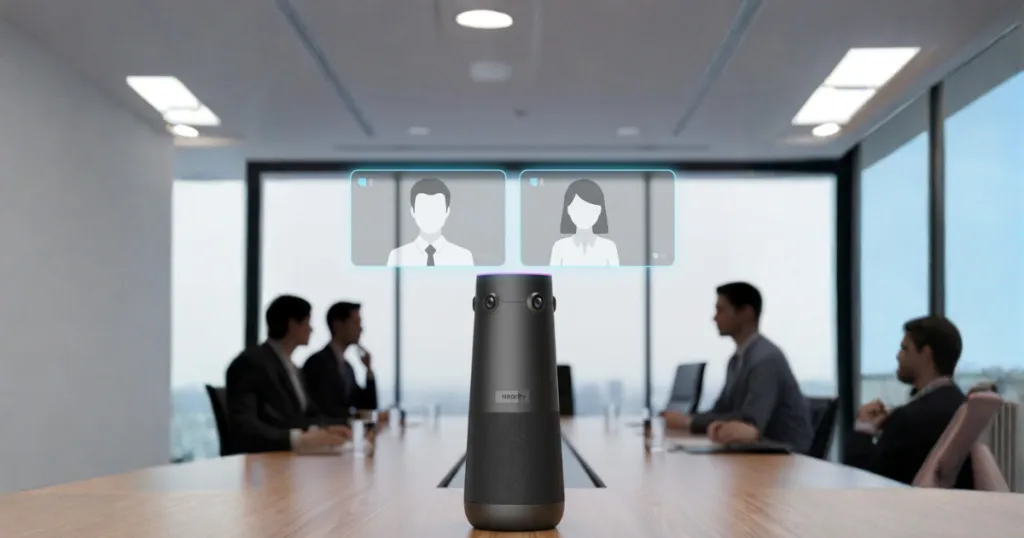
To solve this, schools must upgrade their conference room av equipment. The standard laptop webcam and microphone are designed for one person sitting two feet away, not for a room full of 20 people.
The Physics of the Classroom and Meeting Room
Classrooms and libraries are often acoustically challenging—hard floors, high ceilings, and lots of echo. A standard microphone picks up the echo as much as the voice. To solve this, you need a dedicated conference room microphone and speaker system that utilizes:
- Beamforming Technology: Microphones that "find" the voice and ignore the noise.
- 360-Degree Coverage: Cameras that can see the whole room, not just a narrow slice.
- Echo Cancellation: Algorithms that stop the sound from the speaker bouncing back into the mic.
The All-In-One Solution: Nearity 360 Alien
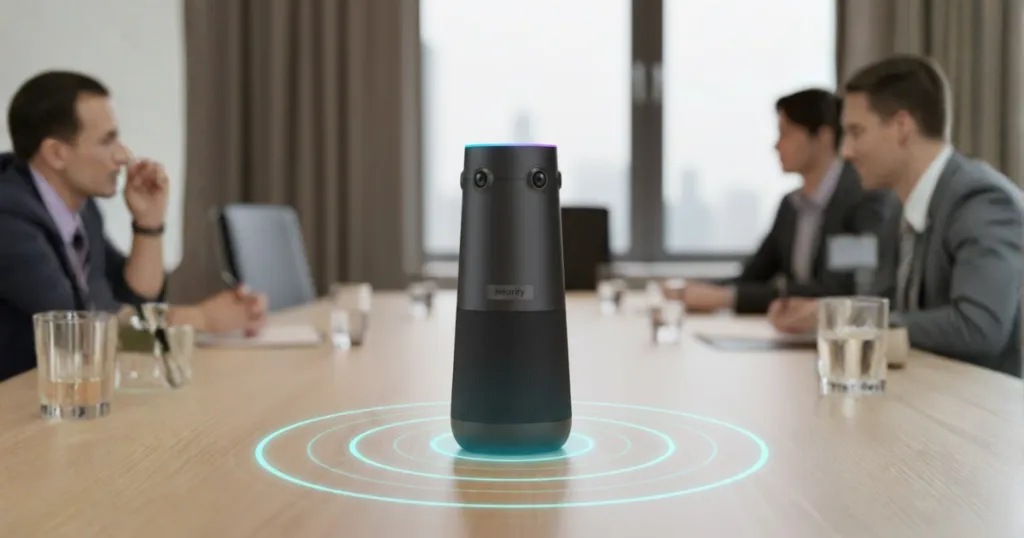
For schools that don't have the budget for a $20,000 Cisco system, the ideal solution is a plug-and-play all in one microphone and camera.
This is where devices like the Nearity 360 Alien conference camera shine. Unlike a static webcam, 360-degree cameras sit in the center of the table. They capture every face in the room. When a parent on the left speaks, the camera focuses there. When the principal on the right responds, the focus shifts.
For the remote parent, this transforms the experience from "watching a surveillance feed" to "sitting at the table." By investing in proper hardware, you validate the remote parent's presence. You are telling them, "Your voice matters enough for us to ensure you are heard clearly."
Problem 5: Fragmented Updates (The "Backpack Black Hole")
The final gap is the day-to-day update. The permission slips, the reminder about "Crazy Hair Day," the homework updates. Sending these via paper in a backpack is a gamble. Sending them via email often leads to the spam folder.
The Solution: The Best Teacher Parent Communication Apps
While NearHub and Nearity hardware handle your synchronous (live) communication, you need robust software for asynchronous (updates) communication.
It is common knowledge parent teachers get overwhelmed by too many platforms. The key is to centralize on ONE app that handles messaging, behavior tracking, and announcements.
Below is a comparison of the best teacher parent communication apps currently dominating the US education market.
Table 2: Top Communication Apps Compared
| App Name | Best For… | Key Features | Cost |
|---|---|---|---|
| Remind | High School / Middle School | Simple text-based messaging without exchanging phone numbers. "Read receipts" help update your contact log. | Free (Basic) |
| ClassDojo | Elementary / Primary | Behavior gamification (Points), "Class Story" feed, and instant photo sharing. | Free (Plus version available) |
| Seesaw | Student Portfolios | Allows students to upload work directly for parents to see. Focuses on academic progress. | Free (School subscriptions available) |
| TalkingPoints | ESL / Multilingual Families | Automatic translation. You type in English; the parent reads in Spanish/Mandarin. | Free for teachers |
| Band | Extracurriculars / PTA | Calendar management, sign-up sheets, and group chats. ideal for boards. | Free |
Strategy Note: Do not use all of them. A school should audit its tools and mandate one platform per grade level. If a parent has to check ClassDojo for math, Remind for soccer, and email for the PTA, they will check none of them.
How to Implement the "Common Knowledge Parent Teachers" Framework in Your School
We have covered a lot of ground, from Excel sheets to 360-degree cameras. Implementing this overhaul might feel daunting, but it follows a logical progression.
Here is your step-by-step implementation plan:
- Phase 1: Standardization (Weeks 1-2)
- Download a meeting minutes template excel. Customize it for your school's branding.
- Mandate the use of a specific parent teacher communication log format for all staff.
- Phase 2: Platform Unification (Weeks 3-4)
- Select one of the best teacher parent communication apps (like Remind or ClassDojo).
- Onboard all parents onto this single platform. Stop sending paper notes.
- Phase 3: The Hybrid Upgrade (Weeks 5-8)
- Audit your meeting space. Is the Wi-Fi strong enough?
- Purchase the necessary conference room av equipment. Install a Nearity 360 Alien in your main conference room.
- Run a mock hybrid meeting with the board to test the audio/video clarity.
- Phase 4: The Culture Shift (Ongoing)
- Market your meetings as "Hybrid-Friendly."
- Use the phrase "It is common knowledge parent teachers collaborate better when we are all connected" in your newsletters to reinforce the new norm.
Frequently Asked Questions (FAQ)
Q: What should be included in a parent teacher communication log?
A: An effective log must include the date, time, method of contact (email, phone, in-person), the name of the person contacted, a brief summary of the conversation, and the agreed-upon next steps.
Q: Can we just use a phone for hybrid PTA meetings?
A: While possible, it is not recommended. A phone microphone cannot pick up voices from across a room, and the screen is too small for attendees to see remote participants. Dedicated conference room microphone and speaker system hardware is essential for a professional and inclusive experience.
Q: What is the best meeting minutes template format?
A: An Excel-based template is generally superior to Word because it allows you to filter Action Items, track attendance statistics, and manage budgets within the same file.
Q: How do we encourage parents to use communication apps?
A: The best way is to make the app the exclusive source of "fun" information (photos of class activities) and critical information (snow day alerts). If parents know they can get the info elsewhere, adoption will be slow.
Q: Is "common knowledge parent teachers" a specific teaching method?
A: No, in this context, it refers to the shared understanding and baseline expectations that both parents and teachers should have regarding communication, documentation, and student support strategies.
Conclusion: Bridging the Gap
The days of lost handwritten notes and inaccessible meetings are over. By combining the rigorous documentation of a meeting minutes template excel and contact log with the inclusivity of hybrid technology, schools can finally close the communication gap.
It is common knowledge that parent teachers rely on trust. Trust is built on transparency (logs) and accessibility (hybrid tech). When you have the right software to track your decisions and the right hardware to include every voice, you aren't just running a school; you are building a community.
Ready to upgrade your school's communication strategy? Apply the common knowledge parent teachers rely on. For seamless hybrid meetings, check out our all in one microphone and camera here: https://www.nearhub.us/product/true-4k-conference-camera-360-alien.




 sales@nearhub.us
